





J_Dub
Members
-
Joined
-
Last visited
Everything posted by J_Dub
-
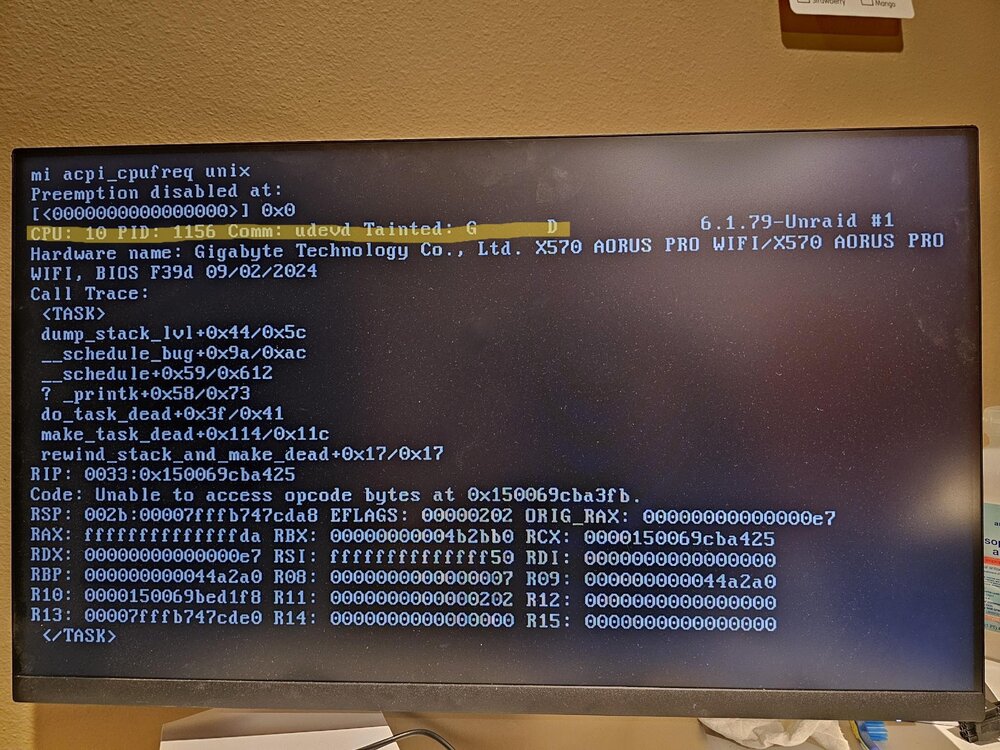
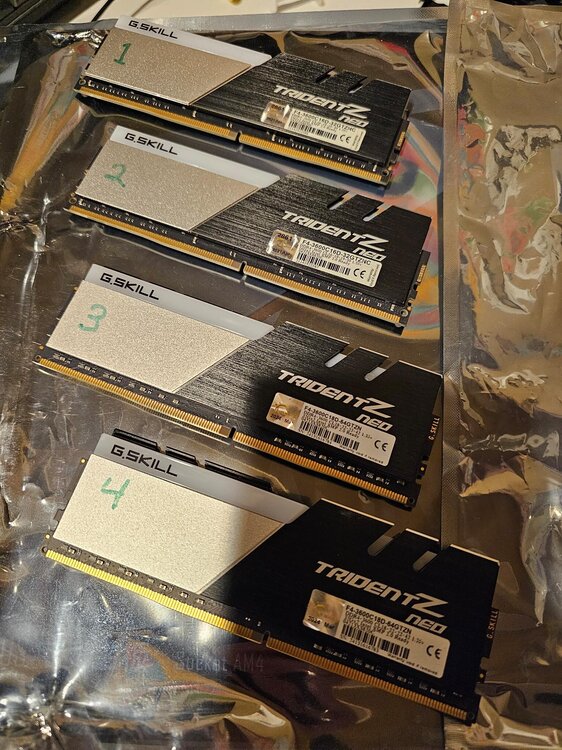
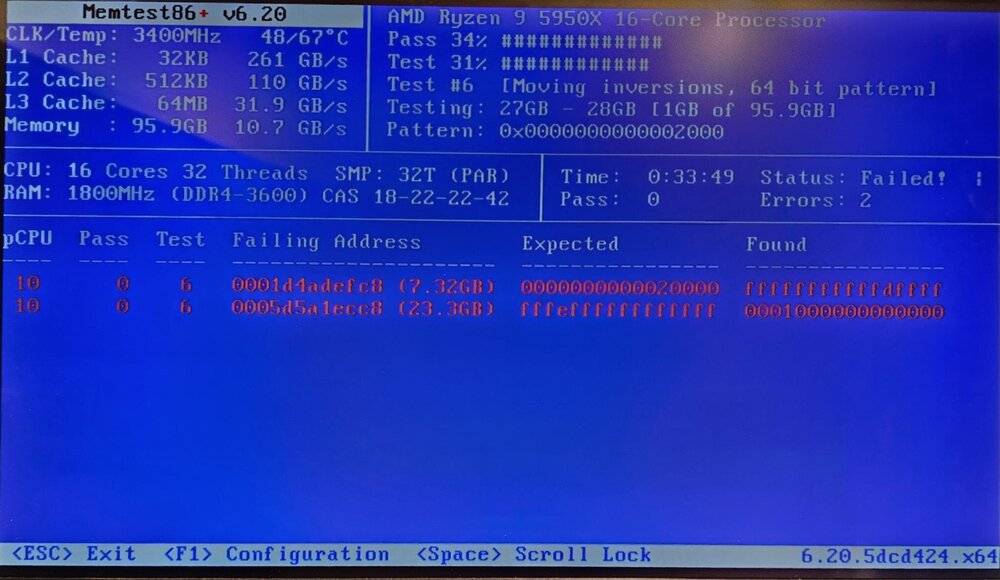
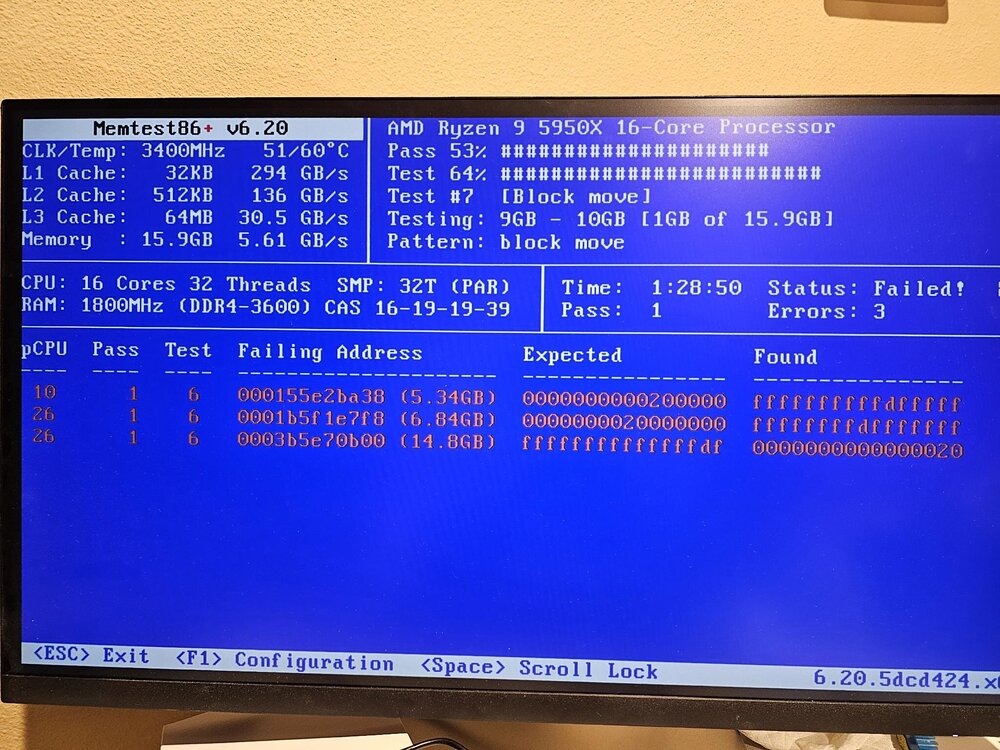
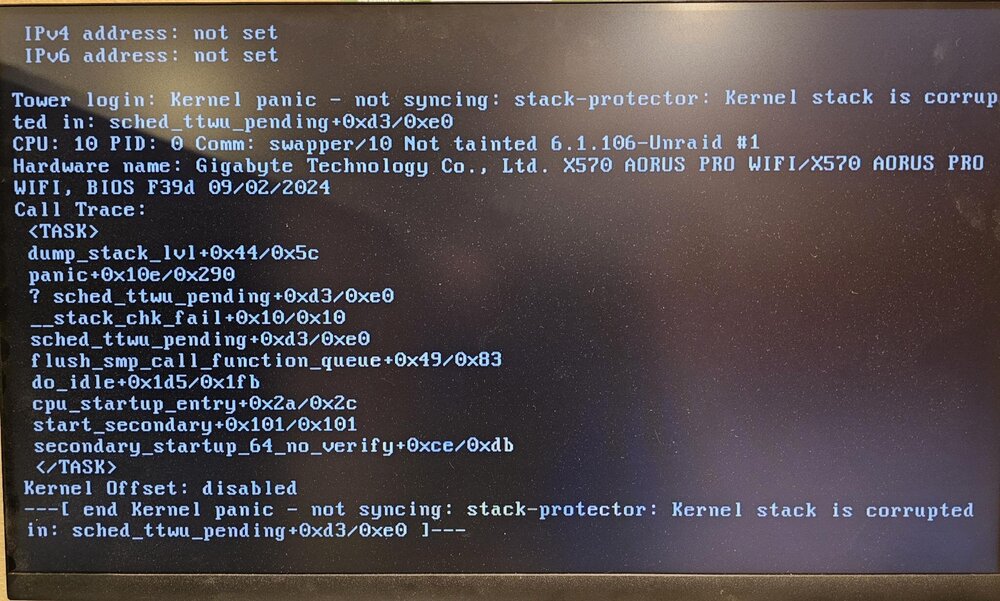
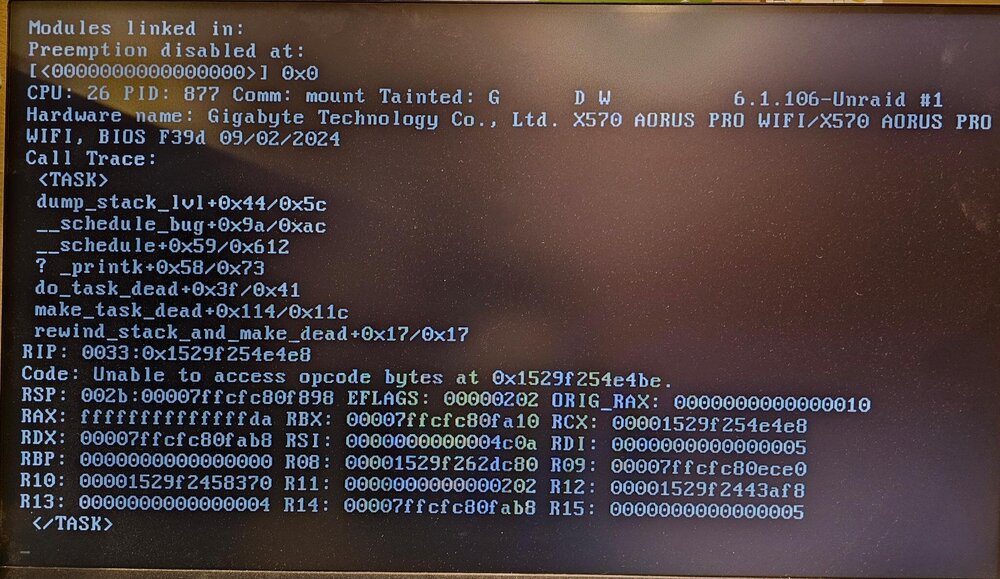
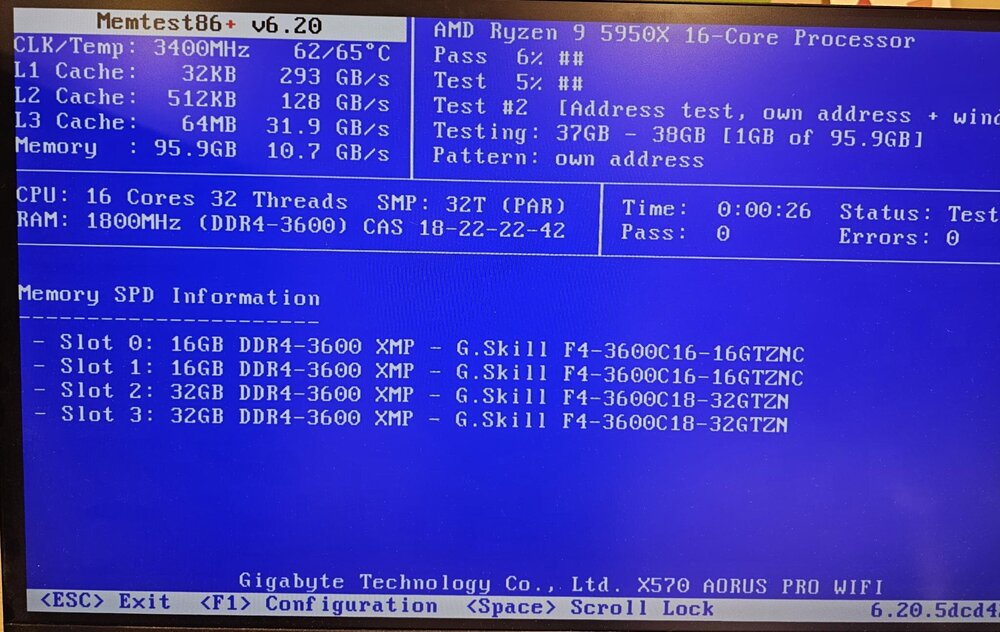
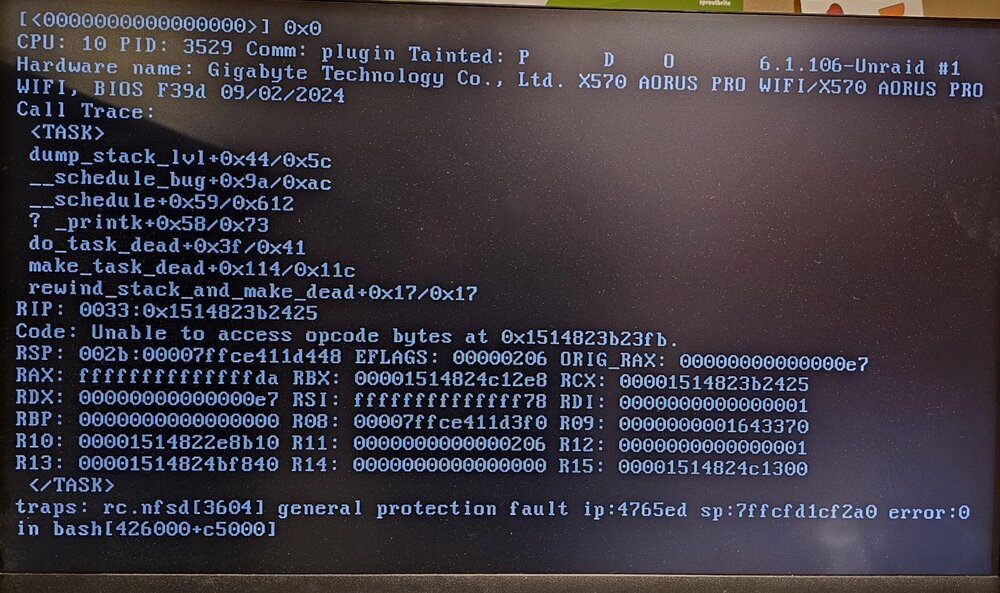
I have likely found the resolution to this, after Veah's previous post i pulled all of teh ram to test it individually again and i noticed that in the error when it freezes on boot, it indicated core 10. Well, when testing each stick individually all of the faults are while utilizing core 10 or Thread 26, which seem to be both processed on core 10. Core Thread 1 17 2 18 3 19 4 20 5 21 6 22 7 23 8 24 9 25 *10 26* 11 27 12 28 13 29 14 30 15 31 16 32 RMA'ing the processor and hoping this is the resolution. these test results are in order top to bottom as pictured above.
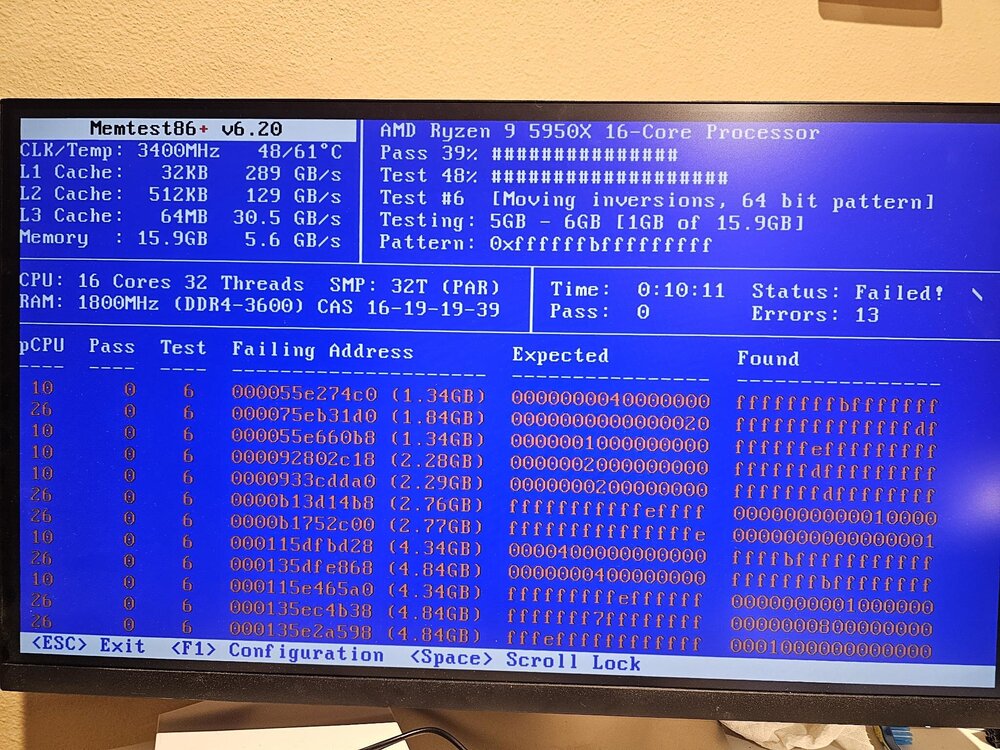
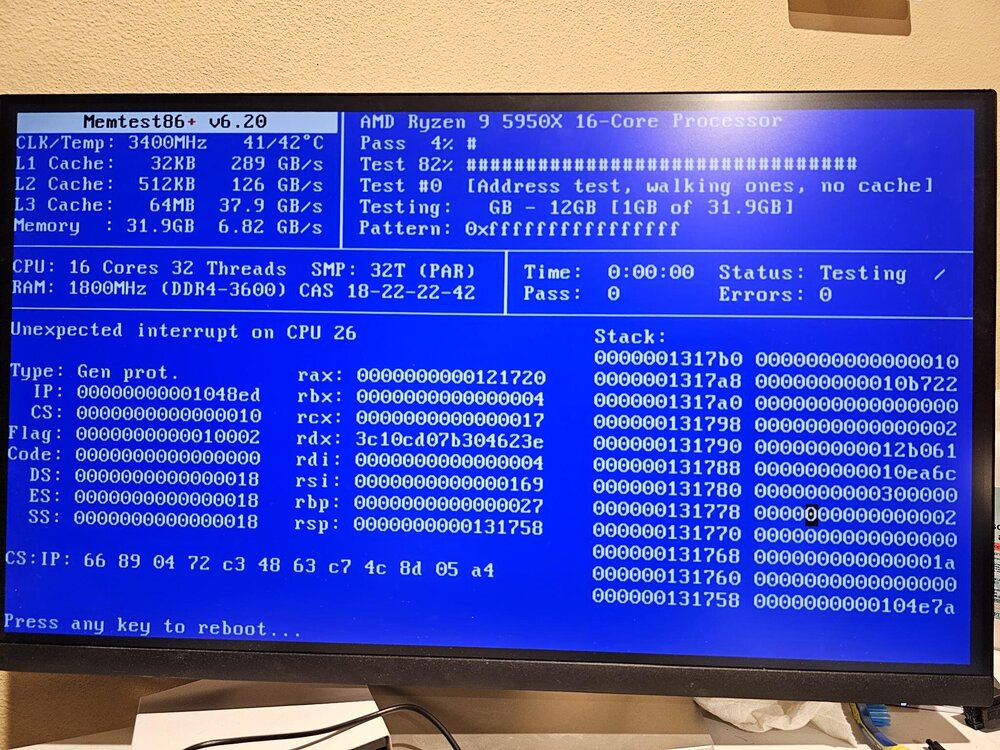
-
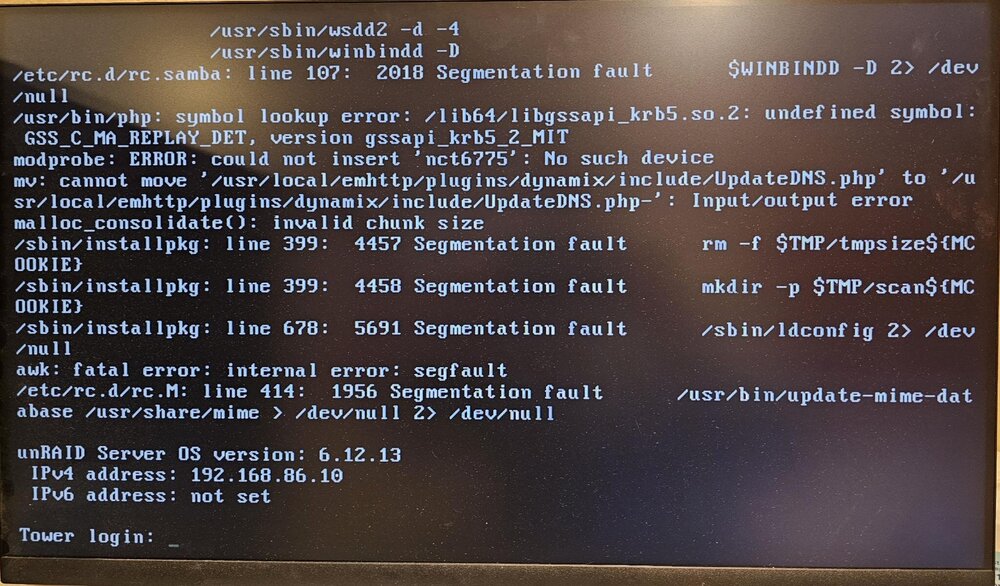
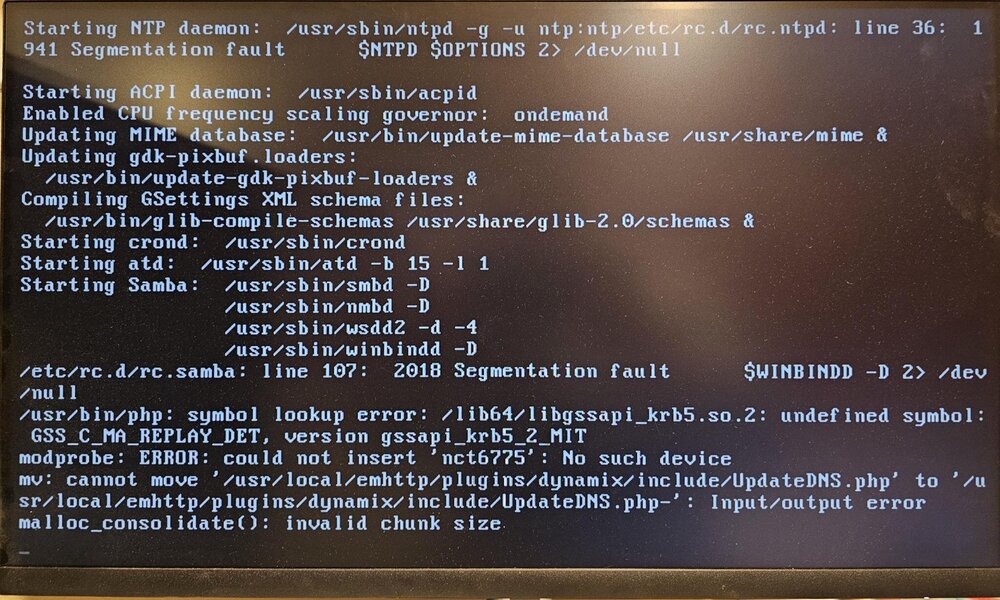
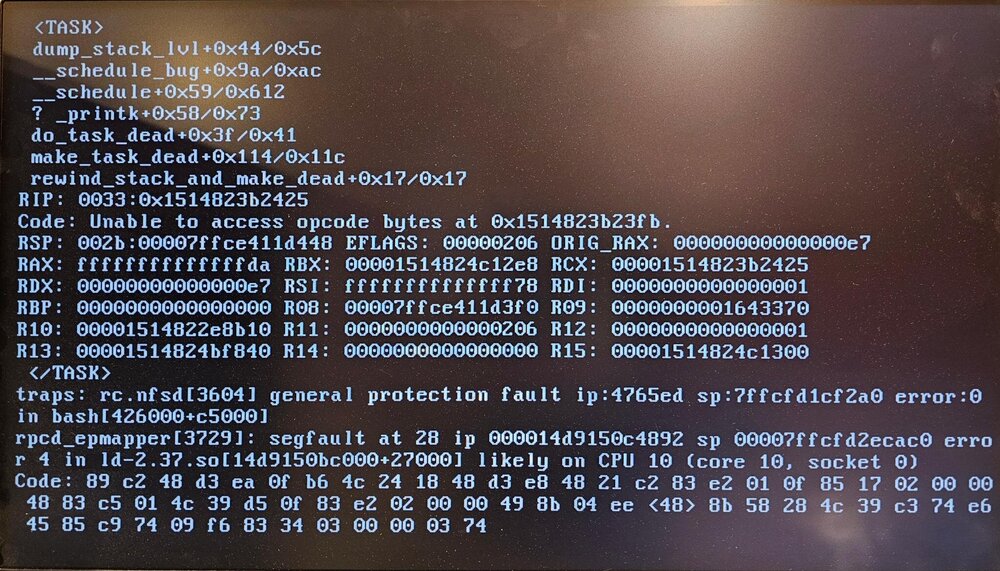
Previous post where i resolved it temporarily: https://forums.unraid.net/topic/179446-unraid-unable-to-get-past-usb-boot-cycle-reliably-after-psu-and-gpu-upgrade/#comment-1486138 Original hardware config : Asus TUF x570 pro wifi Motherboard AMD Ryzen 9 5900x CPU Nvidia 9800 GTX XXX GPU 96GB G.Skill F4-3600 RAM - 2x 16GB in position A1 and B1 - 2x32GB in position A2 and B2 as instructed in the motherboard manual OCZ 700 watt PSU Boot USB Patriot XT Xporter 8GB Storage: 4x WD Red 4TB Intel 500GB SSD NVME Samsun 980 pro 500GB NVME Samsun 980 pro 1TB Current Hardware Config: New - Gigabyte Aurous x570 Pro wifi New - AMD Ryzen 9 5950x CPU New - Nvidia 4070 Super 96GB G.Skill F4-3600 RAM - 2x 16GB in position A1 and B1 - 2x32GB in position A2 and B2 as instructed in the motherboard manual Corsair RM850X 850 watt PSU Boot USB Samsung BAR 128GB (suggested by SpaceInvaderOne in a post) Storage: 4x WD Red 4TB Intel 500GB SSD NVME Samsun 980 pro 500GB NVME Samsun 980 pro 1TB recap: ---In the previous post I tested the RAM with Memtest86 for a few hours 2-4 on a couple different occasions. ---tested the previous processor with Prime95 for a few hours with no errors ---replaced the GPU with a nvidia 4070 Super and to support the dual 6 pin pcie power connector needs i updated the PSU to a Corsair RM850x ---no change, still hung in boot from USB ---Tried booting a fresh copy of UNRAID ---no change ---thought it might be a USB boot media issue to i updated the USB to a Samsung BAR 128GB usb drive ---problem still existed ---on occasion i could get to the CLI interface and was able to copy logs to the boot USB with "cp /var/log/syslog /boot/logs/syslog_backup<incrementing#>" ---saw in those logs that it was indicating a couple cores were having problems. ---So i bought a new ADM Ryzen 5950X, to replace the 5900X with ---System booting fine and ran for about 3 weeks, When it booted i was able to finish the USB boot license transfer process Now current timeline: - have not gotten it to get to a CLI interface again - i have tried several different versions clean installs of UNRAID and can occasionally get it to CLI, when i put the config directory from my boot drive backup on the usb or restore from a backup using the UNRAID USB creator, I have not been able to get to the tower CLI login prompt. generally though, after a few minutes and the prompt the system locks up. -I have just replaced the motherboard with a Gigabyte Aurous x570 Pro wifi -still not getting threw the boot process -now this system is basically all new besides the RAM that tests good on Memtest86 Please help, dont know what the issue is, as this system has been running the last 3-4 years without any issues and now i cannot even get it to boot after basically rebuilding it all. I need access to the files that this server has stored on it and would like to regain the functionality of the backup config as there are a few VMs and docker containers i rely on for configuration of other hardware i have running in the house (ubiquiti APs).
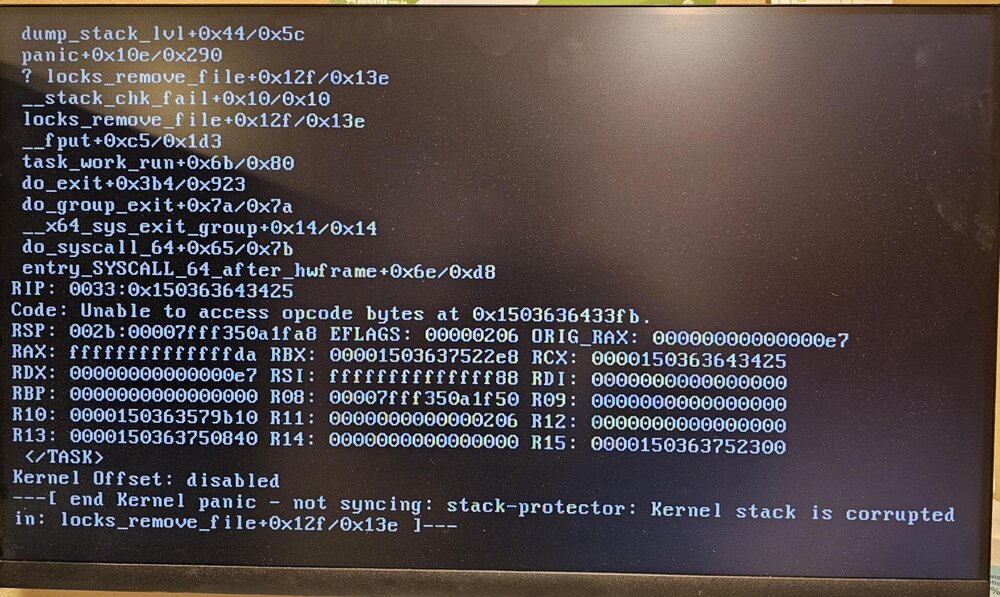
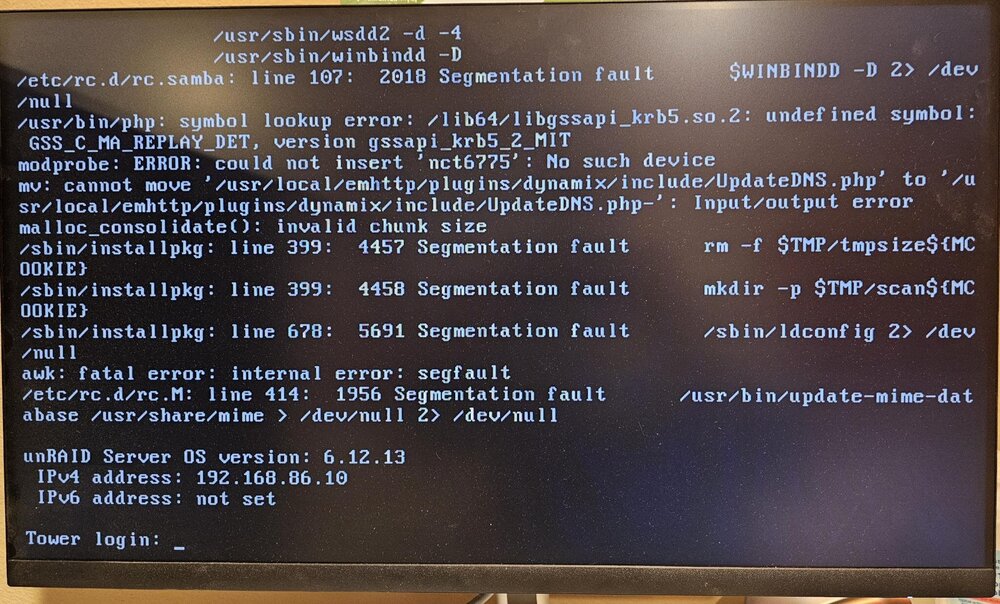
-
*****RESOLUTION**** Bought a Ryzen 5950X and replaced the 5900X. Now the system runs stable. So weird that it ran fine with Hirens Diagnostic USB running a Prime95 torture test for 2 hrs without errors. but it is the issue. mind blown
-
was up late last night, set BIOS to default, and used a guide for BIOS configuration for Unraid. I then set everything as indicated in this page, https://docs.unraid.net/unraid-os/getting-started/advanced-bios-config/. Still no go, the first time it loaded and looked promising, with just a base Unraid OS load 6.12.13, without my configuration, was stable for 10-15 minutes so I shutdown and put my /config on the same USB, the first boot after that it immediately froze part way through the USB boot cycle. then i tried to recreate a base OS USB again and see if that loaded, it also hung part way through the boot process.
-
Could this be an issue with bios settings?
-
Could this be an issue with the RTX4070 not liking the driver that is being provided by the nvidia-driver plugin? I updated the driver on the plugin to the newest driver 565.57.01 before swapping the card in this server. If that is a problem, the server rarely gets booted far enough that i would have the time to go into the nvidia-driver plugin and change it, is there a way to get the driver packages and manually put them in the directory in the Unraid USB? *update* nevermind, i wasnt considering the fact i used a base image this last try.
-
A couple more logs that i was able to gather via CLI before it hung up completely, on an attempt where it actually got booted completely. syslog24 syslog28
-
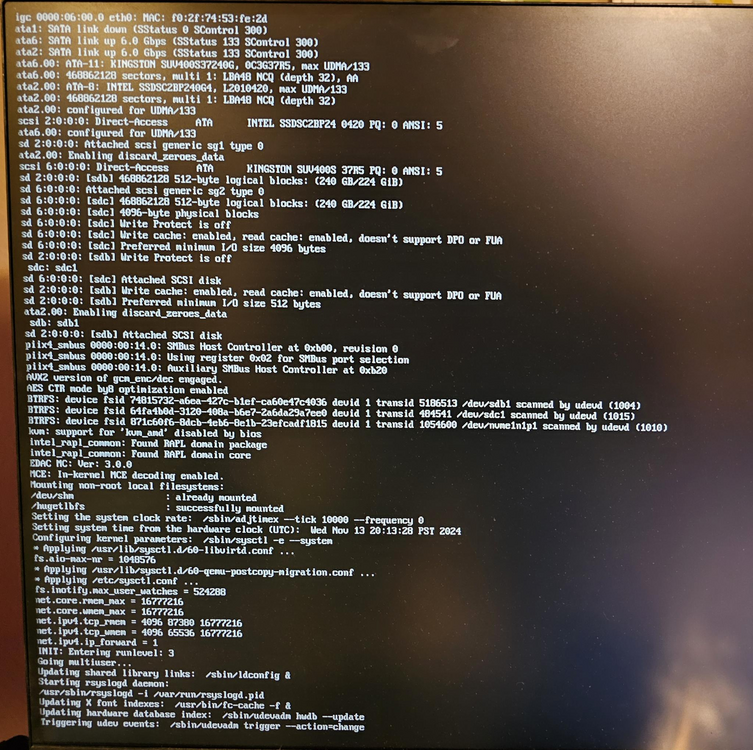
New USB drive didn't fix it, im at a loss in troubleshooting. this is a weird one. I have never had issues like this before, the system in all tests shows the hardware is fine, but it will not boot and run Unraid. This is all after its been solid the last 2 or so years. I built the new USB, base image from the Unraid USB Creator for version 6.12.13 and its acting teh same way. just hanging at the following screen for the last 2-3 hours. Any help is appreciated.
-
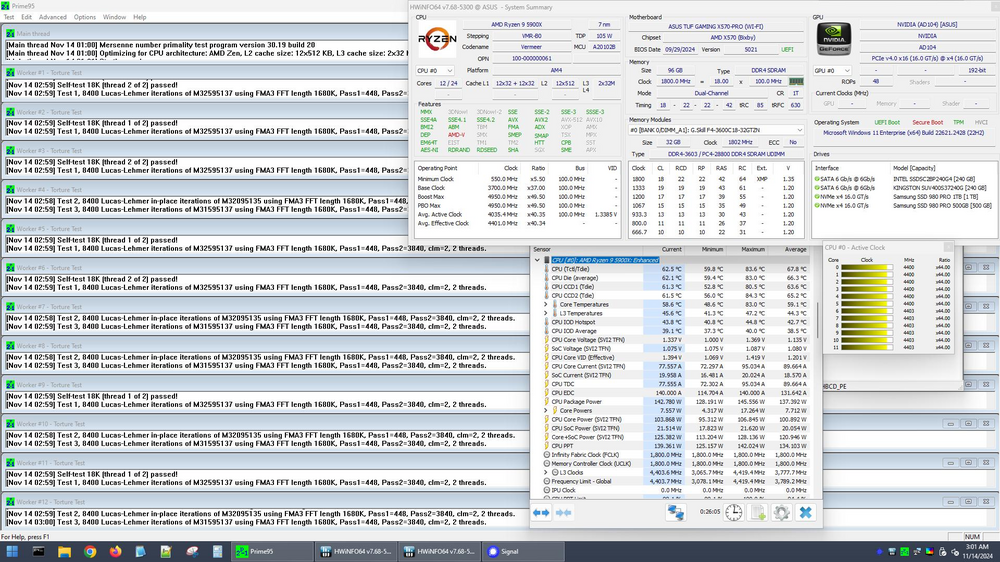
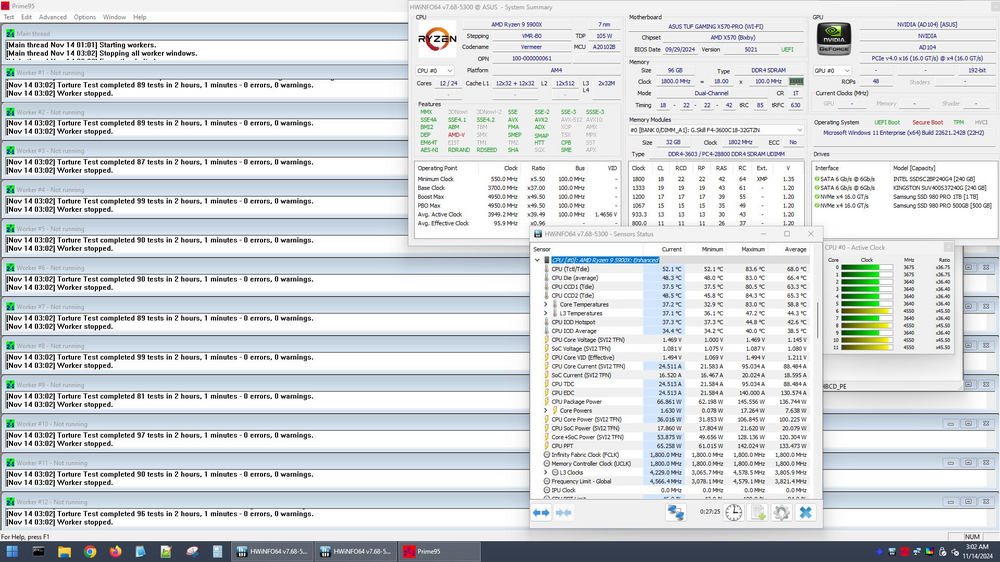
Did some testing tonight and this doesn't seem to be hardware failure related, as i created a Hirens USB boot environment and for the last 2 hours have had it running fine with Prime95 torture test running on all 12 cores with a end report of Zero errors from the same USB port that i have been booting UNRAID from. With that in mind, is there a recommended set of BIOS settings that could be causing any problems if set incorrectly? I have one last hardware related fix attempt once Amazon gets here, that is the USB drive, Im currently using a random SanDisk USB i have had laying around to write the backup copy of my original USB throughout the troubleshooting i have done. Ill see if that has a positive response. I just dont understand this situation, This server has been running flawlessly for 2-3 years now and now its not.
-
I would agree with that, if this system wasn't solid running unraid for the last couple years since it was built. it may be that the issue occurred during the PSU and GPU swap process, but ive never had that happen with all of the builds and upgrades ive done for years. ill do some further testing to try and confirm this. Im not sure how reliable it is, but this motherboard has the QLED post test, CPU,RAM,VGA and BOOT. all of the indicator lights go through post properly. With memtest86 running for 2.5hrs and it passed, the GPU being new and the same issue occuring on multiple GPU's, the odd man out is the CPU. Ill reseat it and run some stress test to see if it crashes during heavy load.
-
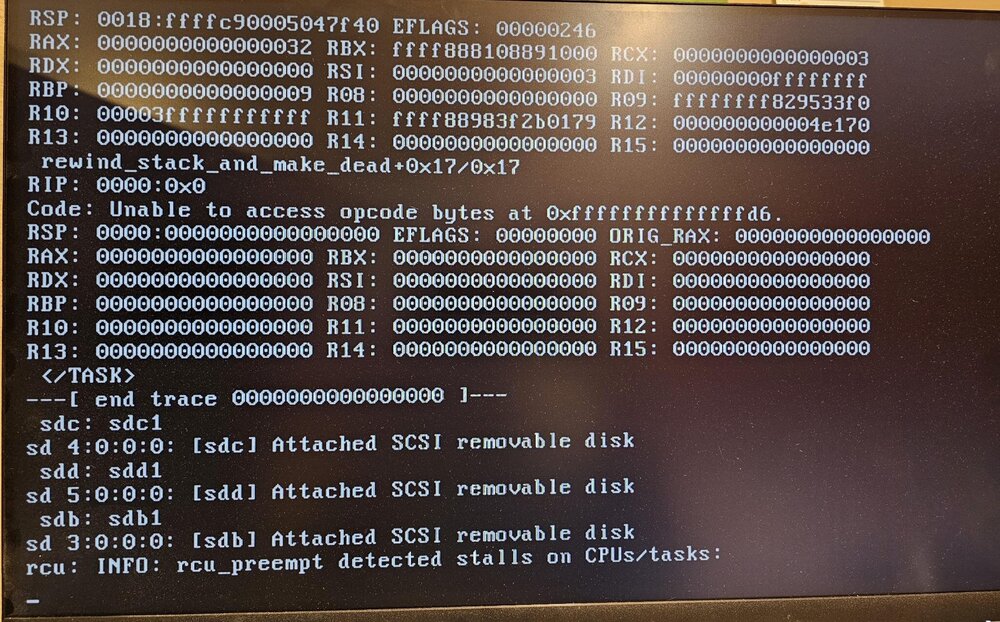
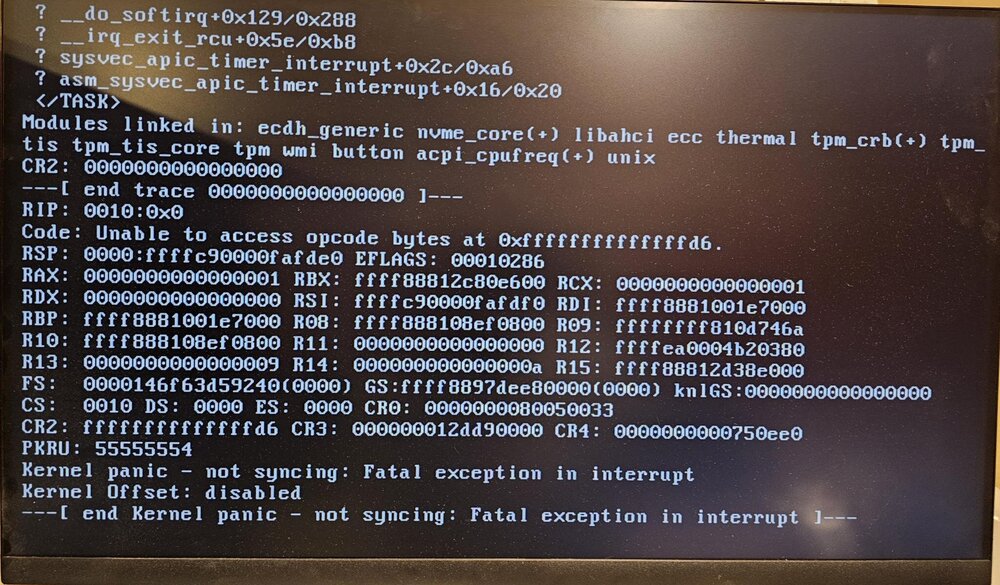
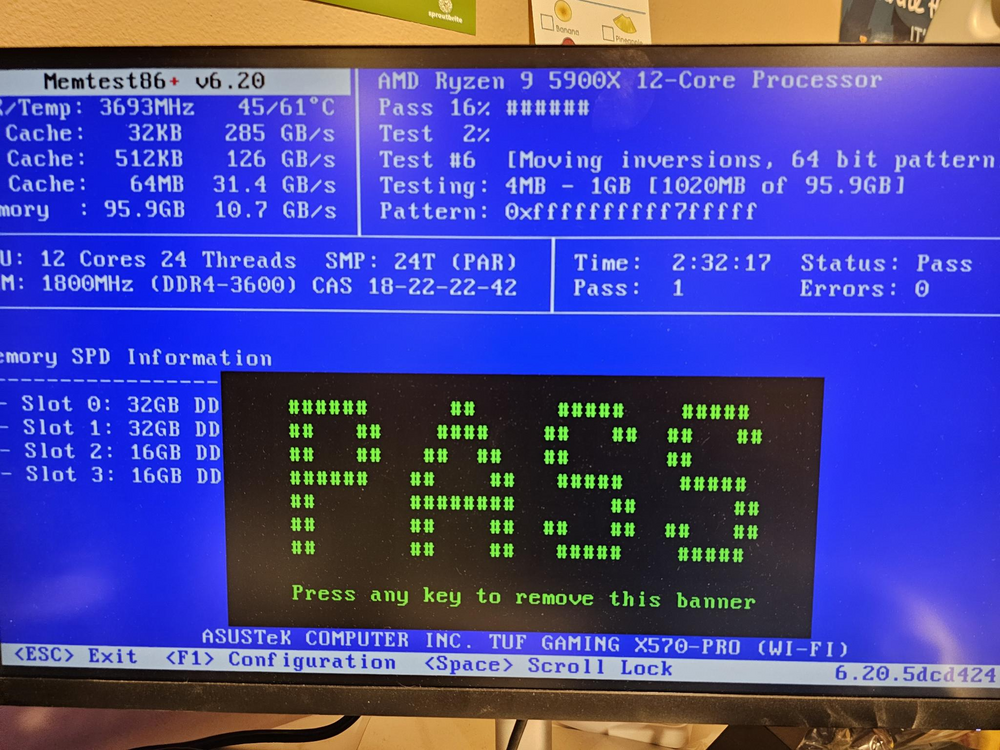
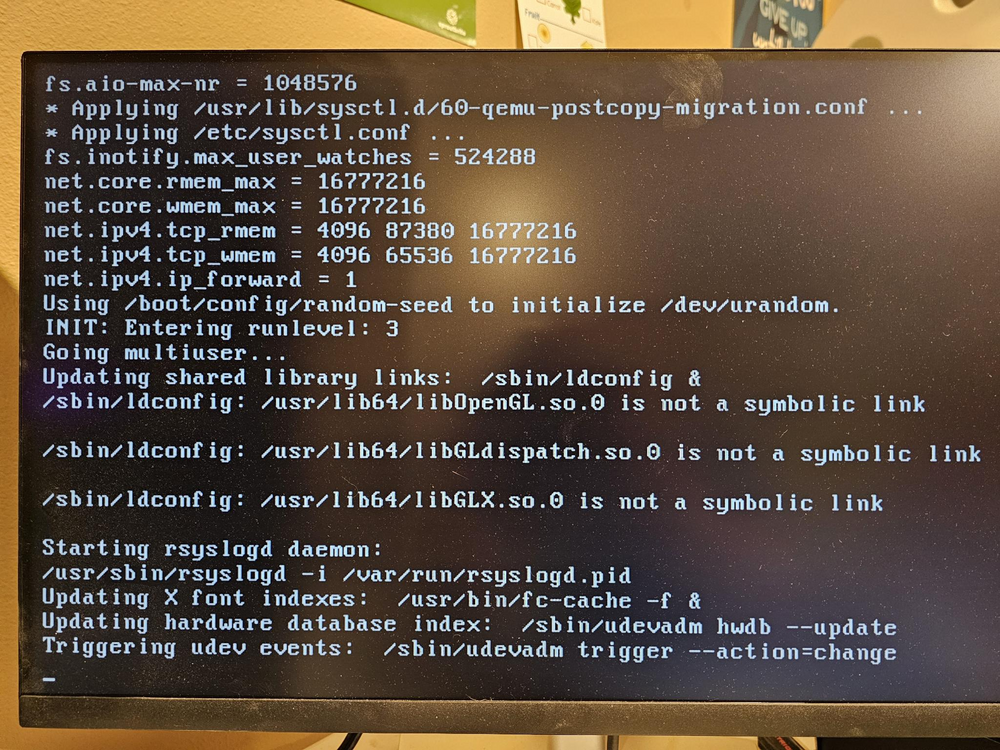
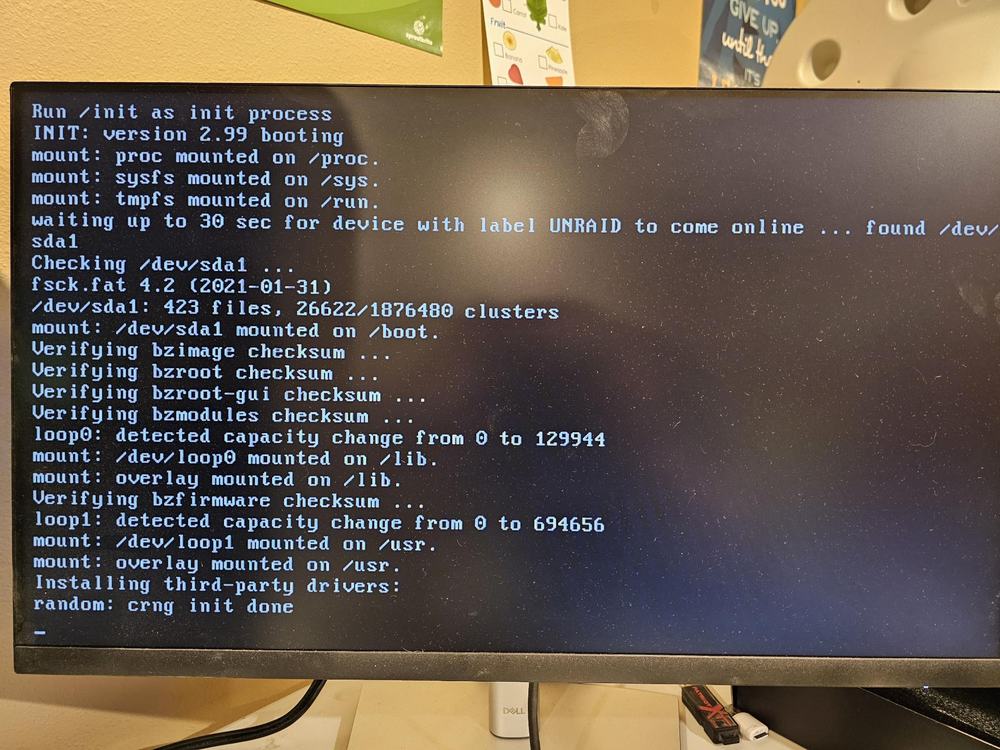
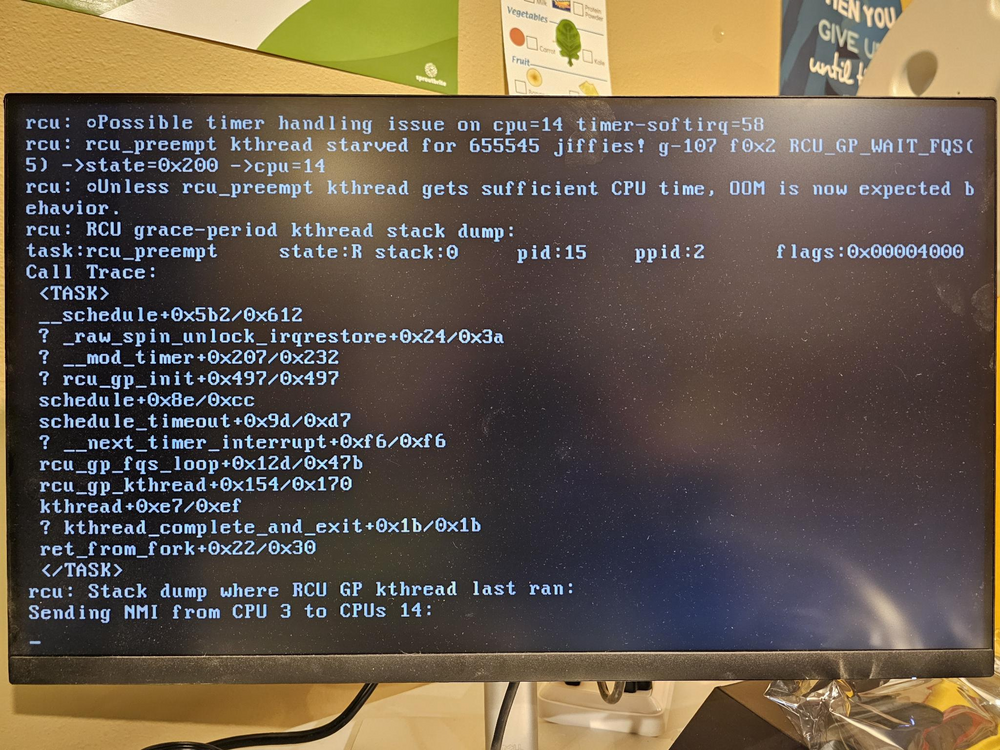
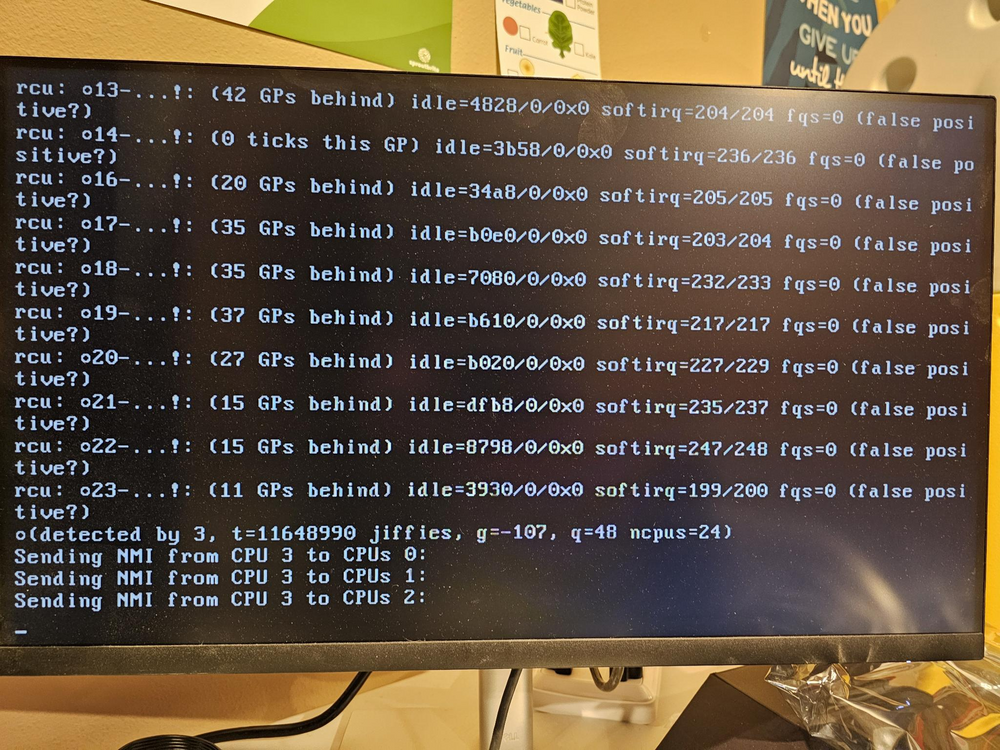
Pc specs: MB: Asus TUF gaming X570 pro Ram: G.Skill Trident Z Neo 2x 16GB 3600 2x 32GB 3600 CPU: Ryzen 9 5900X GPU: OLD- 9800 GTX+ NEW- RTX 4070 SUPER OC TEST GPU- GTX 1080 PSU: OLD- OCZ 700 watt NEW- Corsair RM850X This was supposed to be a quick and easy GPU swap, so i could install a VM for processing drone photogrammetry(cuda core needed).....Now ive been troubleshooting for 3 days without any good results. This PC has been running Unraid the last 2-3 years without and problems. Then after the swap from the Nvidia 9800 GTX+ (a card I've had for a really long time) to the RTX 4070 Super, now Unraid hangs on the initial boot from USB at random places in the boot process, depending if i choose standard boot, gui boot, safemode-non gui, or safe mode with gui. First i tried putting the old gpu back in place, but due to the dvi connection on that old gpu and not having a working monitor with dvi, i scrounged a gpu from the children's gaming pc, a gtx1080. Put that in place, booted up and was stable for a couple days. Then i decided the 20 year old USB drive UNRAID is on may be the issue. I was using the previous GPU to passthrough to a VM, before i swapped the GPU i unassigned the GPU from the VM and then updated the nvidia-driver plugin drivers to 565.57.01. So, I have rebuilt the OS USB from a backup onto a different newer USB, thinking maybe that was the problem, swapped the new RTX 4070 in place and still having the same issue, randomly hang in the initial boot, though it was able to boot all the way, giving me webgui access a couple times, but that only lasted 5 or so minutes before crashing and rebooting. I tried installing the GTX1080 again to get the system back online in the meantime, but now with it installed it fails in the same way. I borrowed 2080ti from a friend to test with and same experience. It seemingly hangs on random lines in the boot process. Also, when upgrading to the RTX 4070 i also installed the corsair RM850X from a OCZ 700watt psu. I have swapped back to the OCZ for testing and get the same results. I did notice a couple times during the 10's of reboot cycles a kernel RCU test running after the boot process failed and rebooted, but i dont know if this was just caused by the boot process hanging, crashing and then rebooting. screenshots at the end of the post. I collected a syslog just before it crashed while i had CLI access. using "cp /var/log/syslog /boot/logs/syslog_backup<incrementing#>" attached to post Things that I have done in Troubleshooting: -double checked all power from PSU is connected to the MB connections securely and to the GPU securely. -Rebuilt Unraid USB from backup on a newer USB -Built a new Unraid USB using the USB creator, then transfered the config directory from the backup. -Built a new Unraid USB without my config -Swapped in different GPU's: 9800GTX+, GTX1080, RTX2080ti, RTX4070Super -defaulted BIOS setting, then disabled bluetooth and wifi on the board -flipped between UEFI on and off and subsequently removed the "-" from the EFI directory when booting Legacy -swapped the old PSU back in to see if it affected it -stripped all of the hardware from the server besides CPU, RAM and GPU and m.2 drives -ran a memtest86 and the 96GB ran for 2.5hrs stably and passed the test -Flashed the Asus motherboard to the latest firmware Planning on today finding a USB bootable stress testing utility to verify the CPU and GPU both function under load without crashing I bought the recommended USB drive and it is arriving today, Samsung Bar 3.1 drive, so i can rule that out. Point where it hangs during standard boot Point where it hangs boot with GUI Passed Memtest86 RCU tests syslog_backup5
-
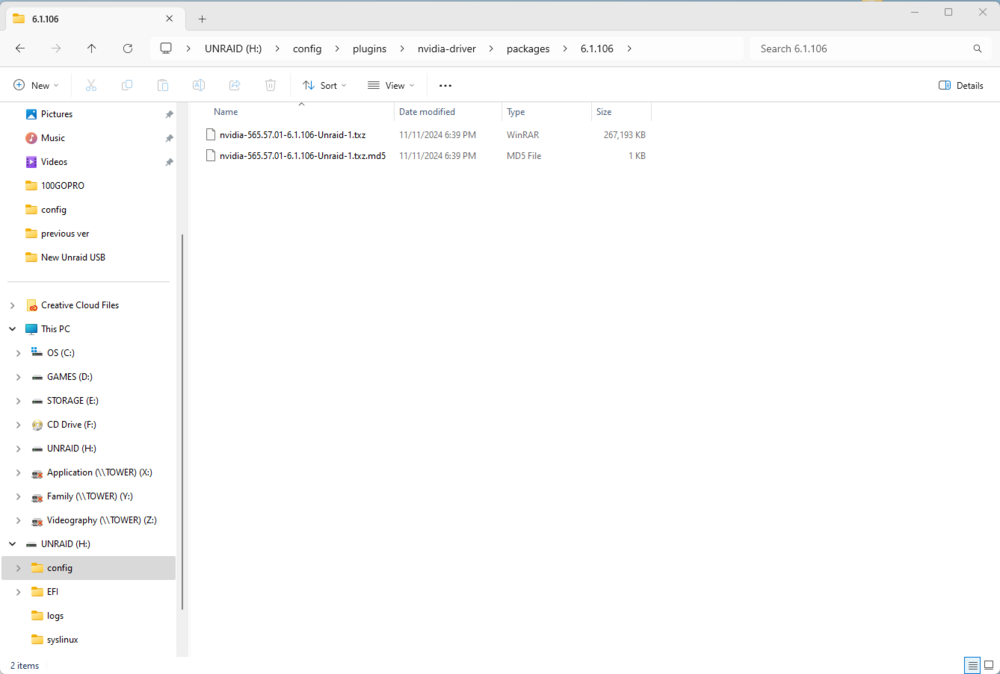
I am trying to do some troubleshooting with a newly installed nVidia GPU(RTX4070 Super OC) since installing its been hanging on the USB boot process at random points. not sure at what point these drivers are loaded. but i located the directory that the drivers are in and wanted to change the version on the USB boot device, to see if this is an issue but since im unable to get to the gui atm there is no easy way, is this possible and if so, where would i get the previous version driver package built for this?
-
Oh Geez....That was an easy fix, didnt realize that function created the br. It appeared when i looked in that, that it just linked existing interfaces. Thank you alot for the assistance.
-
Been in the network settings menu, before and after, turning docker service off and VM service off, and do not see any option for adding a new BR interface. I only see interface configuration and the ability to create routes, to existing interfaces.
-
I have a new ethernet interface configured on Unraid and its already connected to the new port on the firewall, both the new unraid interface ant he firewall interface are configured on the new subnet i have built for this and have configured PFsense to handle the DHCP, granted PFsense interface and Unraid interface are statically assigned, I can ping between the firewall and unraid on the new subnet. The only thing I'm missing is a new Bridge Network to attach the new eth1 to that will allow multiple VM's to connect, i need to determine the method for creating a new "br1" interface on Unraid, from what ive found the only way is via CLI, but all of the information ive found seems to be missing pieces and doesnt give me a clear picture.
-
I'm looking to create a new bridge network(BR1), to connect to a new interface on my Unraid server, I have looked for the last couple hours for clear documentation on how to do this, unfortunately not able to find the info, as this topic comes up with a lot of info for creating docker networks. I have looked around the Unraid linux cli for the config file, but no luck. What I'm trying to do is isolate a new network i have built out on my PFSense firewall to be utilized on VM's on the Unraid box, my existing config is eth0 is tied to br0 and shared to a few VM's and Docker containers, I want eth1 to have a similar configuration to br1, replicating what br0 does for eth0, but I need to create br1. how is this done? Ive already got the network built out from the PFSense firewall to the Unraid server, via newly configured ehtermet ports, directly cabled, just need this last piece, bridge network setup, to share this connection to a select few VM's.





