VladDT
Members
-
Joined
-
Last visited
-
Just stop raid and set it in advanced docker settings.
-
IDK, but after update to 6.12.4 no single crash. Also, changed macvlan to ipvlan. Uptime 10 days, 9 hours, 18 minutes, no single crash so far.
-
Have the same problems. 3814 | Aug-28-2023 | 08:16:36 | Sensor #70 | OS Critical Stop | Run-time Critical Stop ; OEM Event Data2 code = 61h ; OEM Event Data3 code = 74h Server - HP-ProLiant MicroServer gen8. At first, I thought about memory error. But nothing in IML logs at all, and ILO telling memory is healthy. All started after upgrading to version 6.16.23. After years of using Unraid, I'm really thinking to move to Asus Lockerstore.
-
Meanwhile in reality: Is it I something doing wrong, or this is a bug form a new version? I didn't receive this alert before and panel didn't show such big memory usage. Only after 6.12.1 upgrade.
-
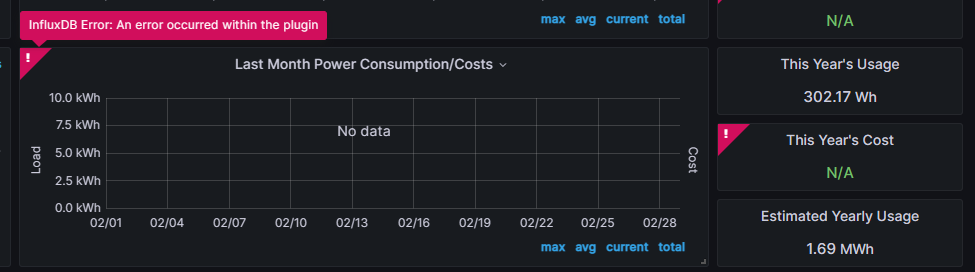
Hi guys. I didn't find this type of error I've got here. I'm using graphana dashboard from this site: https://technicalramblings.com/blog/monitoring-your-ups-stats-and-cost-with-influxdb-and-grafana-on-unraid-v2-0/ Plugin is working, I have reading of all UPS data. Problem is, I have error on all cost calculation panels: response:Object message:"An error occurred within the plugin" messageId:"plugin.downstreamError" statusCode:500 traceID:"" And I've got the readings even in the query, just this stupid error. What it can be?