McSexy
Members
-
Joined
-
Last visited
Everything posted by McSexy
-
Again thanks for the update.
-
Thanks for confirming.
-
Jonas can you confirm its the same problem; What dev# is your USB being detecting as?
-
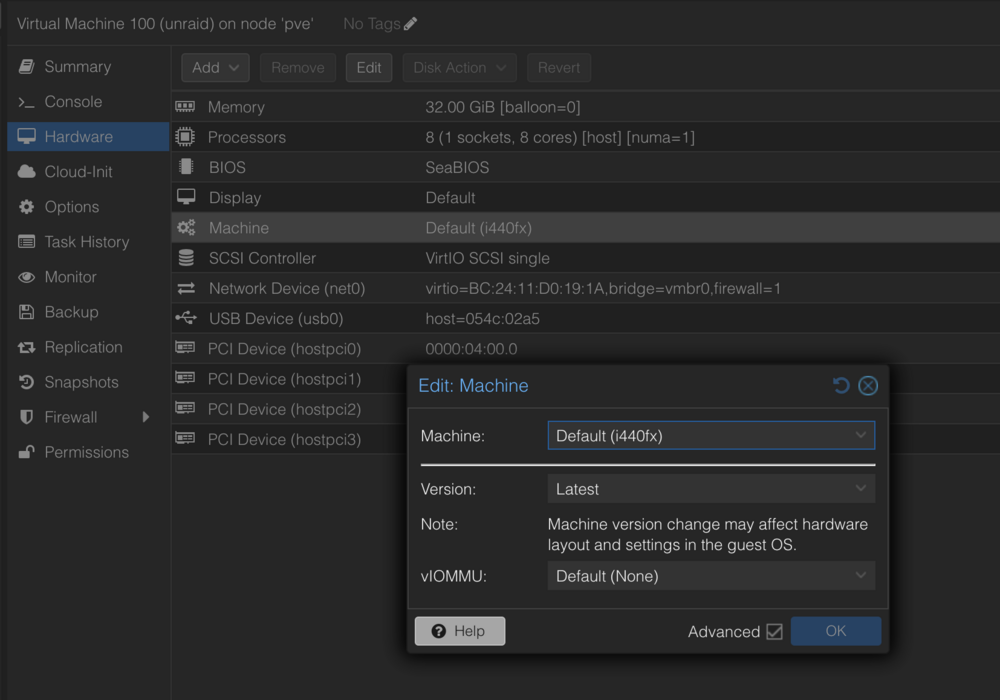
Ya, that didn't work for me, but I am running a q35 machine insted of a 440lx. Prior I did try changing the machine type to some older versions, but had no luck. Glad you got it working.
-
Only a way to roll back. By removing some drives so I can boot again, downgrade, and then add drives back. I was gonna give it a couple days to see if anyone else has resolved it, if not I'll try and chase it down. I think it can be rectified by using some udev rules. If I figure it out I'll post here.
-
UDEV rule?
-
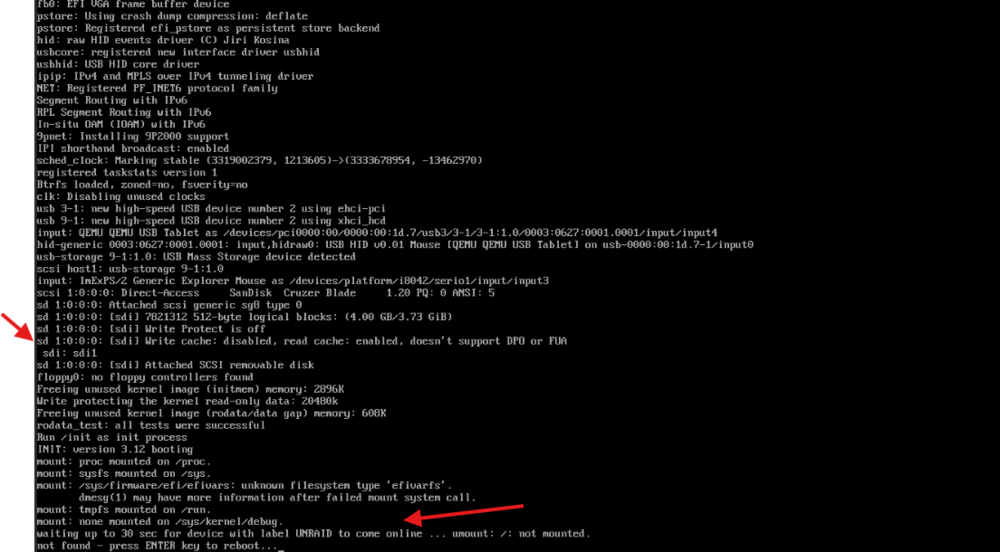
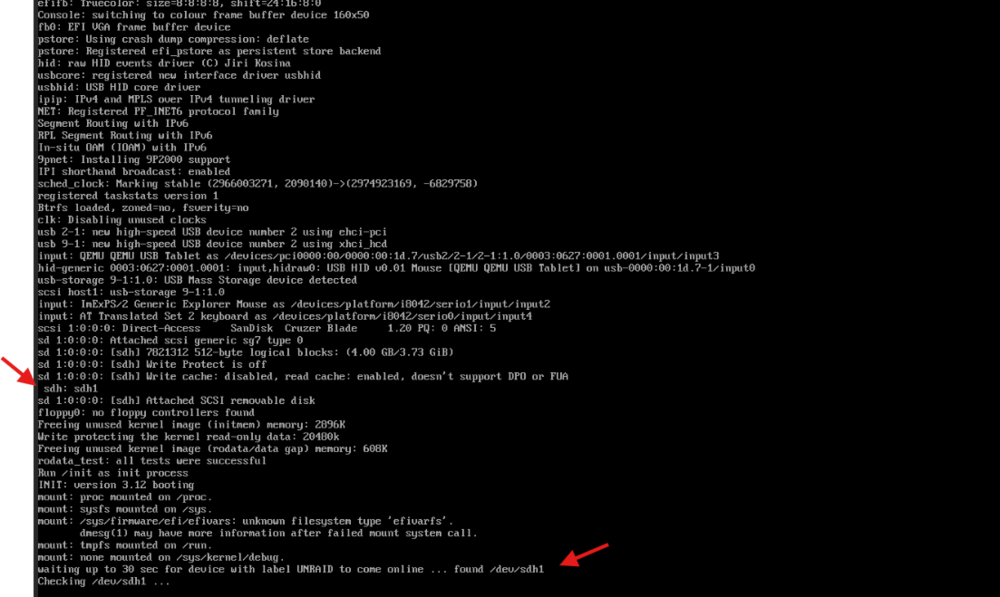
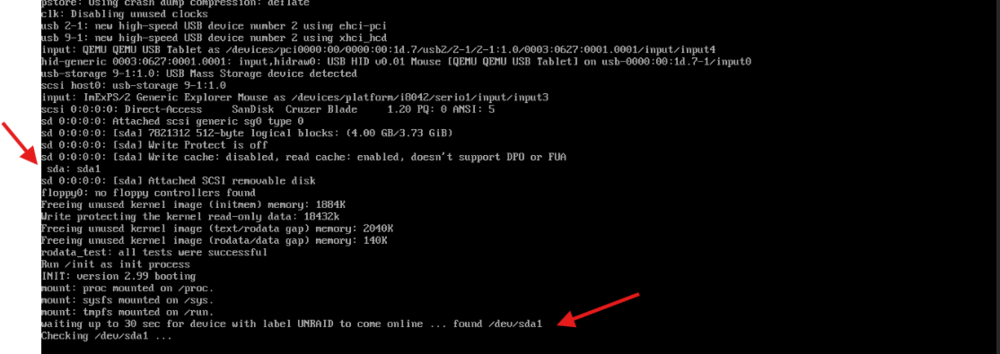
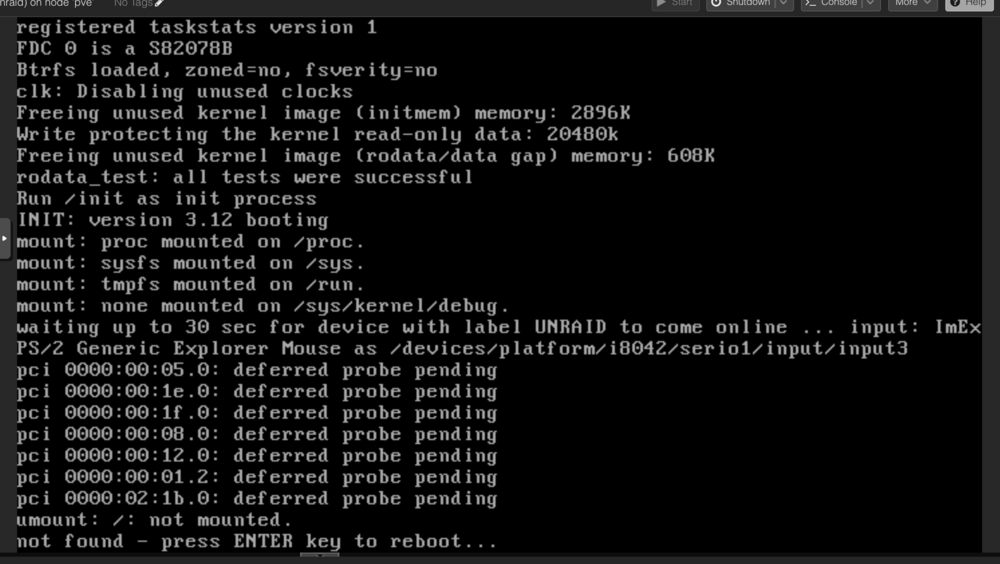
I have Unraid running as a VM under Proxmox and its been running great until I tried to upgrade to 7.0 rc2 and 7.0 Final. After upgrading to 7.0 the system fails to boot with the following error. Notice the dev mapping of the USB stick - sdi If I remove a drive from the system it will boot under 7.0, the drive will be recognized as sdh. But I am of course down a disk. I can then boot into Unraid and downgrade to 6. After I roll back to 6.12.14 with all my drives notice that the USB drive is detected as sda. So booting with 9 drive fails, but booting with 8 works. My theory is that the new kernel detects or assigns the SCSI drives in a different order placing the USB stick at the end of the /dev mapping instead of the beginning and the boot only checks the first 8 devices. tower-diagnostics-20250111_1419.zip
-
I have Unraid running as a VM under Proxmox and its been running great until I tried to upgrade to 7.0 rc2 and 7.0 Final. After upgrading to 7.0 the system fails to boot with the following error. Notice the dev mapping of the USB stick - sdi If I remove a drive from the system it will boot under 7.0, the drive will be recognized as sdh. But I am of course down a disk. I can then boot into Unraid and downgrade to 6. After I roll back to 6.12.14 with all my drives notice that the USB drive is detected as sda. So booting with 9 drive fails, but booting with 8 works. My theory is that the new kernel detects or assigns the SCSI drives in a different order placing the USB stick at the end of the /dev mapping instead of the beginning and the boot only checks the first 8 devices. tower-diagnostics-20250111_1419.zip