muncc22
Members
-
Joined
-
Last visited
-
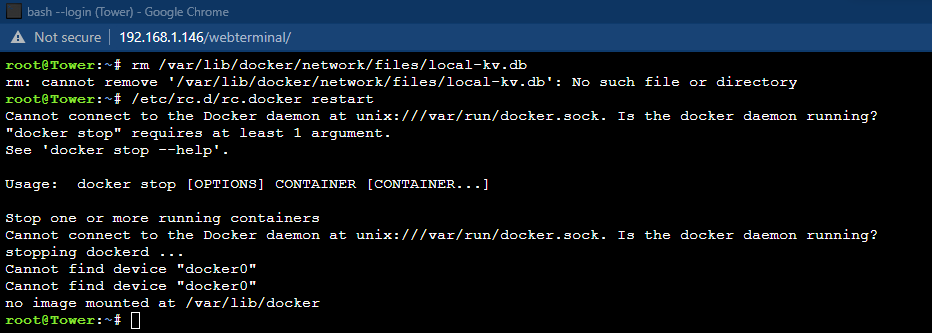
thanks @squid that was step 1 step 2 was https://wiki.unraid.net/Manual/Troubleshooting#How_do_I_recreate_docker.img.3F docker.img also got hosed
-
docker and libvirt wont start upon upgrade to 6.10rc1


-
Warning: fread(): Length parameter must be greater than 0 in /usr/local/emhttp/login.php on line 10 Warning: session_start(): Cannot start session when headers already sent in /usr/local/emhttp/login.php on line 92 Warning: session_regenerate_id(): Cannot regenerate session id - session is not active in /usr/local/emhttp/login.php on line 95 Warning: Cannot modify header information - headers already sent by (output started at /usr/local/emhttp/login.php:10) in /usr/local/emhttp/login.php on line 98 not sure if this a bug?
-
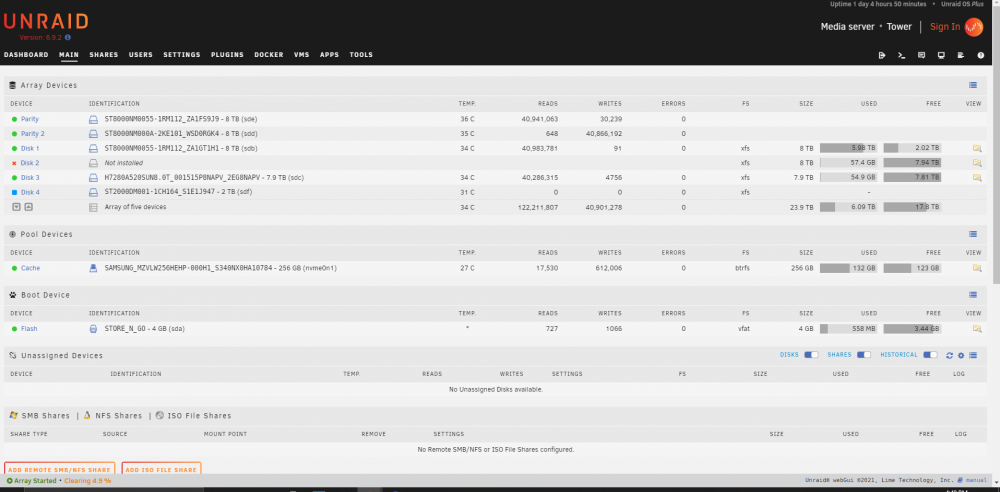
I attempted to move data drive 2 to parity slot 2, and now i have an error. Please refer to attached screenshot. please advise on how to eliminate data disk 2 from the array.