





Renaldo
Members
-
Joined
-
Last visited
-
@shiftylilbastrd no, i can't access sonarr UI either. i'm on 6.9.2, i only just installed unraid for the first time this week. got most things i need working but this is stumping me.
-
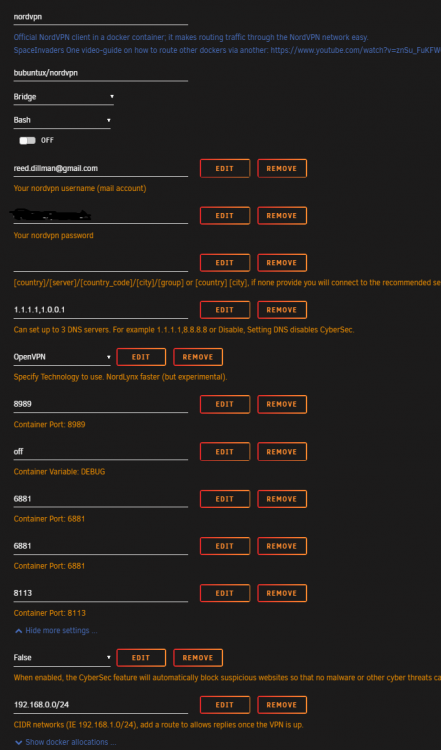
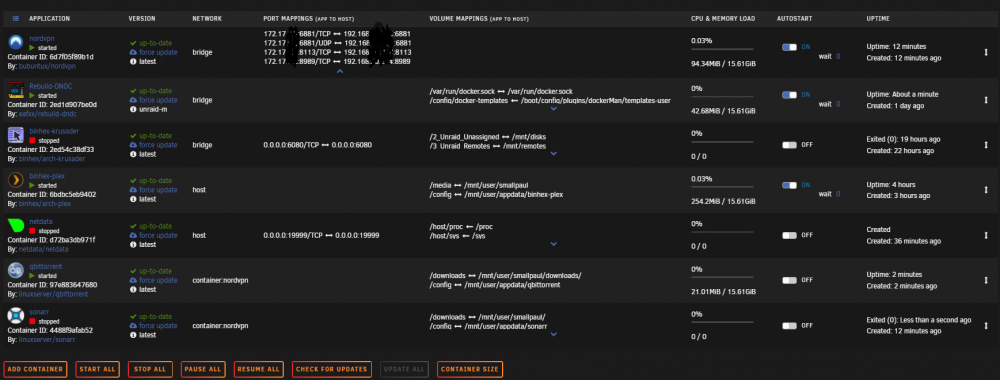
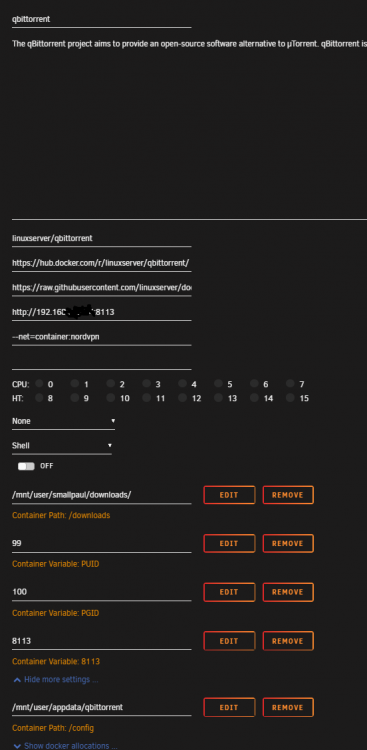
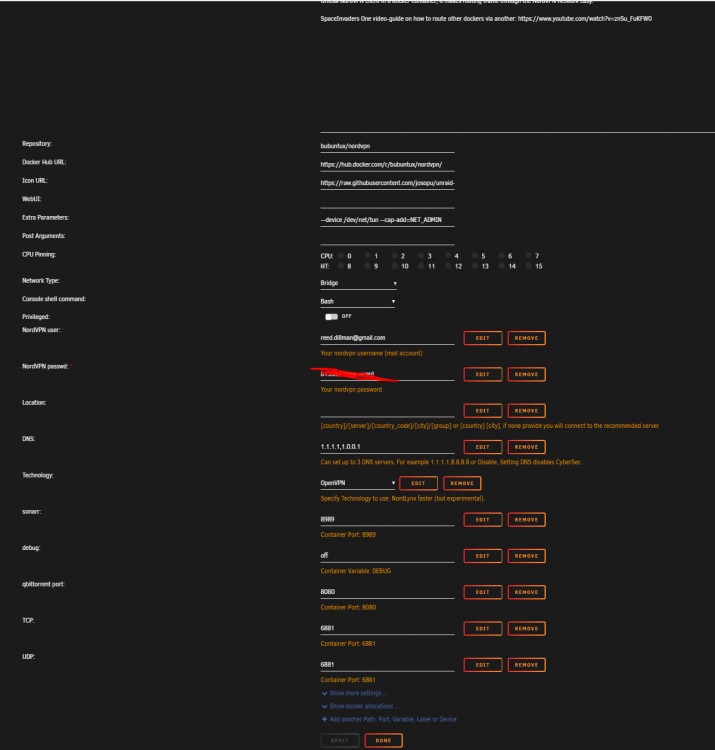
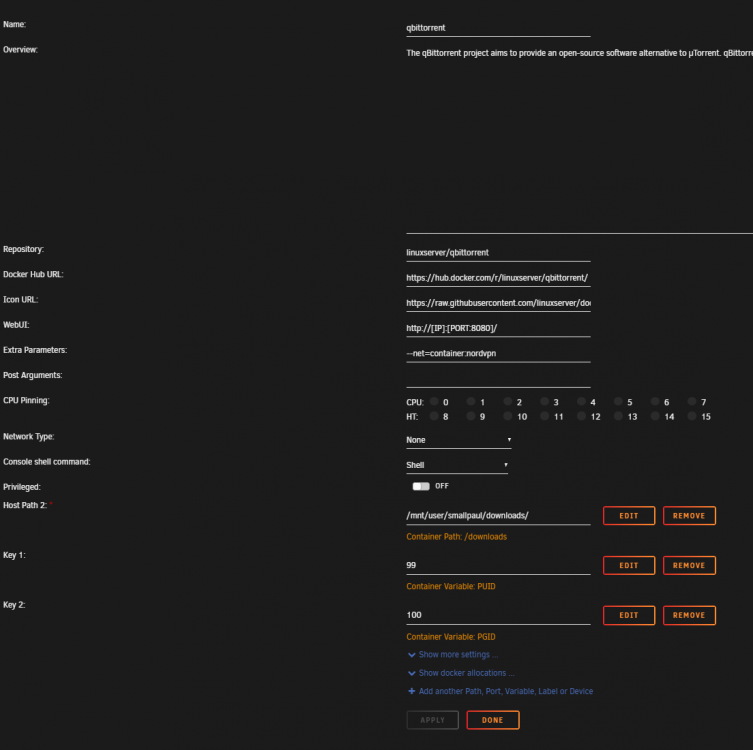
@shiftylilbastrd so here are my current settings, my default was 8080 but i have sinced changed it to 8113. i believe everything is connected as it should be i just can't access the webui, i'm copying the link directly from qbit settings into my browser and getting "address took too long to respond". i appreciate all of your help and time reading through this so far.
-
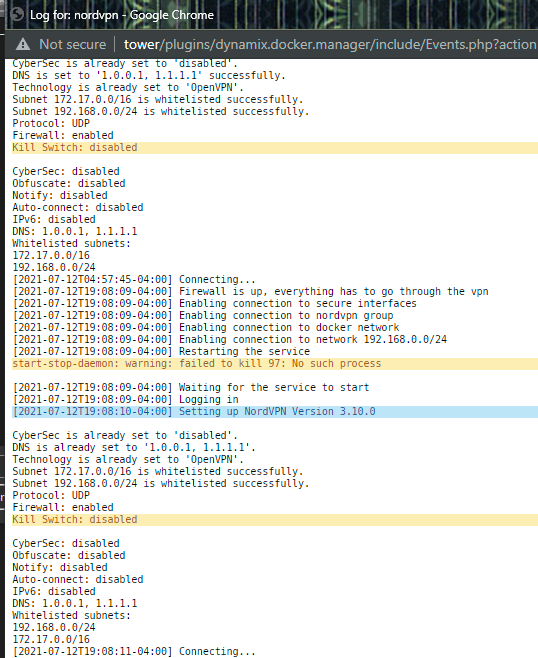
i believe all of my settings are identical to the screenshots you have shown @shiftylilbastrd, but i have been staring at these images so long i could be wrong lol. nord also seems to hang on "connecting" though when i use curl ifconfig.io on qbit it shows to have the same IP as nordvpn so i think its working? still getting "this site can't be reached, IP took too long to respond" instead of webui
-
Renaldo joined the community
-
i have configured my settings for both nordvpn and qbittorrent as @shiftylilbastrd has shown, and can confirm qbit is connecting through nordvpns ip but i cannot access the webui at all. or any docker i route through nordvpn. i have been troubleshooting for a few hours and not sure what to do here, any suggestions?


