






Neldonado
Members
-
Joined
-
Last visited
Everything posted by Neldonado
-
So I went and deleted the DB, did another scan, and videos older than a specific date wont play. Some of these are videos that I had shared links to, so I know they worked at one point, and they are all created and stored in the same folder by Geforce experience. I can play all of the files straight from the folder, but on fireshare only newer videos will play. Any suggestions besides a full delete/ reinstall? I'd hate to lose all my links I've shared. I should note I can go back a week, which is when I had to restore my appdata. Maybe something got messed up with that? Would the fireshare process folder be not lined up with my db?
-
I might give this a shot. Recent videos work but my older ones stopped, and I recently had to restore my appdata so maybe that messed something up?
-
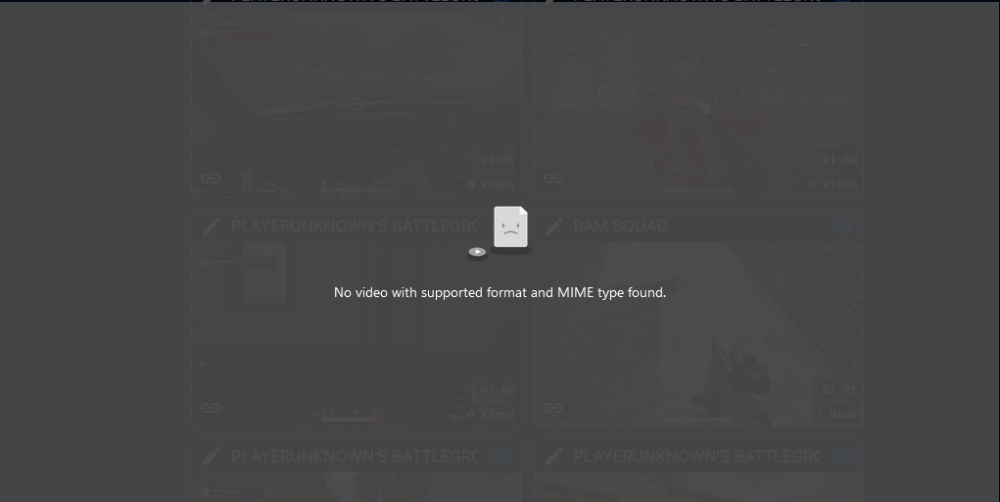
Started running into this issue where all my videos show this error when I go to play them. The directory is correct and all the files are here in MP4 Format, so I am not sure what's going on. Any suggestions?
-
Here are my diagnostics! skynet-diagnostics-20220925-0853.zip
-
I know this is a pretty old thread, but I have run into the same issue. I rebooted, and was able to mount my drive, however when I go to unmount it and mount it again later I get the same error. Is there a better fix from this happening? Sep 24 20:43:46 Skynet unassigned.devices: Mount of 'sda1' failed: 'fuse: mountpoint is not empty fuse: if you are sure this is safe, use the 'nonempty' mount option FUSE exfat 1.3.0 ' Sep 24 20:43:46 Skynet unassigned.devices: PHP Warning: rmdir(/mnt/disks/133009479092): Directory not empty in /usr/local/emhttp/plugins/unassigned.devices/include/lib.php on line 1375 Sep 24 20:43:46 Skynet unassigned.devices: Partition '133009479092' cannot be mounted.
-
Yeah, everything looks good so far. I am hoping it is ram related, that would be an easy fix. I had some Corruption issues a few weeks ago too. (you can see my other posts) however this isn't as bad because I don't think any data was lost, and I am pretty sure it was bad drive related.
-
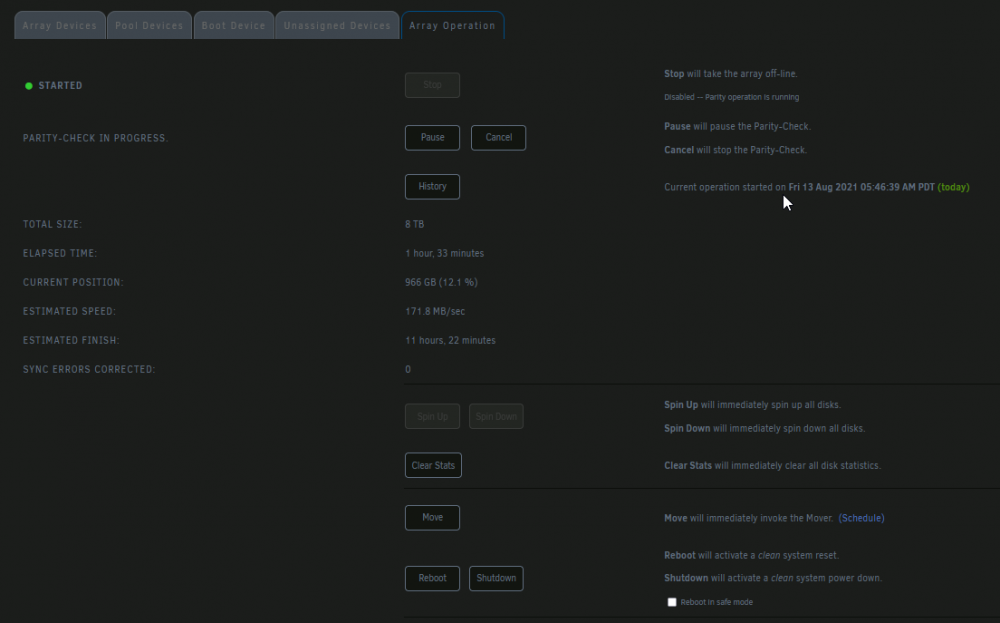
Is it ok to let parity check finish? I will have to remove one of my drives/ pcie card to put a video card in.
-
Is it possible to do that through the unraid GUI? I don't have a video out on my MOBO
-
I found some of my dockers not working this morning, when I go to check the unraid logs it shows these errors. I found a post by Squid where he suggested deleting the docker image and reinstalling the dockers. I did this following his steps, and when I went to start them up again the docker services wouldn't start. Not know what else I could do I decided to do a clean reboot of the server. When the server came back online a parity check was started, and all of my dockers started and were running without error. On one hand I am happy everything is working, but I would like help to figure out why this happened in the first place, so that I could avoid it. I did download my diagnostics before rebooting, so hopefully that helps. 03:09:19 Skynet kernel: BTRFS info (device loop2): no csum found for inode 8016 start 0 Aug 13 03:09:19 Skynet kernel: BTRFS warning (device loop2): csum failed root 2905 ino 8016 off 0 csum 0xb0d03f8f expected csum 0x00000000 mirror 1 Aug 13 03:09:19 Skynet kernel: BTRFS error (device loop2): bdev /dev/loop2 errs: wr 58, rd 0, flush 0, corrupt 43796, gen 0 Aug 13 03:09:19 Skynet kernel: BTRFS error (device loop2): parent transid verify failed on 8222932992 wanted 1195432 found 1195419 Aug 13 03:09:19 Skynet kernel: BTRFS error (device loop2): parent transid verify failed on 8222932992 wanted 1195432 found 1195419 Aug 13 03:09:19 Skynet kernel: BTRFS info (device loop2): no csum found for inode 8016 start 0 Aug 13 03:09:19 Skynet kernel: BTRFS warning (device loop2): csum failed root 2905 ino 8016 off 0 csum 0xb0d03f8f expected csum 0x00000000 mirror 1 Aug 13 03:09:19 Skynet kernel: BTRFS error (device loop2): bdev /dev/loop2 errs: wr 58, rd 0, flush 0, corrupt 43797, gen 0 Aug 13 03:09:20 Skynet kernel: BTRFS info (device loop2): no csum found for inode 8016 start 0 skynet-diagnostics-20210813-0500.zip
-
I have moved the cables to different drives and they connect fine. This was my sys log after starting the array. https://paste.ubuntu.com/p/2wRZH3pMZN/
-
I added it back to the same slot.
-
8/2/21 update: I am still not sure why my disk is disabled, I suspect some read/ write errors but am not 100% sure. What I am doing however is using unbalance to move everything off of my disabled, emulated disk, and then plan to "shrink" my array without that emulated disk. This isn't ideal but I don't really have any other option at this point. Once that is finished and everything is running I am going to see if I can add the drives back in. Will update after that. I had an issue with filesystem corruption and the disk being unmountable, and thought I needed to replace the disk. I put a new disk in and then realized I needed to repair the xfs filsystem. I did that following this video: https://www.youtube.com/watch?v=JVjB0ROdLBA3) started array 4) stopped array 5) added drive back in array (showed as new disk) 6) started array When the array started I went to the main page and the disk was still disabled and the array was not rebuilding from parity. I have attached the diagnostics and smart test for the disabled drive. Thanks in advance! skynet-diagnostics-20210731-0847.zip skynet-smart-20210731-0846.zip


