






ApfelBirneKreis
Members
-
Joined
-
Last visited
-
having the same issue here
-
What do we put in the boot options with the new grub when on internal boot? there is no more append.
-
Hey is there a timeframe when NVME's with ZFS Filesystem will be supported? Is it planned?
-
how do we keep the settings in the motprobe.d folder persistant? for example those ones: options r8125 aspm=1 options r8125 eee_enable=0 options r8125 s5wol=0
-
What’s you mobo and CPU setup? Never managed C8 even with new update. only C6 with this setup @FollowTheWizard
-
Welches MB benutzt du?
-
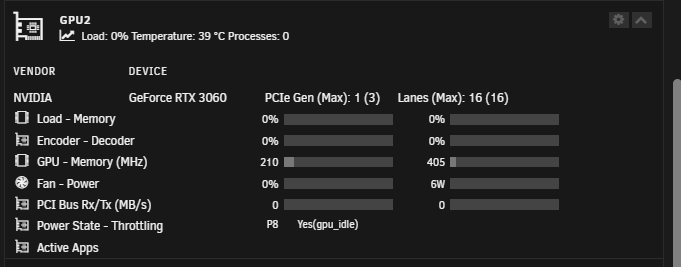
Mit gpu (RTX3060). Die nvidia Treiber laufen. Ich führe nach dem startup ein script mit nvidia-persistenced aus. Dadurch geht die gpu in P8 und verbleibt dort bis sie von Plex/Handbrake genutzt wird. DIe GPU ist konstant in P8 mit 5-6W. siehe Unraid: Hier sieht man auch schön, dass die PCIe gen runter gefahren wird Zusätzlich ist die CPU von mir mit 80mv undervolted und der Turbo deaktiviert. Alle ASPM Relevanten bios einstellungen sind aktiviert. Turbo boost deaktiviert. Wie gesagt die gleichen einstellungen führen im Windows zu c10. die verschiedernen C States sind dort explizit Aktiviert und nicht auf Auto.
-
Unraid: 4xHDD spun down 2xNvme im pool Docker deaktiviert 42W nach 30min Windows: 18W nach 30min (hier weis ich nicht wie windows die nvmes und hdds regelt) Der unterschied ist leider signifikannt.
-
aber woran könnte es liegen? gibt es ein MB das im Linux c10 erreicht? Oder eventuell warten bis die Linux Treiber ein update bekommen und in den Unraid kernel wandern?
-
mit Graka und allen nvmes erreiche ich im windows c10....
-
Das hat leider keinen unterschied gemacht Auch wenn die RTX entfernt wurde stecke ich in c3. Die WD kann ich aktuell auf die schnelle nicht tauschen
-
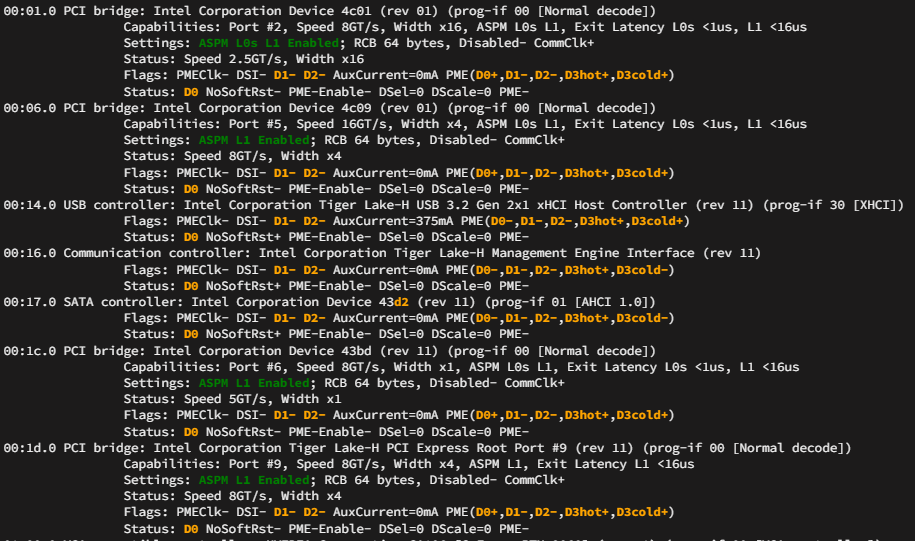
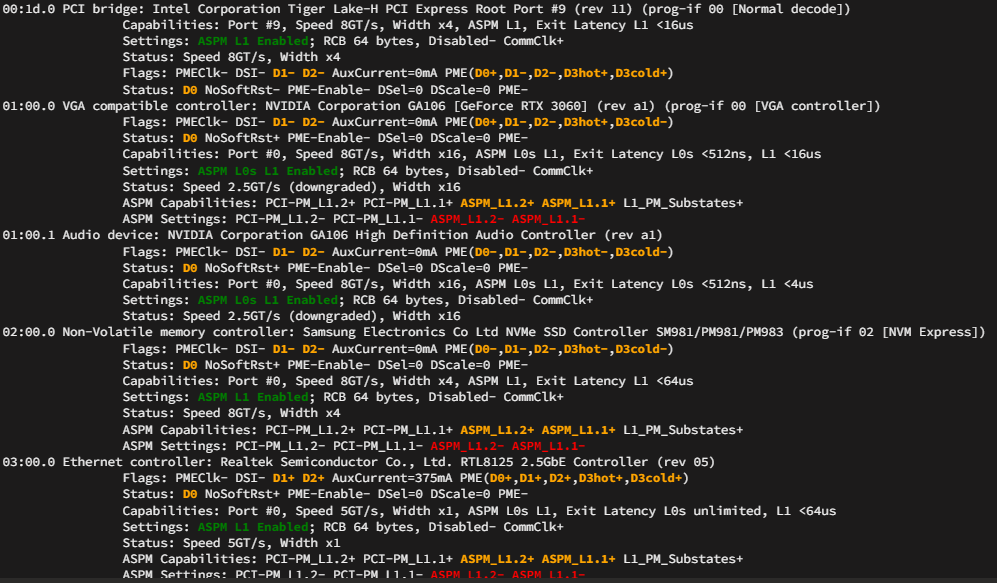
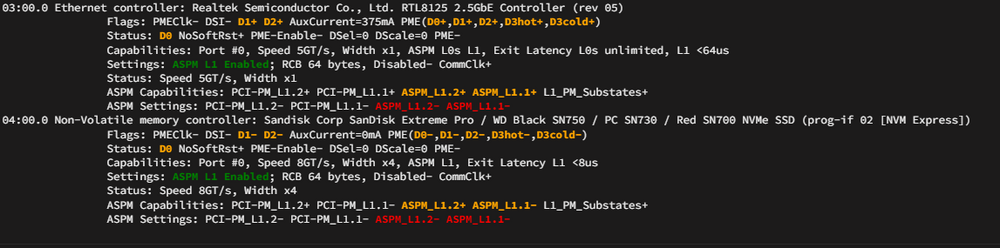
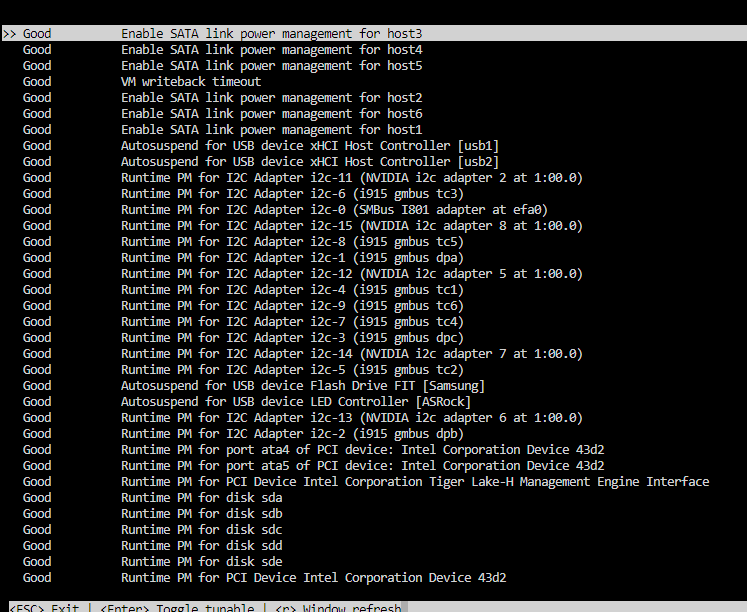
To see the output of Autotune a bit better:
-
@mgutt Hattest du dieses Problem schon mal? Bzw hast du Tipps wie ich es schaffe tiefer zu kommen?
-
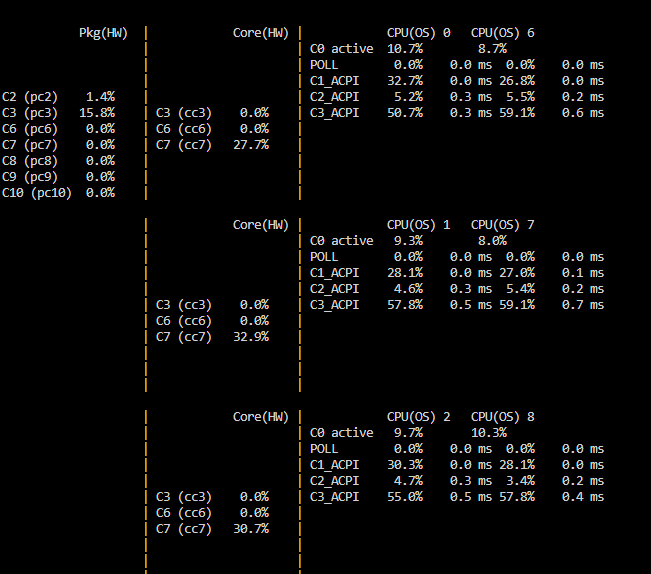
Hallo Community ich weiß langsam nicht mehr weiter. Aktuell stecke ich trotz ASPM enabled bei all meien Devices in C3 fest. Anbei meine Config: Model:Custom M/B:ASRock Z590M-ITX/ax s/n M80-E1004400157 BIOS:American Megatrends International, LLC. Version L1.62 Dated 01/18/2024 CPU:11th Gen Intel® Core™ i5-11400 @ 2.60GHz HVM:Enabled IOMMU:Enabled Cache:L1 Cache: 288 KiB, L1 Cache: 192 KiB, L2 Cache: 3 MiB, L3 Cache: 12 MiB Memory:32 GiB DDR4 (max. installable capacity 32 GiB) Network:eth0: 1000 Mbps, full duplex, mtu 1500 Kernel:Linux 6.1.79-Unraid x86_64 OpenSSL:1.1.1v Im Bios habe ich alle nötigen und möglichen einstellungen getestet dabei kommt beim Powertop Plugin und beim Autotune Plugin folgenedes raus: powertop: Autotune: Woran kann es liegen, dass ich nicht tiefer komme? Ich bin langsam am verzweifeln. Diagnostics:edith-diagnostics-20240530-2202.zip
-
Did you manage to get it working? 11400 here and trying to acomplish the same


