Skip to content
View in the app

A better way to browse. Learn more.

Unraid

A full-screen app on your home screen with push notifications, badges and more.

To install this app on iOS and iPadOS
  1. Tap the Share icon in Safari
  2. Scroll the menu and tap Add to Home Screen.
  3. Tap Add in the top-right corner.
To install this app on Android
  1. Tap the 3-dot menu (⋮) in the top-right corner of the browser.
  2. Tap Add to Home screen or Install app.
  3. Confirm by tapping Install.

Coco

Members
  • Joined

  • Last visited

Everything posted by Coco

  1. good day, yes that was it, I had an unuse pool, once I deleted it everything came back to normal. thank all for the help.
  2. Newb question probably, but what empty pool ? brand new to this. thanx
  3. should add that it is call Vms_Cache
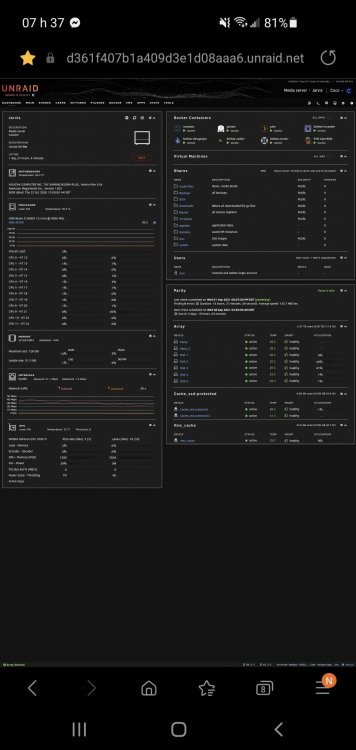
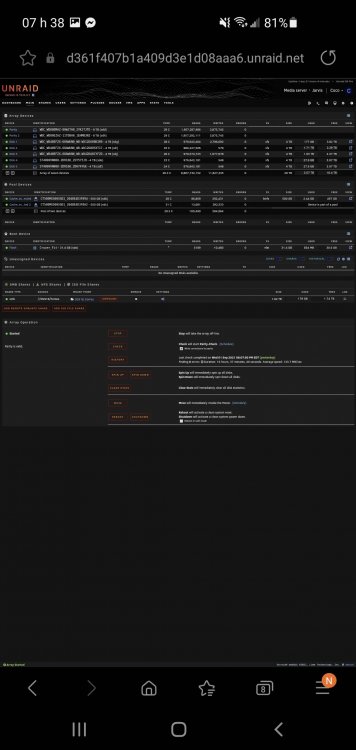
  4. screen shot of the dashboard where you can see the nvme and of main page where it is no where to be found
  5. jarvis-diagnostics-20210902-0716.zip here it is, any help is much appreciated. thanks
  6. will do as soon as I get home from work. thanks,
  7. Hi, Quick question, anybody can tell me why my nVme is not showing on the main page but is showing in the dashboard as healty? All dockers that are running off of it are running just fine, it just does not show up in the main page. running 6.10 rc1 Thank you,

Account

Navigation

Search

Search

Configure browser push notifications

Chrome (Android)
  1. Tap the lock icon next to the address bar.
  2. Tap Permissions → Notifications.
  3. Adjust your preference.
Chrome (Desktop)
  1. Click the padlock icon in the address bar.
  2. Select Site settings.
  3. Find Notifications and adjust your preference.