





Martin656656
Members
-
Joined
-
Last visited
-
Martin656656 changed their profile photo
-
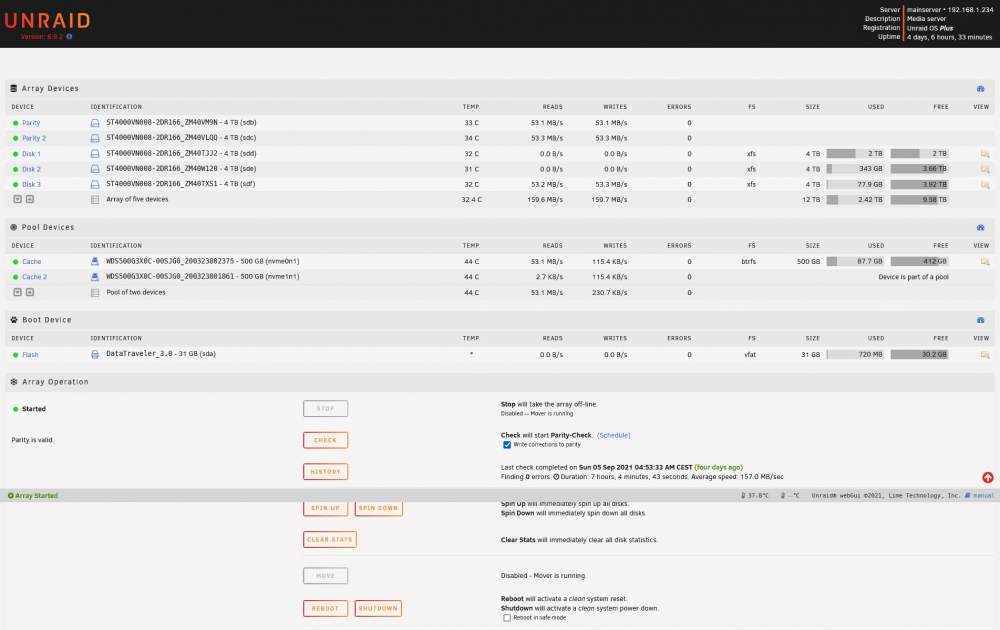
Hello today I noticed that the speed of the mover is only around 50MB / s and if I write directly to the disk then the speed is also around 50-60MB / s is it normal? mainserver-diagnostics-20210909-2034.zip
-
Thanks for the advice, but the server has been running without a problem for a year, so I don't think it could be threadripper 1920x and my ram 3200mhz is a problem
-
Hello today, I went to play the movie in the plex, but only the loading wheel was spinning, so I wanted to log in to the GUI and after entering the name and password, nothing happened, so I tried other services owncloud, teamspeak, roon, and also did not work. So I connected the monitor to the server and it wrote no signal. so I did the worst and held down the power button and turned on the server again, and then everything works as it should and a parity check was start. mainserver-diagnostics-20210813-1430.zip

