





Silhouette UK
Members
-
Joined
-
Last visited
Everything posted by Silhouette UK
-
that's my next call, thanks very much for the information and help, most appreciated!
-
Hopefully that is correct! I am grateful for your assistance with this!
-
Sorry, its the Plex own Docker.
-
its a brand new server (to me) I am just setting up, set up Unraid last week and now trying to set up some dockers etc. never used Plex before so a new account. watched several YouTube vids etc. but none of them seemed to have this issue!!
-
http://192.200.10.8:32400/web/index.html#!/settings/web/general
-
yes
-
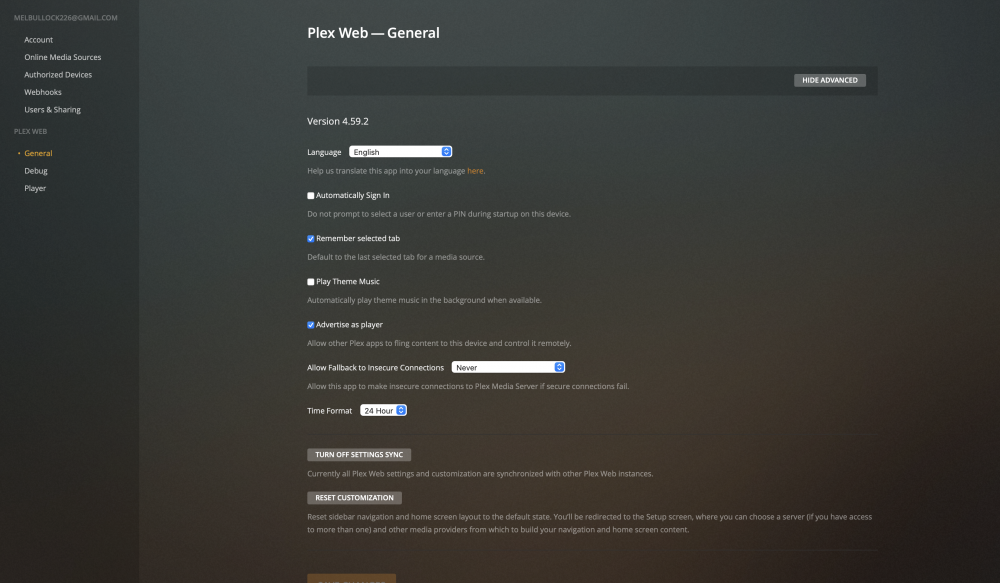
There is nothing in the left hand column for the server settings or to add my library
-
Yes, I have just managed to resolve this by removing and reinstalling the docker. I now get to Plex web, but I can't get to the plex media server settings. I'm not sure how to continue as all the videos I have watched show these settings on the GUI!! thanks for the response, trying to sort this in between periods of work
-
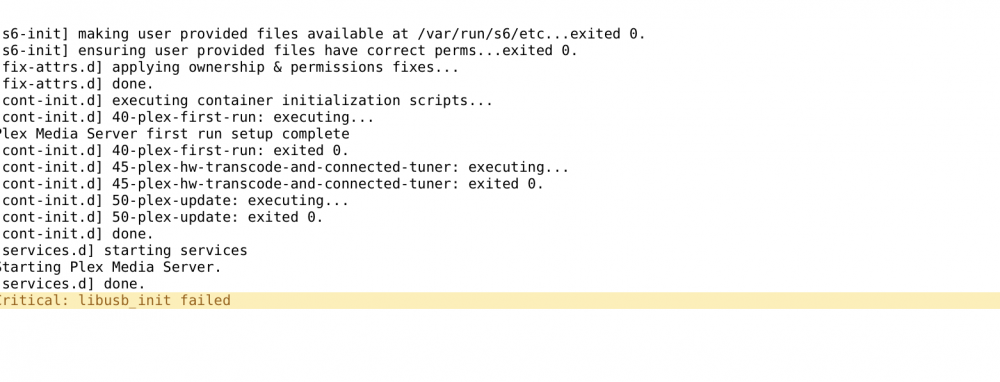
Hi All, I am new to servers and have set up my own system. I have setup the Plex media server docker, when I open the web GUI I get the above message from Plex. I assume there is a fix for this? any help gratefully received

