





Phreaknes
Members
-
Joined
-
Last visited
-
I have confirmed that the Flash USB and the Coral are not on the same bus. That shouldn't really make a difference. I need to know what else to test, what logs to provide, what settings I need to test. I can recreate the problem, I don't know what I need to provide the Dev's / community to resolve this issue. Recap: Within 24 hours of starting the Frigate docker container on my version 6.12.13 of unraid. The server's flash USB will become unavailable. I have to shutdown the server, strip it down, remove the flash drive and do a repair USB drive on a windows PC. Then I can reassemble and restart the server, start a parity check and without the Frigate container started, everything works just fine. I have removed the reference to the Coral USB in the App config but I have retained it in the Docker config. Please refer to post for more details. I have built this system with Frigate in mind. I've invested heavily in the camera recommendations, added a Coral TPU and I'm disappointed in the failing of this app. It could be a simple setting. but I'm at the end of my technical diagnosis knowledge base. Any help will be appreciated.
-
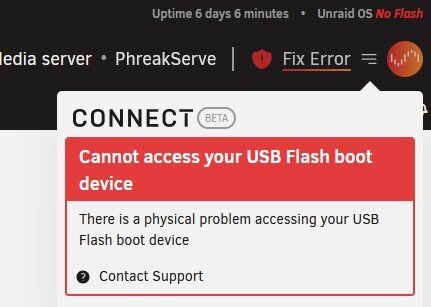
I can now reliably recreate the problem. I've taken down all dockers and VM's and got the same results twice. When I start Frigate, within 24 hours I get this error so it's got to be the Frigate docker or something it's contributing to. I'm willing to help, but it takes me about an hour to remove the server, fix the USB error, install and bring up the server and of course 16 hours for the parity check. If there is a log or some process I can check please let me know. I edited out the Tensor entries (as mentioned in another post), same outcome.
-
You are correct that the flash drive is loaded on boot, But it's not a ROM. As the server is in use, data is access and updated on the USB drive. If you install a new app for instance, the USB drive is updated. As mentioned, I tested a lot of configurations and deduced and confirmed that when frigate is running with the Coral USB, The Flash USB is failing and confirmed this issue with Unraid support. I've narrowed it down and now I'm working backward. To say that Frigate is 'NOT' crashing the flash drive is premature at best. Thank you for pointing that out, I will look into it.
-
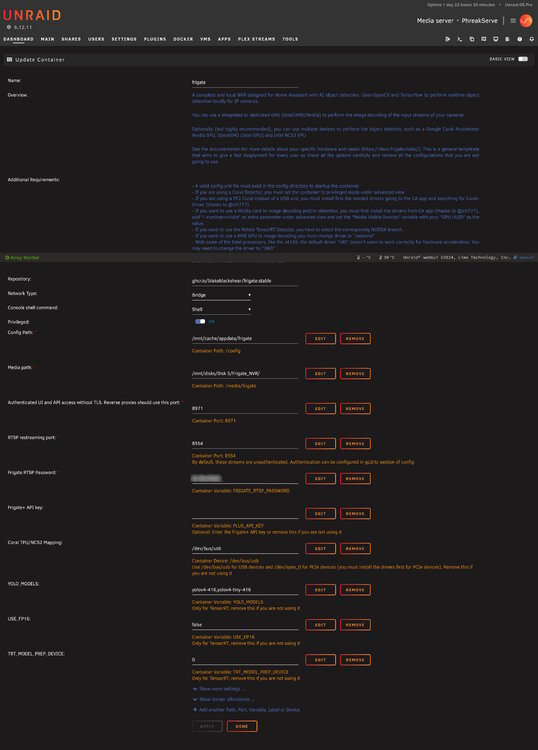
Greetings all After a lot of testing and research it seems that Frigate is crashing my flash boot drive and killing my server. I installed frigate about 1 month ago with a very simple one camera config. I first had my flash drive crash in early October and replaced the drive and restored with a Unraid connect backup from the previous weekend. For about a week I only spun up may Home Assistant VM and did my parity checks to make sure the system was stable. I started my all of my dockers and then within 24 hours another drive says it's corrupt or unavailable. Thinking it just maybe a fluke, I replaced that drive again and recovered from a backup, Parity checked and only brought up my VM and one docker. Waited a few days and brought up another docker. I Brought up the Frigate docker and within 24 hours the flash drive failed. Luckily I was able to put my Flash boot drive in a windows machine and repaired it and got back running. I put in a ticket with Unraid support and we got the syslogs and found the error below. For one last test this Monday brought up the server with just the Frigate docker and it failed again. Repaired the drive, spun up everything except Frigate and it's been stable. So I've isolated the issue to the Frigate docker. I think it has something to do with the USB Coral TPU. Yes I've switched USB ports and confirmed it's working in another computer. Attached is a picture of the docker config for frigate. Outside of that I don't know. I need to get this working as I have very limited time to work on this for the rest of the year. server config Supermicro X10SRH-CF Intel Xeon CPU E5-2698 v4 128GB RAM USB Coral TPU Nvidia 3060 12gb (Not used for Frigate) Error in the Syslogs Nov 4 20:50:15 PhreakServe kernel: usb 3-6: device descriptor read/8, error -110 Nov 4 20:50:15 PhreakServe kernel: usb 3-6: USB disconnect, device number 3 Nov 4 20:50:15 PhreakServe emhttpd: Unregistered Flash device blacklisted (EBLACKLISTED2)
-
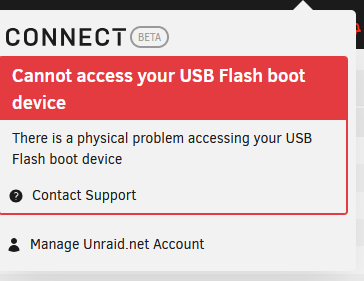
I Put in a ticket from the Unraid error that gives prompt that says contact support!
-
I have a brand new Sandisk ultra fit 32gb sitting in the package. Do I use it and do this again even though this same drive failed after 18 months?
-
I've had a SanDisk 32gb ultra fit USB disk running in my new server (SuperMicro x10srh-cf) for about 18 months. It died / wasn't available on Monday morning. I put in a ticket because I didn't have a local backup but the array was still up and HA was still working. I happen to find a posting about Unraid connect late on Tuesday and luckily UnRaid connect had a backup from Saturday evening. I figure out how to download and restore that backup and got the server up last night on a 'old' 16gb Sandisk cruzer facet. I wake up this morning and the USB drive 'Cannot access your USB Flash boot device" so what do I do now. what is the recommended / required USB drive that isn't going to fail every 18 months because I got this new server / motherboard because 18 months ago my USB drive failed again (SAMSUNG FIT Plus 32gb ). And yes I've been down the 2 threads about USB boot drives and with no real conclusion. First issue. Do I just go through the process again with another USB drive. I know in the past there was an issue with changing USB drives more that once in certain timeframe. Second issue. What is the USB drive I should be using? give me a list so I can get it on order quickly!! thanks
-
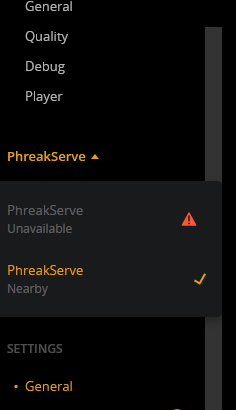
I tested that and I can set up those directories if I start a new server. In the picture below if I can get that 'unavailable' server back i'm golden
-
Where is that setting?!!?! I need to check that.
-
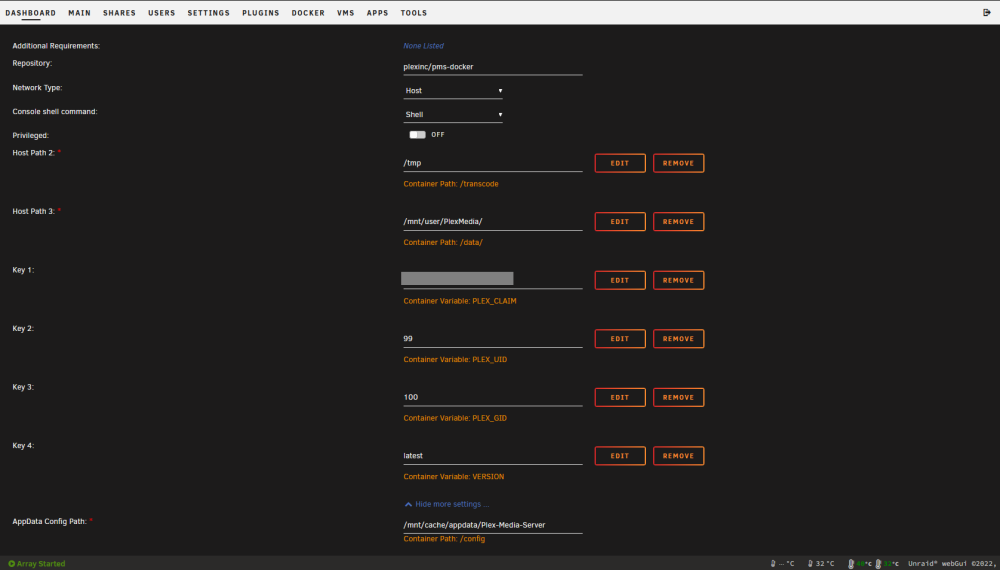
So I have all my media sorted under PlexMedia. and the docker is pointed at it. Could it be a permissions problem? is there a log that may have some information?
-
Is there a setting in the app / server config to point at the media data?
-
I have backups of the raw movies and music files 3 2 1'd , I'm not really worried about that but I have a huge Music library and done a ton of work to get album cover right. This is years of work.
-
Correct, All of the array disks,
-
I shut each of the dockers apps and the docker service. I went to each drive from the main tab -> view (each drive) -> selected the appdata directories -> moved to appdata on the ssd / cache drive. I did that on all of the drives in the array. once done I started the docker then manuallly checked the paths appdata paths on all the dockers. started the dockers an they all came up just like previous, except plex
-
I have Plex in an UnRaid docker. I need to move severs soon. I’m in the process of shrinking the server down. I did a move of all of the Appdata directories from the array to my ssd cache and all my other dockers came up fine except Plex. Screenshot of what Plex web displays. it see’s my original pins so it’s seeing my original config (thus my original metadata) but the mapping to my array data is wrong or missing Yes I updated the Docker config to point at the ‘new’ Appdata for the Plex docker (screenshot here) When I do a browse /mnt I can go to /user and see my data in /PlexMedia which I have in the docker config The Unraid support says its a Plex / docker issue, docker support says it’s a plex / Unraid mapping. I’ve been fighting this for 2 weeks and I’m at my wits end. I’ve searched all over and have over 100 tabs just on this one issue. I think it’s a simple .ini / config file but I don’t know how or where to update it.

