





nerdzero
Members
-
Joined
-
Last visited
-
Ya Logitech wireless dongles tend to be flaky and unreliable in my experience...
-
Ya, this one is a bust. It was always hit or miss for me, so I went with the path of least resistance and went with a corded setup instead.
-
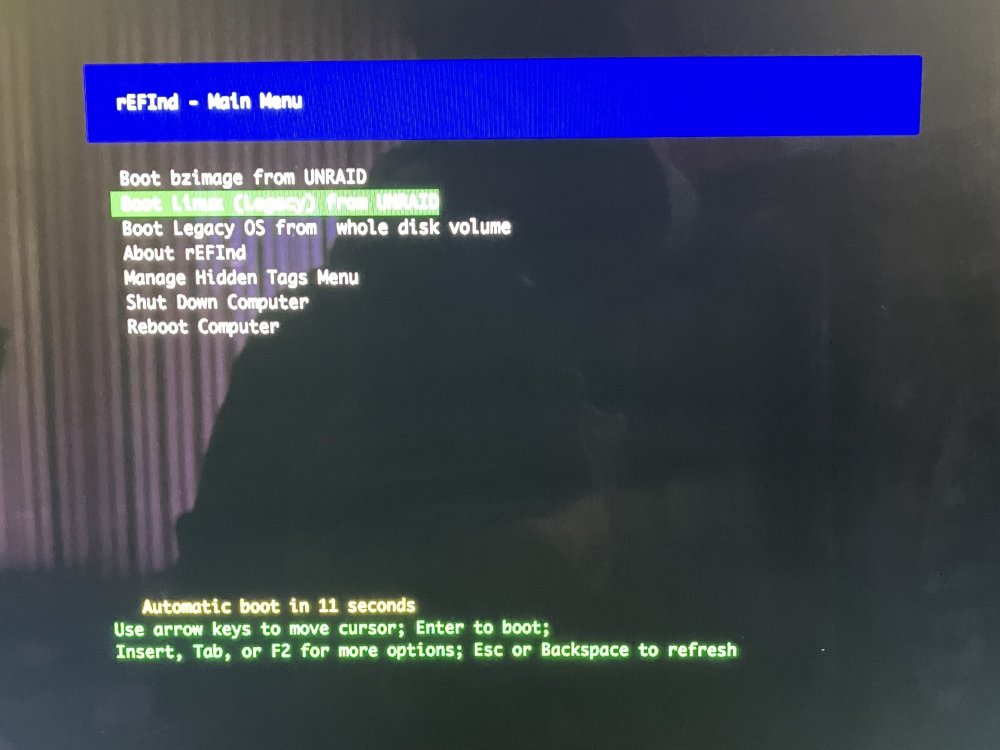
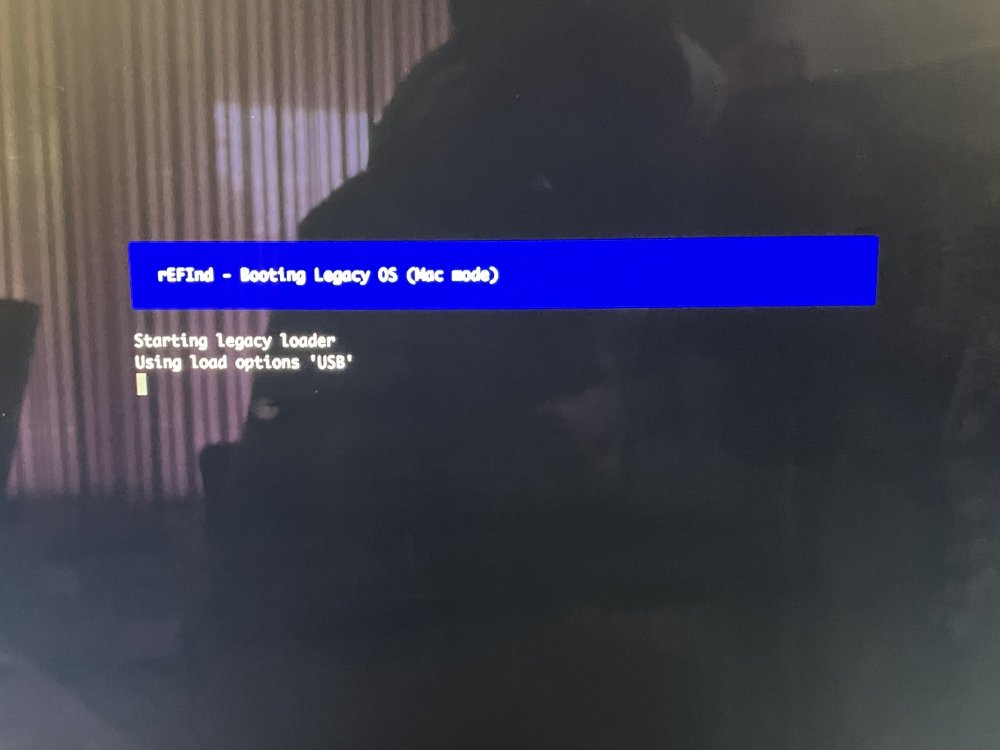
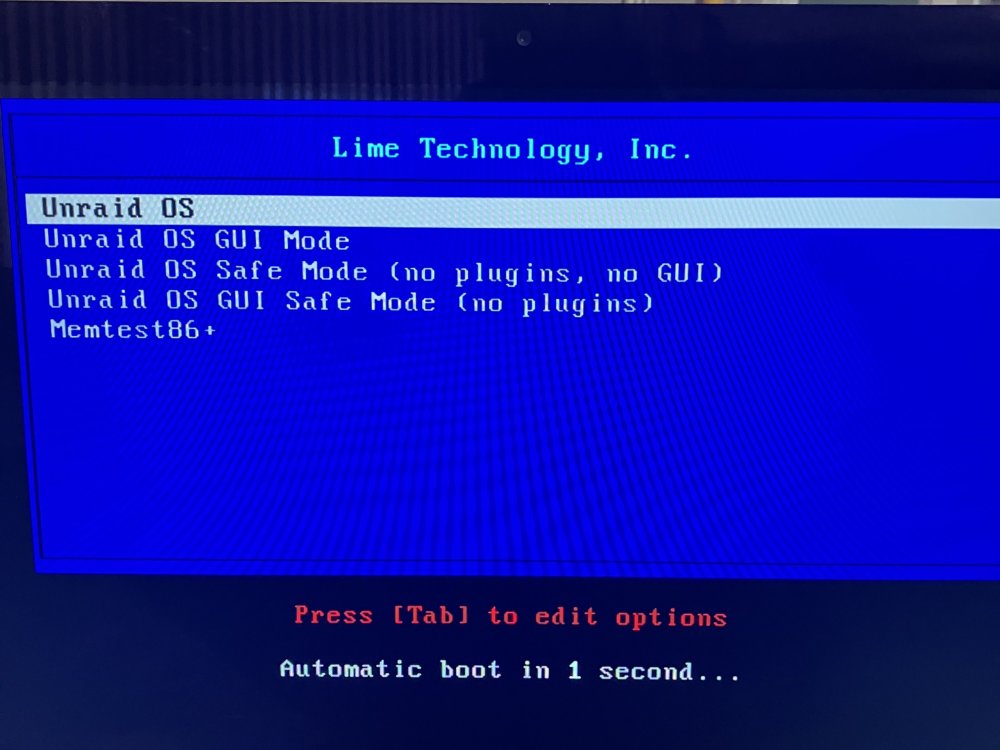
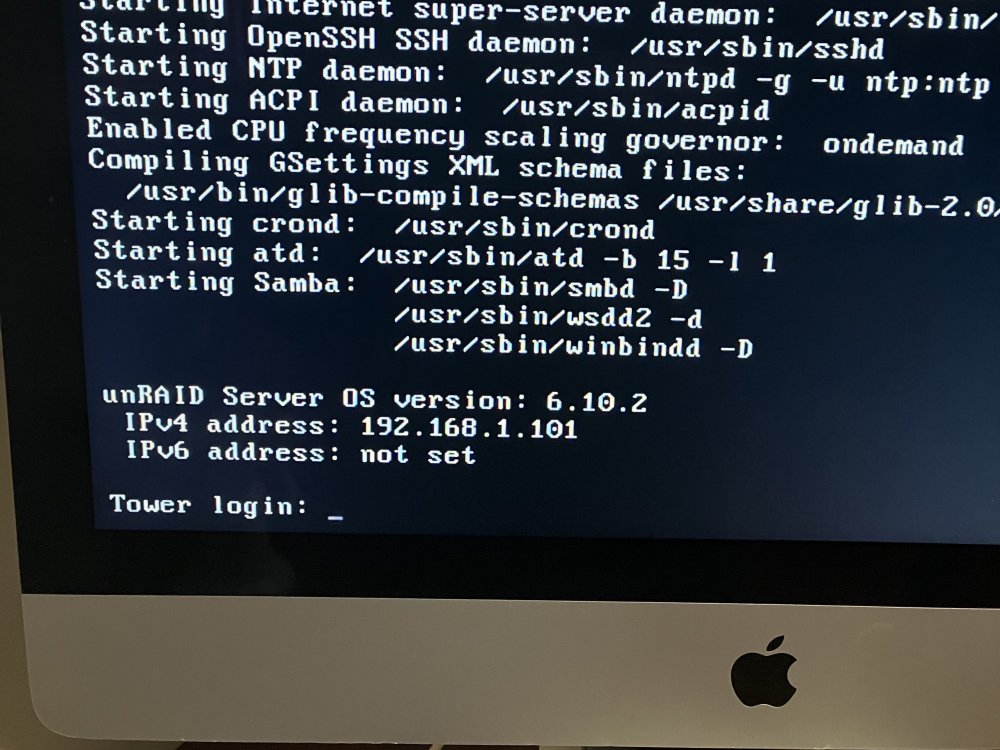
Many thanks for reaching out itimpi. After carefulluly reading thru the documentation, I was able to determine 'in part' the cause of the kernel panic that has been re-occuring on my server. I say in part only becaue I had to tinker with the /EFI boot loader to get 6.10.2 fully funtional. I replaced the stock bootx64.efi file with the rEFInd boot loader, thus producing a hybrid UEFI + Legacy Boot loader. Upon rebooting the system with the rEFInd boot loader in place, I was able to fully boot the server by selecting the option to boot Linux (Legacy) from UNRAID from the rEFIns Main Menu. (attached). Next, I was presented with the official Lime Technologies boot menu. I selected athe default boot option. The system booted and I was able to get to the login prompt. I later soon discovered that my network interface had been lost in the shuffle somehow (eth0 does not exist). I placed an empty tg3.conf file in boot/config/modprobe.d/ as sugested in the documentation and rebooted. UnRAID now boots with or without gui. Safe mode also appears to boot without fail. This one really had me stumped. Thanks again for your guidance.
-
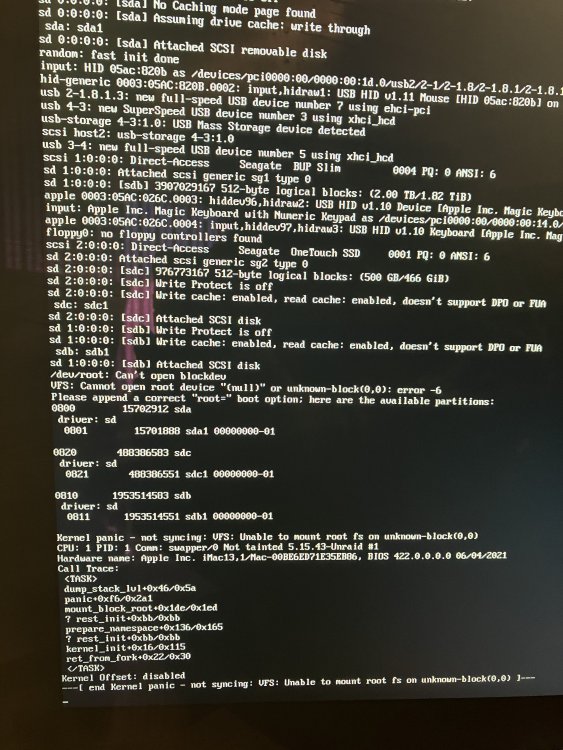
Had a perfectly working 6.9.x unraid instance and upgraded to 6.10.1. received kernel panic (attached) on first boot after upgrading. So far i've wiped the USB flash drive and created a totally vanilla instance, same error. I've tried setting root-sda in syslinux.cfg, same error. reverted the chanbges made in syslinux.cfg, same error. Tried booting in both UEFI (No CMS) mode and Legacy BIOS boot, same error. Veried that secure boot was disabled in each scenerio. I've tried just about everything I can think of to fix the problem. I'm Kind of regreting that i took the leap to upgrade from 6.9.x I hoave no idea why this would suddenly occur on my server? my USB drive has one partition and was created by the official tool. also occurs with a vanilla USB drive at this point. I suspect this might have something do to with the chipset on the mobo but I just dont know enough on how i might go about passing thru the kernel panic. Any asisstance would be much appreciated at this point. Totally stumped and somewhat in a panic. Update: Whats even stranger is that when i boot a vanila instance in either UEFI or BIOS mode, the boot menu does not appear. rather it just goes straight to booting the default menu item which boots as headless. I dont even get a boot option to boot in GUI mode.
-
Description: A Material dark theme for Cachet, the open source status page. Also fixes the timeline view line to not extend off the ends. Note: This style does not, and can not, affect the metrics graphs font color. Preview: https://imgur.com/1fbYQpl https://imgur.com/BOCaskJ Cachet > Settings > Theme Background Color: #263238 Text Color: #ECEFF1 Red: #FF1744 Blue: #00BCD4 Green: #1DE9B6 Yellow: #FFC400 Orange: #FF9100 Metrics Fill: #0DCCC0 Links: #00FFCC Background Fills: #455A64 Cachet > Settings > Stylesheet body.status-page .list-group .list-group-item.group-name { background-color: #607D8B; } body.status-page .list-group.components { border-color: #455A64; } body.status-page .list-group .list-group-item { border-color: #11171A; } body.status-page .list-group .list-group-item { background-color: #37474F; } body.status-page .list-group.components a { color: #ECEFF1 !important; } body.status-page .timeline .moment .status-icon { background: #11171A; font-size: 16px; text-align: center; line-height: 31px; border-color: #607D8B; border-width: 2px; } body.status-page .timeline .moment .status-icon.status-1 { background: #F44336; } body.status-page .timeline .moment .status-icon.status-2 { background: #FFC107; } body.status-page .timeline .moment .status-icon.status-3 { background: #03A9F4; } body.status-page .timeline .moment .status-icon.status-4 { background: #1DE9B6; } body.status-page .timeline .moment::before { background: #607D8B; } body.status-page .timeline .moment .status-icon .icon { position: initial; color: #000 !important; } body.status-page .timeline .moment .panel-message.list-group.components, body.status-page .timeline .moment .panel.panel-message, .incident { background-color: #37474F; border-color: #455A64; } .btn.btn-default { background: transparent; color: #B0BEC5; border-color: #607D8B; } .btn.btn-default:hover { background: #546E7A; color: #FFF; border-color: #607D8B; } .btn.btn-danger { background: transparent; color: #F44336; border-color: #607D8B; } .btn.btn-danger:hover { background: #F44336; color: #FFF; border-color: #607D8B; } body.status-page .timeline .moment .status-icon.status-1 .icon:before { content: "" !important; } body.status-page .timeline .moment .status-icon.status-3 .icon:before { content: "" !important; } .alert.alert-success { color: #000; } .group-toggle { display: none; } body.status-page .timeline .moment:last-child::before { height: 48px; } body.status-page .timeline .moment:first-child::before { top: 48px; } body.status-page .timeline .moment:only-child::before { display: none; } .panel.panel-message::before { border-left-color: #455A64 !important; border-right-color: #455A64 !important; left: 0px !important; } .panel.panel-message::after { border-left-color: #37474F !important; border-right-color: #37474F !important; } a { color: #00ffcc; }
-
I'm also seeing a similar warning message, also with a slightly different setup. I currently have the following set in Unraid: Settings > Management Access > Local TLD: local Settings > Management Access > Use SSL/TLS: Auto For the Server's name, I have Settings > Identification > Server name: PHOENIX My last Fix Common Problems run resulted with this warning: Your PHOENIX_unraid_bundle.pem certificate is for 'Phoenix.local' but your system's hostname is 'PHOENIX.local'. Either adjust the system name and local TLD to match the certificate, or get a certificate that matches your settings. Even if things generally work now, this mismatch could cause issues in future versions of Unraid. Things are currently working as expected, but I'd like to avoid any future issues.
-
I figured others might be interested in how to get a Bluetooth keyboard and mouse connected to their unRAID server so i wrote this short guide as my introductory post to the unRAID forums. I realize there’s probably limited use for this, but in my case I have a multi device keyboard and mouse and I can switch between them easily which is why I am using this on unRAID, it’s convenient for me. System Requirements You need to be running at least 6.7 as this includes the Bluetooth kernel drivers, you also need to install NerdPack and select the bluez package. Getting it all Working Once you’ve satisfied the system requirements, open a terminal on unRAID and execute: /etc/rc.d/rc.bluetooth start bluetoothctl You should see Agent Registered and be at the Bluetooth prompt: Put your device in pairing mode and execute: scan on You should see the device appear in the list as it scans, note the <address> then execute: pair <address> Note: After the pair you might get promoted to do something like enter a passcode in the case of a keyboard, enter the displayed number and press return. Repeat the pairing process for any other devices. Once pairing is confirmed on screen, execute: trust <address> connect <address> Type “exit” to quit. Now we need to make this configuration persistent across boots, so execute: cd /var/lib tar -czvf /boot/config/bluetooth.tgz bluetooth Note: This saves the paired devices to an archive, you will need to repeat this step if you pair other devices in the future. Edit the go.cfg config file so it restores the Bluetooth configuration and start the Bluetooth daemon from the go file on boot. cd /boot/config nano go Before the line that starts emhttp add the following lines: tar xvzf /boot/config/bluetooth.tgz -C /var/lib /etc/rc.d/rc.bluetooth start hciconfig hci0 up Hit ctrl-x and then press y to save the modified go file. That’s it, upon reboot the Bluetooth configuration will be restored before the service is started.


