Wes_S
Members
-
Joined
-
Last visited
Everything posted by Wes_S
-
Suggest to maintain the widget width, currently the widget would expand if the movie title is too long, so cause the dashboard layout changes.
-
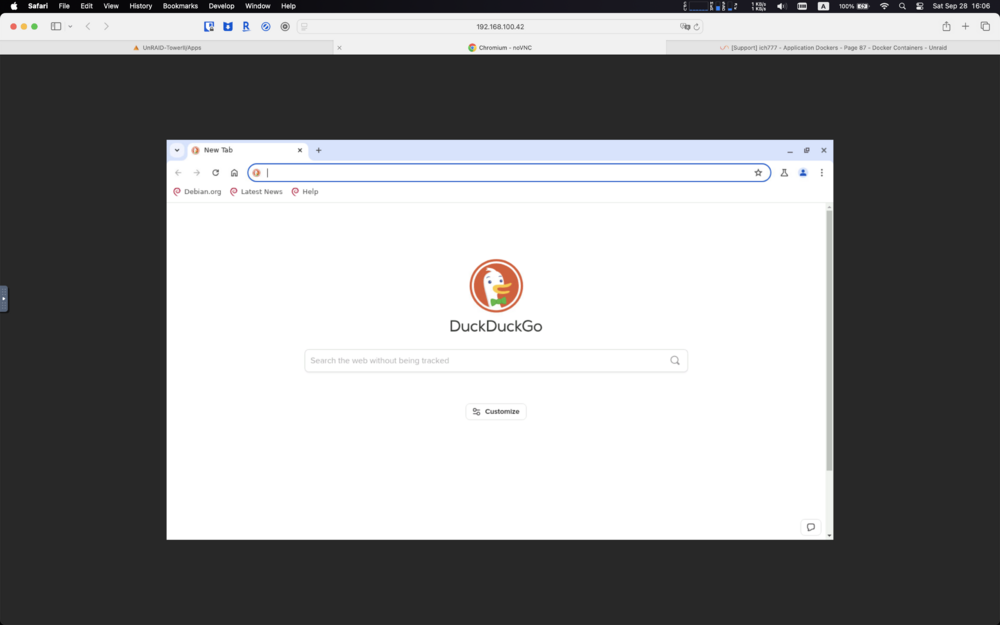
Hi @ich777 thank you for bringing Chromium to docker container. May I know how to change the VNC webGUI size? I only have page in the centre screen. Thank you, Wes
-
Hi @Phoenix Down, i modified autofan config "/usr/local/emhttp/plugins/dynamix.system.autofan/scripts/autofan" with your method, now its working as charm. Really appreciated. To achieve the goal of fixing the issue on unraid startup, do i just need to append the path of autofan config "/usr/local/emhttp/plugins/dynamix.system.autofan/scripts/autofan" to "/boot/config/go" file?
-
Hi @bonienl, thanks for bring such great fan controller to unraid. This is regarding issue of "Auto Fan Controller" I found an issue that the fan controller cannot adjust fan speed based on NVMe SSD temperature. I have 5 HDDs in the array and have 1 NVMe SSD as cache, FAN is set to monitor all disks temperature. i set all HDDs spin down after 30 mins if no activity, and never spin down for SSD. But once all 5 HDDs spin down, FAN stops at the same time, while SSD's temperature is above the limt i setup. i got logs "autofan: Highest disk temp is 0C, adjusting fan speed from: 230 (90% @ 1681rpm) to: OFF (0% @ 0rpm)" Would you please check the potential issue on this? Thank you unraid 7.0.0 beta2 and SSD is Crucial P1
-
Hi @Holaf, Thank you for bring Stable Diffusion to CA App. May i know if there is any way we can split /models and /outputs into different hard disk? I would like to put huge I/O to a different SSD, instead under /appdata Thank you
-
Hi @ljm42 I have same "not connected to mothership" issue after I moved to a new place. Already changed dns to 8.8.8.8 and 8.8.4.4 Every time Chen I check status on My Servers Dashboard, I can see "Online" in a second then become "Offline". Already tried to uninstall My Servers plugin and reinstall it. <-----UNRAID-API-REPORT-----> SERVER_NAME: UnRAID-Tower ENVIRONMENT: production UNRAID_VERSION: 6.11.5 UNRAID_API_VERSION: 2.54.0 UNRAID_API_STATUS: running API_KEY: valid MY_SERVERS: authenticated MY_SERVERS_USERNAME: Wesley_Sun CLOUD: STATUS: [ok] IP: [52.40.54.163] RELAY: STATUS: [disconnected] ERROR: [API disconnected itself] MINI-GRAPH: STATUS: [disconnected] SERVERS: ONLINE: OFFLINE: UnRAID-Tower[owner="Wesley_Sun"] ALLOWED_ORIGINS: NCHAN_MODE: nchan </----UNRAID-API-REPORT-----> Attached diagnostics file. unraid-tower-diagnostics-20221203-1121.zip
-
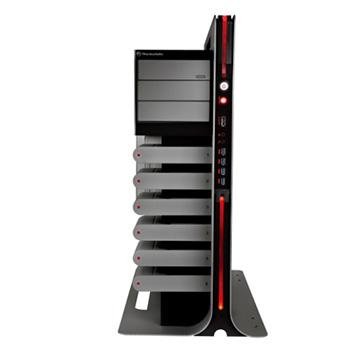
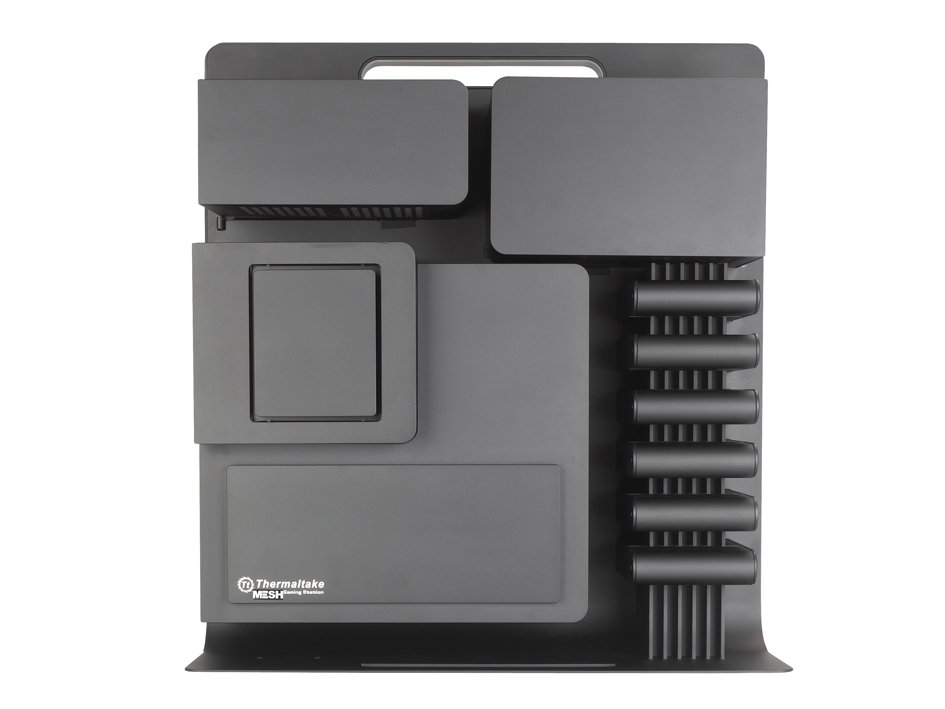
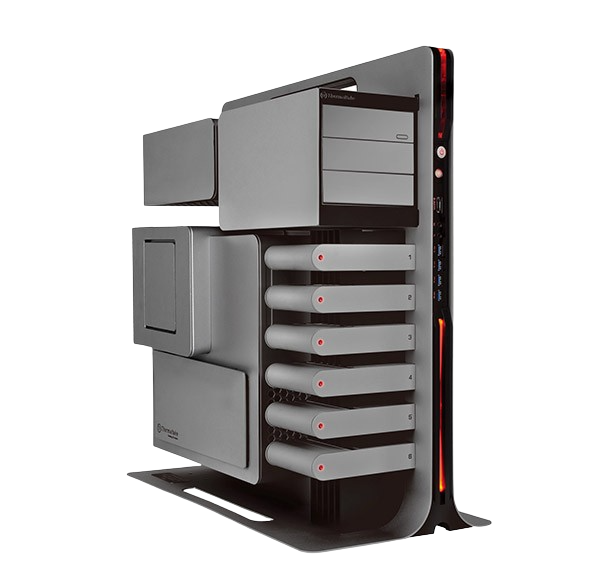
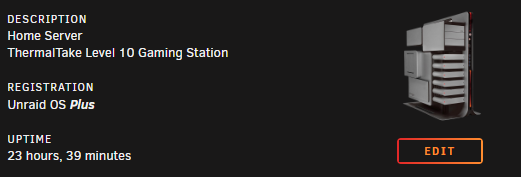
i build one by myself, in case someone needed.
-
awesome, i will definitely try that, thank you
-
thank you @binhex it works! may i ask another question: I found i cannot copy text from external to pycharm, and i have searched a lot, all of them about uninstalling VIM extension, but i have no VIM installed. May i know if there is workaround to copy text to pycharm? Appreciate your time and effort Wesley
-
Hi @binhex Thanks for your such wonderful project. Would you please add Monaco font to the image? Seems i have no idea to install font in container. Appreciate in advance. Wesley
-
Solved after moving to a new NVMe SSD and upgrad to 6.10.0 rc5
-
i have the same MOBO with 6950X 10C20T, which should be the best desktop CPU on X99 chipset. For 6800K and E5-2680(8C16T), i would choose 6800K(6C12T), better base and turbo frequency with only 2 cores less.
-
Hi Unraid-ers, i have used unraid since last June, recently upgraded my rig (Switch CPU from 5820K to 6950X, add a GeForce GTX 1060 3GB and add 2x8GB RAM), then it starts randomly lockup, all docker containers frozen but VMs are working, can access GUI but dashboard is not accessible. After dig up to syslog and found PCIe error in there: From System Device, i found this nvme0 is my SSD: I have researched in forum, people usually have PCIe error but with "corrected" and "non-fatal" message showing, and can be resolved by updating BIOS or add script to Sysconfig, my case is much different. I am wondering if PCIe Bus Error: severity=Uncorrected (Fatal), type=Inaccessible, (Unregistered Agent ID) means NVMe SSD is faulty? Here are specs of my rig: MOBO: ASUS x99-deluxe CPU: Intel i7-6950X RAM: Corsair Vengeance 2666MHz 6x8GB NVMe SSD: a Lenovo laptop M.2 GPU: GeForce GTX 1060 3GB Syslog is also attached, recently lockup happens around "Apr 1st 20:00-20:30" in line 61751 Thanks in advance. Wesley syslog
-
thanks all contributors, any chance you could please do an icon for thermaltake level 10 game station?
-
Found out the PSU can also cause this problem, after i switch from CoolerMaster MW 650 to a new PSU (CM MWE V750 v2 ), never happen again
-
Hi team, after system log back showing on GUI, i have revert to 6.9.2, attachment is my current diagnostics on 6.9.2 with working system log Wes unraid-tower-diagnostics-20220120-0913.zip
-
Thank you Squid, it worked after delete /var/log/syslog in FS and delete /config/syslog.config, /config syslog.cfg on flash drive, system logs on gui is back now after reboot
-
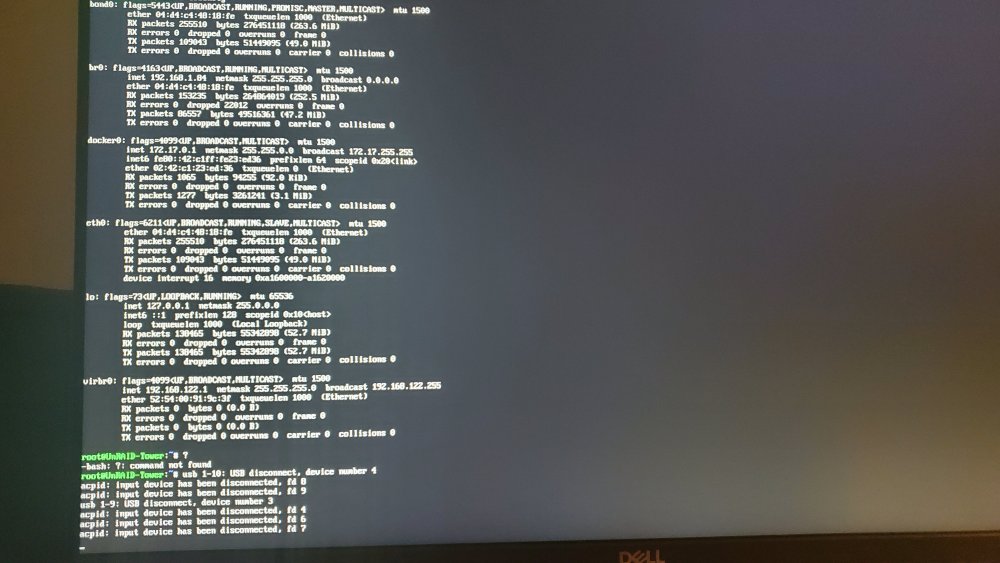
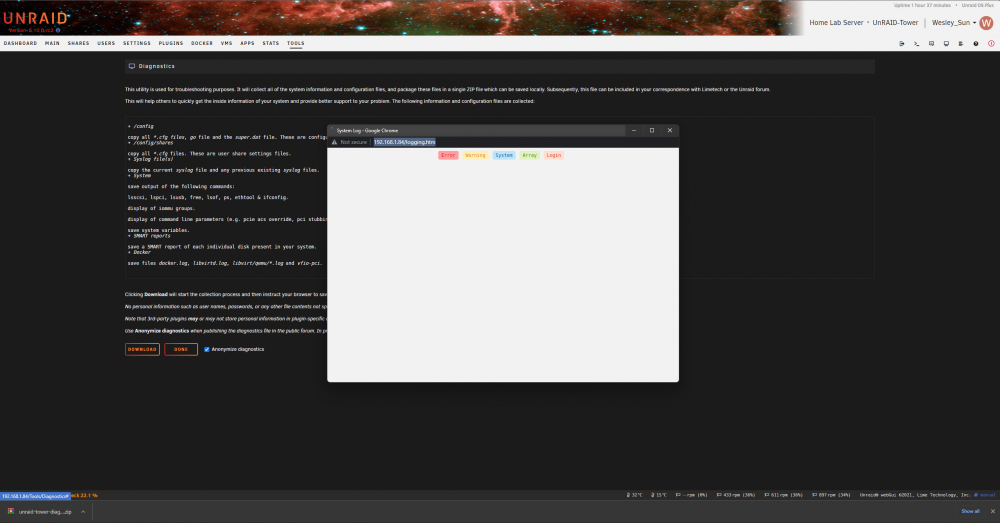
Hi unraid community, i recently have an issue that system logs are not display on web GUI, but some activitiy logs show on CLI, if i connect a monitor to unraid server. i don't think any changes made lately, just did an upgrade v6.9.2->6.10.0.2. i have tried to disable ad blocker, made no difference. Appreciate any help, Wes unraid-tower-diagnostics-20220119-2015.zip
-
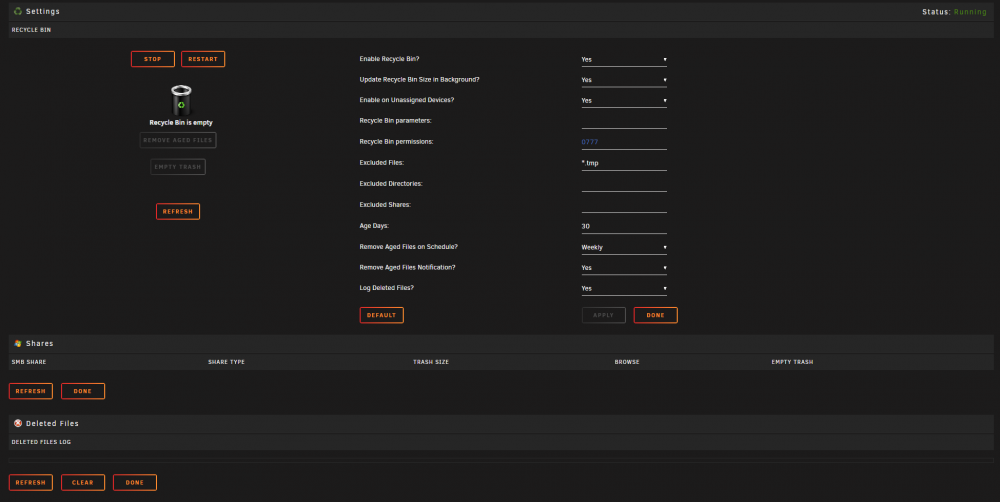
Hello, I am similar issue with @Arby expect i don't have rootshare installed. It was working before when i first installed it, now delete file in FileBrowser, no .Recycle.Bin folder created, and no logs or history in setting page or disk. I am on unRAID 6.9.2, I have installed the plugin, enabled it and have not excluded any shares. I have tried to test it by deleting a new file I created and also by deleting a file that already existed. I have turned "Log deleted files" to "yes" and still no luck, nothing appears under "Shares" or "Deleted Files". I also tried to delete plugin and delete plugin folder in flash drive then re-install plugin, but still not working. I would be very appreciated it anybody could help. unraid-tower-diagnostics-20211202-2312.zip