





Exes
Members
-
Joined
-
Last visited
-
This is sick!
-
I unfortunately do not. They are merging code bases, so I imagine they are working out all the kinks
-
They are using a separate branch. It's still technically the old version
-
I thought @Squid said they forked it?
-
Thanks guys I will retest again
-
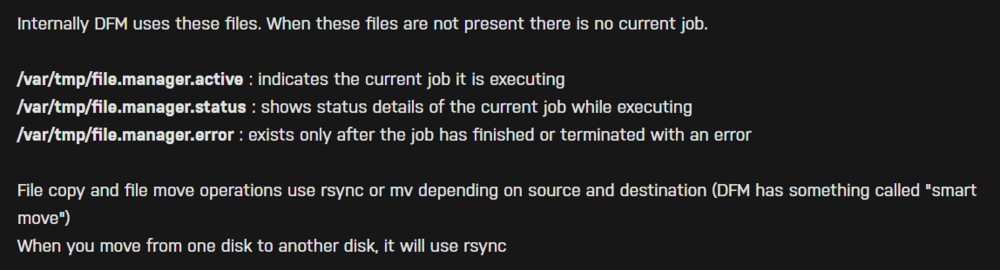
Why would you post something on there? The solution is right there. Delete the one that says active
-
I am at my wits end, my server randomly reboots and I'm not sure why. Posting diagnostics shortly after it rebooted and the logs leading up cd1git-unraid-diagnostics-20250329-1613.zip unraid logs.txt
-
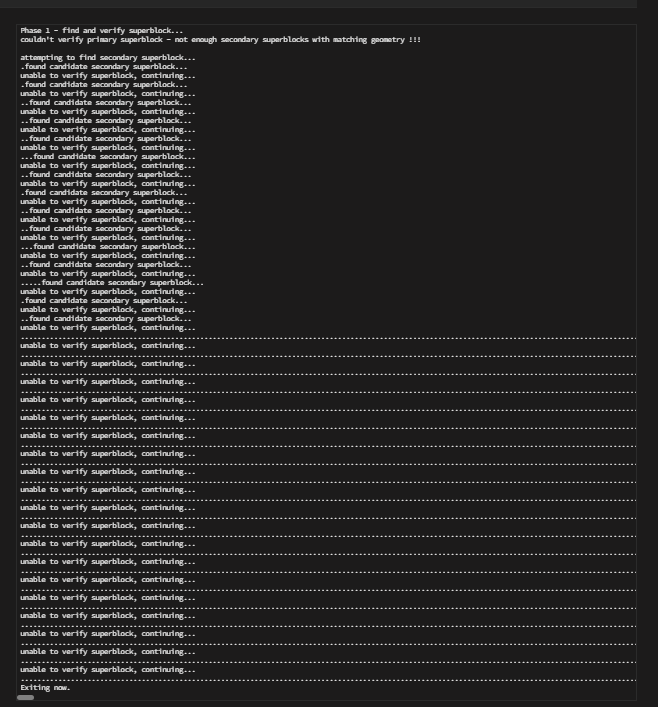
This is what I get when running xfs_repair
-
The drive is going bad or something, it just disabled again even after I switched cables. Would I be fucking myself over if I bought a new one?
-
You mean because it wrote that to parity? It was fine (from what I could tell) until I accidentally hit the power cable. I tried the xfs_repair and it didn't get past phase 1, something about not enough super blocks Edit: My parity check was before all of that happened too
-
I still have the replacement plan from Best Buy, I could just get a new drive tomorrow if that'd be the safest idea haha
-
These are both the shucked Western Digital 14 TB drives but I get your point
-
Out of curiosity, I do have another drive that I was pulling stuff off of that is the same size. If I replace the Drive1, would that be a better idea?
-
Running now
-
Ah just saw this, can you let me know what I should do regarding my last post?


