






MendipMan
Members
-
Joined
-
Last visited
Everything posted by MendipMan
-
Did you ever find the fix for this? On my server the app has been shutting down roughly once an hour while syncing. Its now finally finished but is still erroring out every 6 or so hours.
-
Tried changing the permissions from the docker console; no joy but changing it from the main unraid terminal did. Syncing and accessible, thanks for the help I appreciate it!
-
Yep that worked and its now syncing, thank you! New problem, it wont let me access the directory from windows and says that I do not have permission to view the share. Ive checked the SMB status and its set to public. I tried mapping a drive and a network location and that didnt help. Only thing Ive done different is change the repo and add the do not upgrade variable as instructed. Do I just need to let it finish syncing or do some chmod stuff to the container?
-
Ahh sweet, thanks I'll give it a go 2m.
-
As far as I am aware i do not have any dropbox files open and since the app created the directory I am assuming that the permissions are correct. Any ideas?
-
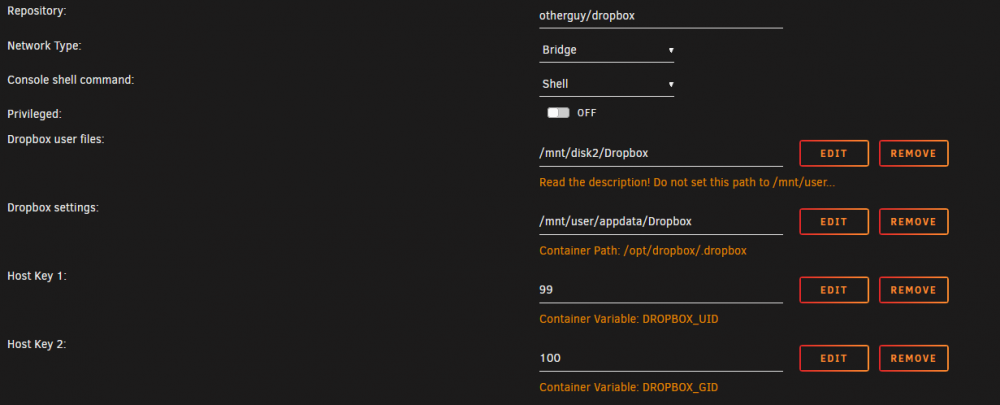
Hi, Have installed dropbox as per instructions. Im using a direct link /mnt/disk2/Dropbox as I have cache turned off for the directory. After I link my account I keep getting this error:- [ALERT]: Dropbox needs to rename your existing folder or file named Dropbox to finish installing. Please close any open documents and try again.

-
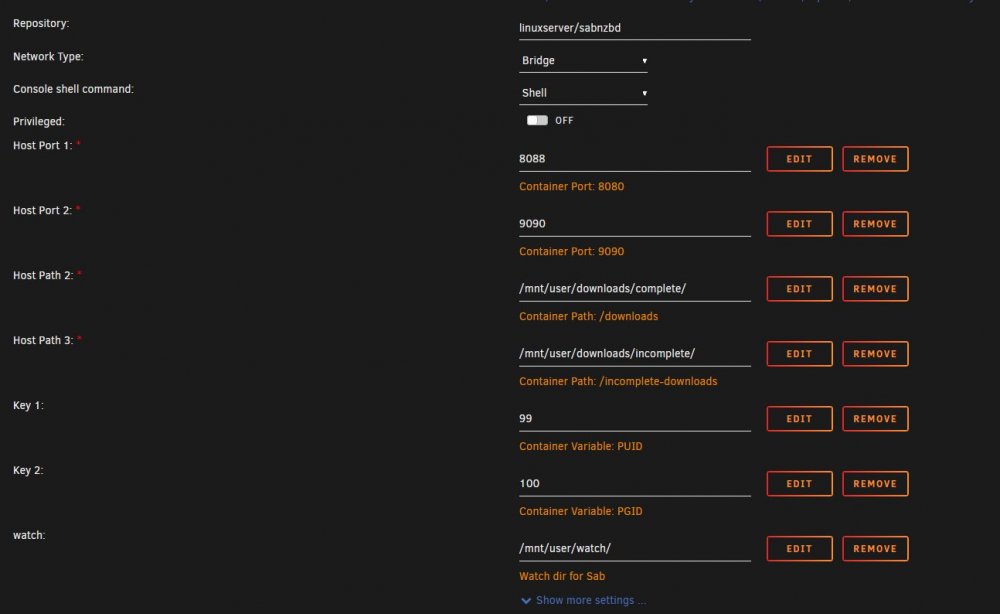
Sussed it. I didnt add the leading / to the download paths. Working fine now. Thanks for the help guys!!
-
Lol I mangled that sentence didnt I! Heres the backend config.
-
Hi, Having a weird issue with a new sab install. it works fine but I cannot get it to point to the downloads folder I created in my user shares. Its configured correctly in the docker settings and even created the complete and incomplete directories in the /mnt/user/download folder for me but when I download something it saves them in the config/download folder not /mnt/user/download. Im trying to access the folder from a windows box and all the other ones work correctly which makes me think Ive not set something up incorrectly for sab. Only way I can access the files is by sharing the appdata folder and pulling the files from there. Permissions for the download folder are set to 777 and the PUID is 99 and PGID 100. The watch folder I created in my user share also works fine and sab picks the nzb's up. Any ideas?


