





Macleod76
Members
-
Joined
-
Last visited
Everything posted by Macleod76
-
I just found a HEVC that is doing the same thing. im pretty sure this is h265?
-
I had a server crash and in the process of fixing all of it. Before the crash Jellyfin and video transcode through my nvidia 1080i was working perfectly. Now when i have transcoding turned on, by video is distorted. Everything i have tested so far is h264, which is checked marked in my jellyfin settings. I have tripple checked all of my settings, and everything seems to be correct. If i turn off transcoding, the videos play without any distorting. I am not having the same issues with plex. Any thoughts or ideas?
-
Video encoding is working for me in Plex. But when i turn it on for Jellyfin, my playback is very distorted. If i turn off transcoding in Jellyfin, the video plays just fine. I have tripple checked all of m settings, and i cant find an issue. Any ideas?
-
Please close ticket. i went with another vpn.
-
Any recomendations on the faster p2p servers for PIA? I have been trying different ovpn files with deluge all day, and i cant seem to find anything faster than 3Mib/s. Also, there are two TCP file downloads, one is called strong, the other is the same file name without strong. Any idea which of these two set of files i should be trying?
-
That worked. Thank you very much.
-
Just like my title says, i cant find my cache file in file explorer. I can see all my other folders/shares. I thought setting enamble user share assignment to yes, would solve this issue, but i am either wrong, or it doesnt. Any help on this would be apreciated.
-
Thank you, that worked.
-
Im trying to setup my vpn, and when i get to the point of having to copy over the ovpn file, i can not find the path to save the file. All i see on my dir are the folders i created and the flash folder. Any idea on how i can get to appdata and any folder benieth that?
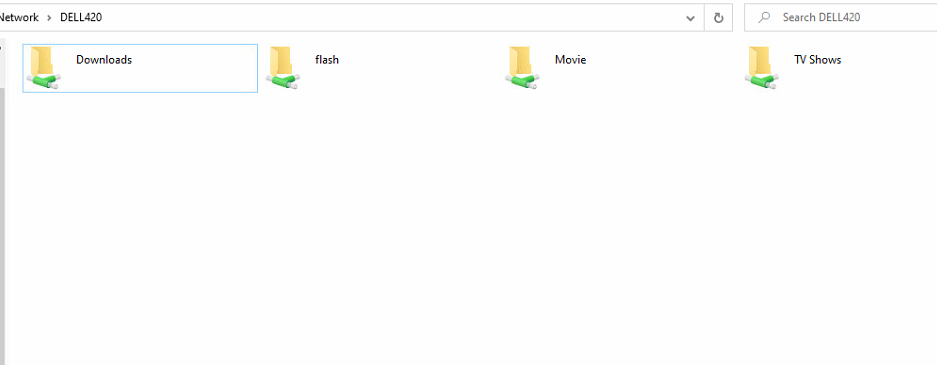
-
Figured this one out. In the Bios you can turn off boot mode for Integrated slots. So i removed my NVMe, turned that off, put the NVMe back in, and i was booting from USB again.
-
I have a dell T420 set to boot from bios. I know you cant use UEFI. I tried to use an NVMe card with NVMe SSD, so that i can set this up for cache. Im in my initial testing and setup of a server. When i have this NVMe card inserted into my server with the blank ssd, the server does not recognize my flash drive as a boot option, so i can not boot. In the bois i dont have any way of modifying HDD or USB boot options either. Any ideas on a setting i might be missing in my bios or Lifecycle?

