





JakBar
Members
-
Joined
-
Last visited
-
Yes it correct Do you have a recommendation? should I store it on appdata along with steamCMD
-
New as of 12-9, the share where the Valheim data is stored is set to prefer cache
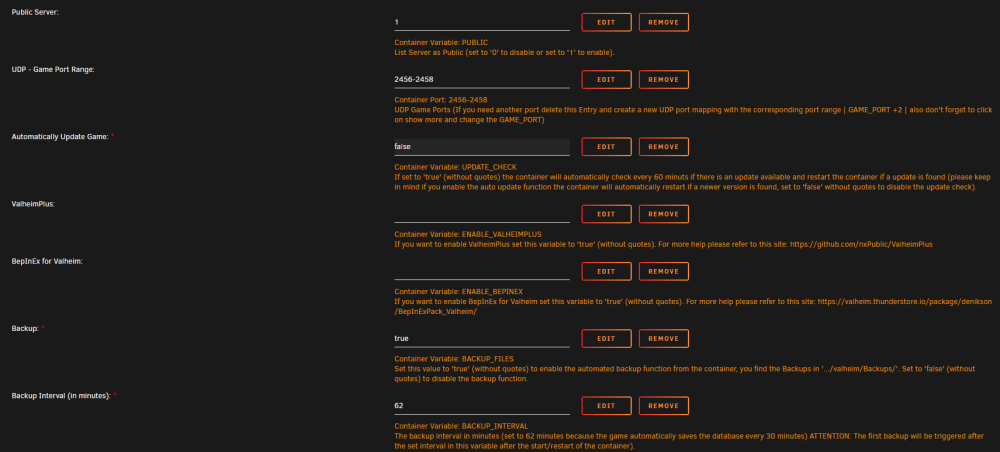
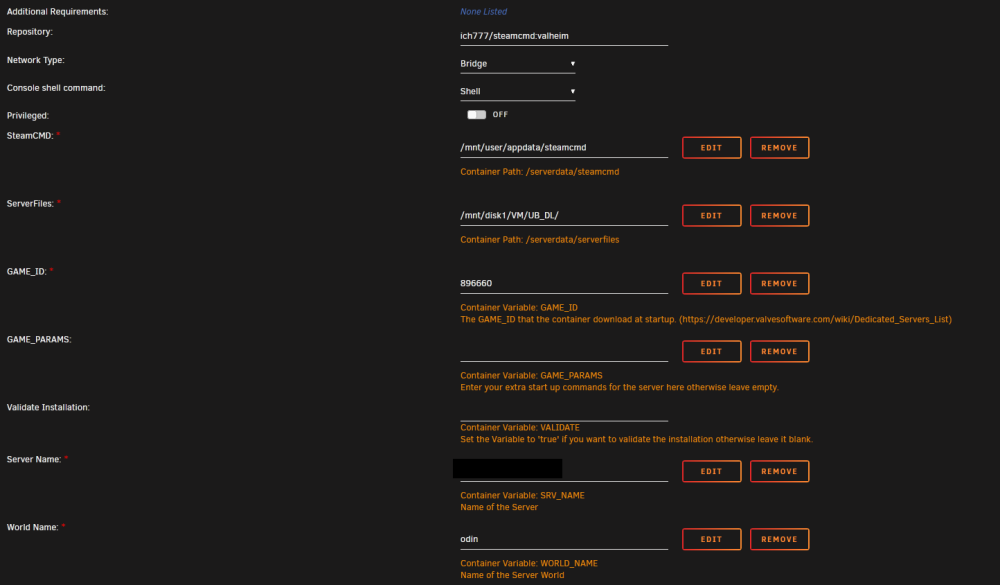
-
Valheim server not backing up and seems to spin up a new server every time it restarts Last backup is from 12-13
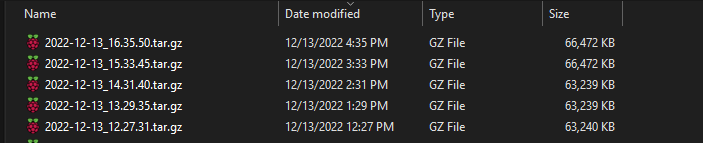

-
Ive been keeping the docker container updated but now I am getting this error below. I am very new to this, I followed Space invaders guide back in November and have ngnix setup. It wont actually start and keeps repeating the last two lines. Repo: lscr.io/linuxserver/nextcloud I rolled back to an older version so my wife can still do stuff in nextcloud, still see the last two lines but it runs. Any help for a noob like me would be great [custom-init] 20-install-glib.sh: exited 0 [custom-init] README.txt: executing... /config/custom-cont-init.d/README.txt: line 1: data: command not found /config/custom-cont-init.d/README.txt: line 2: data: command not found /config/custom-cont-init.d/README.txt: line 3: data: command not found /config/custom-cont-init.d/README.txt: line 4: data: command not found /config/custom-cont-init.d/README.txt: line 5: data: command not found /config/custom-cont-init.d/README.txt: line 6: data: command not found /config/custom-cont-init.d/README.txt: line 7: data: command not found /config/custom-cont-init.d/README.txt: line 8: data: command not found /config/custom-cont-init.d/README.txt: line 9: data: command not found /config/custom-cont-init.d/README.txt: line 10: data: command not found /config/custom-cont-init.d/README.txt: line 11: data: command not found /config/custom-cont-init.d/README.txt: line 12: data: command not found /config/custom-cont-init.d/README.txt: line 13: data: command not found /config/custom-cont-init.d/README.txt: line 14: data: command not found [custom-init] README.txt: exited 127 ******************************************************** ******************************************************** * * * !!!! * * Custom scripts or services found in legacy locations * * !!!! * * Please move your custom scripts and services * * to /custom-cont-init.d and /custom-services.d * * respectively to ensure they continue working. * * * * Visit https://linuxserver.io/custom for more info. * * * ******************************************************** ******************************************************** cont-init: info: /etc/cont-init.d/99-custom-files exited 0 s6-rc: info: service legacy-cont-init successfully started s6-rc: info: service init-mods: starting s6-rc: info: service init-mods successfully started s6-rc: info: service init-mods-package-install: starting s6-rc: info: service init-mods-package-install successfully started s6-rc: info: service init-mods-end: starting s6-rc: info: service init-mods-end successfully started s6-rc: info: service init-services: starting s6-rc: info: service init-services successfully started s6-rc: info: service custom-svc-README.txt: starting s6-supervise custom-svc-README.txt (child): fatal: unable to exec run: Exec format error s6-supervise custom-svc-README.txt: warning: unable to spawn ./run - waiting 10 seconds


