SVThuh
Members
-
Joined
-
Last visited
-
I got it working. Re-installing the LimeTech nvidia plugin seemed to solve the issue. Thank you for all the help!
-
Now that the nvidia-driver plugin is deleted, slim now loads. My question is though, now how do I load the nvidia driver for plex and emby transcoding if the nvidia driver plugin is causing issues for me? Thank you for all the help.
-
I had removed nerdtools, ca.cleanup, gpustat and radeontop before seeing this reply, because I realized I just dont use/need them, and was hoping it would help, sorry. Just removed the nvidia driver plugin. The only plugins I have now are limetech plugins.. Here is the diag before reboot, but after removing the nvidia driver plugin. tower-diagnostics-20260331-1323.zip
-
Looks to be the case, I was able to boot into safe mode with GUI. Should I just start killing plugins until it works? Here is a new diag file. tower-safemode-diagnostics-20260331-1253.zip
-
Yes, though I just realized that diag file is after the reboot, but without trying to run SLIM again. Here is another one after trying to run SLIM, but before reboot. Apologies for the oversight. tower-diagnostics-20260331-0905.zip
-
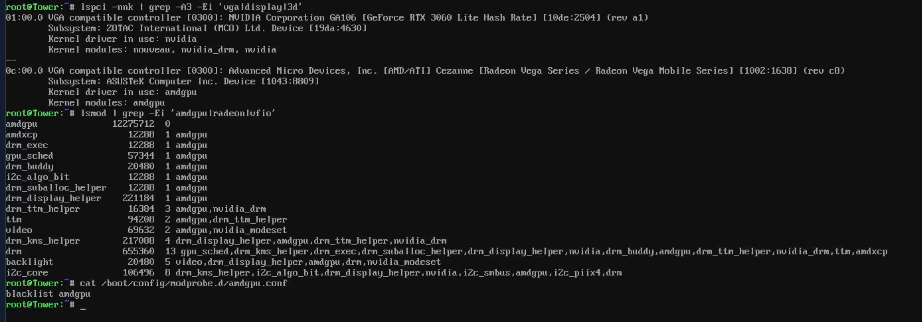
So, I'm not super handy with command line stuff, but I think I got it blacklisted correctly. Though it still shows in use by the kernel even though it is blacklisted. Slim still brings up the same screen, all black with one un-blinking cursor. New Diag file attached. Thank you! tower-diagnostics-20260331-0838.zip
-
I even tried to roll back the nvidia driver, with no luck. Please see the attached diag file. Thank you for checking in on this. This is the screen I get through my KVM. ETA: Slim command worked before updating to the newest OS. tower-diagnostics-20260331-0002.zip

-
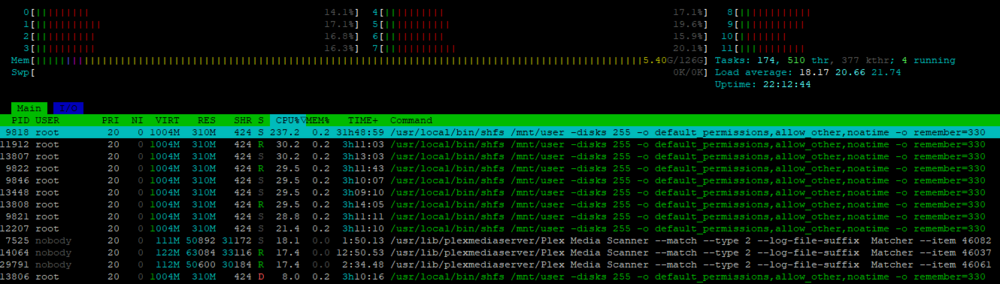
Hello, I recently recovered from a dead flash drive, I replaced it with an industrial microSD card, but Im still having some of the same issues I was having before the flash drive failed. Docker seems to be eating up all system resources and slowing the UI down to a crawl. Specifically scanning Plex libraries (which I have been having issues with Plex for what seems like ages now) I have also been seeing this in HTOP: I'm at a loss for these entries. Any ideas? Any ideas on why the whole system slows down from Docker containers? Do I need to exclude cores? I'm utilizing a 5700G processor so I would imagine there is plenty of processing power for what I'm trying to do. Also found in HTOP, is this something I should be concerned about? Thanks. Diagnostics attached below tower-diagnostics-20241104-2220.zip

-
SVThuh changed their profile photo
-
 Simple vignetted repeating Japanese style wave pattern
 -
-
Thanks @JorgeB. I think you are correct!
-
@JorgeB sorry to keep bothering you, but im still having hard crashes. I dont know what else to do??? Thanks for all your help! 10.27.24 syslog.txt
-
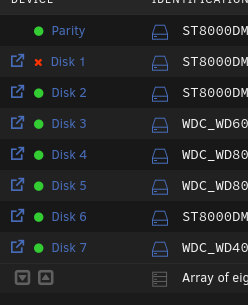
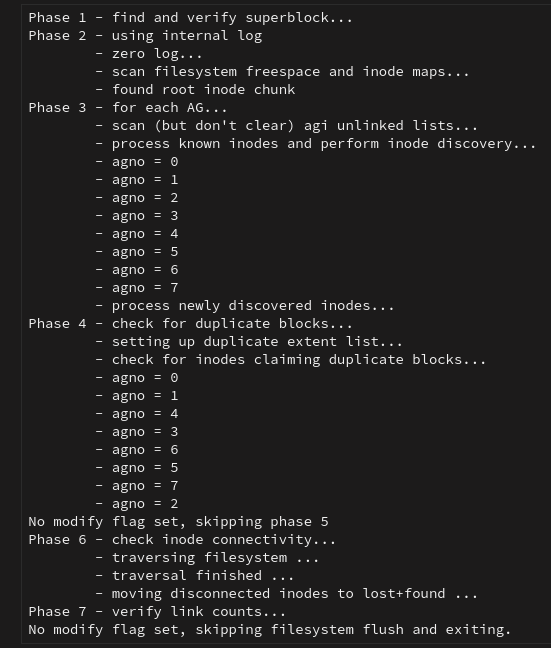
Thanks @JorgeB. I moved the HBA, but Im still seeing a disabled drive. Is my HBA borked? Should I try that drive with a sata cable? Thanks for all your help! ETA, I ran the filesystem check with the -n flag and got the following: tower-diagnostics-20241024-1930.zip
-
@JorgeB, thank you for the advice with the GPU. After removing the GPU, the system seemed to be a bit more stable, but then I just had a drive become disabled. But at least Im able to pull diagnostics this time. It did seem like it locked up hard, but came back and then the disk was not there. The disks are all connected via an HBA. I alse keep getting this error on my syslog, repeatedly. "pcieport 0000:02:02.0: Unable to change power state from D3cold to D0, device inaccessible" Thank you for your help! tower-diagnostics-20241022-1338.zip
-
Will do. Thank you for the quick response. Hoping to get this figured out.
-
I was able to get the syslog server setup yesterday, everything was working fine, then crashed today. It has been crashing frequently. Like full stop. No idea why, though if I'm seeing this correctly, is it because of an issue with my GPU? Currently on version 6.12.13. Thanks. UnRaid Syslog.txt