Echo of Starsong
Members
-
Joined
-
Last visited
Everything posted by Echo of Starsong
-
我不是开发者,所以具体是怎样并不清楚。 结合另一个英文帖的谈论来看,你可用理解为:MoverTuning只是个过滤器。在Mover工作时,对文件进行过滤。 如果作者没有对 "yes" 和 "prefer" 动作区别处理的话。那么只会发生:阵列中的大文件A移动到缓存中,小文件B被留在阵列中(只要还有可用的缓存空间) 将共享文件夹缓存设定为 “Yes”,小于20MB的文件将会被留在缓存中。 对于你想把小文件移动到缓存而不移动大文件这方面没有什么好方法。 我个人的建议是: 1. 关闭 MoverTuning 中的文件大小限制和时间限制。 2. 项目 Ignore file types(忽略文件类型): Yes ,项目 comma seperated list of file types(以逗号分隔的文件类型列表): avi,mp4,mkv (填文件格式,反正把你有的视频写上) 3. 让 Mover 执行一次,注意项目 Move Now button follows plug-in filters : 默认No ,这样你点那个立即移动是不受 MoverTuning 影响的。 Mover完了之后除了视频都在缓存了,这时候把 MoverTuning 改成你想要的样子,然后将共享文件夹缓存设定为 “Yes”。
-
装插件 MoverTuning 教程:可以高度自定义移动的缓存移动神器 MoverTuning
-
有没有可能,你那第一个盘还有几kb的空间,所有认为没有“填满”🤣。
-
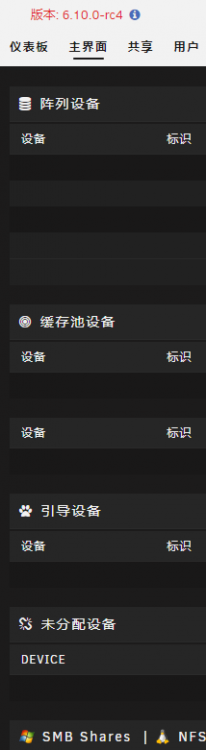
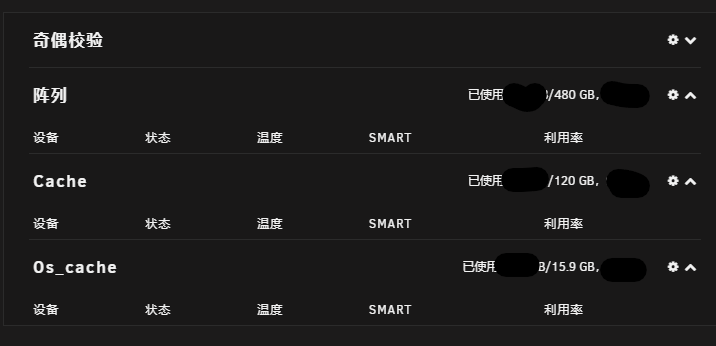
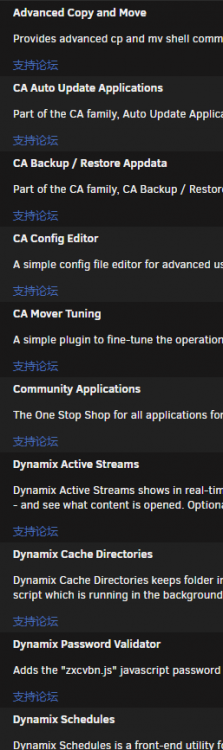
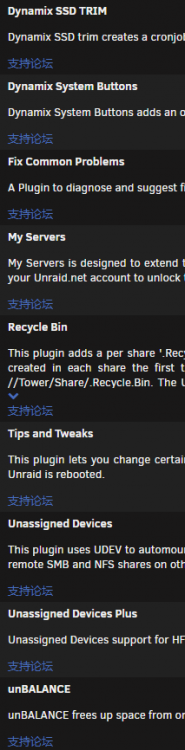
问题描述: 1. webui不显示任何存储设备,但其他一切工作正常(docker、共享等)。 1-1. 主界面全部空白。 1-2. 仪表板能正常显示存储占用情况。 1-3. 将自动启动阵列关闭,开机后用webui启动阵列,主界面的显示恢复正常了,但仪表板的显示依旧。 2. 点击停止阵列按钮,会被跳转到 xxx.myunraid.net/update.htm 就没有然后了,阵列依旧在运行。 其他信息: 已经尝试过重置阵列磁盘配置。 浏览器信息:Chrome 99.0.4844.XX Edge 99.0.1150.XX 系统版本信息:从6.9.2版本升级到6.10.0-rc3,就遇到这个问题。今天看到有更新就更到了6.10.0-rc4,问题依旧存在 插件安装情况:发文时均是当时最新版