





jordfoz16
Members
-
Joined
-
Last visited
-
Hi all, Sorry it took a little longer than normal to become unresponsive again but it has happened. I have added the Syslog log file syslog-192.168.0.12 - Copy.log
-
I have enabled the syslog, I was away this weekend but the server did crash. When it happens next time I will upload the syslog file
-
Hi all, I have an Unraid server that is stable normally but I have issues with running applications that perform disk writes on a constant basis like Elastic Search and Frigate. The server UI becomes unresponsive and I'm unable to SSH into the server, only a full restart of the server fixes the issue. I do have a Ryzen 1600 but I have applied the Idle power patch in the BIOS which prevents the CPU from going into an idle state and makes the server unresponsive. Any tips on troubleshooting this issue would be great.
-
Hi all, I'm getting this error when trying to access my Nextcloud after upgrading unraid Configuration was not read or initialized correctly, not overwriting /var/www/html/config/config.php

-
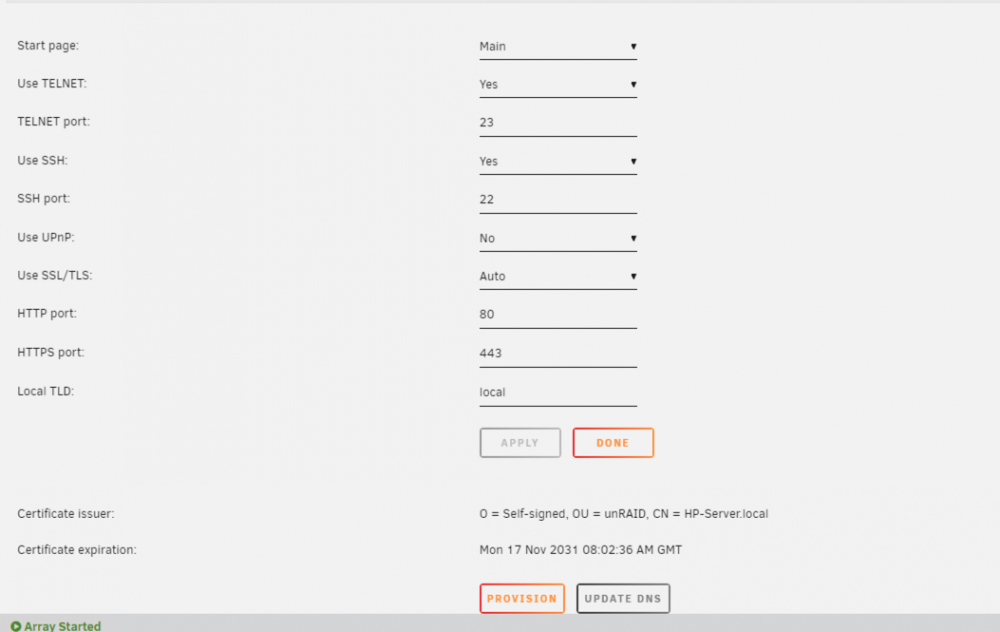
I haven't touched the Management settings. I will upload what I got.
-
Hi all, I have been using qbittorrent the last few days without any issues but today when I try and load the webui which is on 8080 it loads the unraid GUI for my server. I haven't changed any settings for port 8080. Just wondering if anyone knows why this is happening.

