






thedinz
Members
-
Joined
-
Last visited
-
https://github.com/thedinz/KAM KAM is a small web app that makes Kometa/Plex artwork management painless. It lets you upload artwork for movies, TV series, seasons, and collections and will: Import existing Plex assets — movie posters/backgrounds, series posters/backgrounds, and season posters — into your mapped Kometa assets structure Convert uploads to .jpg Replace existing poster.*, background.*, or SeasonNN.* in the correct asset folder Keep everything in the same structure Kometa expects Provide a simple web UI with a fallback image to quickly spot missing artwork ⚠️ Important constraints What this means in practice: Pick one assets root for a given library and stick with it. If you have multiple libraries, each should have its own mapped directory or its own container. Put all Collections in a single Collections directory under one assets root. Required Kometa settingsFor KAM to function properly, Kometa needs to be configured to create and manage asset folders ahead of time. In your Kometa configuration (example shown for Movies), make sure these settings are enabled: Movies: operations: assets_for_all: true assets_for_all_collections: truesettings: create_asset_folders: trueWhy this is requiredKAM does not create folders. It only places artwork into existing Kometa asset folders. These Kometa options ensure asset folders are created automatically for every movie, show, and collection. Once the folders exist, KAM will safely upload and replace artwork inside them. ⚠️ If the folders don’t exist first, uploads from KAM will fail. ⚠️ REMEMBER, this is an addon for Kometa, not a stand alone application. Paths: avoid /mnt/user (FUSE) for hot I/OUnraid’s /mnt/user uses a FUSE layer (shfs) that’s noticeably slower for lots of small file ops (like checking asset folders) and can incur spin-up delays across disks. Fix: map your volumes to the cache SSD directly (or a single disk) for KAM’s hot paths: Use /mnt/cache/... (preferred) or /mnt/diskX/... instead of /mnt/user/.... In your Unraid template, bind: /mnt/cache/appdata/kam:/config /mnt/cache/kometa/assets:/assets (or wherever your Kometa assets live) Also: ensure the share(s) backing those paths are set to Use cache: Prefer/Only so mover doesn’t push them to the array. Please visit the github page for more information
-
that would explain it, i will reach out to the DEV about possibly changing the back end to not format them that way.
-
Just windows explorer SMB share. If i go up and into another folder in appdata everythign is normal.
-
I have tried matching owner and permissions as other folders that work fine but if you look at the attached sreenshots the files in the SMB share do not even present the same as in the unraid WebUI. I am at a loss as to why.
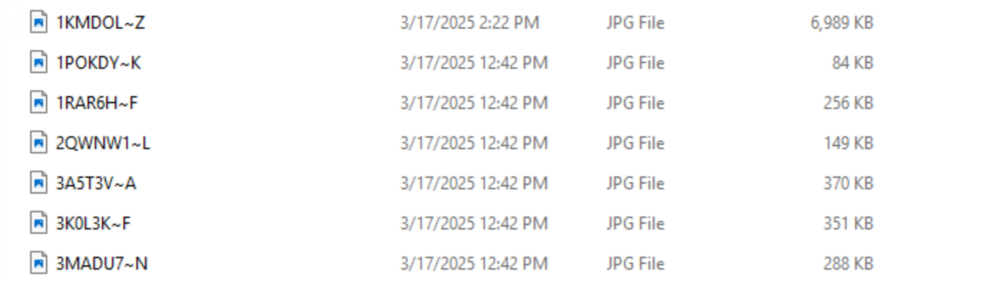
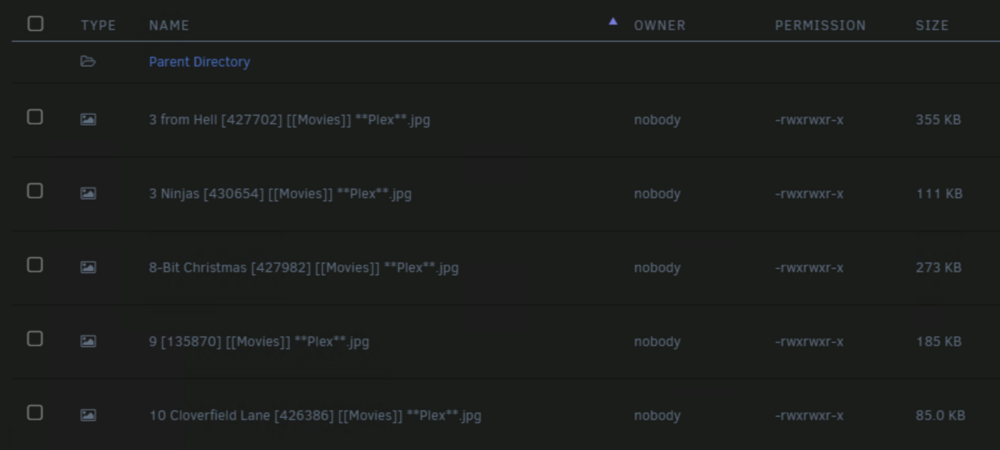
-
actually follow up question, if my flash backup is from today, and the flash is having issues, is it safe to use it?
-
understood, ill prepare a new one now and plug it in when i get home. Thank you kindly.
-
Its happening pretty regularly so didnt take long for me to be able to grab the logs, here they are. tifa-diagnostics-20250218-1023.zip
-
This happened overnight while i was asleep, i use docker in directory mode. If i reboot the server things seem normal but after an unknown amount of uptime it will say this, then i reboot and all is well again. I dont know what to do here to fix this or why it just happened so suddenly
-
how do i get the onlyoffice secret? i read the instructions, did i just overlook it?
-
Same here but i am running another instance of mySQL and wondering if thats why the conflict
-
Hello, with only office is there anyway for me to change the port for mySQL as its conflicting with an other instance im running.
-
It seems the fix from what i read is to replace the bz files on the flashdrive from the same version i run. I run 6.12.8 https://docs.unraid.net/unraid-os/download_list/ I dont see that version to download, what do i do?
-
Yeap, bye bye to this plugin, not deaing with this. Sometimes old school wins, just gonna write down the locations of the disk using acient tools know as paper and pen.
-
pigallery2 will not even start for me, it starts and stops and there are 0 logs so i really have no idea where to start.
-
Ok fair enough, i just change it from array the proper cache drive and for now i will consider this resolved.


