





wow001
Members
-
Joined
-
Last visited
-
I have changed from user shares to disk shares, as accessing the unraid user shares from a mac is to slow, once you have 60 or more files in a folder and not matter the samba settings used. So i was successfully using your Syncthing docker with user shares with /media/name of the user share. Once i have created the disk shares will i be able to use the same path /media/name of the folder in the disk share. As i noticed that the top level folders in the disk shares are added to the user share list. So can you use the same file path ?
-
I am currently using unraid 7.02 beta When I setup up a ZFS mirror pool using 2 x nvme drives the scrub is turned off by default. The data is kept in the pool not transferred to the array. I use the each ZFS mirror pool as a disk share to speed up the read and write. Should i turn on a monthly scrub ?
-
In the "SHARES" window i have many shares and it's very difficult to see the names. 80% of the shares names are un-readerable because of the truncations. I thought this was going to be fixed in 6.10, I am running 6.11.5.?
-
I found the issue that caused the disk to go missing for the array. It is the back plane of one of the hot swap IcyBox enclosures that i use to house the array. As suggested it was a power issue that kept turning off just one bay/disk
-
The disk was rebuilt with no errors. Thanks trurl and JorgeB array is now back to normal.
-
Thank you for the help, Data rebuild has started and projected for 5 hours. Will keep an eye on the logs and see if i get the power issue again.
-
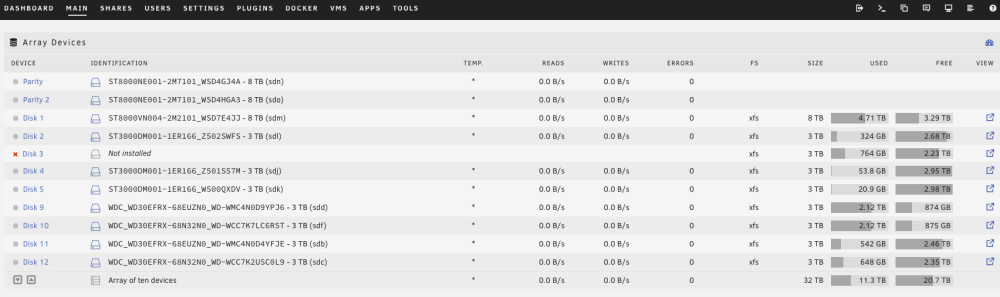
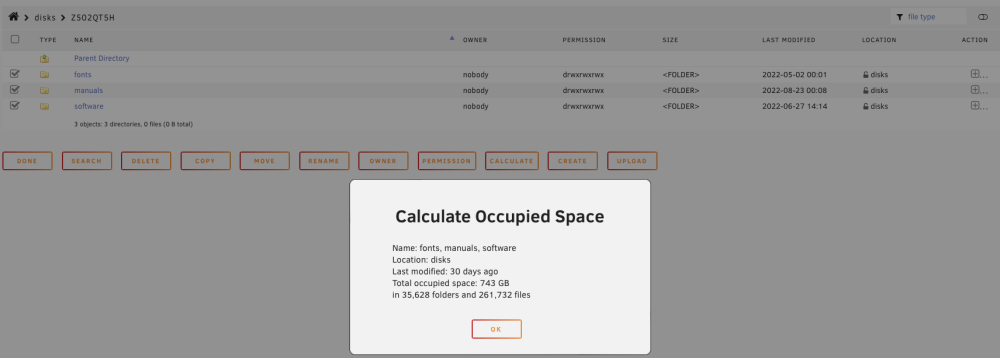
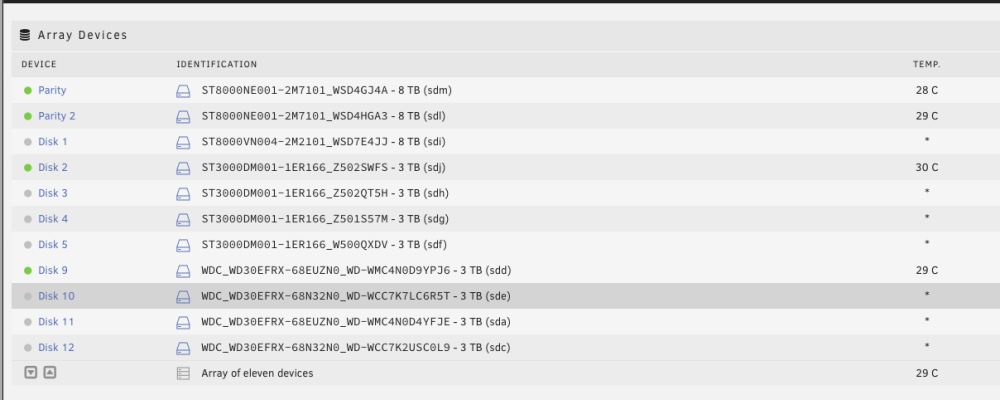
Yes Unraid has emulated the disk mount and shows the same quantity of folders and files as the missing disk 3. As seen in image 1. Image 2 shows the data on the missing disk 3 mounted via unassigned devices.
-
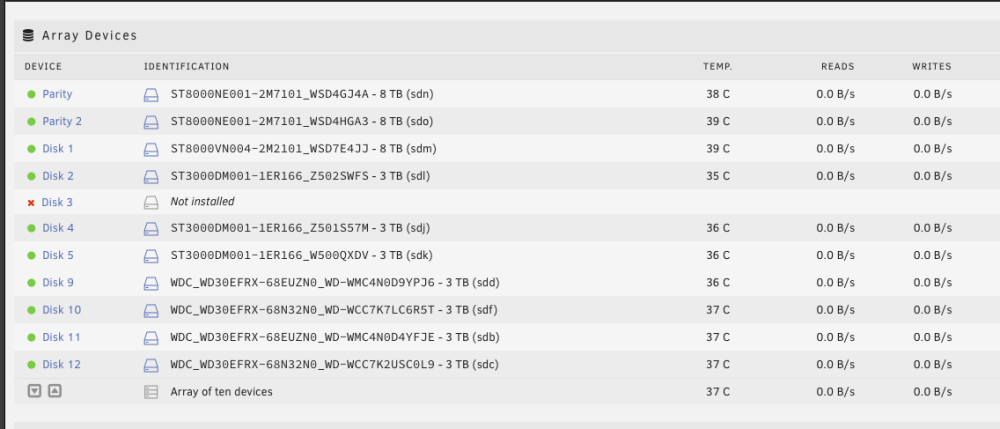
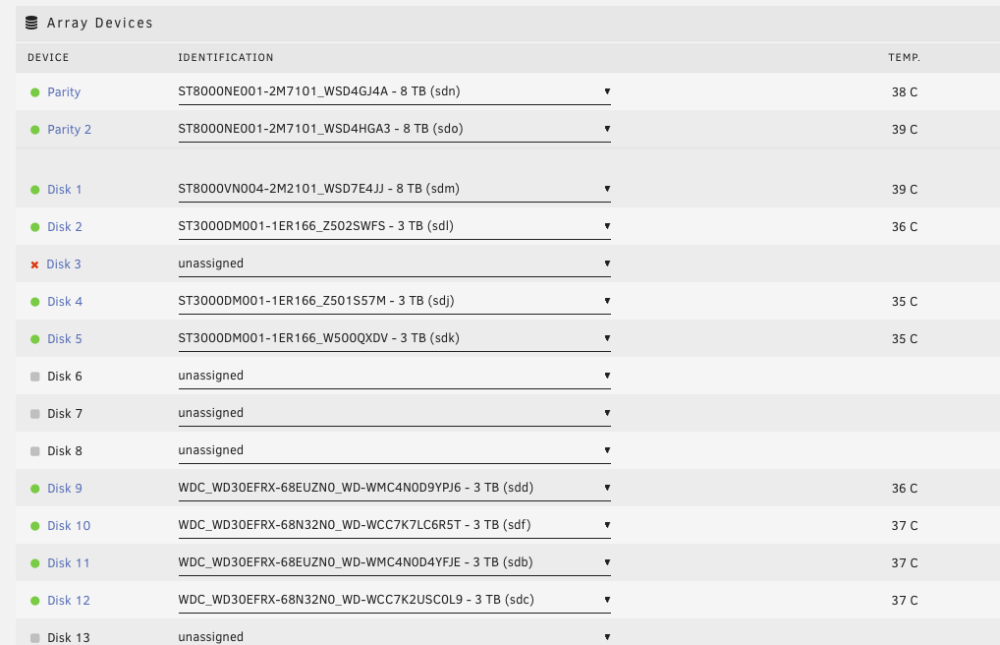
I have unassigned disk 3 and array has restarted with no notifications but it says in the array list Disk 3 not installed.
-
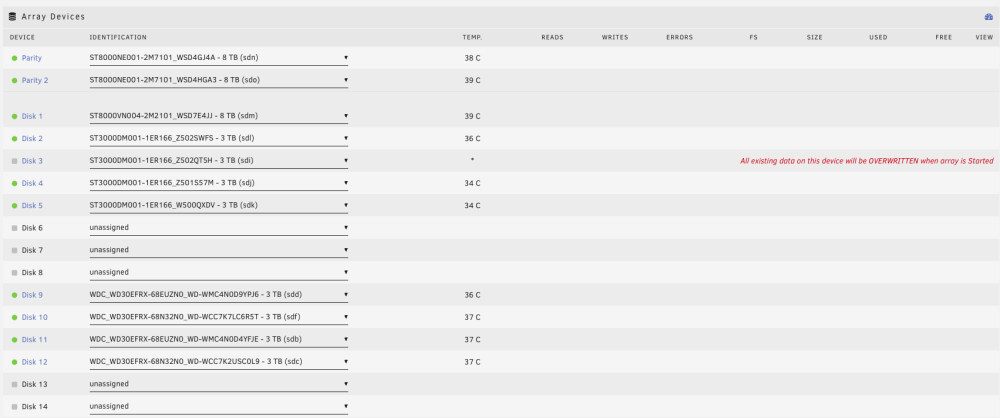
If i start the array with the missing disk i get the message the "All existing data on this device will be OVERWRITTEN when array is Started" as per the attached image. So the steps are: 1. Add the missing disk back to location disk 3 and start the array, 2. The data on disk 3 is overwritten/wiped. 3. Unraid rebuilds the data on disk 3 from the two Parity disks.?
-
What is the correct way to deal with a disk removed from the array after a reboot? As you can see from the attached images showing the array list before and after reboot. Disk 3 was removed and all the drive letters have changed although the remaining disks seem to be in the same order. How to i get the disk back into the array with out loosing the data on the disk that was removed from the array (disk 3)? ----------------- I restarted the server as i removed a plug-in "CA Dynamix Unlimited Width" and I removed a disk that failed pre clearing.
-
I am using 6.11.0-rc4, its fine moving files from cache pool to the array with a space in the share name. But after replacing the Cache drive i cannot move the files back. Mover starts and finishes instantly. Renamed the share without a space and mover started moving files to the new cache drive. I have seen from the forum that this was also an issue for 6.9
-
The bug is still not fixed. I am using 6.11.0-rc4, its fine moving files from cache pool to the array with a space in the share name. But after replacing the Cache drive i cannot move the files back. Mover starts and finishes instantly. Renamed the share with out a space and mover started moving files to the new cache drive. Will submit a bug report
-
I am not a 100%, as my Syncthing knowledge is beginner, but the computer or server sets the IP used to talk between Syncthing folders. Sounds more like a network settings issue.
-
Thank you for the information I have now "include" just the one share that contains the 29,000 images, will check back in the morning and see how it goes. As you say it only this share that is a problem, all my other shares work at speed. The folder with 29,000 images is not at the top level of the share and is 4 folders deep but it effects the whole share.
-
Loaded the app and trying it out now, thanks



