Skip to content
View in the app

A better way to browse. Learn more.

Unraid

A full-screen app on your home screen with push notifications, badges and more.

To install this app on iOS and iPadOS
  1. Tap the Share icon in Safari
  2. Scroll the menu and tap Add to Home Screen.
  3. Tap Add in the top-right corner.
To install this app on Android
  1. Tap the 3-dot menu (⋮) in the top-right corner of the browser.
  2. Tap Add to Home screen or Install app.
  3. Confirm by tapping Install.

TheGreatMate

Members
  • Joined

  • Last visited

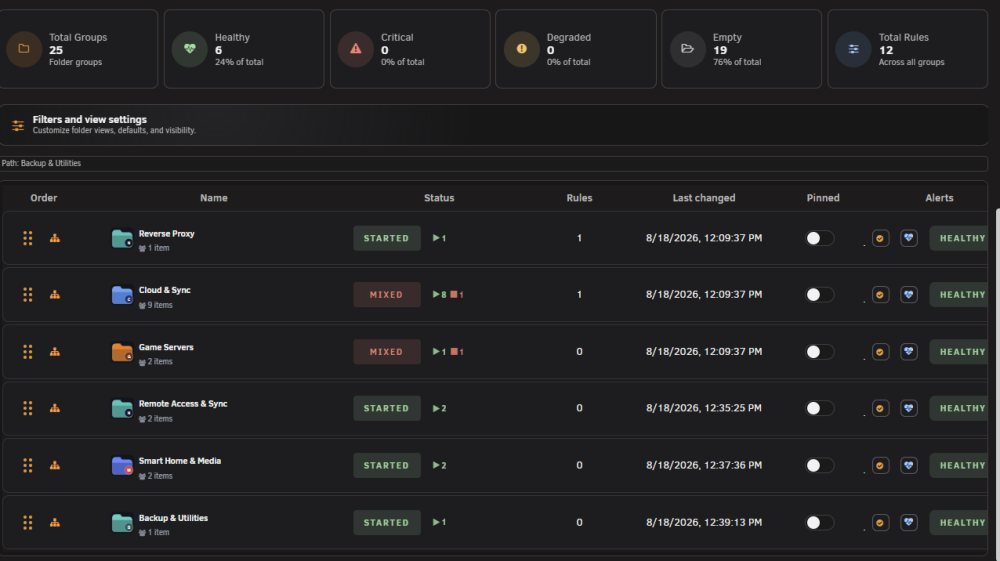
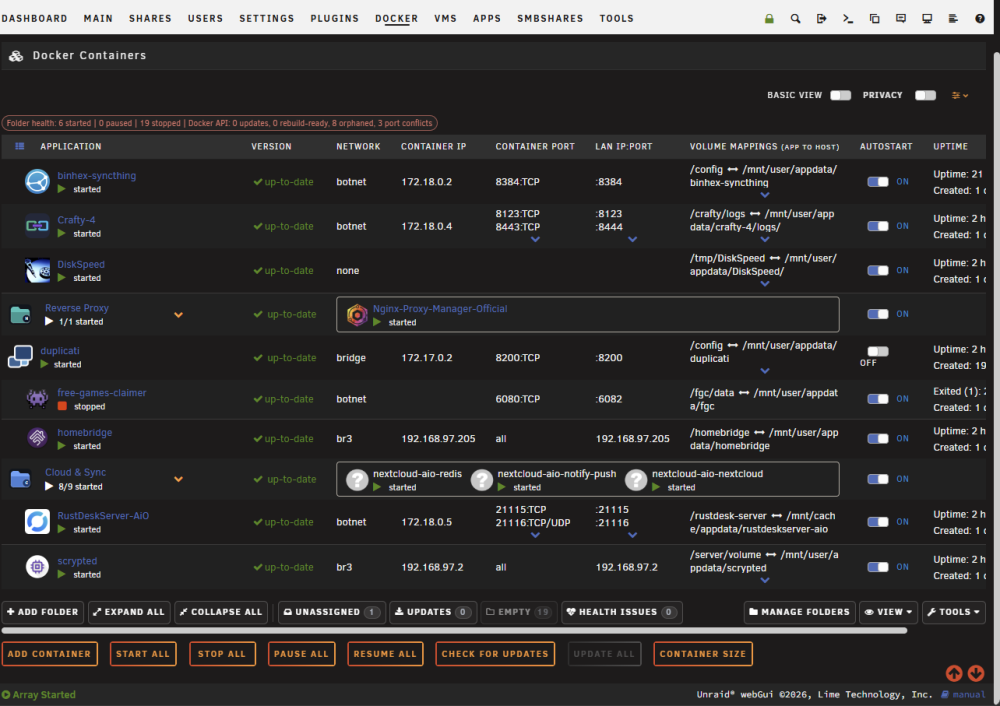
  1. They are still missing, however unhiding the empty folders does show them correctly. Attached the latest support file. FolderView Plus Support Bundle-2026-08-19T17-20-04+00-00.json
  2. crash is resolved on 2026.08.18.08, but folders created via the Add Folder wizard still don't render as boxes on the Docker tab — only pre-existing folders (Reverse Proxy, Cloud & Sync) display grouped. FolderView Plus Support Bundle-2026-08-19T15-16-38+00-00.json
  3. Having issues with a fresh install not loading properly. FolderView-Plus-Startup-Report-2026-08-18T16-45-26-552Z.txt

Account

Navigation

Search

Search

Configure browser push notifications

Chrome (Android)
  1. Tap the lock icon next to the address bar.
  2. Tap Permissions → Notifications.
  3. Adjust your preference.
Chrome (Desktop)
  1. Click the padlock icon in the address bar.
  2. Select Site settings.
  3. Find Notifications and adjust your preference.