Revan335
Members
-
Joined
Everything posted by Revan335
-
Make sure that the permissions are right on the sshkey folder: $ chown 1000:1000 borg/sshkeys Steht in der Template Beschreibung (zusätzliche Anforderungen) sowie der des Docker Container auf Docker Hub. In den Community Apps und der Beschreibung dort. Was muss ich den im Template dafür angeben? Ist die ID ne Variabel?
-
Genau der ist es. OK, dann probiere ich das mal. Dann ist das mit den ändern auf 1000:1000 ja unnötig?
-
Hallo, sofern ich den Borgserver Docker Container (https://hub.docker.com/r/nold360/borgserver) richtig verstanden hab, muss man die Rechte 1000:1000 setzen. Also auch für die SSH Keys/Backup Ordner. Wie kann man diese dann sichern? Mit LuckyBackup gibt es Permission Denied Errors, da dieser ja mit den Defaults wie nobody läuft. Vielleicht wenn man ihn (LuckyBackup Docker Container) als Root oder Priviligiert ausführt, aber das sollte man ja möglichst unterlassen. Vielen Dank! Viele Grüße Revan335
-
Durchaus möglich deshalb wäre ein Viewer und ggf. automatischer Split hilfreich. Die hat im Oktober angefangen. Hab sie jetzt nochmal manuell gesplittet.
-
Hab es wohl bis zum Ende der Logdatei geschafft. Da ist aber nichts. Eine Lücke bis zum Reboot. Das CA Backup/Restore wurde noch gestartet und lief ca. ne Minute. Danach die Lücke bis zum Zwangsreboot. Also ne Lücke von ca. 20 h, als hätte Unraid gar nichts mehr gemacht.
-
Vielen Dank schon mal! Gibt es nen Viewer dafür, da die schon lange existiert ist die schon ziemlich groß (hunderte MB) geworden? Überfordert das den normalen Editor schon etwas. Bevorzugt nen Viewer für Linux, sonst muss die Win VM/PC herhalten. Gibt es ne Möglichkeit diese automatisch bspw. Monatlich zu splitten? Damit das künftig nicht mehr so groß wird. Vielen lieben Dank! Viele Liebe Grüße Revan335
-
6.0 is EOL: https://www.computerbase.de/2023-01/linux-6-0-end-of-life
-
https://www.computerbase.de/2023-01/linux-6-0-end-of-life Wenn 6.12 mit 6.0 startet wäre er entsprechend EOL.
-
Hallo, musste Unraid hart ausschalten/einschalten da es nicht mehr erreichbar war. Name/IP. Monitor ging auch nicht. NIC sowie USB Platte zeigten aber noch Lebenszeichen. Wo könnte ich im Log schauen um die Ursache zu finden? Mirror Log ist aktiv. Und wo finde ich das Log dann? Vielen Dank! Viele Grüße Revan335
-
Is this/ZFS for Cache Drives/for the Cache Pool too? Include a Migration from btrfs?
-
Nicht ganz verständlich! Vielleicht hat es seine Tage gehabt.🤔
-
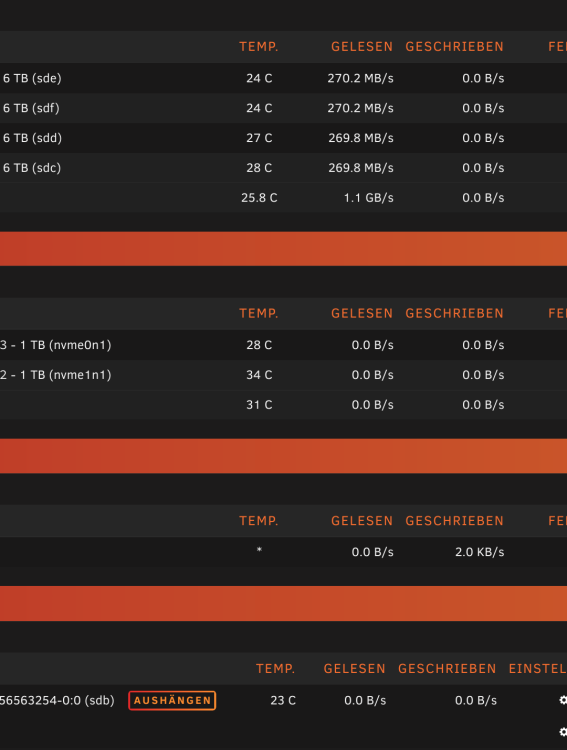
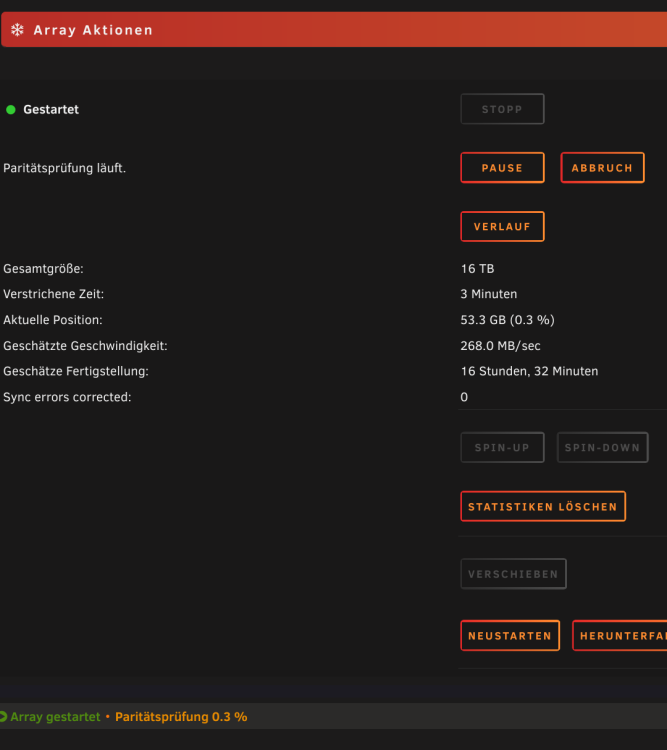
Habe nicht permanent geschaut. Aber die wo ich geschaut hatte, war es so lahm gewesen. Das war hauptsächlich am Anfang gewesen. Müsste ich ggf. nochmal starten? Wie geht das manuell?
-
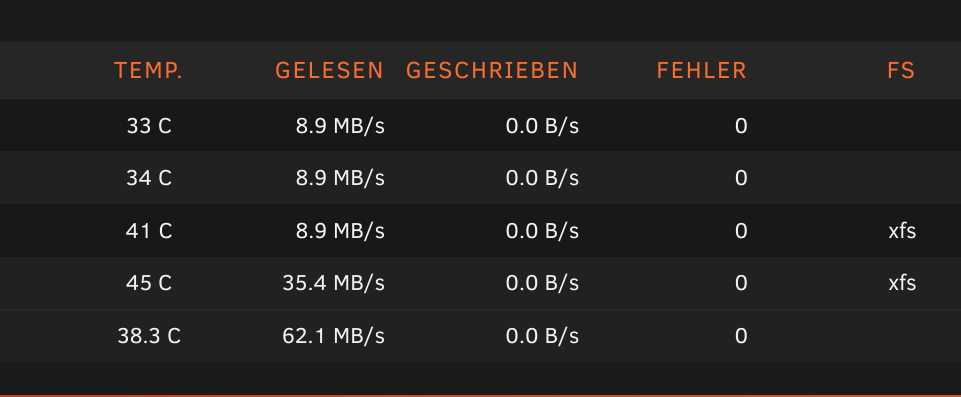
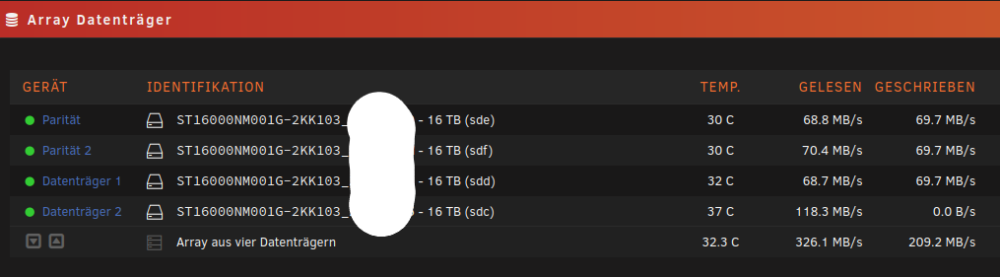
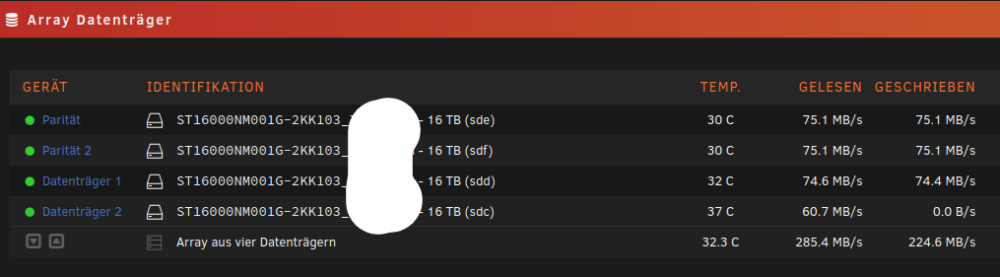
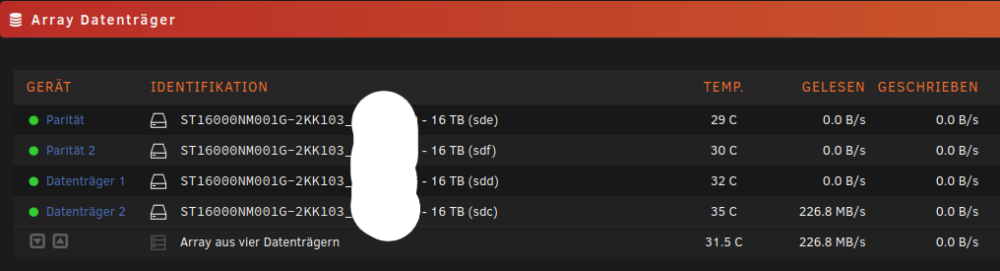
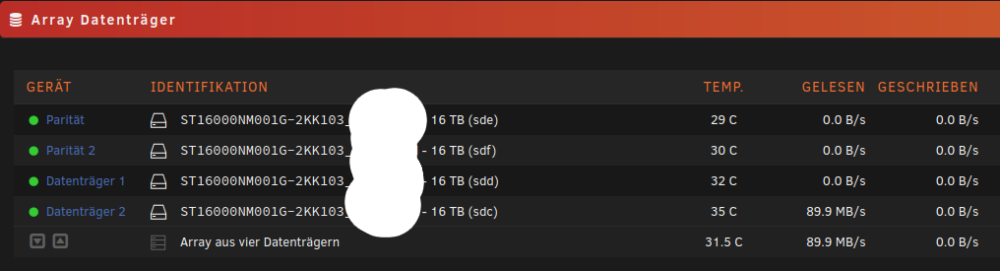
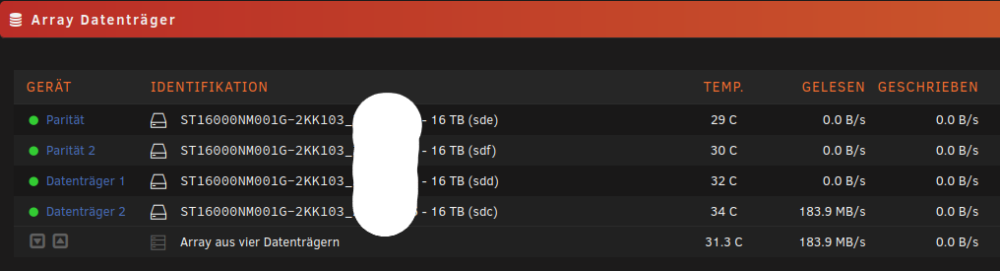
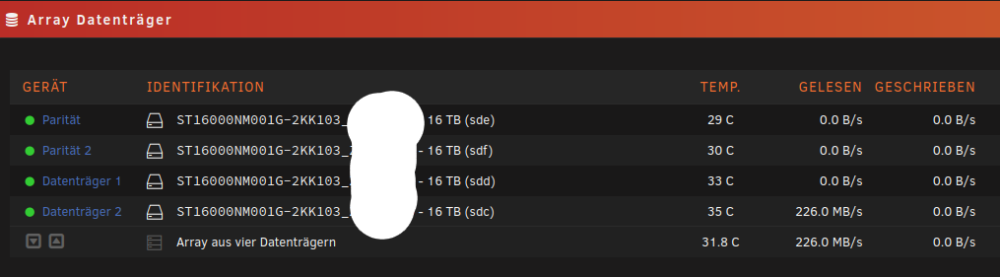
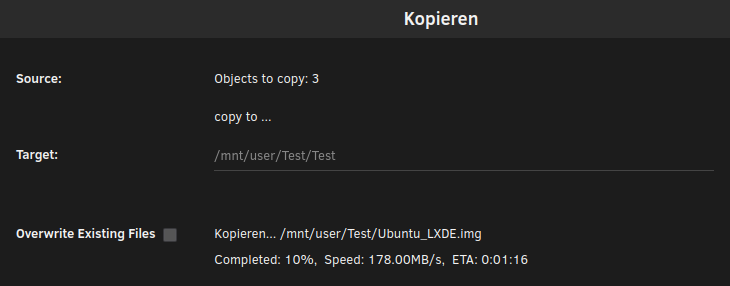
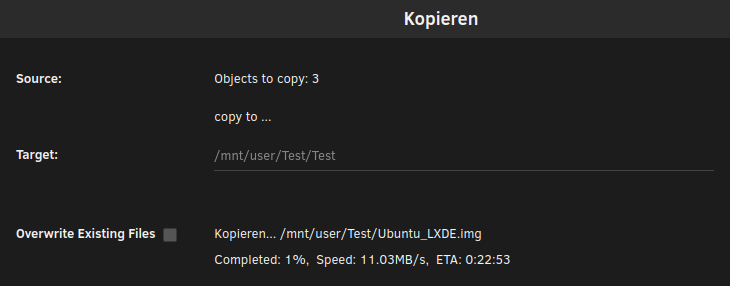
Hab noch keine Platten umgesteckt oder Kabel gewechselt oder Reboot gemacht. Aber er war wo ich nochmal geschaut hatte einfach so fertig gewesen wie im Screenshot. Hab jetzt aber mal das kopieren mit Dateien gemacht. Ca. 18 GB .img Datei Von Disk 2 zu Disk 2, was scheinbar über den Cache gelaufen ist. Sowie von Disk 2 zu 1. Da es direkt war, ist da das Array/Cache ja dann raus. Es scheint also möglich zu sein auf 100/200 zu kommen. Nur der Großteil ist im 2 stelligen Bereich. Hänge Screenshots an. Nein sowas wie PowerTop nutze ich nicht. Wo finde ich den CPU Governor?
-
Found the crucial hint in the Ubuntuusers Wiki. // is important for the path. Either this is not in the docs of Vorta/Pika or Borg sites or I must have over seen it despite multiple checks. ssh://borg@Unraidname:Port//backup/Clientname Test it now further.
-
Hab im Ubuntuusers Wiki den entscheidenden Hinweis gefunden. // ist für den Pfad wichtig. Entweder steht das in den Dokus von Vorta/Pika oder Borg Seiten nicht oder ich muss es über sehen haben trotz mehrfacher Prüfung. ssh://borg@Unraidname:Port//backup/Clientname Teste es jetzt mal weiter.
-
OK, war mir nicht sicher. Bin verwirrt. Aber ändert scheinbar nichts an der angezeigten Geschwindigkeit. Teste es noch mit größeren Dateien. Ob da die Zahlen anders aussehen.

-
ASRock X570M Pro4 American Megatrends Inc., Version P3.70 BIOS Datum: Mi 23 Feb 2022 12:00:00 AM CET Hängen an den SATA Ports. Wenn ich ihn ausmachen darf während des Checks, könnte ich bspw. mal andere Kabel testen.
-
Hallo, nutzt wer BorgBackup und kann ggf. was dazu sagen, wieso der Repository Pfad nicht erlaubt ist? Es wurde der Borgserver Docker Container versucht einzurichten. Mit dem Vorta Client. Error: Repository path not allowed. ssh://borg@Unraidname:Port/Borg/backup/Clientname Die Berechtigungen 1000:1000 sind korrekt. ~# ls -la /mnt/user/Borg/ total 0 drwxrwxrwx 1 nobody users 26 Jan 2 13:59 ./ drwxrwxrwx 1 nobody users 172 Jan 2 14:47 ../ drwxr-xr-x 1 1000 1000 10 Jan 2 14:52 backup/ drwxr-xr-x 1 1000 1000 22 Jan 2 14:46 sshkeys/ Vielen Dank! Viele Grüße Revan335
-
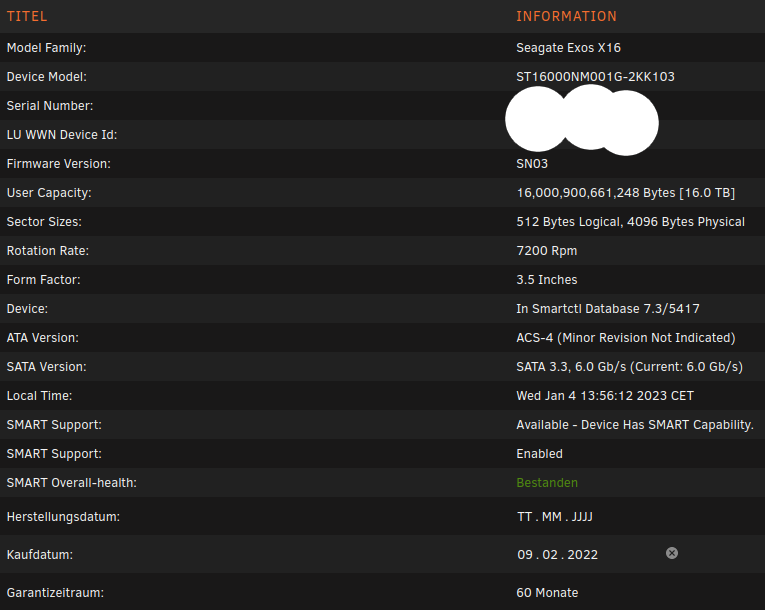
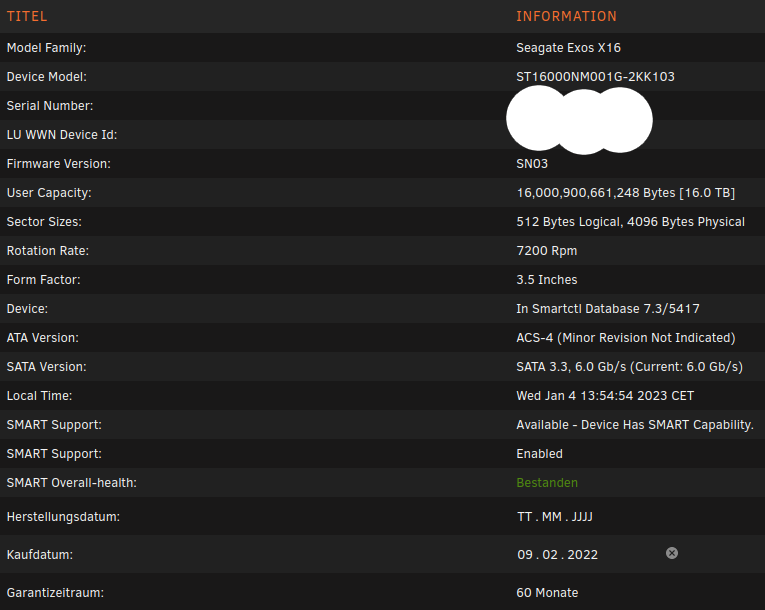
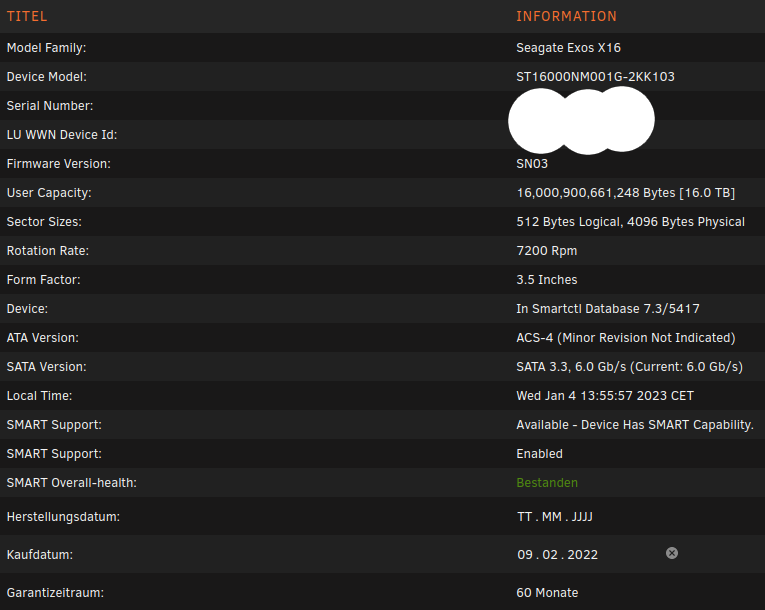
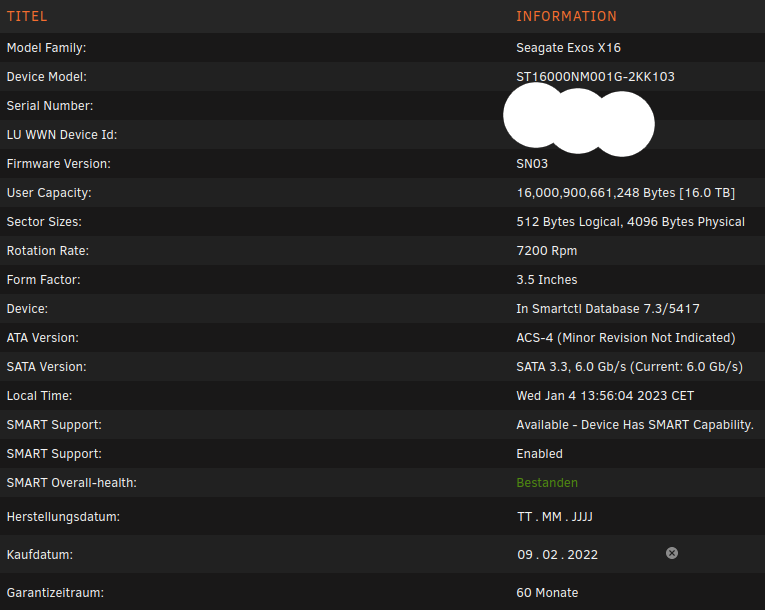
Sind laut Anzeige alles SATA 3.3 6 Gb/s.
-
Es gab ganz am Anfang einen bei der 2. Platte. CRC Count 1. Aber das ist die schnellste von denen. Da waren es auch noch andere Kabel gewesen. Die wurden irgendwann danach mal ausgetauscht. Schaue aber nochmal dabei, wenn ich den aus machen darf obwohl der Parity Check noch läuft.
-
Kann ich den den während des Checks runterfahren? Dann würde ich mal die Kabel prüfen oder wechseln.
-
Anybody a Idea why the Repository path not allowed?
-
Nö, sind alle mit den gleichen Kabeln am Board angeschlossen.
-
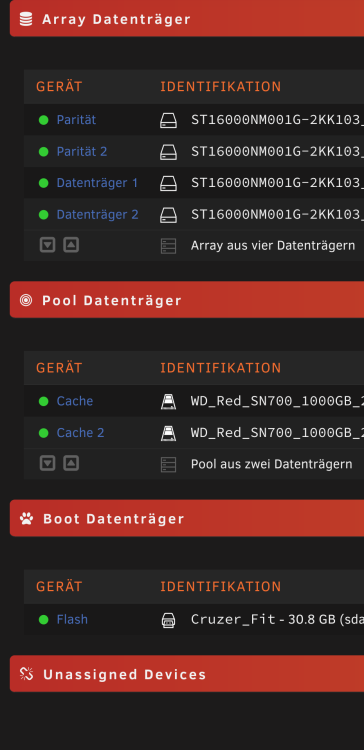
Wie gesagt Seagate Exos X16.
-
Versteh ich nicht ganz. Die Seagate Exos X16 können doch so viel mehr.