emilgil
Members
-
Joined
-
Last visited
-
According to the wiki the RefreshRate is in seconds and 20 s is the default value? If I omit it, I get a 30 s refresh rate. 😕 Edit: even if I set the RefreshRate variable to 20 or 20000, I get a 30 s poll time.
-
NVM, found it in the wiki. ENV it is. https://github.com/ElectricBrainUK/UnraidAPI/wiki/Docker-installation
-
As an environment variable when launching the container or in the GUI?
-
Is there no way to slow down the polling frequency of the disks? Every 30 s is way too fast for me, my server rarely changes over a day or two. Also, is there really no way to prevent unneccessary entities from the MQTT queue? I have 4 disks + a cache drive but the API seems to think I have 23 or so...

-
Ok, new attempt. I ran a new session of Memtest with all four RAM sticks in place and had a truckload of errors. I then removed the smaller pair of RAM and restarted Memtest. This time it passed the test so I'll let it sit idle for a few days now before I re-enable Docker and my VMs.
-
Still no cigar. Sometimes it works for a couple of hours, other times just a few minutes. Sometimes Docker is activated, sometimes not. Sometimes it crashes when I start the array, sometimes not. I'm going crazy over this!
-
I ran 4 passes of Memtest86 yesterday without errors. I guess I just have to reinstall Unraid again and let it sit for a week or two without installing any addons or Dockers.
-
I just replaced all the bz* files from the original zip file and it only took a few minutes for my server to panic, I didn't even try to start the array.
-
Ok, that changes things a bit. I just don't understand why my server crashes more frequently now than a few days ago. After reinstalling a few weeks ago it crashed after a week or so, then when I began installing my docker containers it became more and more common. The last week it has crashed daily or more. Last night it wouldn't even start the array without panicking. I have ordered a new USB memory stick and once it arrives I'll run Memtest from it for a week or so.
-
My server crashed again as I was writing m previous post and after a reboot it crashes immediately when I try to start the array. I'm guessing that some file(s) have been corrupted by all these crashes.
-
Thanks, I'll give it a try.
-
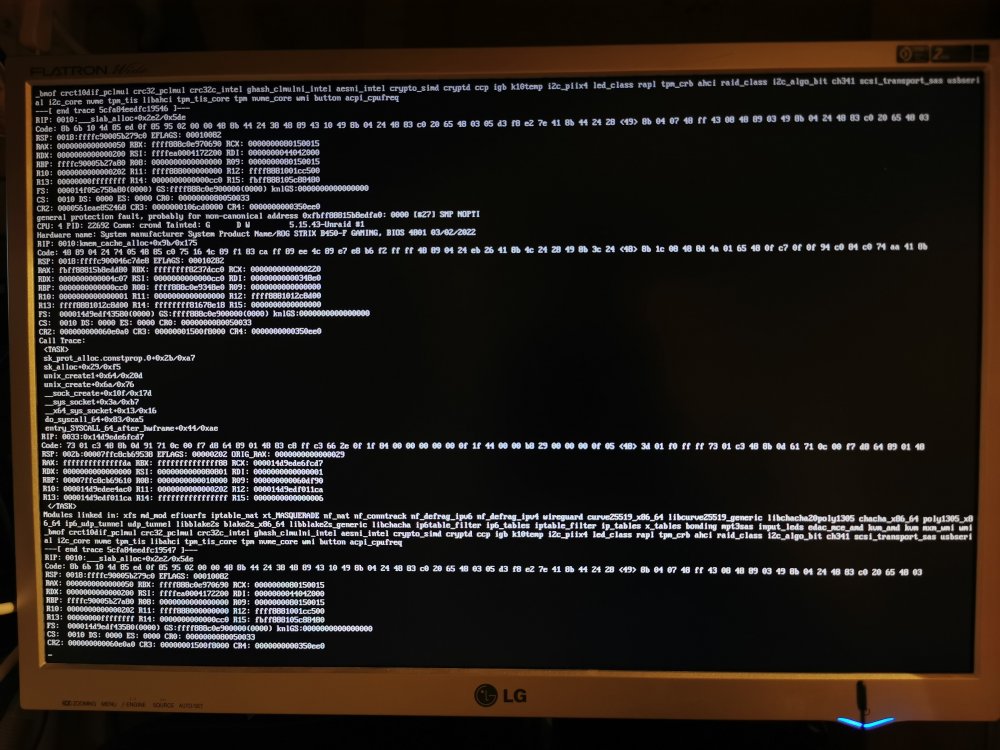
Not really. This is from the last crash (earlier today): Then it seems something happened while I was trying to log in:
-
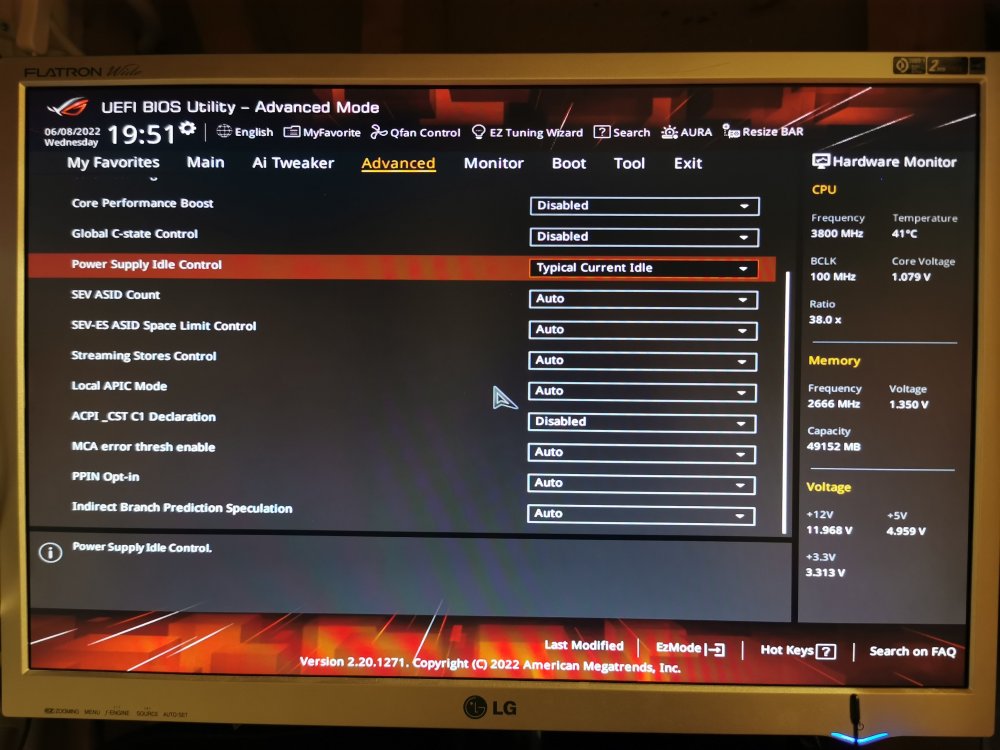
Another panic tonight. C-states are disabled, PSIC set to Typical Current Idle, RAM speed 2666 MHz.
-
Right, so even before these last two panics I had memory speed locked to 2400 MHz and power supply control set to Typical Idle. As far as I can remember, C-states were disabled but I'll double check.
-
Ok, so I had two more panics a few days ago. I didn't manage to catch any details on the first one but after that I enabled the syslog server. Unfortunately it doesn't give much information. I have attached a screenshot of the second panic as well as a diagnostics dump taken between the two panics. tower-diagnostics-20220531-2041.zip