Richard Mixon
Members
-
Joined
-
Last visited
-
Has cooling with 4 or 5 drives turned out to be OK as you expected? Also can you provide a link to the aluminum butyl strips you used? Thanks - Richard
-
Thank you JorgeB - yes they are both true HBAs - I had used them to connect to a NORCO JBOD enclosure before. Wody - Good point - I'll check the power consumption on them. Regardless with only 4 SATA ports on the motherboard I may have to use the HBA. Not sure why ASRock has reduced the number of SATA ports on their newer AM5 boards versus the older AM4 boards like: https://www.asrockrack.com/general/productdetail.asp?Model=X570D4I-2T Thank you again - Richard
-
I have two SAS3 HBA cards - one's a LSI 8i, the other an Intel. I was thinking of using one of them in my new Unraid build using motherboard B650D4U-2L2T/BCM (https://www.asrockrack.com/general/productdetail.asp?Model=B650D4U-2T/BCM#Specifications) - as it only has 4 SATA ports. But IIRC I've read before that with the HBA it might not be possible to spin down drives when not in use. Is that still the case? Any other reasons not to use the HBA (would have to find another motherboard). Thanks - Richard
-
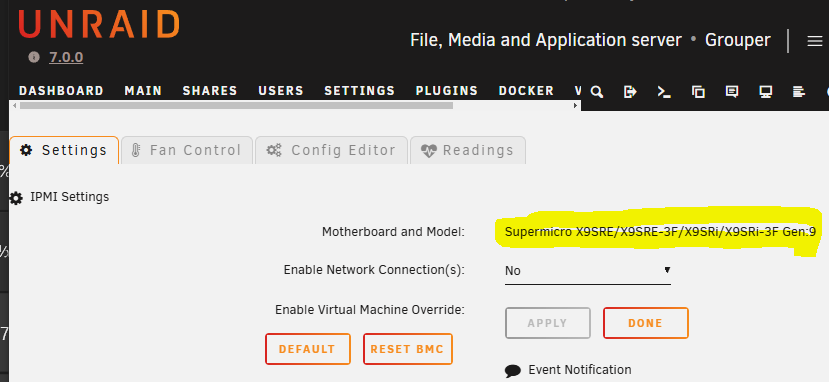
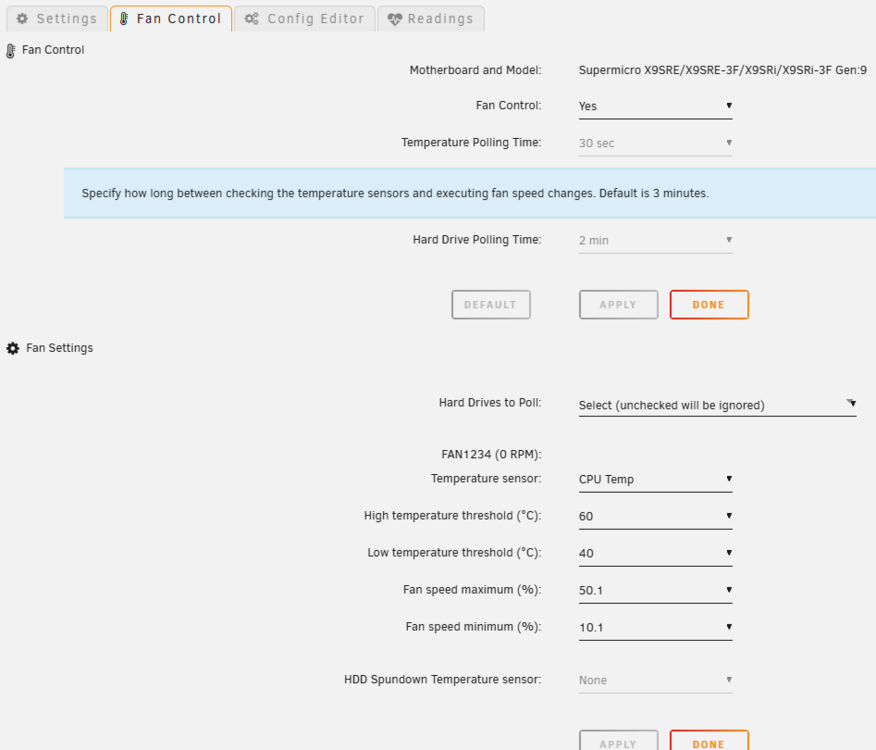
My motherboard seems to be detected correctly - see first image. I've set pretty low temperature limits - high of 60, low of 40 and max fan % of 50.1, min fan % of 10.1. My log shows FAN 1234 (I only have a fan 4) set to 10% but the fan seems to be spinning quite loudly, Here's the log: 2025-01-28 07:55:56 Fan:Temp, FAN1234(10%):CPU Temp(38C) 2025-01-28 15:46:28 Stopping Fan Control 2025-01-28 15:46:28 Setting fans to auto 2025-01-28 15:48:08 Starting Fan Control 2025-01-28 15:48:08 Board: Supermicro Board Model: X9SRE/X9SRE-3F/X9SRi/X9SRi-3F 2025-01-28 15:48:08 SM Board selection: 9 2025-01-28 15:48:08 Setting fans to full speed 2025-01-28 15:48:18 Fan:Temp, FAN1234(10%):CPU Temp(38C) Here the fan sensor page shows FAN 4 running at 3825 RPM: Any ideas on how to get this to quieten down? I am running on UNRAID 7.0 and the latest plugin version 2025.01.26c, Thank you much - Richard

-
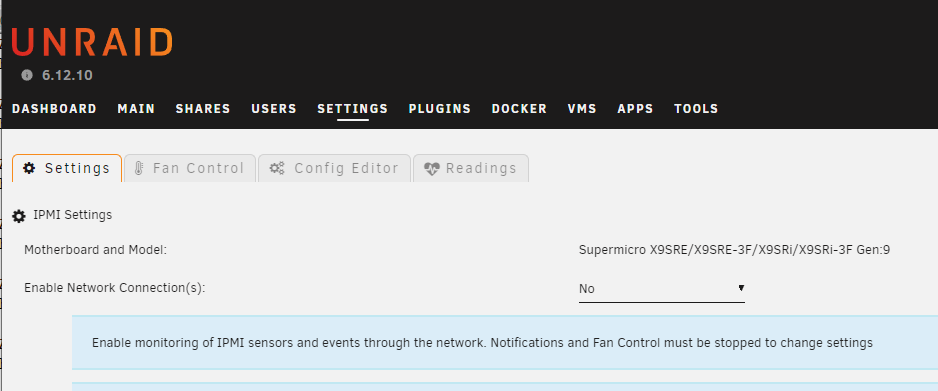
My settings seem to identify the motherboard correctly - on the Fan Control tab they show: Fan Control Fan Control: Running Motherboard and Model: Supermicro X9SRE/X9SRE-3F/X9SRi/X9SRi-3F Gen:9 On the Settings tab I've attached a picture - basically the same. Remember all worked fine until I forced the fan to standard mode. But since I've uninstalled and re-installed, still not sensor readings, though I can see them from ipmitool. Here's the fan log file Thank you much - Richard
-
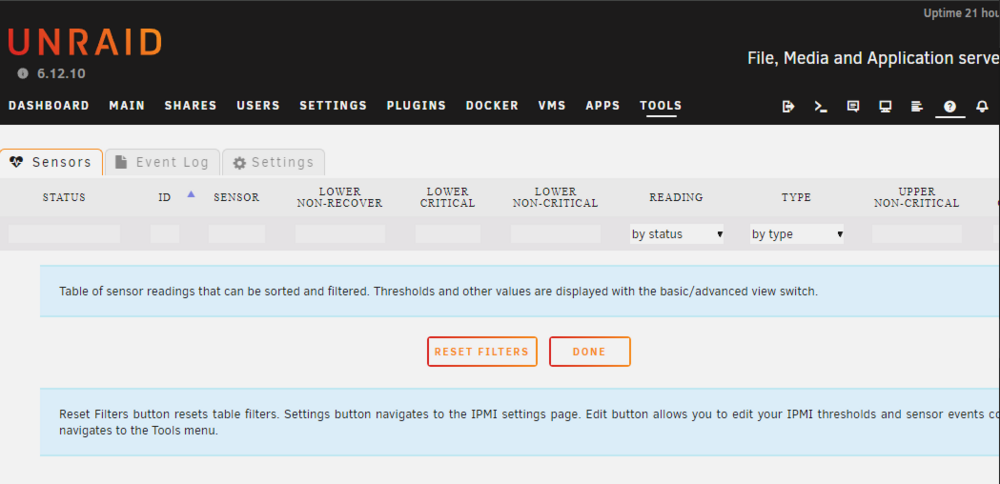
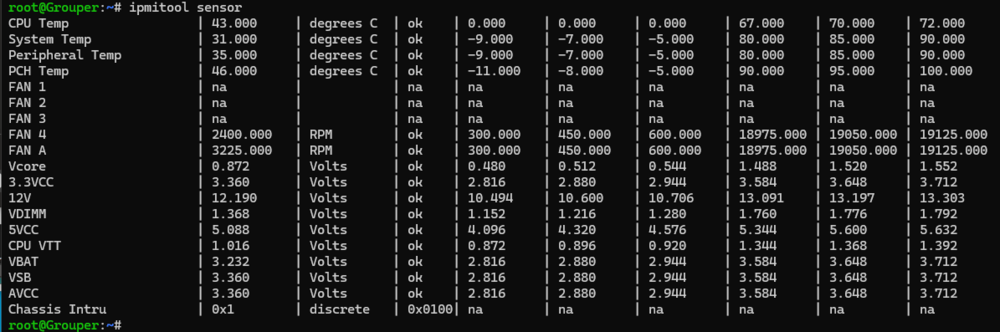
IPMI Sensors tab readings no longer show up. I have a SuperMicro X9SRi-F motherboard running the latest UNRAID. When I first installed the IPMI plugin and enabled Fan Control it accelerated the fans to full speed and not matter how I changed the min and max settings it stayed at full. I copied the IPMICFG utility from SuperMicro to the Unraid system and set the fan to "Standard" mode. This reduced the speed/noise considerably. However now the sensor readings do not show up in the Sensors tab (see attachment). I tried uninstalling and re-installing the plugin - but that did not restore the readings. Also attached a listing of the sensor values from ipmitool. How can I fix this? Thank you - Richard