





supmiller
Members
-
Joined
-
Last visited
-
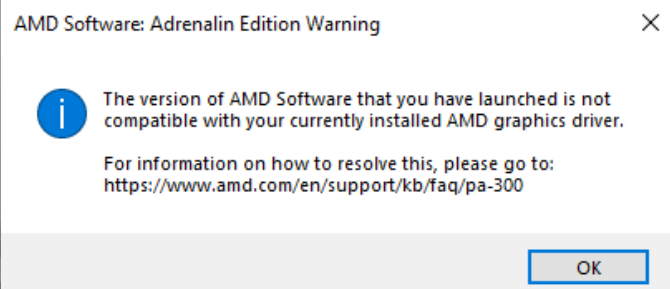
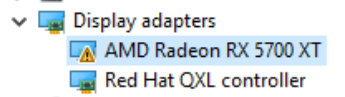
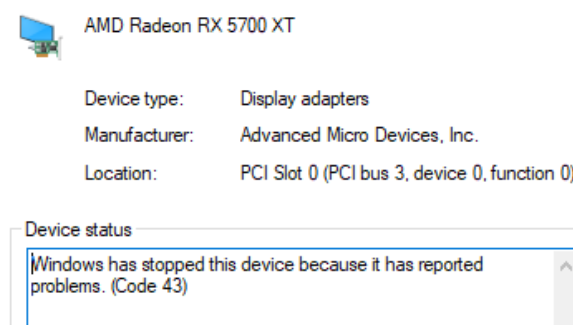
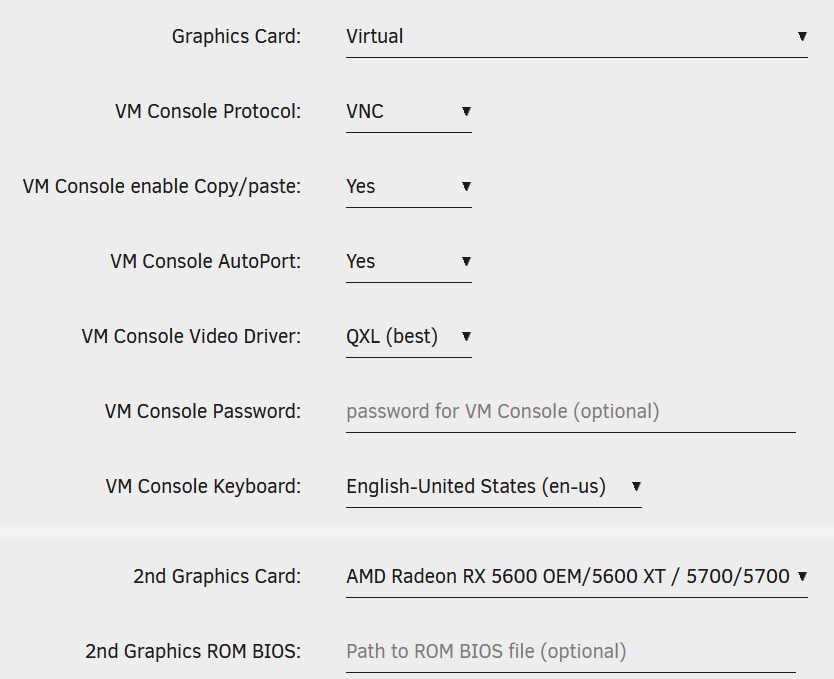
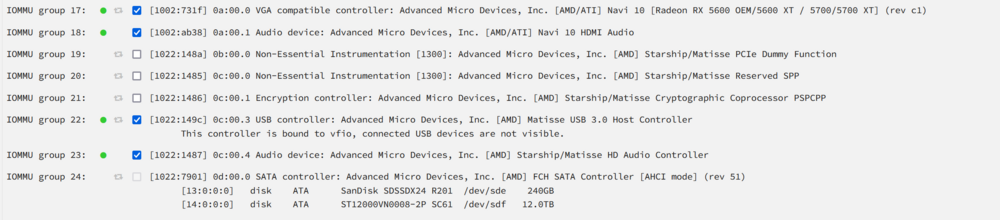
Hi unraid team. Merry christmas. I had my 5700 xt passthrough working. Was trying to play POE 2 the other night and was getting really low fps (30fps) so decided to try and change a few things. Ended up deleting the whole VM and starting from scratch. I pretty much copied everything exactly how I had started but now my 5700 xt is not being recognized inside the VM. I installed the drivers and they said they couldn't install, however they did install but they are showing errors. Its too bad because I actually thought i had my GPU pass through working pretty well before I went and deleted the VM to improve performance (at least no errors and the 5700 xt was recognized). I've spent probably 3 nights this week searching the forums for solutions and can't really figure out where I went wrong. Appreciate any help. Im not super great at unraid but ive been slowly learning over the last few years and is my first dip into VM's. I just keep throwing things at it and nothing seems to be helping. Hope all the snippets help. vmxml.txt
-
Thanks for that. Going to set those up shortly. Even right now i cannot acces my server dockers using a cloudflare tunnel from outside the network. This happens with my palworld server too. Would there be a reason unraid stops accepting connections despite it being turned on? Like a timer? I did have s3 sleep installed but have since uninstalled. If i was to go and push the power button it typically resets itself
-
Hi everyone, im pretty new to unraid so still learning (go easy ) Recently hosting a palworld server for my friends on my unraid machine. Issue is randomly the server drops while im at work and no one is able to log in for a few hours until it pops up again. Just happened to me while we were at home, and I went into the room where I have my unraid server and the server was still on but could not connect through the web gui (ie tower.local for me). I restarted it by powering off and on and i was able to connect again. I thought to start it was just the palworld docker I had going (it has a memory leak where it definitely uses up lots of memory, usually at 50% on my docker page) but when I went to check and the server was still running it made me question what was going on. My friends say throughout the day itll come back, what should I be looking for? I just figured out how to syslog for it. Is there anything else I should be doing? Prior to this I checked the uptime on my server and it said 2 days, however my friends definitely say it looses connection/crashes for hours in between. I also just installed a new switch so I changed back to the router just to make sure that wasn't causing any issues. Thanks to anyone who replies, I honestly have no idea where to look next.
-
Hi everyone, I just got unraid, so sorry if I'm missing anything. I have been trying to transfer my old files from my old server. I have a 16tb parity drive that I feel like might fail soon (has some errors on SMART and is making some funny noises), with all my data currently on a 14tb drive in my array. My plan was to replace the 14tb drive with a 12tb drive and rebuild the drive on the 12tb, then put the 14tb as a 2nd parity in case that 16tb one bites the dust. I thought I had a great plan but I soon realized I couldnt replace an array drive with a smaller drive. What are my options? Sorry if i'm missing something obvious, I just dont want to loose all my data currently on my 14tb drive. Thanks.
