





ehosinski
Members
-
Joined
-
Last visited
-
Thanks everyone for the help. I'm sorry for the delay everyone! I removed it using the GUI and now it works as expected!
-
Thanks everyone I will give this a try and get back to you all
-
How can I remove the driver from the CLI?
-
Glad I am not alone
-
As the title says its unreachable. I rebooted it, it was there for a few seconds then nothing. I have restarted it a few times but no luck. In the past I have had luck by changing the binding options because I was not able to get a DHCP lease but this does not appear to be the same issue. krakentower-diagnostics-20240218-1314.zip
-
After upgrading to Unraid 11.6.5 I cannot obtain an IPv4 or IPv6 address. I have tried removing the network.cfg and the network_rules.cfg files from the usb and it never produces the network.cfg file again. I have also tried creating my own network.cfg file using some of the forum posts on here and that also did not produce any results. If I set a static IP Address, I am told that IPv4 is working but it is unreachable. I have two NICs one of them being 10gbps on the PCIe Lane the other the onboard and I prefer and have never had issue using the 10 before this upgrade. Any help would be greatly appreciated. krakentower-diagnostics-20221122-1850.zip
-
I would love to the problem is as soon as it starts to build parity the entire system is unresponsive.
-
I did not, I swapped in a HDD for the parity drive but now I am being told that the build will take 37 days 4 hours and 30 minutes? I have attached the diagnostics again krakenhaus-diagnostics-20220205-1632.zip
-
No reply from host unfortunately
-
It's not offline again. I think it likely froze again but I have no real way of knowing. I just have the web console up but if I were to refresh or anything it would just lead to a timeout.
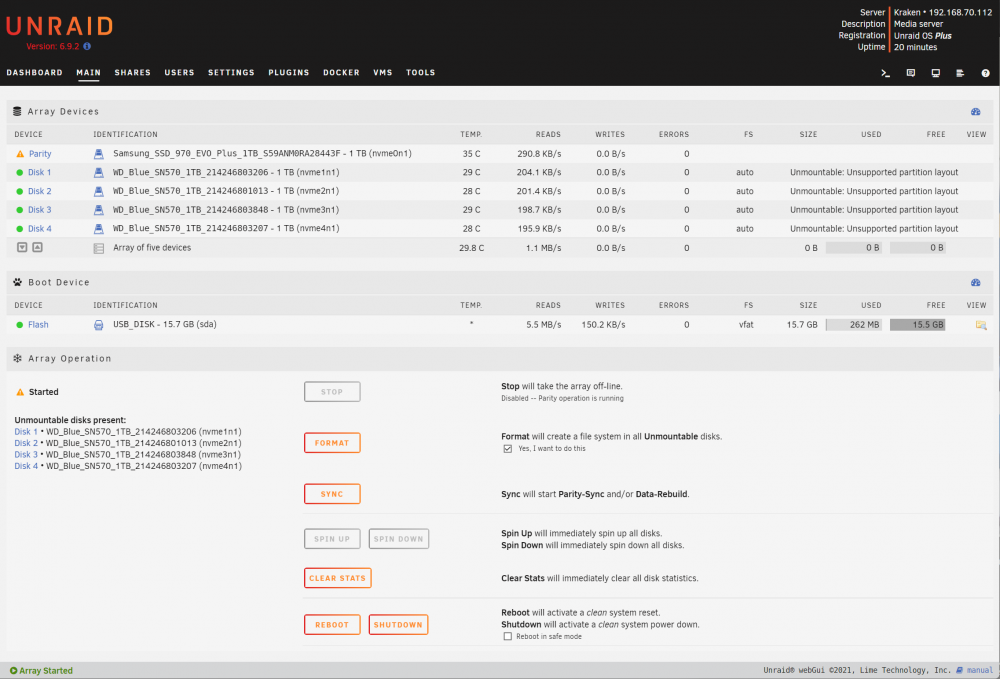
-
@itimpi here is the diagnostics I ran after they were assigned but before starting the array kraken-diagnostics-20220205-0918.zip
-
So now I started the array and it didn't immediately take the server offline. However it told me that the disks were unmountable. I checked the box to enable formatting and clicked format (I probably should have waited until parity synced) but now the page is taking too long to respond again. I can still see the server on the network this time so it hasn't shut down. But I am again unable to visit the web console as intended. Should I give it a few hours to see if the parity works this time? The keyboard/monitor is also unresponsive again so I can't even run diagnostics. (blinking cursor but accepts no input)
-
@itimpi Thank you! I will try to capture some diagnostics after this fresh install and see if the issue persists. I really appreciate the help.
-
I had looked at that link, I actually just removed the USB and fresh installed unRAID with the media creation tool and it seems to be better already. Here is hoping
-
@itimpi It is letting me post it in this comment luckily but here it is. @Squid I just realized it was the uptime timer, I am assuming it is kept client side which is why it worked. I will say I just attempted to run this from the unRAID OS gui and it actually freezes when I start the array and forced me to shut down which is why it goes offline. Which makes a lot more sense but I still don't understand why. krakenhaus-diagnostics-19991231-1634.zip

