





joshsalvi
Members
-
Joined
-
Last visited
-
Hi Everyone, I seem to be getting frequent call traces and crashes, occurring initially overnight periodically (not every night) when I was using a prior version on Unraid, which then increased in frequency when upgrading to the latest stable version. I noticed this previously and downgraded. I’ve attached diagnostics and the most recent syslog. I’ve already tried replacing the USB stick due to some USB errors, running in Safe Mode (which seemed to work better, though I eventually ran into a crash hours later after starting the array and running a number of Docker containers). I had a previous version of the CPU firmware that I subsequently upgraded per recommendations on this forum. This fixed the issue for a time, but it looks like it cropped up again. I worry that this could be a CPU issue. Memory looks to be fine, but I haven’t run memtest86+ in a while. Any recommendations for next steps? If it’s a CPU issue: Does anyone know if intel is providing refunds after over a year or so of using their CPU? Thank you! syslog-192.168.1.224.log tower-diagnostics-20250818-0655.zip
-
Hi, I recently noticed that my server keeps crashing with a call trace error (logs attached). Diagnostics attached. I did recently set up Scrypted and noticed more frequent crashes, though it's unclear if this is causative. Any recommendations or thoughts on what might be causing this? Thank you! tower-diagnostics-20250401-0910.zip syslog-192.168.1.224.log
-
Here you go Diagnostics attached for Tailscale tower-diagnostics-20250322-1042.zip Tower-tailscale-diag-20250322-112024.zip Tower-tailscale-diag-20250322-112040.zip
-
Diagnostics attached with Tailscale disabled tower-diagnostics-20250322-1042.zip
-
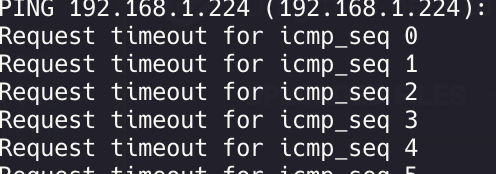
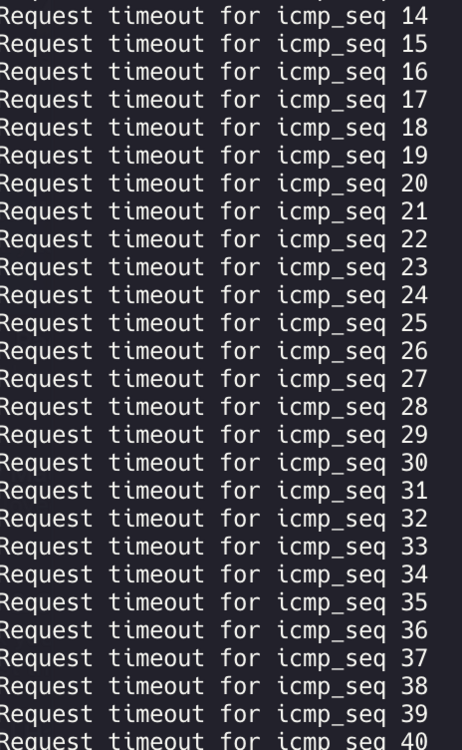
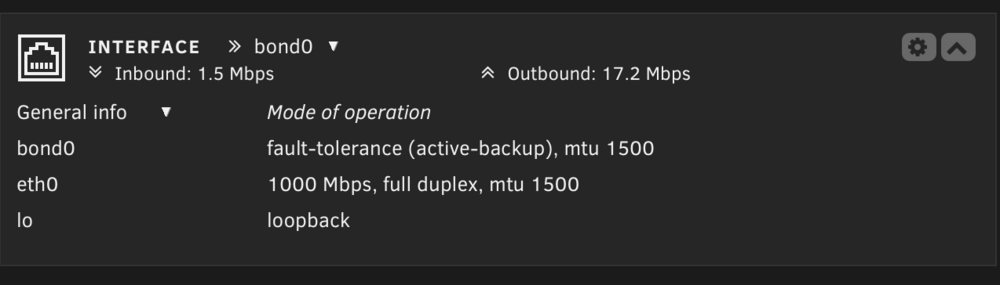
Hi, I found that my unraid server is able to connect to the internet, but I cannot ping or connect to the local IP (192.168.1.224) or hostname for the server (e.g. tower.local). Diagnostics attached. I've already tried: Rebooting the router Changing the USB drive to another port and rebooting again Reconnecting the ethernet cable to the router Rebooting the server numerous times When I go to Connect, I can see my server, and any of the connections through my cloud flare tunnel (e.g. "plex.cloudflaredomain.com") still work. But, nothing on the local network seems to work, including apps like Scripted to connect to HomeKit (though home.scrypted.app still connects to the server). Attempting to ping the server from my computer yields a Request Timeout immediately. when I disabled the Tailscale plugin, everything started working again locally. my network settings are set to ipv4 only already
-
I disabled the Tailscale plugin and it was fixed? My network settings are set to IPv4 only already, so perhaps there was something off with Tailscale?
-
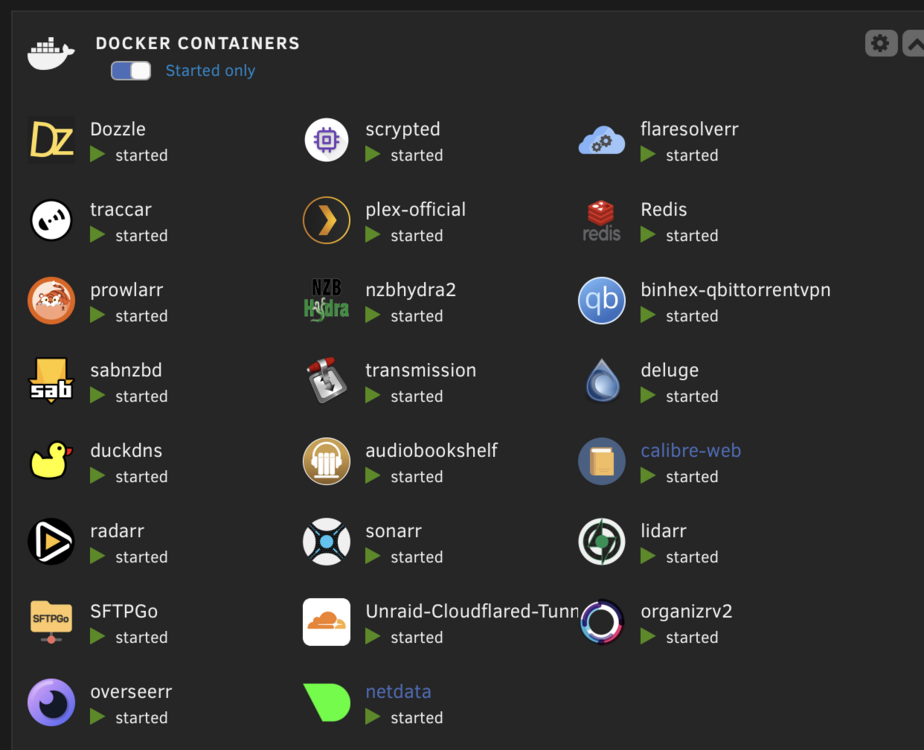
Hi, I found that my unraid server is able to connect to the internet, but I cannot ping or connect to the local IP (192.168.1.224) or hostname for the server (e.g. tower.local). Diagnostics attached. I've already tried: Rebooting the router Changing the USB drive to another port and rebooting again Reconnecting the ethernet cable to the router Rebooting the server numerous times When I go to Connect, I can see my server, and any of the connections through my cloud flare tunnel (e.g. "plex.cloudflaredomain.com") still work. But, nothing on the local network seems to work, including apps like Scripted to connect to HomeKit (though home.scrypted.app still connects to the server). Attempting to ping the server from my computer yields a Request Timeout immediately. Any recommendations to fix this? Everything else on the network is working, and I can connect locally to other wired devices to the router using both the local IP and hostname. Thank you! tower-diagnostics-20250322-0958.zip
-
Hi, I am unable to install Unassigned Devices Plus on Unraid. I receive this error plugin: installing: unassigned.devices-plus.plg Executing hook script: pre_plugin_checks plugin: downloading: unassigned.devices-plus.plg ... done plugin: downloading: parted-3.6-x86_64-1.txz ... plugin: parted-3.6-x86_64-1.txz download failure: Generic error Executing hook script: gui_search_post_hook.sh Executing hook script: post_plugin_checks So, it looks like there might be an issue with a dependency?
-
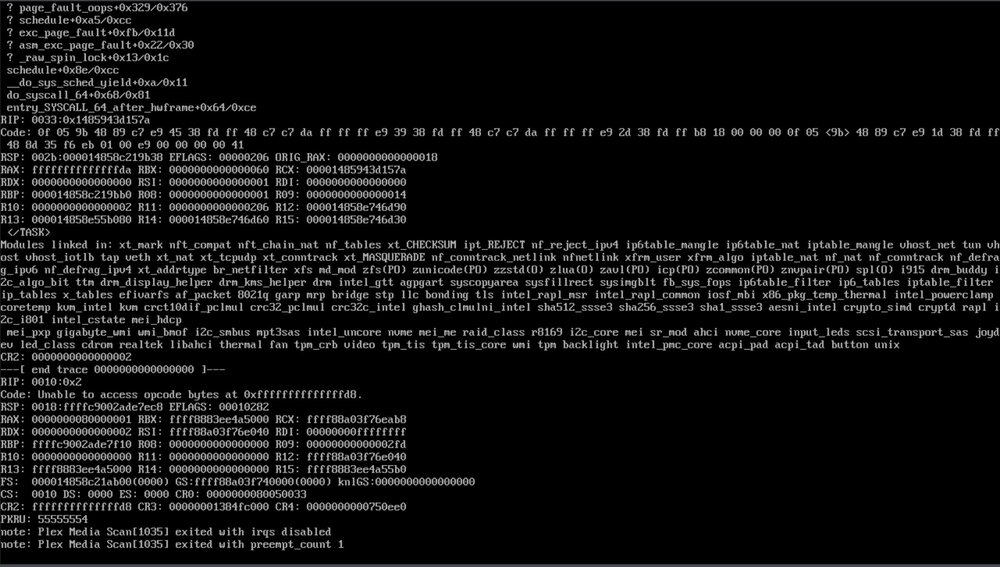
Here's the latest call trace: Jul 1 13:50:03 Tower kernel: docker0: port 16(vethcb32f18) entered disabled state Jul 1 13:50:03 Tower kernel: device vethcb32f18 left promiscuous mode Jul 1 13:50:03 Tower kernel: docker0: port 16(vethcb32f18) entered disabled state Jul 1 14:34:12 Tower kernel: BUG: kernel NULL pointer dereference, address: 0000000000000350 Jul 1 14:34:12 Tower kernel: #PF: supervisor instruction fetch in kernel mode Jul 1 14:34:12 Tower kernel: #PF: error_code(0x0010) - not-present page Jul 1 14:34:12 Tower kernel: PGD 0 P4D 0 Jul 1 14:34:12 Tower kernel: Oops: 0010 [#1] PREEMPT SMP NOPTI Jul 1 14:34:12 Tower kernel: CPU: 12 PID: 4466 Comm: Plex Media Scan Tainted: P U O 6.1.79-Unraid #1 Jul 1 14:34:12 Tower kernel: Hardware name: Gigabyte Technology Co., Ltd. Z690 AORUS ELITE DDR4/Z690 AORUS ELITE DDR4, BIOS F7 08/09/2022 Jul 1 14:34:12 Tower kernel: RIP: 0010:0x350 Jul 1 14:34:12 Tower kernel: Code: Unable to access opcode bytes at 0x326. Jul 1 14:34:12 Tower kernel: RSP: 0018:ffffc9002c3a7ec8 EFLAGS: 00010282 Jul 1 14:34:12 Tower kernel: RAX: 0000000080000001 RBX: ffff888137d17000 RCX: ffff88a03f72eab8 Jul 1 14:34:12 Tower kernel: RDX: 0000000000000002 RSI: ffff88a03f72e040 RDI: 00000000ffffffff Jul 1 14:34:12 Tower kernel: RBP: ffffc9002c3a7f10 R08: 0000000000000000 R09: 0000000000000384 Jul 1 14:34:12 Tower kernel: R10: 0000000000000000 R11: 0000000000000000 R12: ffff88a03f72e040 Jul 1 14:34:12 Tower kernel: R13: ffff888137d17000 R14: 0000000000000000 R15: ffff888137d175b0 Jul 1 14:34:12 Tower kernel: FS: 0000147bc2993b00(0000) GS:ffff88a03f700000(0000) knlGS:0000000000000000 Jul 1 14:34:12 Tower kernel: CS: 0010 DS: 0000 ES: 0000 CR0: 0000000080050033 Jul 1 14:34:12 Tower kernel: CR2: 0000000000000350 CR3: 00000004c4e64000 CR4: 0000000000750ee0 Jul 1 14:34:12 Tower kernel: PKRU: 55555554 Jul 1 14:34:12 Tower kernel: Call Trace: Jul 1 14:34:12 Tower kernel: <TASK> Jul 1 14:34:12 Tower kernel: ? __die_body+0x1a/0x5c Jul 1 14:34:12 Tower kernel: ? page_fault_oops+0x329/0x376 Jul 1 14:34:12 Tower kernel: ? exc_page_fault+0xfb/0x11d Jul 1 14:34:12 Tower kernel: ? asm_exc_page_fault+0x22/0x30 Jul 1 14:34:12 Tower kernel: ? _raw_spin_lock+0x13/0x1c Jul 1 14:34:12 Tower kernel: schedule+0x8e/0xcc Jul 1 14:34:12 Tower kernel: __do_sys_sched_yield+0xa/0x11 Jul 1 14:34:12 Tower kernel: do_syscall_64+0x68/0x81 Jul 1 14:34:12 Tower kernel: entry_SYSCALL_64_after_hwframe+0x64/0xce Jul 1 14:34:12 Tower kernel: RIP: 0033:0x147bcacfc57a Jul 1 14:34:12 Tower kernel: Code: 0f 05 9b 48 89 c7 e9 45 38 fd ff 48 c7 c7 da ff ff ff e9 39 38 fd ff 48 c7 c7 da ff ff ff e9 2d 38 fd ff b8 18 00 00 00 0f 05 <9b> 48 89 c7 e9 1d 38 fd ff 48 8d 35 f6 eb 01 00 e9 00 00 00 00 41 Jul 1 14:34:12 Tower kernel: RSP: 002b:0000147bc2992b38 EFLAGS: 00000202 ORIG_RAX: 0000000000000018 Jul 1 14:34:12 Tower kernel: RAX: ffffffffffffffda RBX: 0000000000000012 RCX: 0000147bcacfc57a Jul 1 14:34:12 Tower kernel: RDX: 0000000000000000 RSI: 0000000000000001 RDI: 0000000000000000 Jul 1 14:34:12 Tower kernel: RBP: 0000147bc2992bb0 R08: 0000147bcacbd640 R09: 0000000000000350 Jul 1 14:34:12 Tower kernel: R10: 0000000000000002 R11: 0000000000000202 R12: 0000147bc5071bb0 Jul 1 14:34:12 Tower kernel: R13: 0000147bc3b645f0 R14: 0000147bc5071b80 R15: 0000147bc5071b50 Jul 1 14:34:12 Tower kernel: </TASK> Jul 1 14:34:12 Tower kernel: Modules linked in: xt_mark nft_compat nft_chain_nat nf_tables xt_CHECKSUM ipt_REJECT nf_reject_ipv4 ip6table_mangle ip6table_nat iptable_mangle vhost_net tun vhost vhost_iotlb tap veth xt_nat xt_tcpudp xt_conntrack xt_MASQUERADE nf_conntrack_netlink nfnetlink xfrm_user xfrm_algo iptable_nat nf_nat nf_conntrack nf_defrag_ipv6 nf_defrag_ipv4 xt_addrtype br_netfilter xfs md_mod zfs(PO) zunicode(PO) zzstd(O) zlua(O) zavl(PO) icp(PO) zcommon(PO) znvpair(PO) spl(O) tcp_diag inet_diag i915 drm_buddy i2c_algo_bit ttm drm_display_helper drm_kms_helper drm intel_gtt agpgart syscopyarea sysfillrect sysimgblt fb_sys_fops ip6table_filter ip6_tables iptable_filter ip_tables x_tables efivarfs af_packet 8021q garp mrp bridge stp llc bonding tls intel_rapl_msr intel_rapl_common iosf_mbi x86_pkg_temp_thermal intel_powerclamp coretemp kvm_intel kvm crct10dif_pclmul crc32_pclmul crc32c_intel ghash_clmulni_intel sha512_ssse3 sha256_ssse3 sha1_ssse3 aesni_intel mei_pxp mei_hdcp crypto_simd cryptd Jul 1 14:34:12 Tower kernel: rapl gigabyte_wmi wmi_bmof intel_cstate mpt3sas intel_uncore i2c_i801 nvme mei_me i2c_smbus r8169 raid_class sr_mod i2c_core mei ahci input_leds scsi_transport_sas joydev nvme_core cdrom led_class realtek libahci thermal fan video tpm_crb tpm_tis tpm_tis_core wmi tpm intel_pmc_core backlight acpi_pad acpi_tad button unix Jul 1 14:34:12 Tower kernel: CR2: 0000000000000350 Jul 1 14:34:12 Tower kernel: ---[ end trace 0000000000000000 ]--- Jul 1 14:34:12 Tower kernel: RIP: 0010:0x350 Jul 1 14:34:12 Tower kernel: Code: Unable to access opcode bytes at 0x326. Jul 1 14:34:12 Tower kernel: RSP: 0018:ffffc9002c3a7ec8 EFLAGS: 00010282 Jul 1 14:34:12 Tower kernel: RAX: 0000000080000001 RBX: ffff888137d17000 RCX: ffff88a03f72eab8 Jul 1 14:34:12 Tower kernel: RDX: 0000000000000002 RSI: ffff88a03f72e040 RDI: 00000000ffffffff Jul 1 14:34:12 Tower kernel: RBP: ffffc9002c3a7f10 R08: 0000000000000000 R09: 0000000000000384 Jul 1 14:34:12 Tower kernel: R10: 0000000000000000 R11: 0000000000000000 R12: ffff88a03f72e040 Jul 1 14:34:12 Tower kernel: R13: ffff888137d17000 R14: 0000000000000000 R15: ffff888137d175b0 Jul 1 14:34:12 Tower kernel: FS: 0000147bc2993b00(0000) GS:ffff88a03f700000(0000) knlGS:0000000000000000 Jul 1 14:34:12 Tower kernel: CS: 0010 DS: 0000 ES: 0000 CR0: 0000000080050033 Jul 1 14:34:12 Tower kernel: CR2: 0000000000000350 CR3: 00000004c4e64000 CR4: 0000000000750ee0 Jul 1 14:34:12 Tower kernel: PKRU: 55555554 Jul 1 14:34:12 Tower kernel: note: Plex Media Scan[4466] exited with irqs disabled Jul 1 14:34:12 Tower kernel: note: Plex Media Scan[4466] exited with preempt_count 1 Jul 1 14:51:31 Tower root: ACPI action down is not defined It looks like by disabling many of the Plex maintenance tasks, the call trace occurs but the system doesn't immediately crash (this just happened, and the server is still running right now). Is there by any chance a guide to reading these call traces? Perhaps I can debug it myself if so.
-
Hi, I did this previously and seem to have isolated it to Plex..
-
Here's the syslog file from a crash earlier this morning. The same messages as I included in the screenshot above appeared in the frozen console. Some notes: Note that I had this issue previously in another thread and isolated it to Plex, so I thought. When I turned off Plex but kept all else constant, there were not previously crashes before. The problem was fixed for a few days when I switched to a different Plex container (from linuxserver to the official Docker). I'm using the "latest" version in my settings. I also replaced the RAM and had tried with each stick of RAM individually. Memtest86+ passed. I do sometimes get USB errors, and I've replaced the USB drive twice out of fear that that was the issue, but it didn't fix the problem. Ran in maintenance mode, I ran tests on each disk, and all passed. Could this be another hardware issue? The hardware is very new, all purchased within the last year, except for the drives. I have no idea how to isolate the problem... I also wonder if turning off maintenance tasks in Plex could help? syslog-192.168.1.224.log
-
Will do.
-
Diagnostics here. tower-diagnostics-20240625-1106.zip
-
This is what appeared in the console. Happy to share more information, but this led to a crash just now.
-
UPDATE: I was able to switch to a different Plex container, using the official one rather than the version from linuxserver. The server has now been running for three days without a crash, so it seems to be due to Plex. Could this simply be a software issue, or do you think this is reflective of an unidentified hardware issue?


