Furious Rage
Members
-
Joined
-
Last visited
Everything posted by Furious Rage
-
Reserved
-
Reserved
-
This is the official support thread for the Navigation Dropdown Menus plugin. Please use this thread for installation, configuration, compatibility, and general usage questions. When reporting a problem, please include as much of the following information as applicable: Unraid OS version Navigation Dropdown Menus version Relevant plugin settings Steps to reproduce the problem Expected behavior Actual behavior Relevant screenshots or error messages For plugin documentation, installation information, screenshots, and source code, see the project's GitHub repository: https://github.com/bensonmcmoran/unraid-navigation-dropdown-menus Reproducible bug reports and feature requests may also be submitted through GitHub Issues: https://github.com/bensonmcmoran/unraid-navigation-dropdown-menus/issues Security vulnerabilities should not be reported publicly. Please use GitHub's private vulnerability reporting for the repository.
-
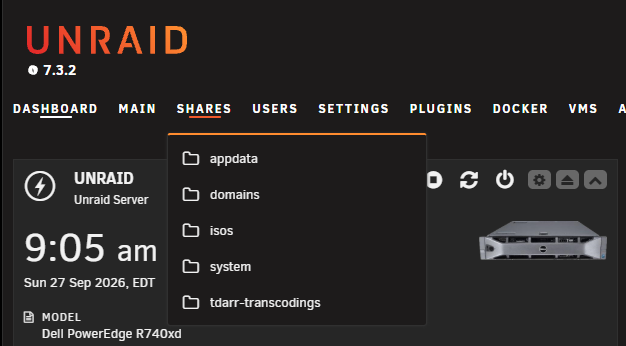
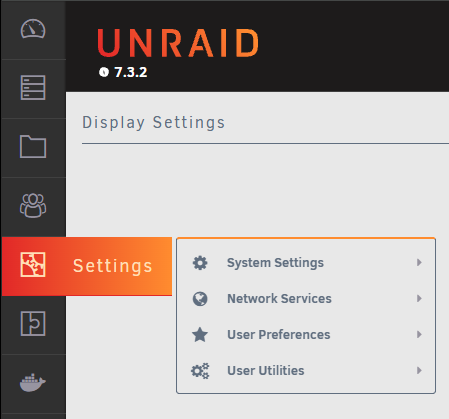
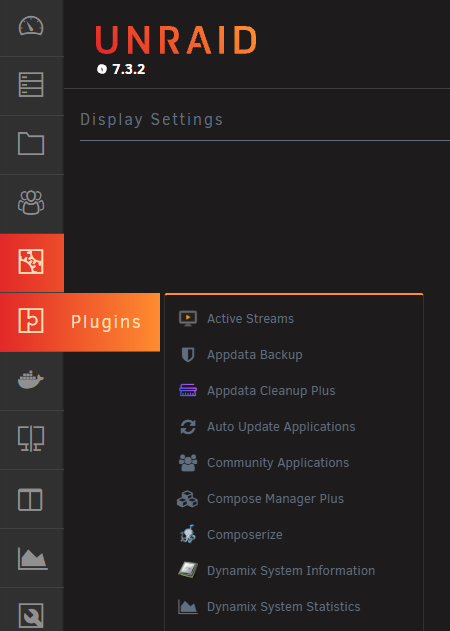
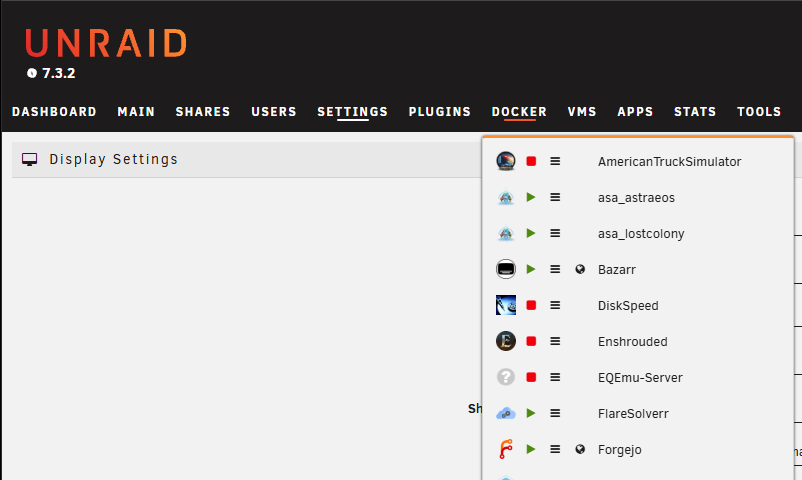
Thanks for confirming. I wasn't sure if Squid was managing all this by himself or not, but sounds like he is. I think the Unraid community will really enjoy the plugin. It adds dropdown menus to the main navigation links. Below are some screenshots of it in different Unraid themes. If interested, check it out once it gets publish. Should be listed as "Navigation Dropdown Menus".
-
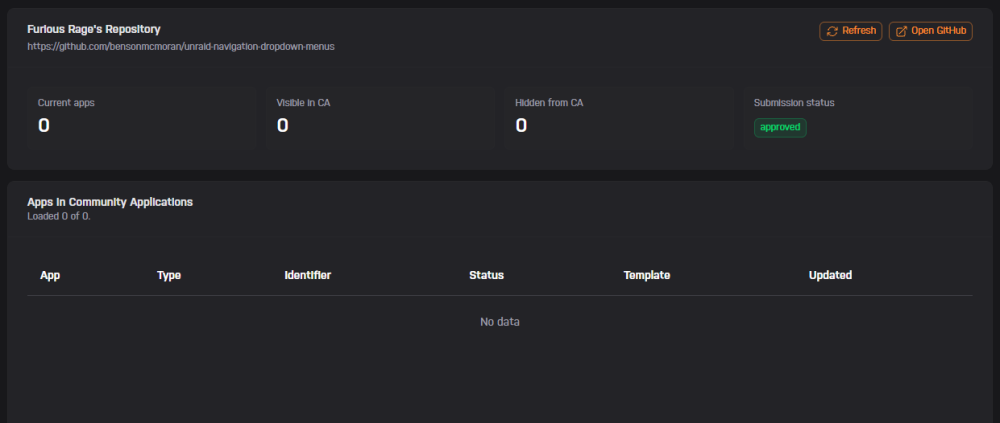
Hello all, I'm having some trouble getting a new Unraid plugin published to the CA. This is my first time publishing anything to CA so I'm not sure what to expect. I have already submitted the repository to the Community Apps validation and it was approved on September 11. However, the app does not appear when I search for it in the CA on Unraid. The screenshot below shows zero for current/visible/hidden apps. I created a post on the Community Apps Submission Support forum (https://product.unraid.net/b/community-apps-submission-support) on September 13th but as of today (September 26) it doesn't show any activity. Again, I don't know what to expect in terms of support and response times. I'm just looking for confirmation that I am using the correct channels for support on this matter. I'm having a lot of issues with the Community Apps Submission Support forum as well, menus are cut off on Chromium based web browsers and when I try to access some posts it tells me the page couldn't be found or something to that nature.