





chrismuc
Members
-
Joined
-
Last visited
-
hey, thanks for your support! this is the zpool history (just to make that clear, I did not manually create the zpool, all was done via the Unraid GUI): root@Tower:~# zpool history cacheappdatavms | head -5 History for 'cacheappdatavms': 2026-10-09.12:54:48 zfs create cacheappdatavms/appdata 2026-10-09.12:54:49 zpool create -f -o ashift=12 -O dnodesize=auto -O acltype=posixacl -O xattr=sa -O utf8only=on -m /mnt/cacheappdatavms cacheappdatavms /dev/nvme1n1p4 2026-10-09.12:54:51 zfs program -jn -m 20971520 cacheappdatavms /usr/local/emhttp/plugins/zfs.master/scripts/zfs_pool_get_datasets_snapshots.lua cacheappdatavms 2026-10-09.12:55:07 zfs program -jn -m 20971520 cacheappdatavms /usr/local/emhttp/plugins/zfs.master/scripts/zfs_pool_get_datasets_snapshots.lua cacheappdatavms after zfs export, blkid looks good: root@Tower:~# zpool export cacheappdatavms root@Tower:~# blkid /dev/nvme1n1p4 /dev/nvme1n1p4: LABEL="cacheappdatavms" UUID="4494314595299527425" UUID_SUB="4917460552146201760" BLOCK_SIZE="4096" TYPE="zfs_member" PARTUUID="36872156-b01a-41f1-9c53-f87b9504867e" after array start, the partition is now mounted - thank you very much for your help! Let me know if I can provide any additional information that might help to permanently avoid this issue for other users that are migrating to internal boot!
-
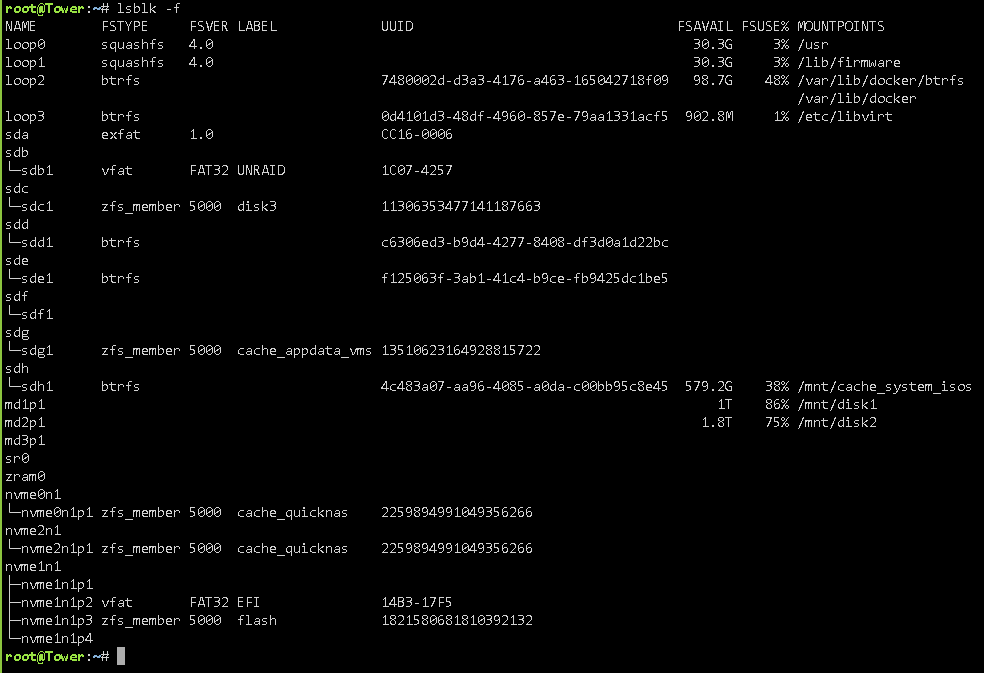
thanks for your reply! I did miss the "format" button down there, but formatting didn't fix the issue, the data partition remains "unmountable: wrong or no filesystem". Interestingly, the ZFS pool itself is ONLINE, mounted, writable and in active use. here's claude's analysis of the issue: ## Setup - Unraid 7.3.2 - Internal boot device: /dev/nvme1n1 (Kingston 1 TB), configured as Boot + Data - Pool name for the data partition: cacheappdatavms (ZFS, single device) - Partition layout: p1 BIOS boot, p2 EFI, p3 "Unraid Boot Partition" (zfs_member, label "flash"), p4 data partition (/dev/nvme1n1p4) ## What I did 1. Migrated from USB boot to internal boot, data partition enabled. 2. Pool showed "Unmountable: wrong or no file system", no Format button at first. 3. Later found the Format button, formatted. Pool is now created, but GUI still shows the same error. 4. Stopped and restarted the array. Error persists. ## What works - zpool status -P cacheappdatavms: ONLINE, device /dev/nvme1n1p4, 0 errors - zfs list: mountpoint /mnt/cacheappdatavms, mounted=yes, canmount=on - touch/write on /mnt/cacheappdatavms works - /boot/config/pools/cacheappdatavms.cfg has diskFsType="zfs", the correct disk ID, and diskUUID matches zpool get guid cacheappdatavms - folder "appdata" exists on the new partition and contains data from currently running docker containers ## What is odd On the data partition, userspace tools cannot see the ZFS labels: - blkid /dev/nvme1n1p4 -> only PARTUUID, no TYPE= - lsblk -f -> empty FSTYPE and LABEL for nvme1n1p4 - zdb -l /dev/nvme1n1p4 -> "failed to unpack label 0/1/2/3" - zdb -l /dev/disk/by-partuuid/<partuuid> -> same result For comparison, on my other (older) ZFS pool, lsblk -f shows zfs_member with the label and zdb -l /dev/sdg1 reads all labels fine. So this is specific to the data partition created via the GUI Format. Claude's assumption (not verified): the GUI detects the file system via blkid-style userspace tools, which find no signature, and therefore reports "wrong or no file system", while the kernel ZFS module has the pool imported and working. ## Questions 1. Is this a known issue with Format on the data partition of an internal boot device in 7.3.2? 2. Is there a supported way to fix it without recreating the pool? Diagnostics attached. Screenshots attached (GUI error, lsblk -f). Adding output of blkid, zdb -l and zfs status, comparison of new internal boot drive (cacheappdatavms) and old drive (cache_appdata_vms). === blkid (neue Data-Partition) === /dev/nvme1n1p4: PARTUUID="36872156-b01a-41f1-9c53-f87b9504867e" === zdb -l (neue Data-Partition, Device-Pfad) === failed to unpack label 0 failed to unpack label 1 failed to unpack label 2 failed to unpack label 3 === zdb -l (neue Data-Partition, by-partuuid) === failed to unpack label 0 failed to unpack label 1 failed to unpack label 2 failed to unpack label 3 === zpool status === pool: cacheappdatavms state: ONLINE config: NAME STATE READ WRITE CKSUM cacheappdatavms ONLINE 0 0 0 /dev/nvme1n1p4 ONLINE 0 0 0 errors: No known data errors === zpool guid === NAME PROPERTY VALUE SOURCE cacheappdatavms guid 4494314595299527425 - === zfs list === NAME MOUNTPOINT MOUNTED CANMOUNT cacheappdatavms /mnt/cacheappdatavms yes on === pool .cfg (Seriennummer geschwärzt) === diskFsType="zfs" diskUUID="4494314595299527425" diskAutotrim="on" diskCompression="on" diskWarning="" diskCritical="" diskExpansion="" diskShareEnabled="yes" diskShareFloor="52400000" diskBootSize="16384" diskComment="" diskExport="-" diskFruit="no" diskSecurity="public" diskReadList="" diskWriteList="" diskVolsizelimit="" diskCaseSensitive="auto" diskExportNFS="-" diskExportNFSFsid="0" diskSecurityNFS="public" diskHostListNFS="" diskSpindownDelay="-1" diskSpinupGroup="" diskFsProfile="" diskFsWidth="1" diskFsGroups="1" diskId="<REDACTED>" diskIdSlot="-" diskSize="959985348" === Vergleich: alter Pool, blkid + zdb -l === /dev/sdg1: LABEL="cache_appdata_vms" UUID="13510623164928815722" UUID_SUB="7650696493048011050" BLOCK_SIZE="4096" TYPE="zfs_member" PARTUUID="476c4596-01" ------------------------------------ LABEL 0 ------------------------------------ version: 5000 name: 'cache_appdata_vms' state: 0 txg: 10698597 pool_guid: 13510623164928815722 errata: 0 min_alloc: 4096 max_alloc: 4096 hostname: 'Tower' top_guid: 7650696493048011050 guid: 7650696493048011050 vdev_children: 1 vdev_tree: type: 'disk' id: 0 guid: 7650696493048011050 path: '/dev/sdg1' whole_disk: 0 metaslab_array: 132 metaslab_shift: 32 ashift: 12 asize: 500102070272 min_alloc: 4096 is_log: 0 DTL: 118918 create_txg: 4 features_for_read: com.delphix:hole_birth com.delphix:embedded_data com.klarasystems:vdev_zaps_v2 labels = 0 1 2 3 tower-diagnostics-20261009-1331.zip

-
Hey there, today I finally switched my Unraid 7.3.2 from usb boot to internal boot on a brand new, additional nvme drive. I used the Internal boot Wizard to do the switch and selected "boot + data partition" option, so I can use the rest of the nvme as cache drive. Internal boot is working, but the data partition is "unmountable: wrong or no filesystem". What I've done: rebooted the system the data partition was set to "filesystem: auto" after the Internal Boot wizard had finished, so I manually switched it to "zfs" - same error then clicked "erase pool", hoping that this would renew and format the new data partition, but the error still persists switched the data partition filesystem setting back to "auto". What else could I do to get the data partition to work?
-
@Kilrah , thank you for your reply - you are right; thank you for pointing it out to me! I did try switching off proxying for my subdomain before, but apparently I didn't wait long enough for the change to become effective. Anyway, thanks again!
-
Hey there, I'm trying to run a rustdesk server on my unraid 7.1.2. The server (AIO) is up and running, and clients also connect successfully to the server - but only if I use my server's WAN IP as ID/relay server address. As I don't have a fixed WAN IP, I'd like to use a FQDN instead, but I found out that cloudflare doesn't allow tcp/udp proxying unless using "spectrum", which is only available as part of the paid enterprise plan. Does any of you know an alternative dns service to replace cloudflare, that does not only route http(s) traffic, but also TCP/UDP traffic on ports other than port 53? My current setup / signal chain is as follows: mydomain hosted by external service using cloudflare custom dns server to connect my domain with cloudflare cloudflare DNS -> FritzBox with port 80/443 forwarded to Nginx Proxy Manager on Unraid 7.1.2 cloudflare-ddns running on Unraid to update WAN address on cloudflare via API SSL certificate on Nginx Proxy Manager by cloudflare My requirements for a cloudflare replacement would be: provide custom dns servers to connect my external domain with the new dns service create 30+ subdomains / DNS entrys some API to update my Unraid's WAN IP ability to route not only http(s) traffic, but also UDP/TCP traffic on ports other than port 53 (for example, rustdesk needs ports 21115 - 21119 tcp and 21116 udp). WAN IP update could happen either triggered by Unraid (such as dedicated ddns plugins or maybe a user script (?) ), or by the FritzBox's DynDNS implementation. How would you guys do it? Thank you all for any input!
-
Hey guys, I've been trying to install the unraid mcp server, as described here: https://mcpmarket.com/server/unraid the github repo cannot be cloned, as the github repo 'jmagal' doesn't exist anymore. Has anyone successfully installed the unraid MCP server, or knows where the repo moved to? I wanted to try "unloggarr" as described in the Unraid May monthly digest, and a running unraid mcp server is required for that. Cheers!
-
SOLVED: I'm having the same issue after upgrading from 7.0.0 to 7.0.1, can't even download diagnostics file (it just doesn't download). I did have nerdtools installed, too, removed the plugin, but no change. @StylishQuoter, how did you remove packages installed by nerdtools? Edit: After deleting some other not necessary plugins everything went back to normal.
-
Hey there, my authentik stopped working (was keeping my server's CPU at 70% but being absolutely unresponsive/non functional), so I removed all authentik containers, including redis and database, and wanted to reinstall. I've reinstalled redis and postgres, but now when I'm trying to install authentik worker, I'm getting the error message shown in the title. 'proxynet' is the docker network I'm using for all docker containers that are behind my reverse proxy. I've already tried using spaceinvader's script to remove orphaned and unconnected volumes, but no change. I don't understand what the message is trying to tell me, and I don't find an answer on google using the given keywords. Does anybody have an idea, what this is about? Cheers!
-
@itimpi Thank you very much, I've switched to ipvlan and will try if that solves the issue!
-
Hey there, my server keeps crashing and becoming unresponsive every single day, it rarely survives the night. When it happens, all apps are offline, I can't connect via Connect plugin, and even the vga output on mainboard doesn't show any signal. I tried turning off and uninstalling App backup, as I thought maybe it's one of the nightly maintenance activities that make it crash. I've updated from 6.12.8 (or so) to 6.12.10, hoping that this would resolve the issue, but it didn't. I have no idea how to approach it; is was running flawlessly for about 1 year. I've mirrored the syslog to hard drive, so I can attach a syslog. Can someone help me look into it? Thanks in advance!! syslog-192.168.178.211.log
-
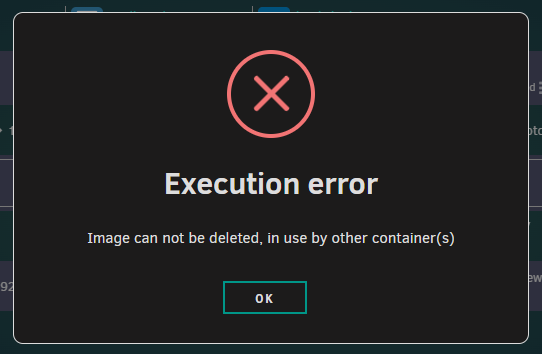
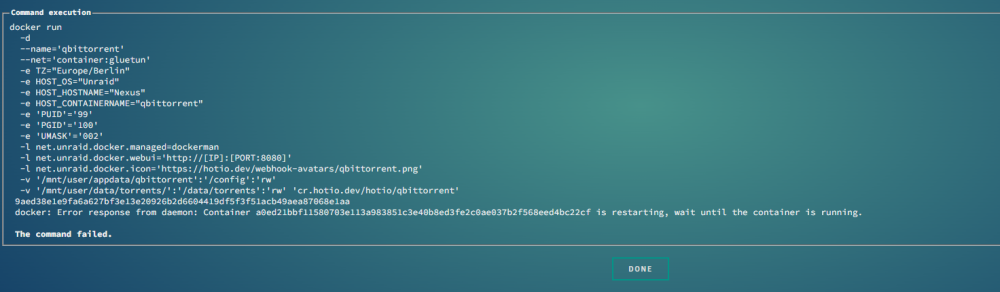
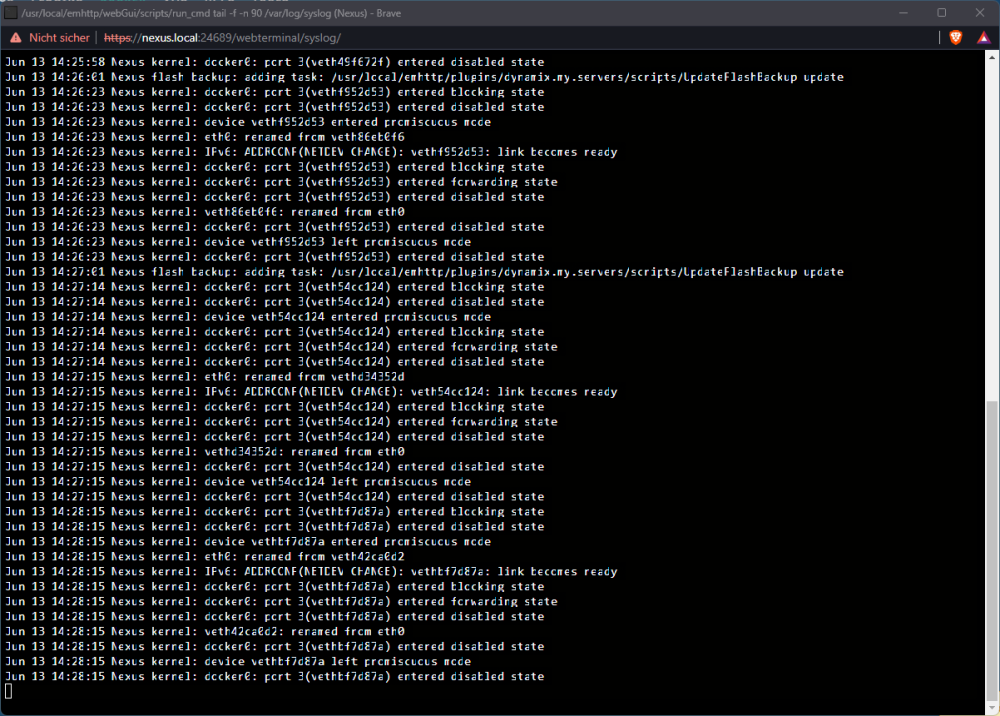
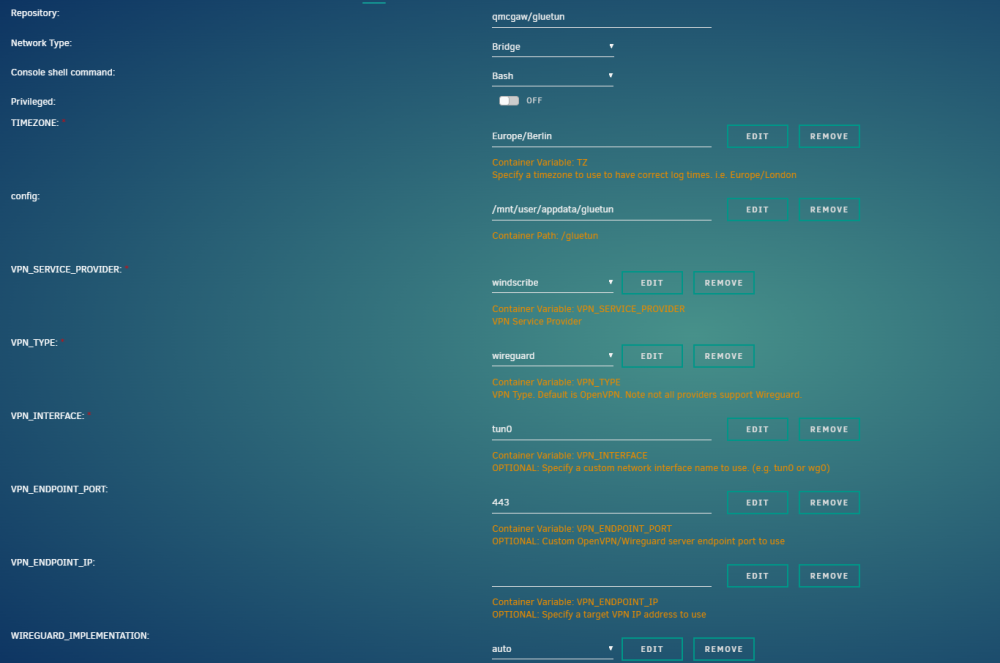
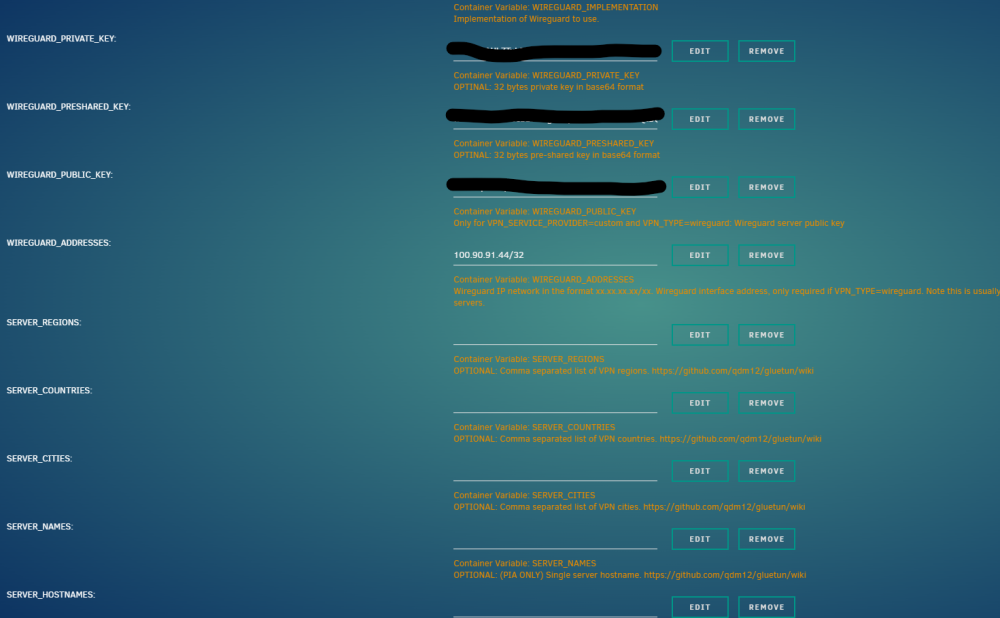
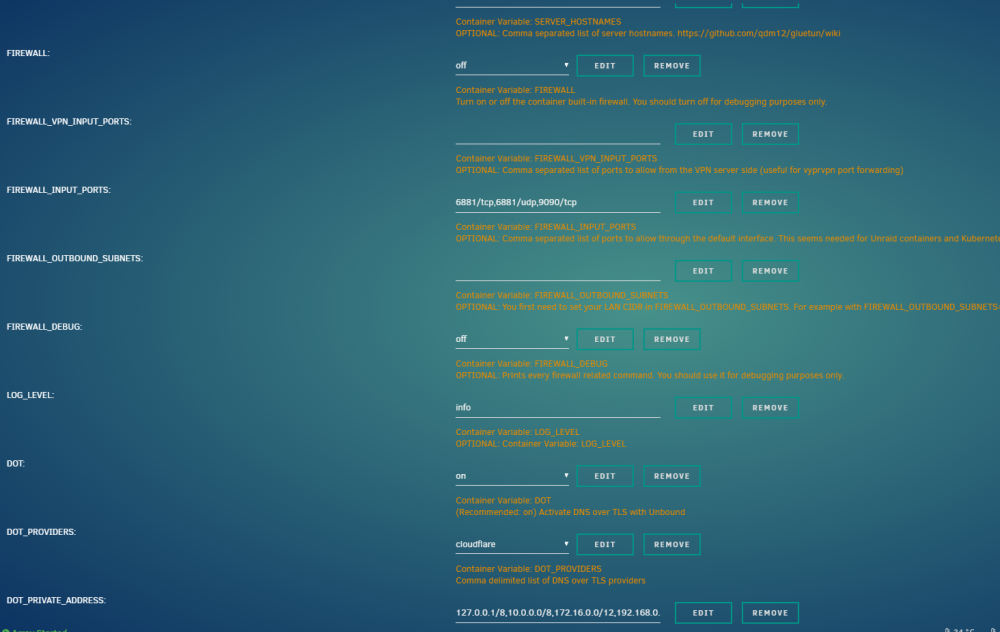
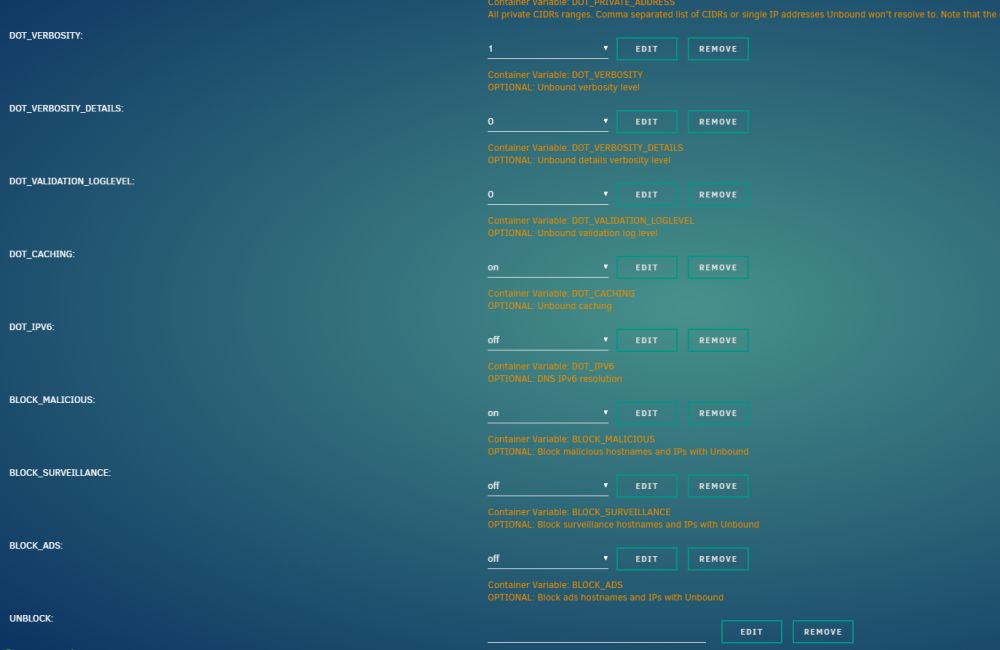
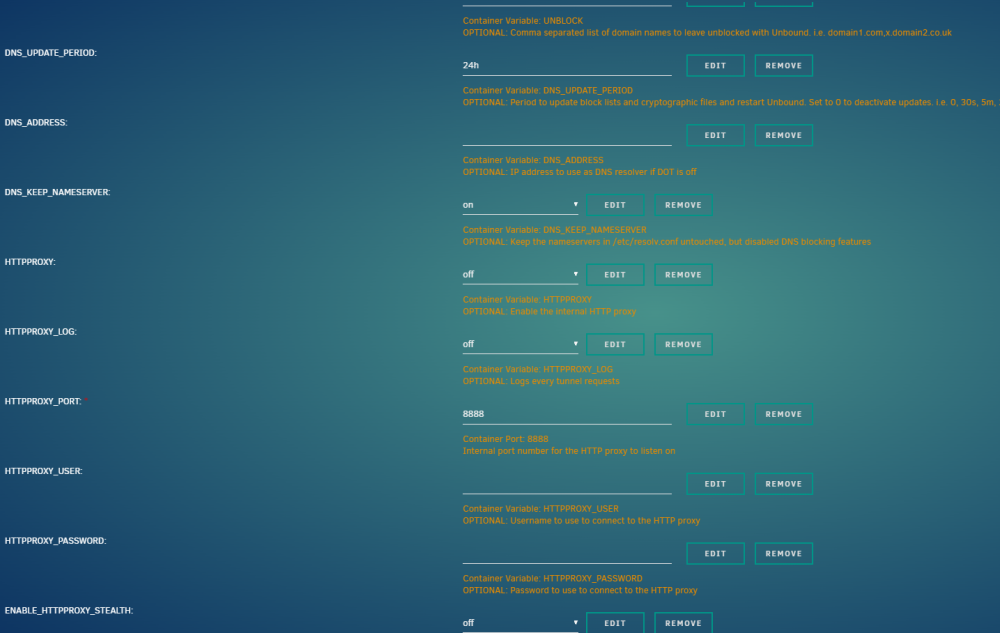
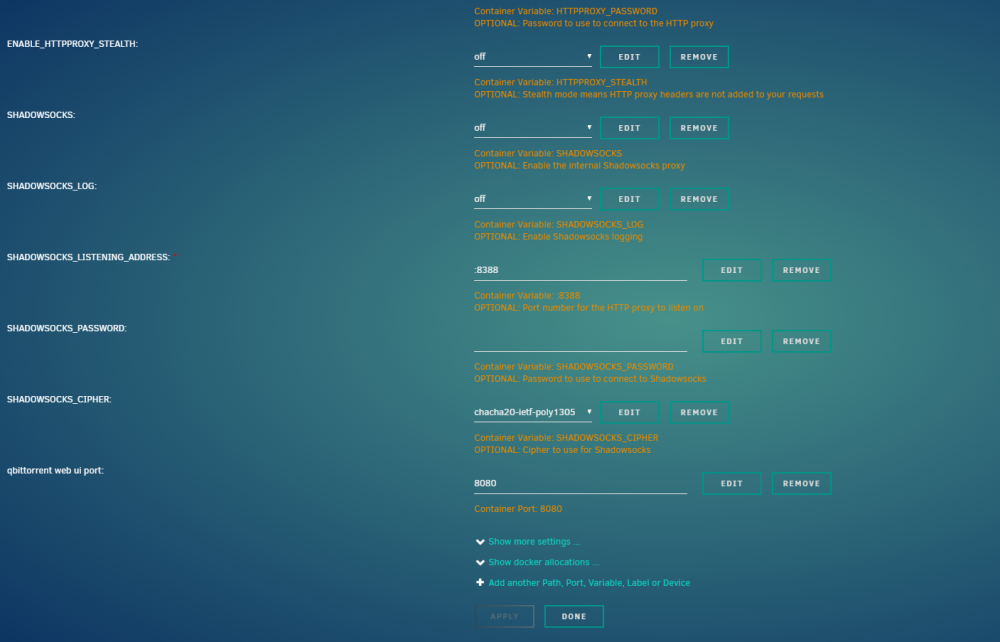
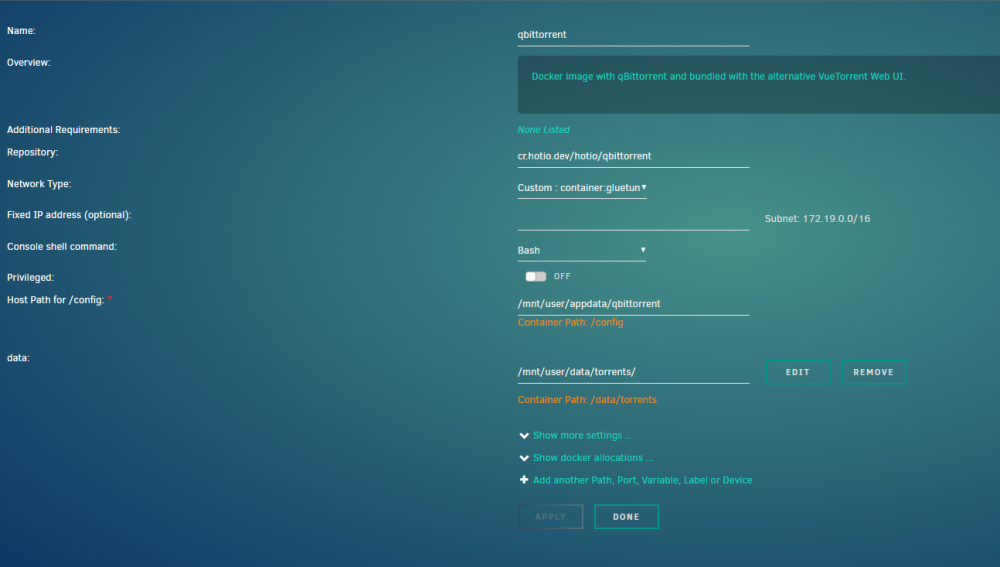
Hey there, I've been failing to route any container (preferably hotio/qbittorrent) through gluetun vpn. I just keep getting funny error messages when I try to start the qbittorrent container after deleting port mappings and changing the network to container:gluetun. Also some docker network adapter seems to be doing funny things. Can please someone try to help? Thank you in advance! I've created a docker network named "container:gluetun". The gluetun container is named "gluetun". I've manually changed the gluetun web UI port to 8001, as 8000 is occupied already. Now this is what happens: gluetun starts, but I can't access logs (window opens and quickly closes again). When I try to start qbittorrent, I'm getting this error: When I edit the qbittorrent template, I can see the docker run command and getting this error message about gluetun container being in the process of restarting: And when I check the Unraid system log, there's something funny going on with the docker network: This is my gluetun config: and this is my qbittorrent template:
-
Oops. Now I'm really embarrassed. Thank you again!
-
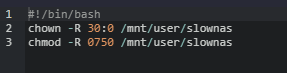
Hello @szaimen, I appreciate your feedback, and all the other's I've read from you in the Nextcloud forum which helped me a lot! Especially the one with the russian page describing how to change permissions so Nextcloud AIO initial setup won't fail was a game changer... But the chown command you're suggesting seems to be 100% identical with what I have written in my user script. Am I missing something? Cheers again!
-
Hello everyone, I've created my first user script: to make Nextcloud AIO recognize files added manually via a file manager, the owner of the new files needs to be changed to "sshd:root". Originally, when adding new files, the owner will be "nobody". This is my user script: My problem is that running the script sets the owner to "unknown" instead of "sshd". But when using the same command from command line, it works perfectly and recursively sets the owner to "sshd". What am I doing wrong? Cheers for any feedback!
-
Thank you very much for this container, I love it! I just have one question: I've got it working with my local Unraid data pool based on HDDs (slow). I'd like to also mount the ZFS pool provided by my Truenas VM which is currently shared via SMB. SMB share is fully set up and mounted in Unraid, but how can I make it accessible to Filerun? I don't feel comfortable giving Filerun access to all of /mnt just to achieve that... Cheers in advance for any input!


