





seecs2011
Members
-
Joined
-
Last visited
-
Of course, as I submit, I make a small change and its up...carry on
-
Hello - in the process of updating hardware/troubleshooting another issue I lost my HomeAssistant VM. I tried modifying it and it just disappeared from my VM page in unraid. I have the VMDK file and cannot for the life of me get it to boot. I tried changing the bios to SeaBIOS per a different thread and that just hangs at booting from disk when I VNC to it. I was getting a screen similar to this before bios change in setup. Unfortunately, the backups for this HA were only being written within itself from what I can tell so I can' import a backup. Please help with getting a vmdk running again adn does anyone know why it just disappeared from the UI when trying to edit the vm in the UI?
-
Problem with that is that I replaced every component
-
Now it crashed with an Ubuntu live disk...what the hell? I can't figure out what is wrong with this thing
-
Something broke in this process - I reinstalled the old hardware and am getting the same behavior
-
Worth noting, safe mode also crashes, only stability I've had for more than a minute or two has been the memtest I've been running just to make sure the system can stay up apart from UnRAID OS for a bit...
-
Welp - I've now replaced all components and it is rebooting within a minute of the web portal becoming available now
-
Follow up here - if you have nvme's pooled for cache, is there any concern about just moving those over to a new board? Like, will UnRaid recognize that they are the same pool devices in the same way as the array drives? Will having the array drives on an HBA change anything? I'm currently doing troubleshooting replacements so curious if I should plan any extra contingencies in that case...
-
as previously mentioned, yes that was done.
-
Cool - well here is the latest. Replaced PSU - no dice RAM - no dice Docker turned off - finally made it through full parity check, crashed after parity was done. Checked bios - no issues to report - all config as it should be Disks are fine minus a random error on my original disks that just won't clear - the error id translates to 1 errors in 65538 operations. (its the 188 error that is ignored) I'm in the danger zone at this point - I can't finish parity checks most of the time and because it crashes when parity finishes or is cancelled, I cannot invoke the mover and disks are starting to get into an undesirable state. Please advise. EDIT: Crash occurs within roughly 7 min of parity finishing or being cancelled
-
Anyone want to give me a sanity check on this pre-boot stuff?
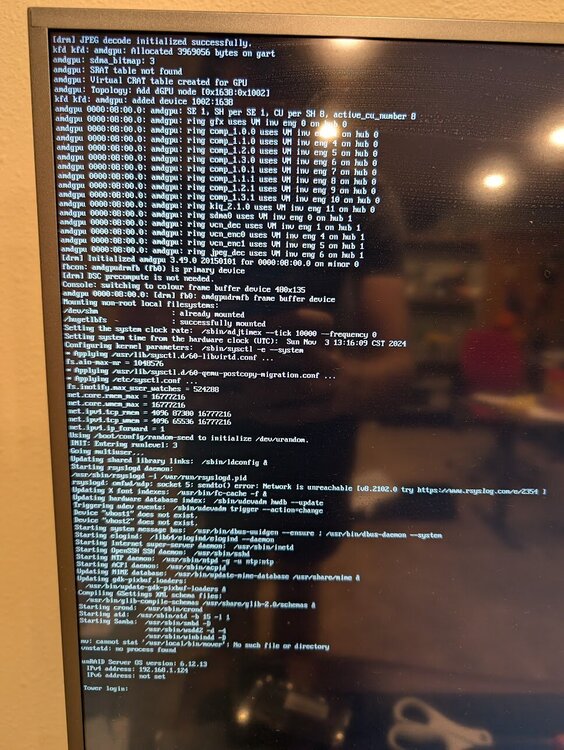
-
Welp. Got the new psu installed yesterday and the crashing actually got slightly worse if anything. Ruling that out... Noticing again that the writes to flash are ticking up... Can't figure out what is causing that though as the git logs are not showing anything being updated...
-
New update, I am noticing a lot of writes to flash drive again. I checked what files are being updated the most and they are under the .git/objects folder. Its adding 5-10 every few minutes. I had 300 writes an hour ago and am at 600 now. Can't find anything else changing. Not sure why git is updating like crazy...
-
Thinking more and more it is power related - just had it crash after a 16 hour uptime randomly. Thought I should cancel parity check since it keeps trying to do it on reboot and then it immediately crashed again which I missed. Just cancelled that parity check and am waiting to see. I tried to up the idle load via bios but yeah. PSU gets here Friday and I'm off that day so I know what I'll be working on...
-
lol - in like 20 chrome tabs! I do have a bootable that I could try and have a psu on its way. Something to try while I wait for sure, although as we speak I'm on my longest uptime in more than two weeks at 12 hours even
