TedStriker
Members
-
Joined
-
Last visited
-
Yeah, I saw that... the error was on one of my nvme ssds and went away when I swapped it out.
-
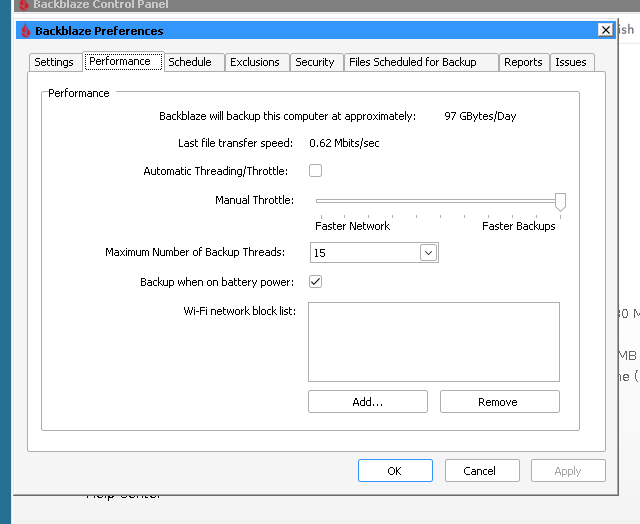
[Backblaze_Personal_Backup] Well, in addition to the slow upload speeds I and (mostly) other Unraid users that run the BPB docker have been having and trying to mitigate for at least the past 2-3 months, now I'm having a new issue since yesterday afternoon: the BB UI just keeps showing that everything is up-to-date and, when I hit the 'Backup Now' button, it scans and finds no changes, even though I know there have been file changes in my source folder/'drive'. While BB was uploading for me the past couple of weeks at, max, about 20 Mbps (per Glances; BB's numbers under Settings->Performance are about 0.62-0.63 Mbits/sec max) with numbers of threads maxed at 100, it was at least uploading something; it's not even doing that now and it's not even showing an obvious error or anything. I really don't want to get conspiratorial, but this, along with the speed issues that primarily appear to be affecting Unraid users using the backblaze-personal-wine-container docker since about January-February or so, really makes one of Ian Fleming's more-famous quotes pop into my head ("Once is coincidence. Twice is happenstance. Three times is enemy action."). Hey, it may very well be ongoing bugs with the BB application and/or the docker and hopefully it'll be fixed, but I kind of wonder if BB has finally "fixed the glitch" on what has to be some of their heaviest users. Edit: Leaning more toward "bug" at this point, because it finally started uploading again... *sigh*
-
Thanks, posted over there now.
-
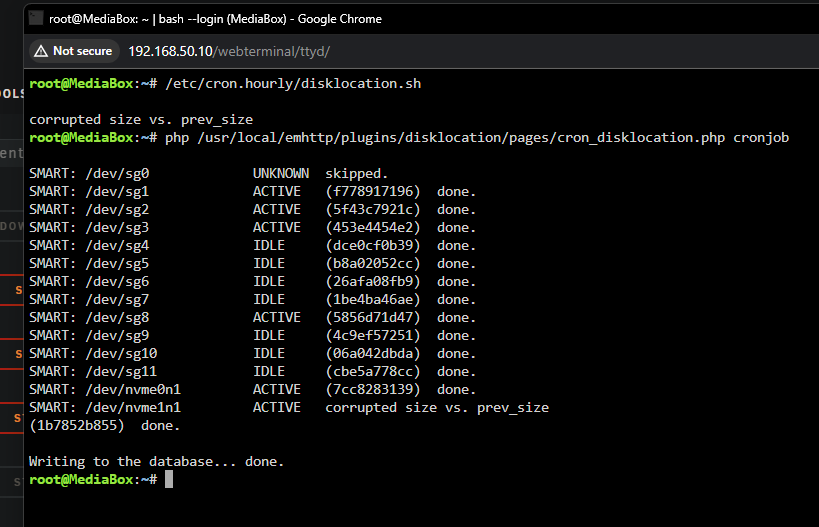
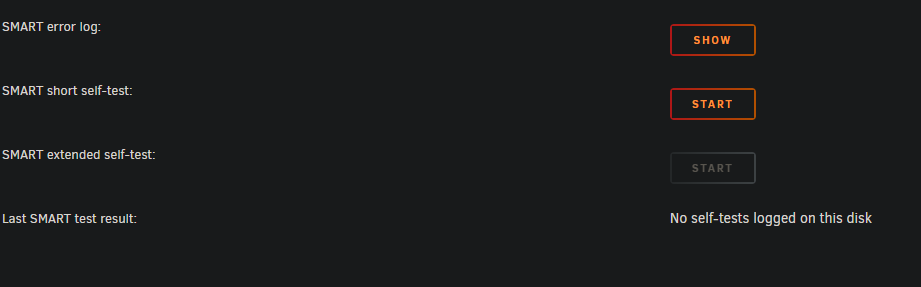
Yeah, I just ran those commands manually and this is what I got: So, it would appear to be an issue with one of my SSDs, not with Disk Location (though it was trying to clue me into the ultimate issue); the Main tab shows no errors with the drive, but, when I tried to run a SMART short self-test, the status goes from 10% right to 90%, then shows this: but, the SMART report shows this: Anything I might be able to do, beside replace and RMA?
-
Bless you for bringing my troubles over here... I didn't even think to do it, I just thought it might be a general Unraid issue with cron.
-
Haven't checked the above yet, but Disk Location's cronjob to update SMART data displayed is apparently the culprit; I had it set for hourly, but, when I changed its interval to daily, the hourly error emails changed to once a day. I tried uninstalling the plugin and reinstalling it, but all of my settings survived and the error emails still happen.
-
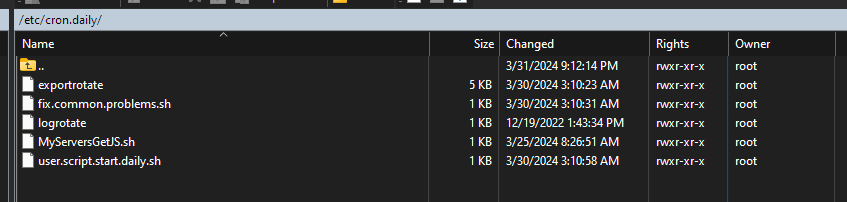
Yes, I use the User Scripts plugin; I just ran chmod on the /etc/cron.hourly folder and this is what I see in WinSCP: If I go into that folder, these are the permissions there: Likewise, these are the other cron folders:




-
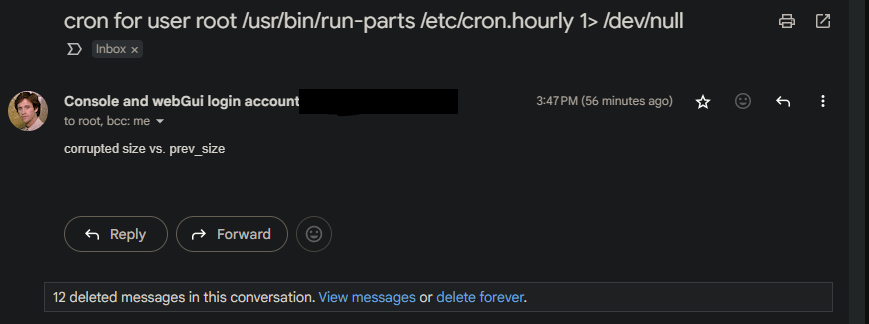
I upgraded from 6.12.8 to 6.12.9 early this morning before going to bed; after setup finished, I was able to log in and the array and all my dockers/VMs seemed to be running just fine. However, when I got up later this morning, Unraid had been sending and is still sending an email every hour indicating a cron issue: I've looked at the scheduled cronjobs in the console, I've looked at the syslog, but I'm not seeing anything obvious; any ideas? mediabox-syslog-20240330-2159.zip
-
Finally, success! With TenThirty/10Thirty's help over in the Github thread on this issue, I got everything back working like it should; sure, it's a bit of a trial-and-error bodge (for now, till the issue with the latest BB installer builds is resolved; the v1.7.1 docker and its Wine install is just fine), but BB is working again like it should. https://github.com/JonathanTreffler/backblaze-personal-wine-container/discussions/130
-
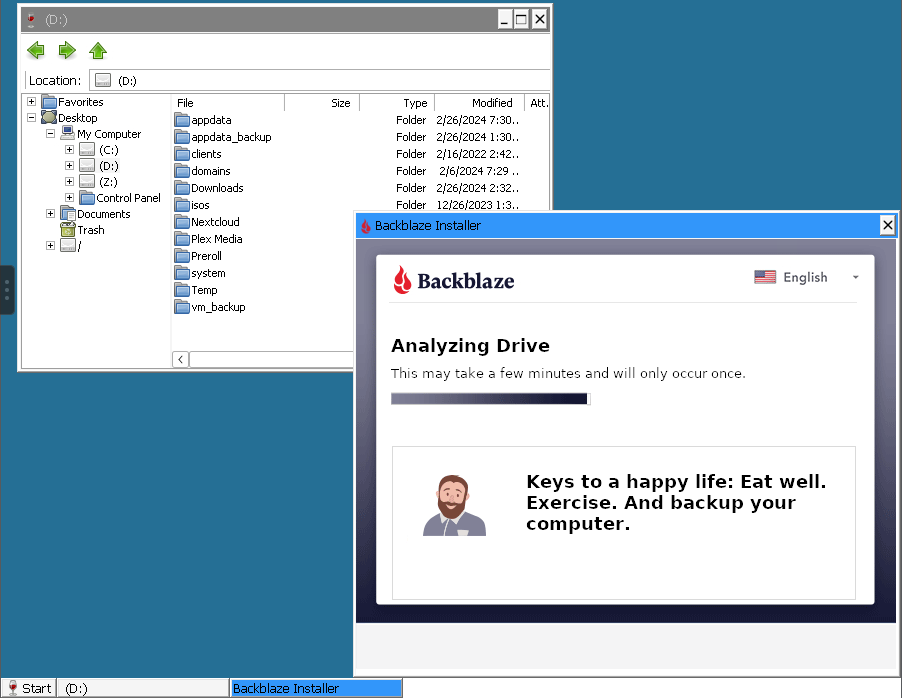
[Backblaze_Personal_Backup] Thanks for the tip... I've read through that thread. I've tried doing what you said you did (installing BB v8.x in the v1.7.1 docker), I've tried rolling back to v1.5 (where the BB install should have still been v8.x), I've tried taking the latest tag off and setting it to v1.7 and v1.7.1, and, so far, I'm having absolutely no success. During all of this, I've deleted the docker image with the docker uninstalls and deleted the Backblaze_Personal_Backup appdata folder each time, I've tried pinning cores, I've tried setting the docker to privileged, all to no avail. In fact, I'm worse off now, because now I can't even get past the initial drive analysis during install, it just hangs right at the end, no matter which version of BB I'm trying to install, even though I can see all of /mnt/user in the D drive in Wine Explorer: Last time I just sat and left it alone, BB and/or Wine eventually crashed and became unresponsive, so I basically had to start all over again. It has been a multi-hour exercise in futility today...
-
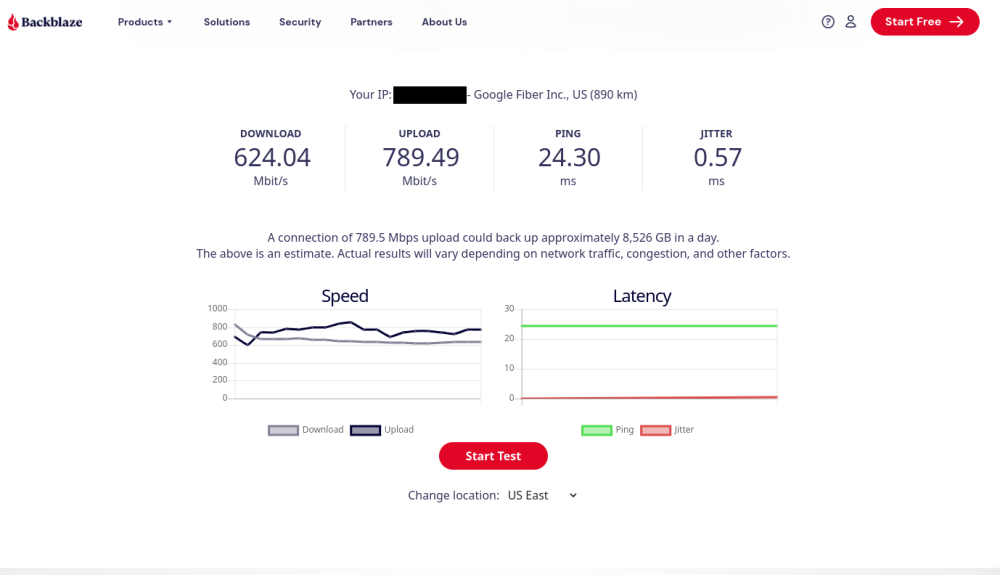
[Backblaze_Personal_Backup] I don't know how long this has been an issue for me, simply because I just noticed it within the past 2-3 weeks after a mishap replacing a drive and its data rebuild, but Backblaze_Personal_Backup is taking forever to upload stuff, hanging at around 0.6-0.7 Mb/s. No matter what I set for the manual throttle or the maximum number of backup threads or if I set it for auto, it doesn't materially change the upload speed at all; on my main Win11 desktop, I also have Backblaze installed to back it up and it shows a last file transfer speed of somewhere between 2.5-6 Mb/s and both machines have 2.5Gb cards and are on the same Google Fiber symmetrical gigabit connection. Even when my Unraid box is serving stuff on Plex, it's still got plenty of CPU, disk I/O, and network headroom much of the time to have much better upload speeds to Backblaze and it seems like it did upload more on par to my desktop at some point in the recent past, so I wonder if there's an issue with the docker. Backblaze speed test through a Chromium docker on my Unraid server:
-
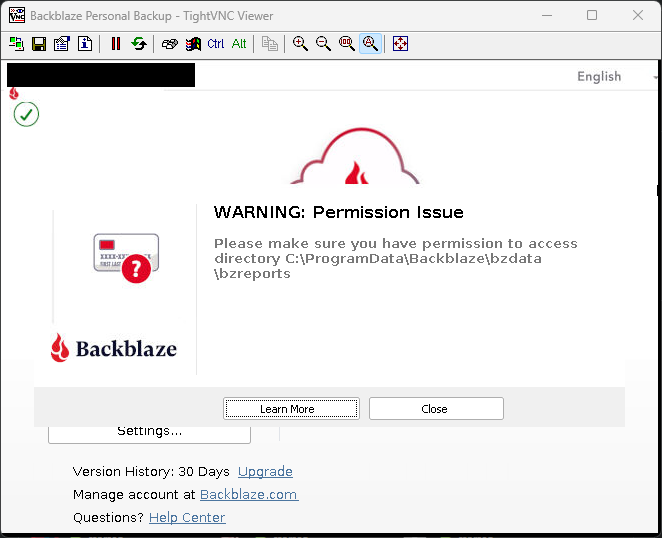
If the plugin is otherwise working, detecting /drive_d/ properly, and everything in the Backblaze settings is set up like it should, the permission error popup is more annoying than anything else; if it's otherwise backing data up, I'd let it be.
-
Oops, the default /drive_d/ mapping is to /mnt/user/, not /mnt/data/; corrected above. Refresh my previous post for that correction, as well as a couple of more clarifications.
-
All I've ever done is leave the default mapping of /mnt/user/ to /drive_d/ in the docker settings; the issue I was having for weeks after going to 6.12.x until just earlier this afternoon was while I could see the /mnt/user/ folders in the D drive in the Settings->Exclusions tab and could even set folders to exclude, Backblaze didn't see any actual data to back up (again, till I shut down/restarted this afternoon). It may be a stupid question, but have you tried these troubleshooting steps (scroll towards the bottom)? https://hub.docker.com/r/tessypowder/backblaze-personal-wine
-
[Backblaze_Personal_Backup] Well, my issue posted above apparently resolved itself, but another issue that I've had for months on end is still bugging me; is there any way to get rid of this error popup?