





dcbigbrown
Members
-
Joined
-
Last visited
-
Did what you mentioned it didnt work, although the cache settings dont appear anymore i did add the logs here syslog.txt
-
Went to do some VM stuff today and realized my vm was paused, just general checking around i see my cache is full. Tryed to manually use the mover option but it just clicks shows mover is running refreshes the page and it doesnt do anything. already tried using the tuner plugin with no movement. any help would be much appreciated. also if anyone can tell me how i can reset my share settings to default that would probably be helpful too im pretty sure i messed those up pretty bad while trying to fix this issue. thank you for your help!
-
I think I got it, I nuke my docker as a whole and they seem to be working now but only time will tell
-
this is going to sound super dumb but how do i even access the usb? i can view it through the gui in unraid but it doesnt show up under shares on the network drive
-
I will try this when I get off work and report back thank you!
-
Any help at all would be very helpful, im willing to try anything at this point.
-
heres the diagnostics zip file odin-diagnostics-20220408-1505.zip
-
dcbigbrown changed their profile photo
-
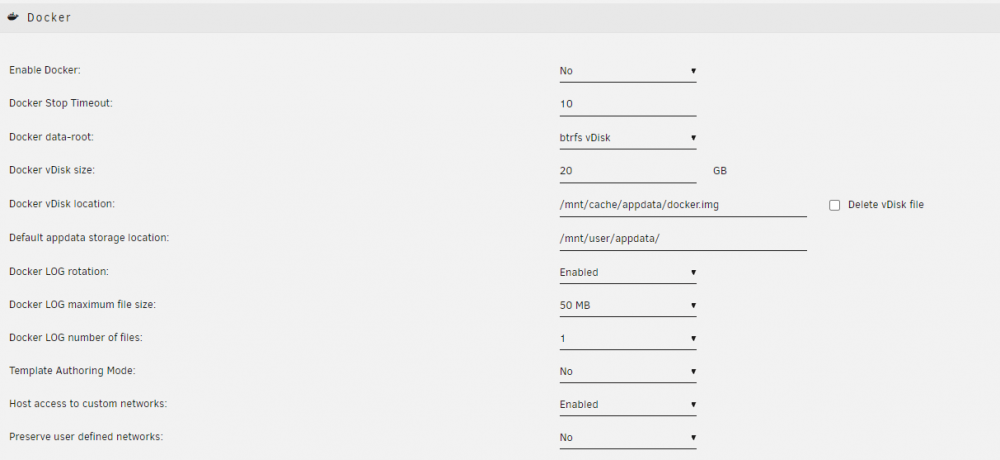
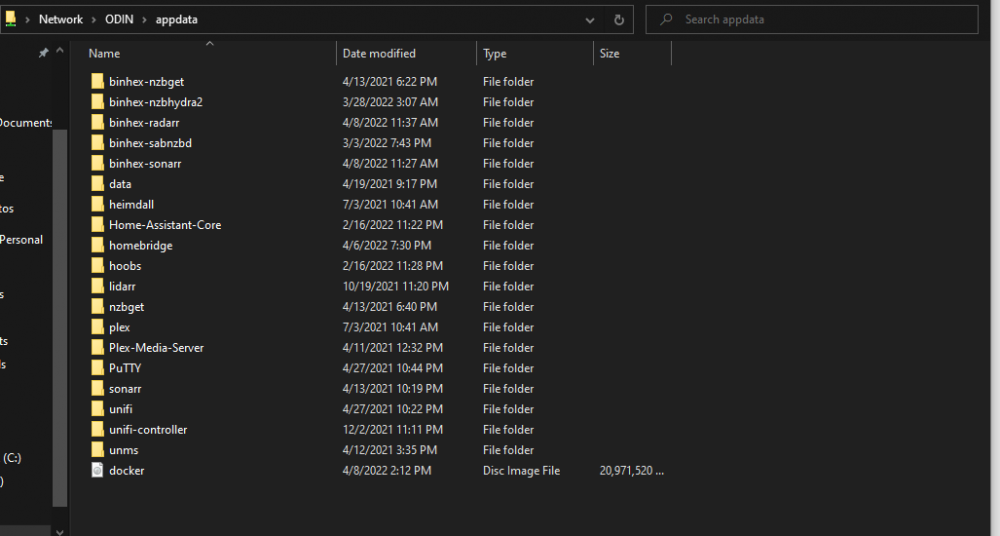
I replaced my cache drive for a bigger one and then docker was running extremely slow and the dockers were just not working as intended, so i deleted the vdisk file as one of the guides on here stated, i was following the steps and reinstalling my dockers but now all im getting is that the image cant be found, i feel like i have tried everythign and scoured this forum for an answer but i cant find anything. Any help would be much appreciated. Just for clarification i am a novice at unraid as a whole.

-
For sure, i already have that setup for my main Lan (where unraid is) to access my iot network (where im trying to put the docker) it is confirmed working , this really has me ready to pull my hair out. im thinking my last resort might be to just add an additional nic for a dedicated connection to that network
-
updated, still no dice
-
Turned off bonding, but still nothing
-
i havent changed it, but i will disable it and see if that makes a difference, anything else of note there?
-
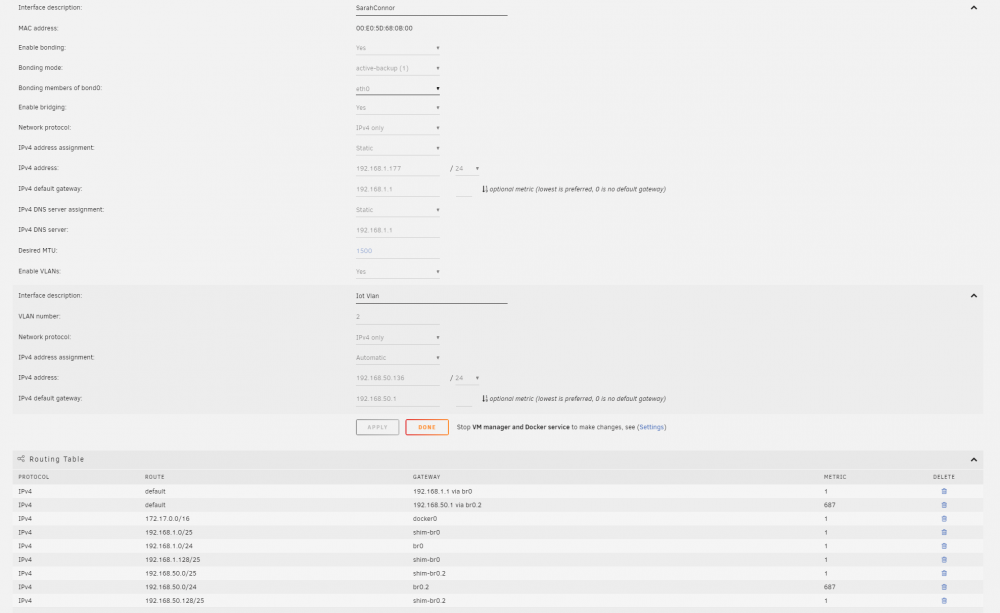
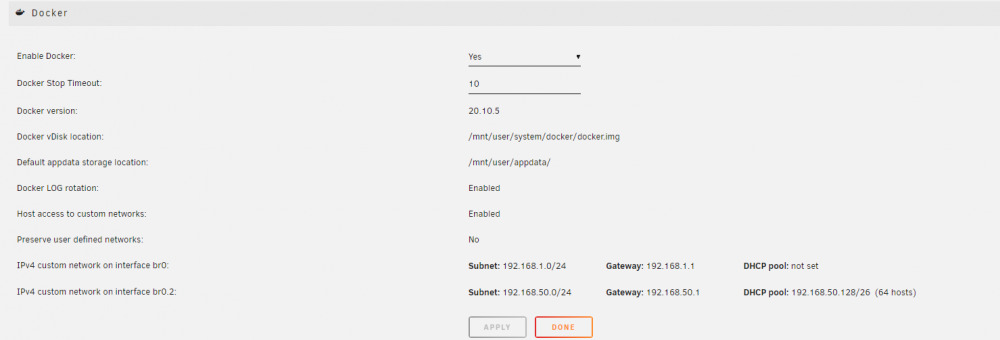
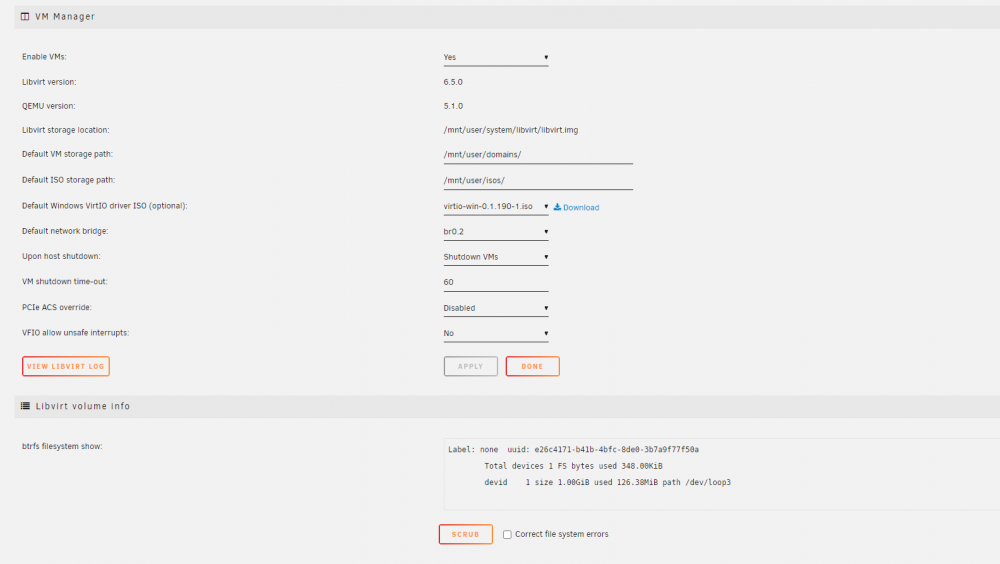
Sorry for the super late response but here are the screen shots Still not having any sucess at all, just want to reiterate i only have one nic and im trying to essentially put Homebridge on a vlan so that my other apple devices can utilize it efficiently. everytime i set it up and set the network to (custom br0.2) it wont let me access the gui, only if set to host. Thank you again for any help that you can offer!
-
I did follow this guide as well with no luck, still no gui and still not reachable on the vlan
-
I am at my wits end trying to get this to work correctly. I am trying to put my docker for Homebridge on my IOT Vlan which is already set up and tagged in pfsense. I have scoured these forums looking for answers and i feel like i have tried everything. Just a heads up i have one nic for my server if that helps. I thought i finally had it but then i couldn't access the GUI from unraid. Any help at all would be very much appreciated, step by step instructions would be immensely helping. Thank you in advance for the help!


