teuflor
Members
-
Joined
-
Last visited
Everything posted by teuflor
-
hey, i dont know what happens, but all my pics from about 10 years (and every directory was mounted in immich) are gone. i dont know since when must be around 4-6 weeks. i see them in the trash but cant recover them back cause its only there thumpnails. all pics was on my array and i want to recover them back to my cache. or i hope the most. so i installed xfs_unraid on my 6.12 inside an cache directory and used this command: i read the same thin some posts earlier but i dont get it what they do to bring it working. thanks for help

-
-
Hi Everybody, i posted here in the german forum. after update to 6.12.3 my mashine was fully loaded... need extreme long to login / do something. also after deactivating docker / vm modul. i switched back to 6.11.5 and now it worked again.. if you need some further information, PM me
-
So, hab das ausprobiert aber hat nichts gebracht. Hab ein Rollback auf 6.11.5 gemacht.. jetzt wieder alles knusper.
-
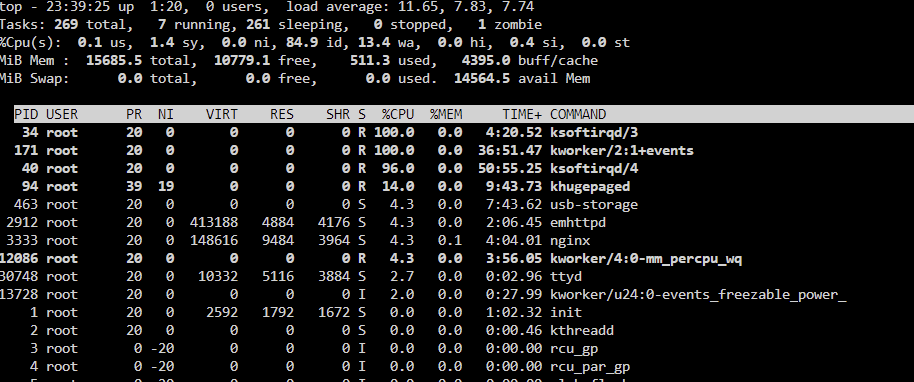
Abend Zusammen, ach war ich naiv Kurz vorm schalfen gehen "mal schnell" nen update machen. Tja, danach 100% cpu und ich komm mit glück ab und an mal aufs Webinterface. Dann brauch ich aber zwischen 2 und 10 Minuten bis mir überhaupt was angezeigt wird... dann wieder warten etc. VM / Docker hab ich schon abgeschalten, brachte nichts. Konnte über ssh rausfinden das es bei mir die ksoftirqd bzw. kworker prozess ist. Und nach langem warten hab ich sogar eine Syslog gezogen bekommen. Jemand ne idee was das sein könnte? bin erstmal im Bett.. bis morgen und vielen Dank fürs drüber schauen. tower-syslog-20230726-2137.zip tower-diagnostics-20230727-1053.zip
-
Secureboot war an sich deaktiviert, aber es gab noch irgendwelche boot sector analysen etc. die hab ich jetzt auch abgeschalten. und tada... es bootet...
-
Wenn ich von Stick #1 boote, auch schwarzer Bildschirm. Hab auf Stick #2 jetzt Ubuntu 22.10 mit Rufus installiert, es bootet. Kumpel angerufen, der hat den gleichen mini pc und lässt da proxmox drauf laufen. Hat nen trial stick von Unraid probiert, bootet bei ihm auch nicht. Springt anscheinend immer zurück ins Bootmenü. Muss also irgendwie mit Secureboot oder EFI zusammenhängen schätz ich
-
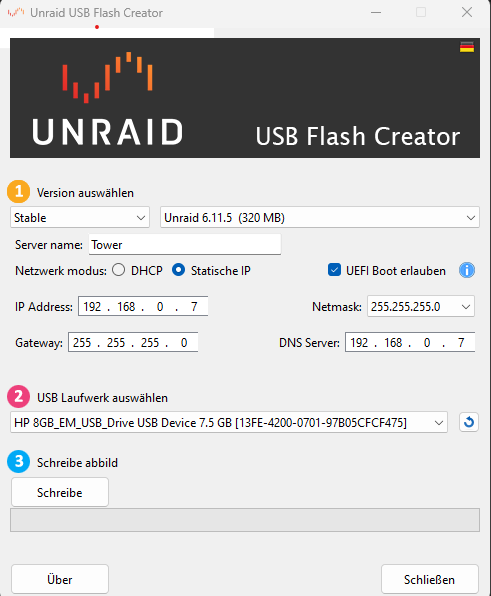
Ok Sorry, hier mal kurz aufgeschlüsselt was ich hab. Ich hab 2 USB Sticks die eine UUID haben. Alle anderen sind von SanDisk funktionieren nicht mit UNRAID. #1 -> verwendeter Lizenzstick in meinen alten Servern #2 -> hab ich zum testn hier. Ich habe #2 manuell bespielt: Fat32, Batch datei unter windows ausgeführt zum bootfähig machen. Daraufhin kommt das es kein boot device gibt. Wenn ich #2 dann mit dem offiziellen UNRAID tool bespiele (screenshot Post #5) inkl. UEFI bleibt der Bildschirm beim boot schwarz. Im Bios ist Secureboot deaktiviert, habe auch keinen Punkt gefunden um UEFI bzw. legacy boot zu aktivieren.
-
Ich beschreib grad mal nen anderen stick mit der Trial Version... mal schauen. UEFI ist aktiviert. Edit: black screen
-
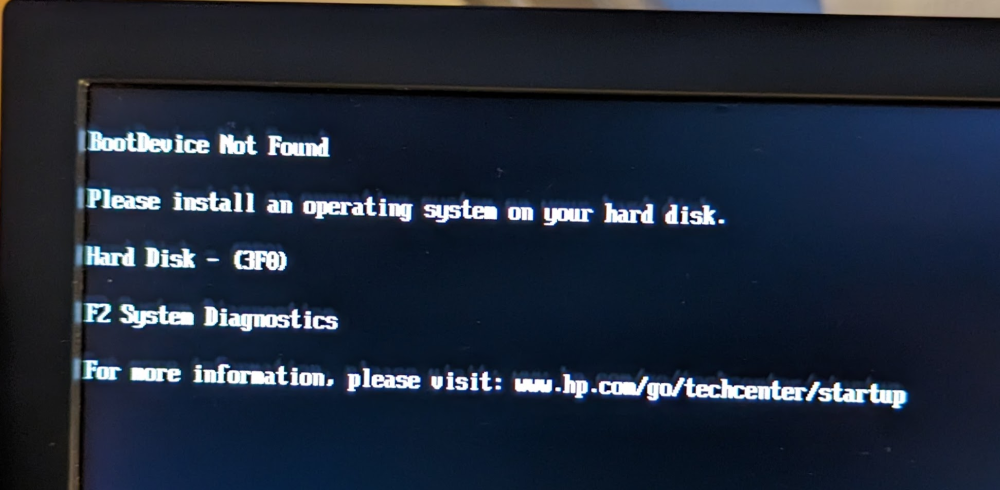
Servus, hab ich grad mal probiert. Allerdings erkennt er den Stick dann nicht als boot device. Fat32, danach die Batch ausgeführt. Mit dem Stick der ja in meinem Server geht, bleibt der Bildschirm einfach schwarz wenn ich davon boote.
-
Moin Zusammen, ich hab nen HP Mini 600G9 hier mit folgender Hardware: - 16gb ram - 2 x 2TB NVME SSDs - 1 x 1 TB Sata SSD - Intel 12500T Ich bekomm da unraid nicht gebootet, proxmos, windows, ubunto gar kein Problem. Ich hab den ganzen neumodischen schnickschnack im bios deaktiviert... Hab auch nen neuen Stick genommen zum testen, bootet auch nicht. Jemand ne Idee? Ich verzweifle..
-
i also wanted to go with unraid on an brand new HP mini 400 G6. But it dont boot from my unraid stick. on my previous servers it was no problem.
-
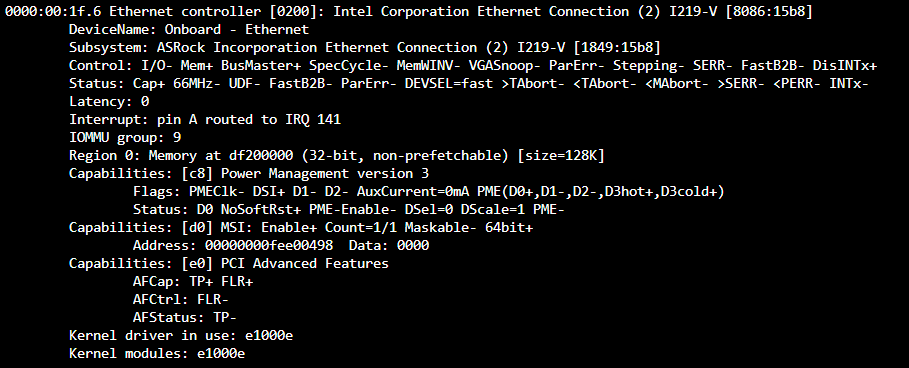
das wirds wohl wirklich sein... und meine 2.5gbit billige "china" nic wirds bestimmt auch nicht können.. werds mal heute abend umbauen und nochmal testen. Danke schon mal
-
Vielen Dank für den Befehl, Bei mir taucht der Ethernet controller da überhaupt nicht auf... die 2 nvme's unterstützen schon mal ASPM L1 Das iss ne Intel 219i nic. Vielleicht bau ich mal den 2.5gbit nochmal ein und check ob der das kann... 2.8 ?? ich finde nur 2.15 Ich hab langsam die Vermutung das es am krüppligen ASROCK Board liegt.
-
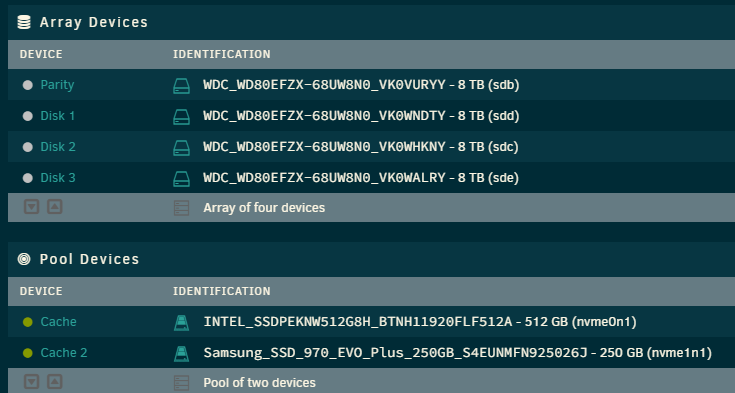
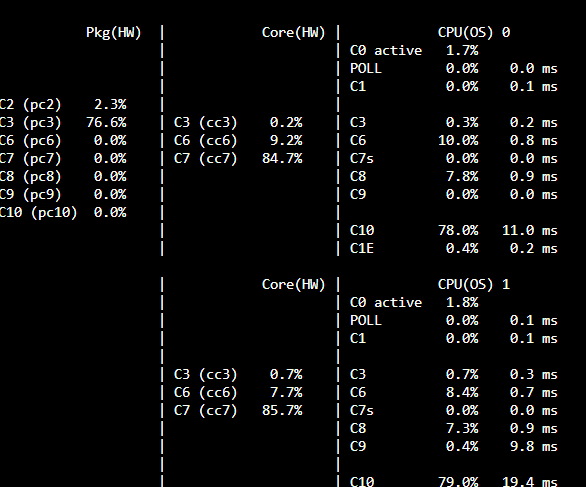
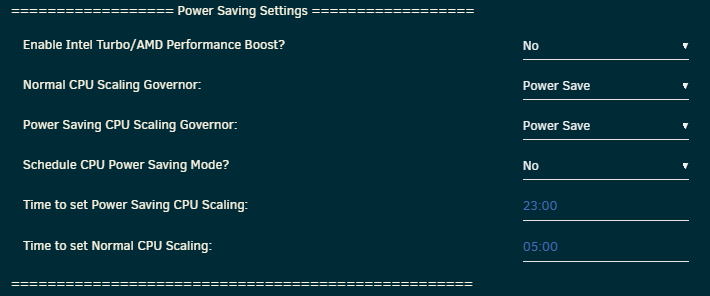
Moin Zusammen, ich hab mich in letzter zeit auch hier durch die Threads gearbeitet und versucht meinen Server das Stromsparen beizubringen. Aktuell habe ich folgende Config: M/B: ASRock B365M Pro4 CPU:Intel® Core™ i5-8400 CPU @ 2.80GHz Memory:24 GiB DDR4 (max. installable capacity 64 GiB) ( 3 Riegel) 3 x 120mm Lüfter Mit diesem Setup und Zustand komm ich auf 22W idle. Leider geht mein Package nicht tiefer als in C3 Ich dachte erst, das läge an der 2.5GBit Netzwerkkarte die ich eingebaut hatte. Aber mit der Onboard Intel wars das gleiche Spiel, bzw. hat sich nichts geändert. Im bios hab ich alles von "auto" auf Stromsparmodus etc eingetragen. Die NVME's unterstützen das ganze wohl auch... Ich weis nimma weiter. Jemand ne Idee? Edit: Nach dem Update 6.11.3 bin ich jetzt im Idle auf 28W hoch gegangen. Jetzt geht das Pkg nur noch in C2 und überhaupt nicht mehr in C3... bäh Edit: Mit Powertop --auto-tune komm ich wieder in C3 und 22W
-
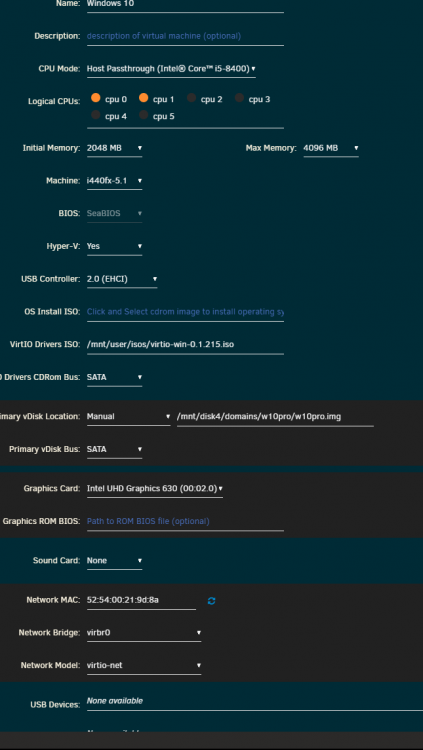
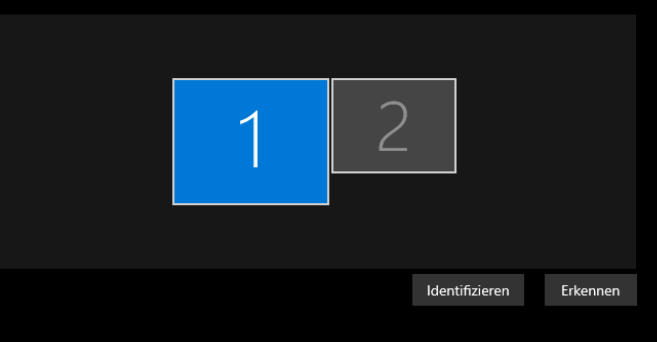
Hi, I have a W10 VM that I converted from VMWARE. In this VM, the Intel i-gpu is running as a second screen next to VNC. I would like to take VNC out completely so that I only have one screen in the VM. I would like to control it remotely with parsec. How do I have to do that? Is that possible at all? Screen 1: VNC Screen 2: igpu

-
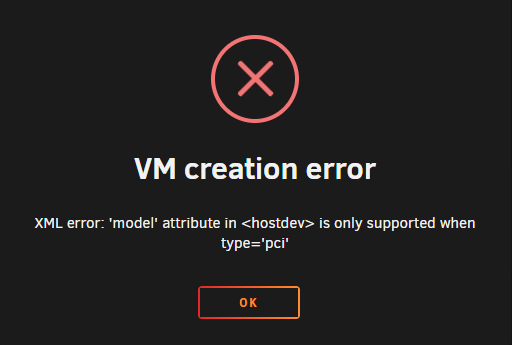
Hi, first of all, im new to unraid. i try to assign my intel G630 igpu to a W10 vm. i want to use parsec to access my vm. but i get the following error: does anyone else got this error? can someone explain what i have to do, to fix this? thanks