





Ronan C
Members
-
Joined
-
Last visited
-
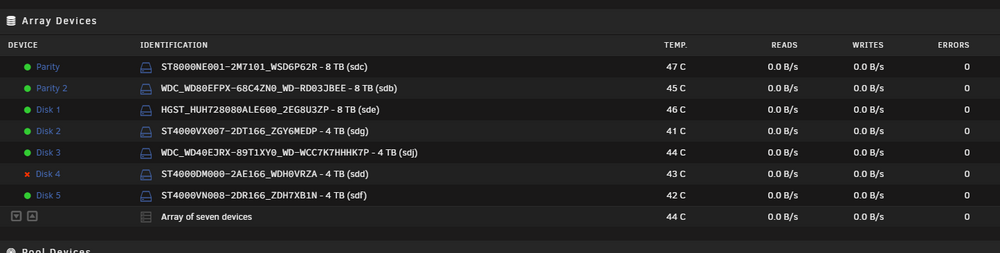
Thanks Jorge! I rebooted, but the disk is still disabled, i started the array into maintenance mode, heres the diagnostics: delorean-diagnostics-20240617-1611.zip
-
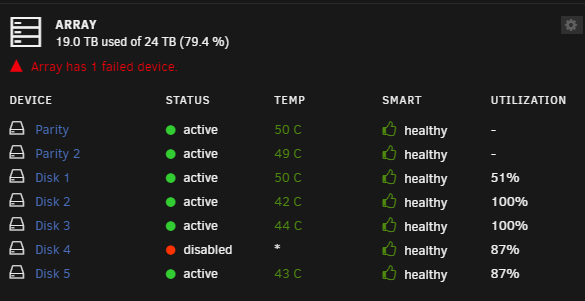
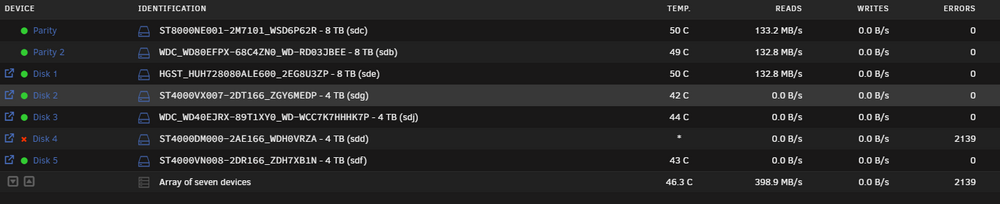
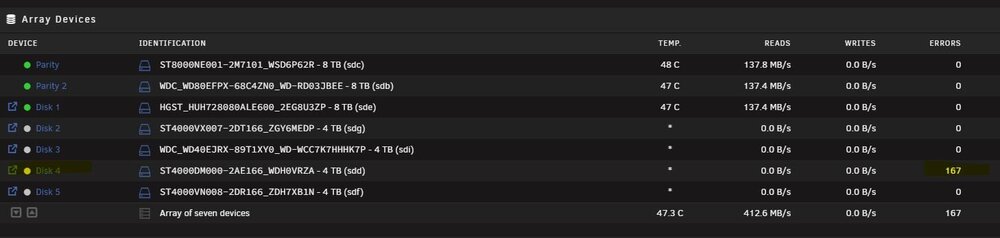
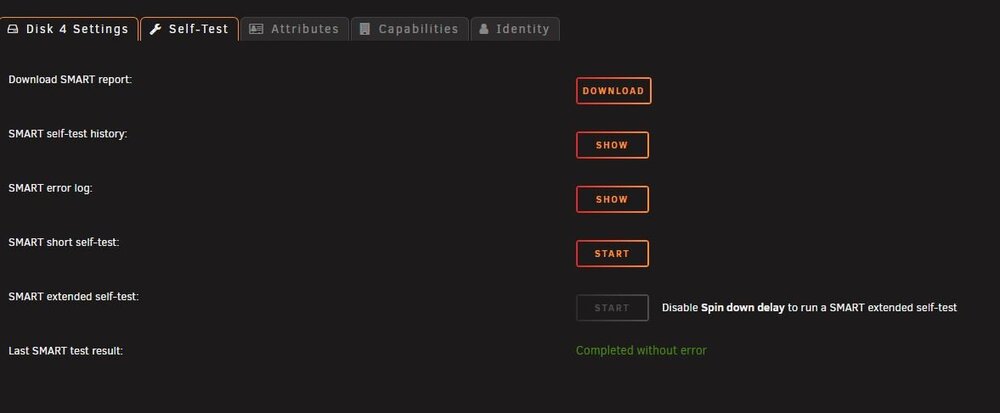
Hello people! This night i run the parity check again, and now i get erros on disk 4, after the erros unraid has disabled the disk. Smart screen says the disk is healthy, why? At this moment the parity check is still running remaining 2 hours to finish (are checking the rest of 8 tb disks) I attached the diagnosis file, should i replase this disk? I try to run a extended smart tests on this disks, but after press the start button, nothing happens, i think this is because the disk is disabled by unraid or for still running parity check. any tip is welcome! Thank you all delorean-diagnostics-20240617-1104.zip
-
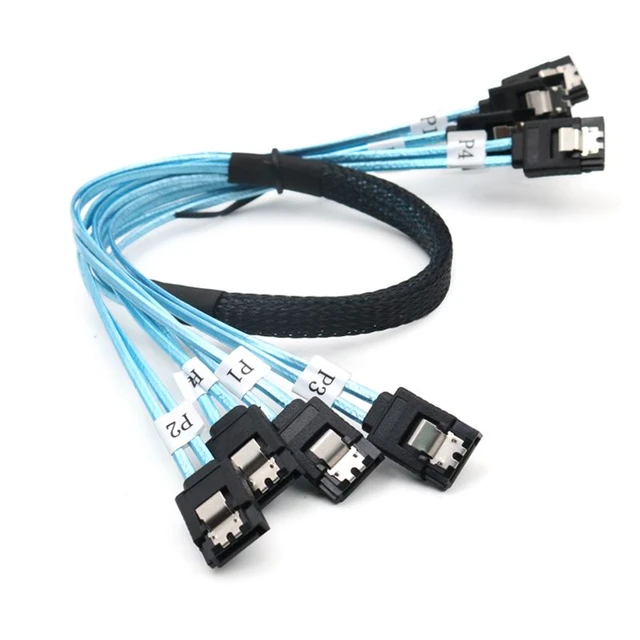
Thank you Jorge, i am currently using this one, but mine is 6x6, i am using two sets, one on onboard sata ports and one into the PCI-E 6 sata ports, i think its not good enough ;-(
-
Thank you Jorge, one more small question, do you know if power supply or not good quality power cable can make the disk slowing down the sata port speeds, keeping unstable, changing from 6 to 3 and to 1.5? of this can be the sata cables? If will be the sata cables i will have to order another on ali express... THank you!
-
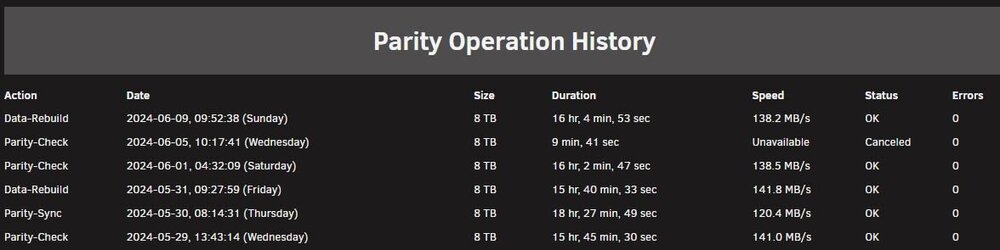
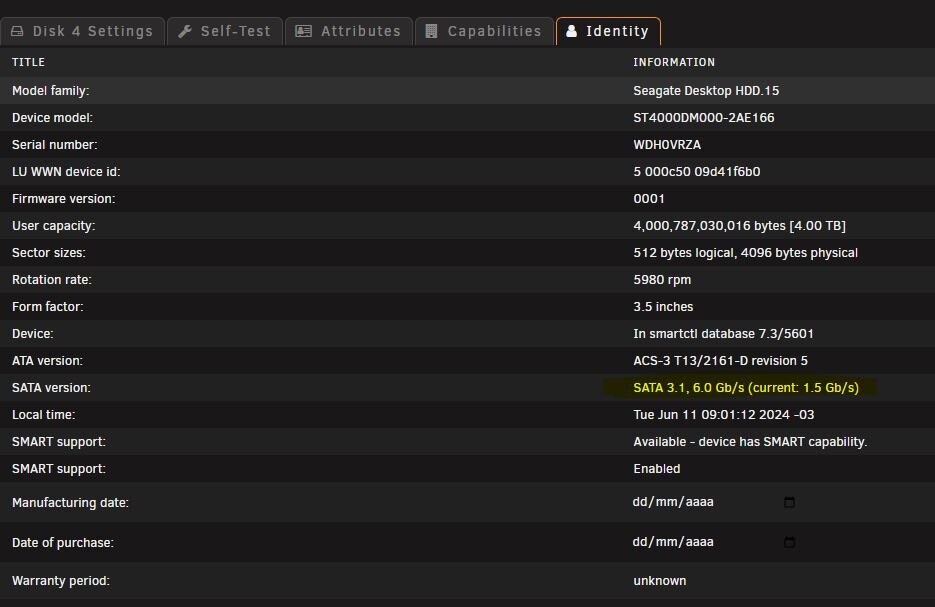
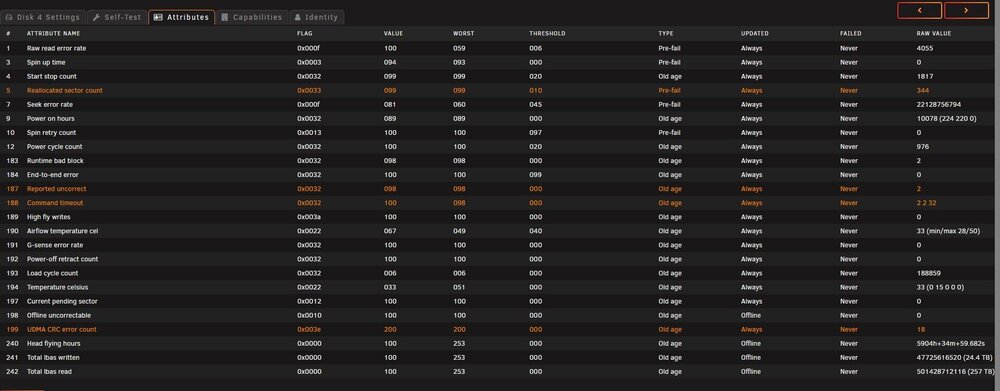
Hello JorgeB! Thanks for your tips! Rebuild was good, i did on last sunday, the parity 2 was rebuild, and data disk 2 too. no errors at all, and i did the two same time. Yesterday i started a parity check just to confirm, and now my disk 4 are displaying errors, when i checked the disk 4 information i see the sata connection are negotiated at only 1.5 gbps, this disk are connected to a ASM1166 x6 sata ports controller, brand new. This thing of bad sata negotiation was that started all my headache with my unraid, i dont know what can i do anymore, i swapped power supply's, cleaned my sata cables with a small brush and a proper contact cleaner spray. I attached the diagnostics and some prints, thank you in advance Jorge!!! Screenshots: delorean-diagnostics-20240611-0911.zip
-
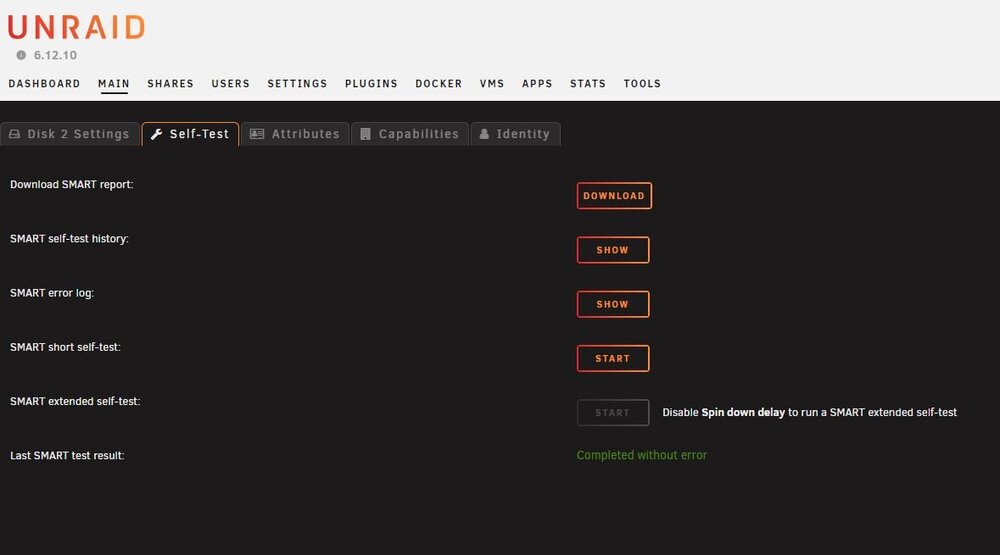
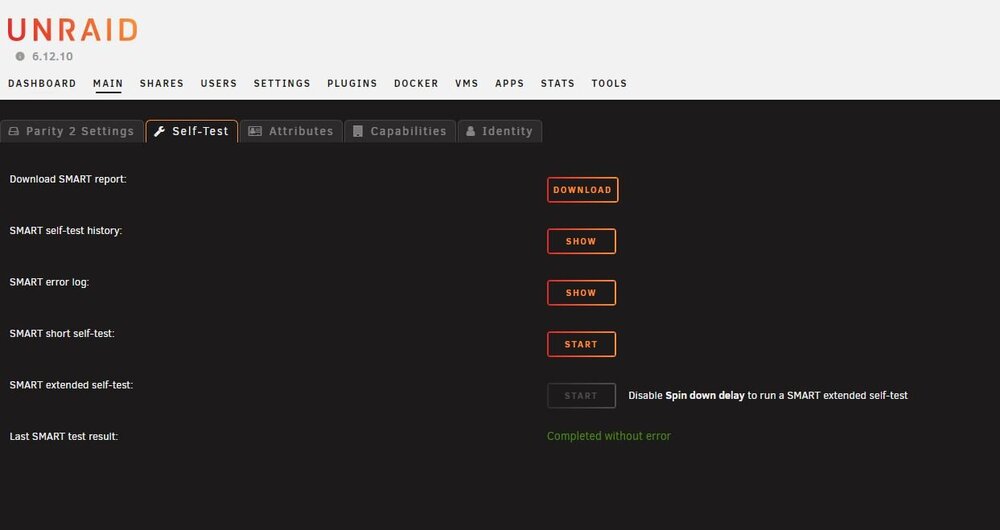
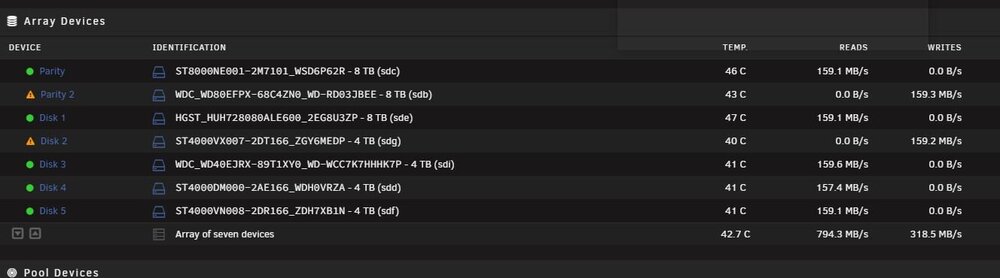
After change the power supply, clean all sata connectors and power supply connectors with contact cleaner, i power on the server, check if the contents of disk 2 was emulated fine, i test the copy speeds, and after i tested with the docker disk speed, and all disks presented a good speed as usual. After this, i stopped the array, removed parity 2 and disk 2 from pool, started, stop again, re -added this disks e start the array in maintenance mode, after i clicked rebuild button, and now is rebuilding the two disks.. hope everything was fine after 12 hours. I did the right thing right Jorge? Thanks in advance!
-
Hello JorgeB thanks for the replay dude! When you mean one splitter for 5 disks, you are talking about the sata power cable from the power supply right? If is it, yes, i have 5 disks connected at one power supply out, and other disks are connect 2 disks per power supply cableout. But i used this way since i build the system, its strange, this mess started after i upgraded my Cabinet, from old rack 19" to this new one that support more disks as show in the image i posted. I bought a new power supply yesterday, ill came today its a 500w power supply, and old one i have is 450W... but are running for years. Ill change everything, after power up i will put the diagnostics here again. The the data disk 2 was disabled i can't discover why, and cant enable, so means the disks is not disabled, its unusable, like was removed, causes the disable term looks like we can re-enable.. and its not the really. You say to check all cables and try to rebuild the disks again, how i do this? Its better re-build the disk 2 data first, after finished, i do the parity 2 rebuild? i mean, for safety. Or is better do the both same time? Just in case, i did short smart tests on both disks, and passed really fine. i think the unraid disable disks without really smart errors of other kind of erros its wrong, or may be bug, i dont know. Thanks in advance mate! Ronan
-
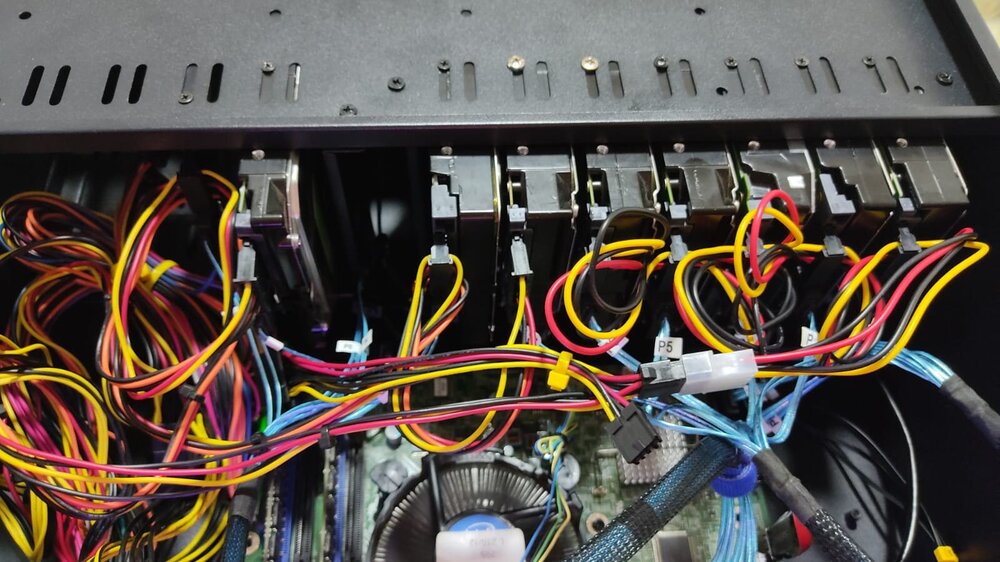
Hello guys! I was running unraid for few years, i was using an Seagate 8 TB as parity 1 and an HGST as parity 2. Few weeks ago i bought an 8 TB WD Red and did 4 times plre clear without any issue. So i swapped the HGST for the WD Red brand new, and the rebuild was complete, after, i changed my data disk 1 (4 TB) for the HGST 8 TB. that was complete too, but days after the things starts to become strange, with slow speeds, and sata communication changing from 3.0 to 1.5 and unstable, so i verifyed the cables, change the power supply and nothing. So i bought a new sata controller 6 ports pcie on aliexpress and put on to eliminate the onboard sata ports from onboard. but still the same, but now i think after power off and power on so many times to swap cables, ports and etc. i got two disks disabled Parity 2 and Data disck 2 that is one of my better ones, its a seagate skyhawk 4 tb (that was i efford to buy when i started my unraid), that works fine with a very good speed. I dont know what to do now, i cant lose the data of this disk 2, can anyone help me to proceed to avoid data loss causes i think this two disks is perfectly fine but i dont know how to enable them again on my Unraid, i attached the diagnostics, i attached two pictures, don't say about the power cables heheh, is this way causes i have to dissambly all my rack19" cabinet. Thanks in advance!!! delorean-diagnostics-20240607-2128.zip
.thumb.jpeg.33b68501a2d1e84173130e801bcc2508.jpeg)
-
Hello everyone! I am having problems with my new Western Red 8 TB drive, when i attach the disk to sata2 port on my motherboard, after power on the server the sata link goes from 3 gbps to 1.5 gbps and goes unstable, keep in loop and sata erros, i changed the cables, cleaned up and still nothing. The curious is that i put the HGST disk back to sata2 (parity 2) no sata erros occours, i started to think the problem is with the new western red disk. But the strangething two, is that i did 3 pre clears on this disk connected with my Sata 6 pci-e controller, and no erros! I dont know what is happen, but i am starting to order this PCI, does any one bought this one? works fine with unraid with all the functions and SMART? https://vi.aliexpress.com/item/1005006831663542.html?spm=a2g0o.productlist.main.9.530akposkposG8&algo_pvid=9dbe5d65-0107-4341-8fba-e29493f0ae0c&algo_exp_id=9dbe5d65-0107-4341-8fba-e29493f0ae0c-4&pdp_npi=4%40dis!BRL!208.74!208.74!!!280.00!280.00!%402101cff817157177911287093e5ea5!12000038444470176!sea!BR!139168152!&curPageLogUid=pexjHbj1jAu0&utparam-url=scene%3Asearch|query_from%3A thanks in advance!!!
-
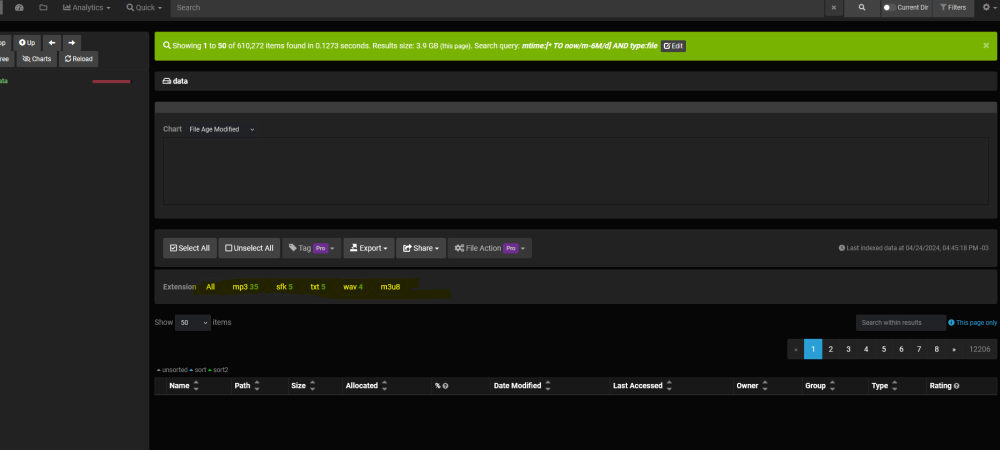
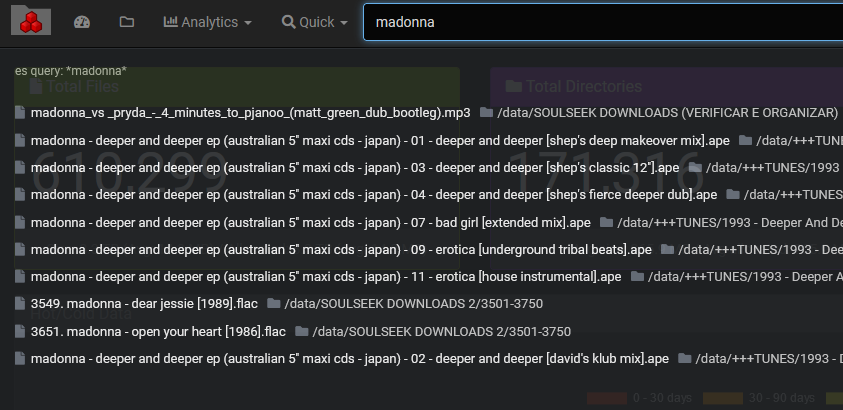
Hello guys! I finally get the Diskover running on my unraid, i used to index my /music share. Its working, but when i try to type anything on diskover search bar the result screen shows like this: the files are there but not displayed, its a bug? or may be i did something wrong? I am using the docker images from the APPs of Unraid. All latest version. When i search from the status page, the results appears but, if i click to browse the results, nothing happens like the above image... Any help or tip are welcome! Thanks in advance!
-
My mount was working fine, but since yesterday stops, are very slowly to play onedrive files, crashing all the time, anyone more??? My mount script: rclone mount --daemon --tpslimit 5 --tpslimit-burst 5 --onedrive-list-chunk=500 --onedrive-chunk-size=250M --drive-chunk-size=250M --fast-list --ignore-existing --ignore-checksum --ignore-size --checkers 5 --transfers 5 --allow-other --ignore-existing --default-permissions --umask 000 --uid 99 --gid 100 --log-level INFO --poll-interval 10s --drive-pacer-burst 1000 --vfs-cache-mode off --vfs-read-ahead 1M --ignore-checksum --ignore-size --ignore-existing OneDrive_Sharepoint_Secure: /mnt/user/OneDrive
-
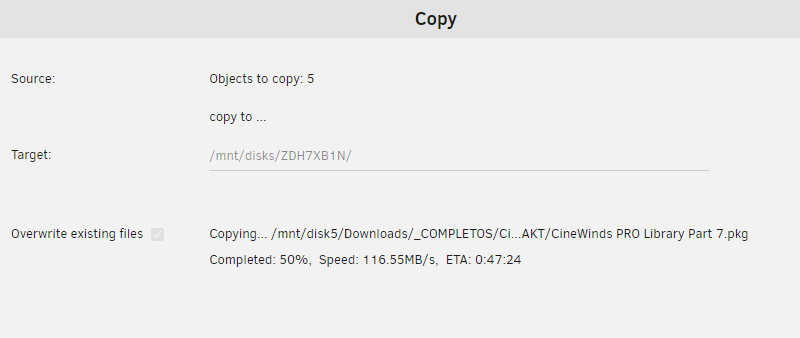
Ok thank you guys, i started the data copy with array started. I used the file manager that i have instaled on my unraid: Copy is fast causes its just 1.14 tb of data, i marked the option overwritten the files. When finished i will stop the array and do the swap, thank you all!
-
Thank you Jorge! I upgrade my license for basic yesterday, now i can attach until 12 disks So here we go 1 stop the array 2 copy files from actual 8 tb to the old 4 tb disk 3 go to settings and clear the config, and setting up a new config On this new config i need to keep the same disks order and just on the data 5 i select the 4 tb old disk The "parity is valid" option needs to be activated or now? after i just need to start the array? Other question, when i made the new setup i need to put the actual 8 tb disk as parity 2 or no, i need to sawp the data disks before, sync the parity and after everything is fine, i stop again and add the 8 tb as parity 2 and start the array to build the parity 2 ? thanks Ronan
-
I have an idea to stop the array, and do a new config, keep the original parity 8 tb disk, and replacing the data 5 8 tb disk for the 4 tb one, this can works withotu any data loss? An important point is that the old data 5 disk 4 TB is intact when i removed from the array i did nothing with him, so all the data is there, but its not updated, causes after i did the change for the data 5 - 8 tb disk i used my shares and something new files was created and few ones changed.
-
Hello great unraid users! Im into a delema here, few weeks ago my unraid setup was: PARITY 1 - 8 TB IRONWOLF DISK DATA 1 - 4 TB DISK DATA 2 - 4 TB DISK DATA 3 - 4 TB DISK DATA 4 - 4 TB DISK DATA 5 - 4 TB IRONWOLF DISK *ATENTION TO THIS DISK - I HAVE ONLY 1.14 TB USED IN TO THIS DISK) the data 5 disk starts to displayng erros, so, i bought a new 8 TB disk few weeks ago that i planned to use as second Parity drive, but since the disk 5 starts to display errors i replaced the disk 5 for this new 8 tb disk and the swap procedure was fine, i did and did a parity check after that completed all fine. So, now i discover that the problem that causes the data 5 disk read errors was the cables.. after i removed all and dick a good cable cleaning all fine now, and i want to put back the iron wolf 4 TB disk as data 5 disk replacing the 8 TB one. After i sucessfull replace the data 5 disk from 8 TB to the old 4 TB one i will put the new 8 TB disk as parity 2. Its possible? Causes i stoped the array i try to replace the 8 TB data 5 for the 4 tb one and unraid says that i cannot causes the disk is smaller than the actual one, but i have only 1.14 tb of data in this disk. Anytips ? Thanks in advance Ronan


.jpeg.b9c66b842164d2ffb0dab3a30d29eae8.jpeg)


