




Skip to content
View in the app

A better way to browse. Learn more.

Unraid

A full-screen app on your home screen with push notifications, badges and more.

To install this app on iOS and iPadOS
  1. Tap the Share icon in Safari
  2. Scroll the menu and tap Add to Home Screen.
  3. Tap Add in the top-right corner.
To install this app on Android
  1. Tap the 3-dot menu (⋮) in the top-right corner of the browser.
  2. Tap Add to Home screen or Install app.
  3. Confirm by tapping Install.

Esseker

Members
  • Joined

  • Last visited

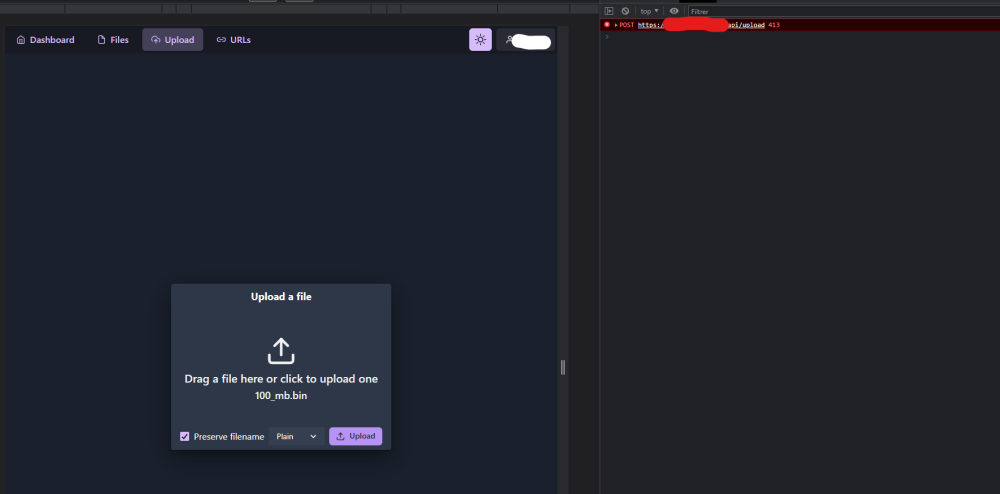
  1. Hey, i have a new trouble with this void ! I can't upload more than 50mb files with https link, when use local, no problem. I have already try to up bytes in config.toml. Try to set client_max_body_size to 0 for unlimited in nginx.conf... I use NPM for expose my void with cloudflare DNS. Thank's
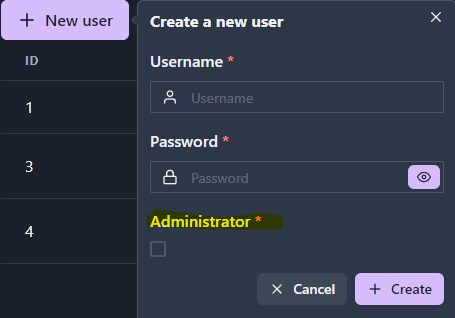
  2. Hey, I can't add another user without admin permission ? Checkbox marked* "requiered" It's normal ? Edit: Ok i have create User in admin and edit DB for disable admin bool value, maybe need to fix this.
Account

Navigation

Search

Search

Configure browser push notifications

Chrome (Android)
  1. Tap the lock icon next to the address bar.
  2. Tap Permissions → Notifications.
  3. Adjust your preference.
Chrome (Desktop)
  1. Click the padlock icon in the address bar.
  2. Select Site settings.
  3. Find Notifications and adjust your preference.