





Skikibobski
Members
-
Joined
-
Last visited
-
FCP giving me MCE errors about hardware errors. Suspected it was a faulty drive that has been removed since, but errors still keep coming. tower-diagnostics-20230217-1829.zip
-
Scratch that. Everything seemed to be working fine until I noticed one of my drives were spun down. When I spun it up everything disappeared again. Apparently this is only an issue in Brave, Chrome and Firefox are working properly. I'm going to mess around with some of the settings and see if that helps. Edit: Closing and restarting Brave fixed it. I'm guessing it's a bug in Brave.
-
Found the issue. Apparently I used a bookmark with an old URL that was linked to a certificate I had been experimenting with and that probably wasn't completely valid anymore. Provisioned a new certificate and connection is now secure.
-
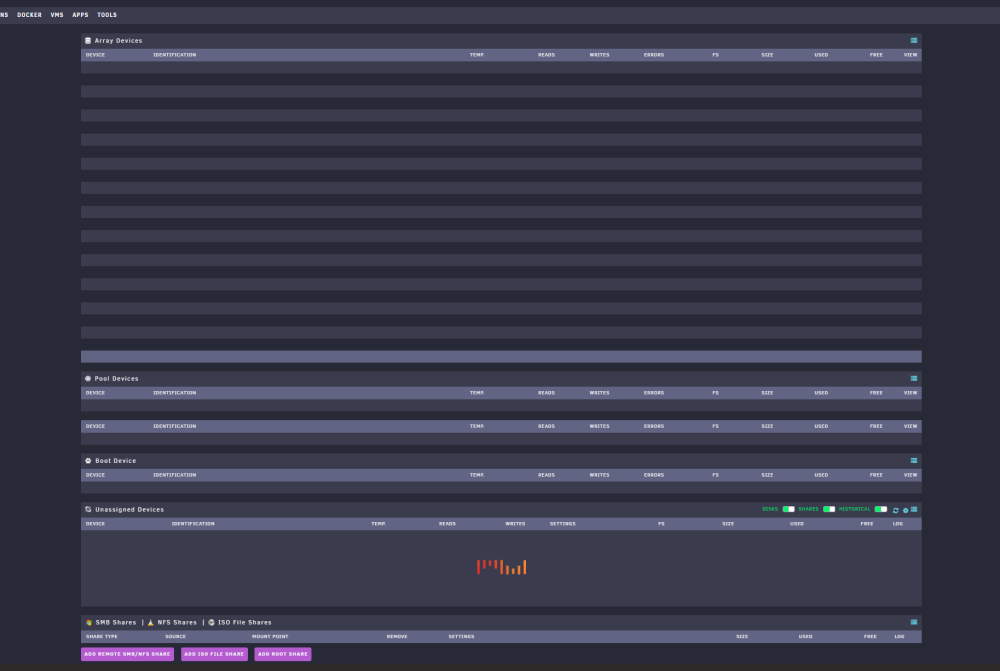
No idea what's up with this. Array is running, Everything is fully functional, I can access my disks, dockers etc. But this whole page is empty and the "loading" animation under Unassigned Devices just loops without any result. Dashboard shows my running dockers, VMs, shares and system info. Array list is empty here as well. I've rebooted the array several times, as well as uninstalled Unassigned Devices (since that's the only plugin I use that handles devices apart from the OS itself. No luck. Is it a bug? Can I reinstall Unraid without losing all my settings?
-
I've had this issue as well, best workaround is to change the path manually in qBittorrent.conf located in the config folder You'll want to check TempPath=/path/to/folder TempPathEnabled=True
-
Everytime I restart my container all my active downloads reset to 0% and my completed downloads give "Missing files" message. I've confirmed the files are present in the host location, but the container location is empty. Force recheck doesn't help. I have temp downloads folder enabled, so my finished downloads/default save location goes to /data/Downloads/Complete and my incomplete downloads goes to /data/Downloads/Incomplete. I'm still new to Unraid so I might be missing something. I did just add a cache drive, and the mover moved my appdata folder to it, unsure if that might be related though. Any help appreciated!

