





Atoz
Members
-
Joined
-
Last visited
-
Jorge, It appears to be as easy as that! Thanks buddy, can i now set the "storage location" back to array as the primary location under user shares?
-
Hi all. can anyone please advise on how to resolve the following; I have had an unraid server running for a few years, however a month ago i performed a hardware upgrade, and the system configuration is as follows z790MB (new) 14600K (new) 128 GB Ram (new) 10GB Network Card 1050Ti (plex transcoding) 5 x 12TB HDD's (new ZFS Pool) 6 x 4TB Hdds (Old ZFS Pool) 1 x 480GB SSD For "Array" 1 x Sata expansion card 1 x 1tb SSD for future VM use (New) Running unraid V-7.1.4 Transition from my old setup, CPU, Networking settings, Transcoding settings, ect went smoothly. after the system successfully booted for the first time, i installed my 5 x new 12TB Hdds and created a new z pool. I called this new pool BSP. All data of my original ZFS pool (comprised of the 6, 4 tb drives ) was copied across to BSP without issue. all docker containers were modified to have file paths set to the new ZFS pool. SMB, Plex all worked, and i confirmed data was being read from the New Pool as apposed to the old one my intention is now to remove the old redundant 6x4tb drives - My original zpool. For reference this pool was called BSG attempting to follow an array upgrade video, i went to the "shares Tab' and set the "storage location" of all data to BSP. (Primary storage for new files and folders) - (Move function was executed) once this was complete, i powered down the system and removed the 6 x 4tb hdds. powered back up and now i cant get the array to start. - Error message says Wrong Pool State, BSG - too many wrong or missing devices. i was always of the understanding the "array" was comprised only of the 1 x 480Gb ssd. however this doesn't appear to be the case. Moving forward i want the "array" device to be the 480Gb SSD only. - [Configuration save location is my understanding of what an "array" is ment to be. ] the New ZFS pool "BSP " for all data. the new 1TB SSD to be for VM's and of course the removal of the old 4tb drives. can anyone please advise.
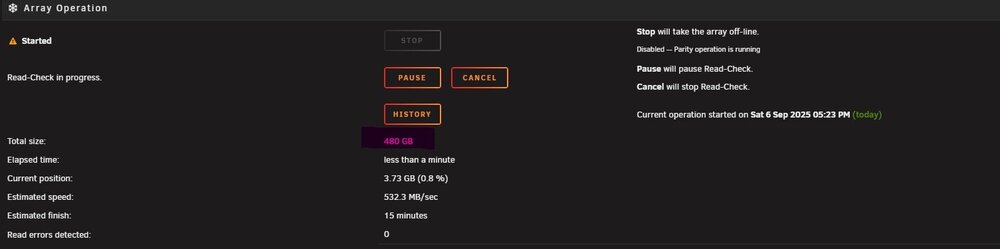
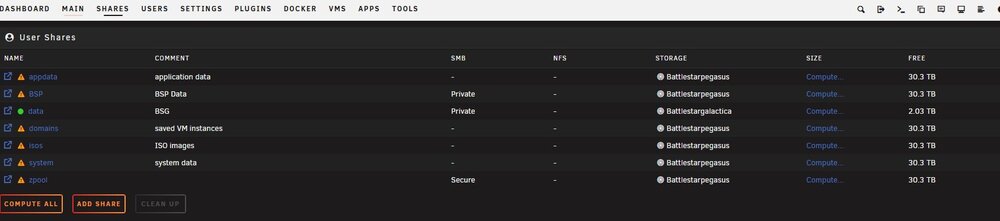
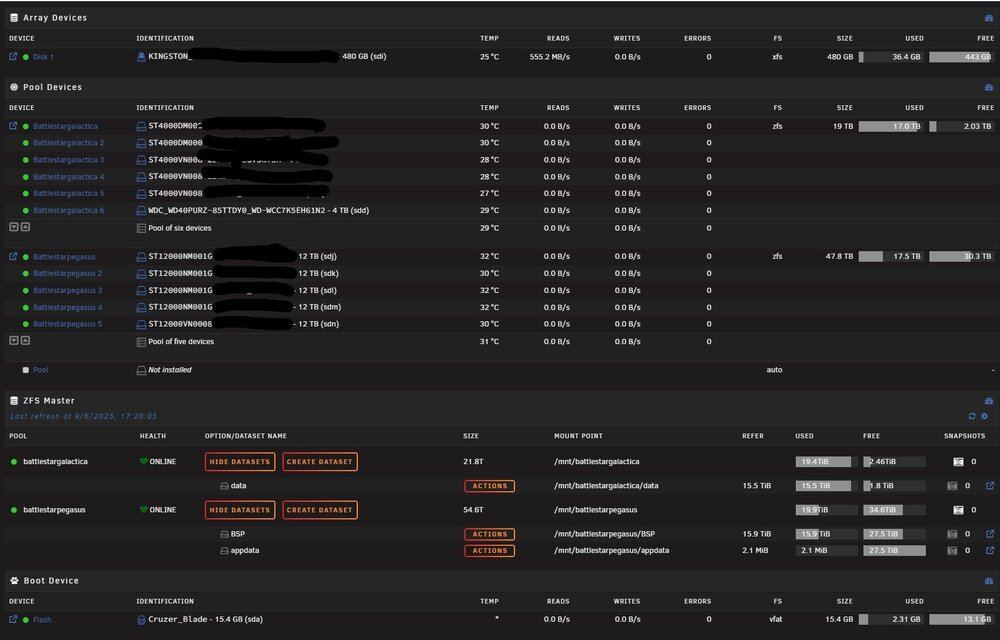
-
to whom it may concern; since i have upgraded to Unraid 6.12.x i am unable to get plex to transcode using my nvidia GPU (1050 TI). I have seen instances of this occurring on a large scale with other users since upgrading to 6.12.x (online forums) has anyone here experienced an issue since upgrading to the new version of Unraid?
-
I have just migrated from truenas Core to Unraid, enjoying the platform thus far; i have completed my ZFS Setup on unraid via Space Invaders one - 'setting up a native ZFS pool on unraid - youtube guide' (method one via terminal without installing truenas as a vm) - I have followed his steps verbatim, and i can confirm my zfs companion confirms my zfs pool is healthy and online. Setup: USB: Boot drive Array Drive: 1 x 500gb SSD ZFS drive(s): 6 x 4tb raidz1 i can confirm i have access to the array drive within windows, & and i can read and write to the drive. However, when i try to write any data to the ZFS folder (simlink directory that was added as per steps shown in the attached youtube video @ 31.50) windows advises : "you need permission to perform this action" what steps are required so i can write data to my ZFS dataset within windows? i will be installing plex shortly. In Truenas Core, users had the option of allowing Jails to have read only access to the data within the ZFS, is this possible with unraid? Thanks in advance


