





thsrite
Members
-
Joined
-
Last visited
-
root@Tower:~# tailscale status bash: tailscale: command not found root@Tower:~# ps -ef | grep tailscale root 79178 74076 0 14:05 pts/0 00:00:00 grep tailscale There is no tailscale process anymore
-
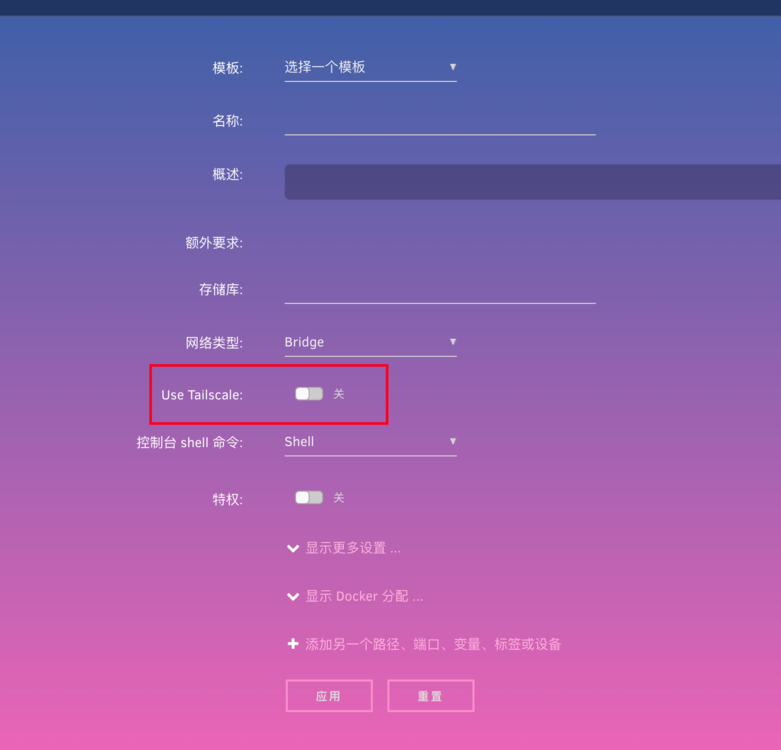
UnraidOS7.1.4 Is the "Use Tailscale" option always available? Or does it only appear after installing the Tailscale plugin? I uninstalled the Tailscale plugin, but after restarting the system, the "Use Tailscale" option still appears.
-
大佬牛逼,虚拟机设置完重启好了

-
6.11.5用了补丁。开机发现pcie网卡和板载网卡分到一个iommu group了。

-
同主板,同问题,请问现在升级了吗 如何解决的
-
right is ok,Both uptime and created are displayed normally
-
i think i found the reason…… but i cant understand。 I installed a new docker yesterday: coldpig/pagermaid_ pyro https://hub.docker.com/r/coldpig/pagermaid_pyro https://hub.docker.com/r/teampgm/pagermaid_pyro I had an idea to uninstall the docker container and restart the system. It seems to be normal
-
Everything was normal before yesterday help
-
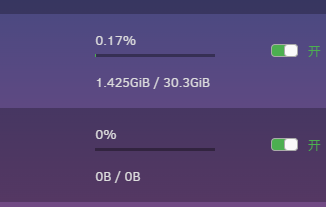
After restarting the docker and the system, all dockers will not display the CPU and memory usage after restarting the docker. The docker that is started for the first time after restarting the system will display the usage, but the docker container that is restarted and the new container will still not be displayed
-
-
-
Hi guys, Can anyone help me and change my profile display name to thsrite? Thanks


