






Everything posted by Lazaros Chalkidis
-
@johnnydarkitd, thanks, glad it's proving useful on your setup. You've pretty much described why I built it. The built-in File Manager is fine for moving files around, but the moment you want to edit a config or read something properly it runs out of road, and opening a container just for that always felt like too much. Editing in place without spinning anything up was the whole point. On your two suggestions: the permissions list not refreshing after a change is a real bug on my side, and it'll be in the next update, the listing updating in place with no reload. Favourites for quick folder jumps is a good idea and fits the tool well, so I'll get it into an upcoming release. Thanks for taking the time to write this up, it's the kind of feedback that actually shapes where it goes.
-
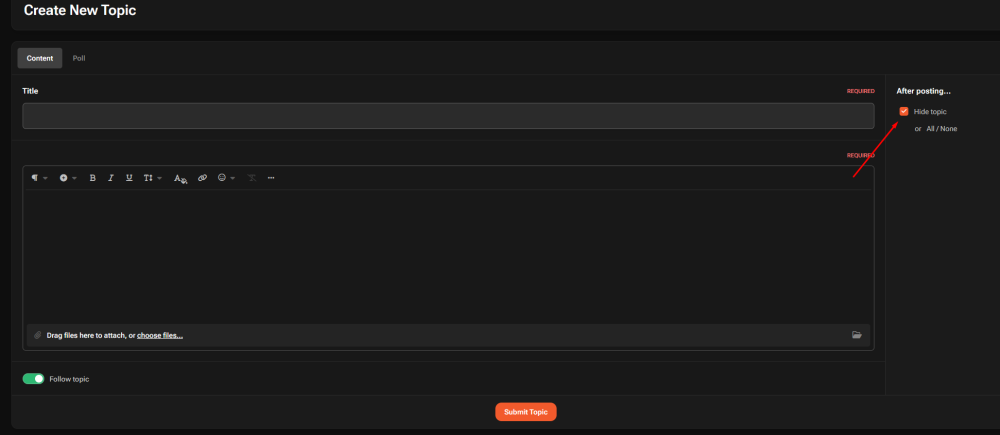
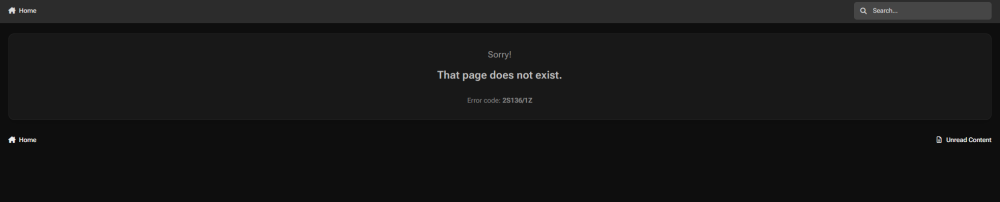
If you create a new topic, enter a title and some content, then select After posting → Hide topic before submitting it, clicking Submit Topic results in the following error: After that, the topic simply disappears. It doesn't seem to get created at all.
-
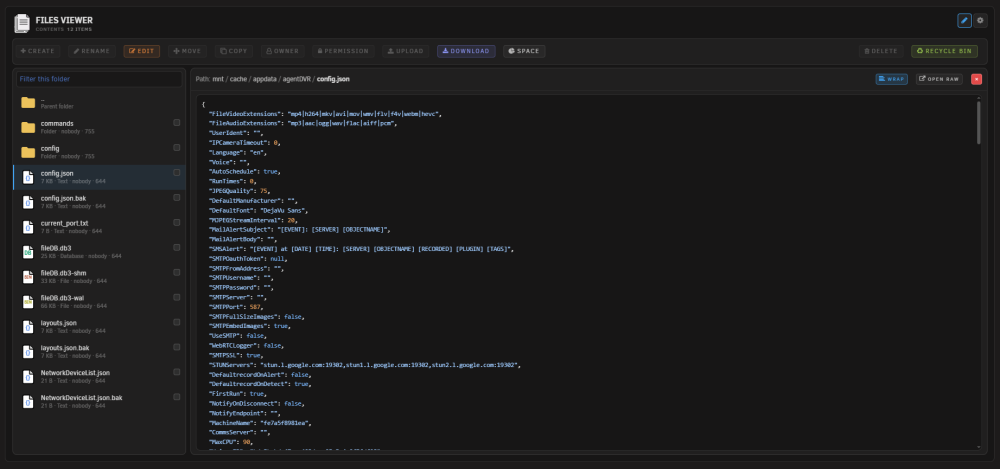
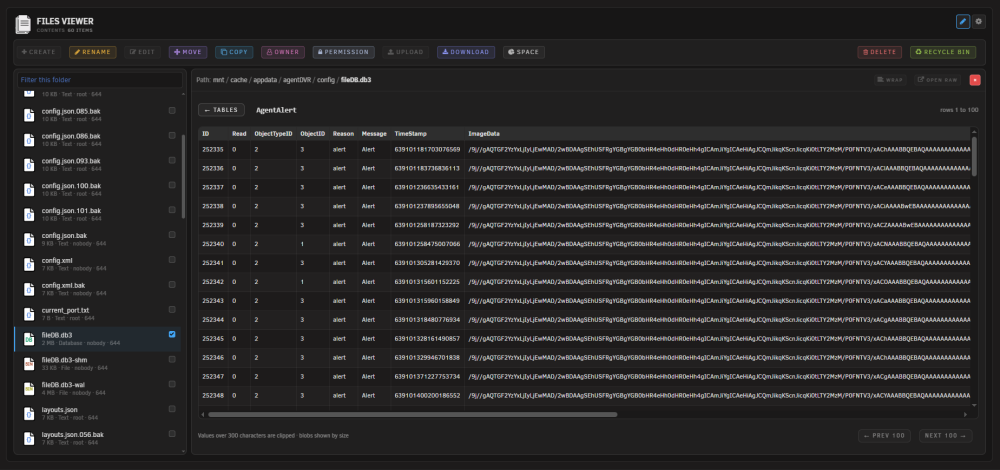
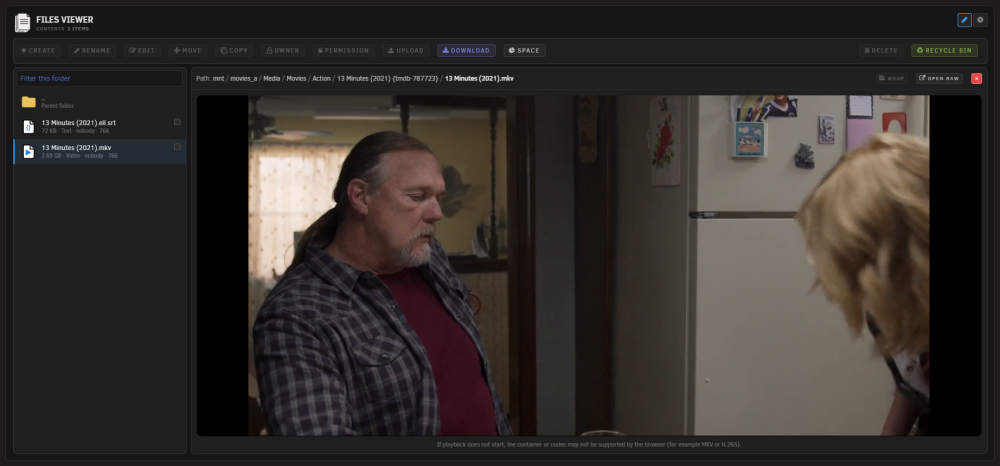
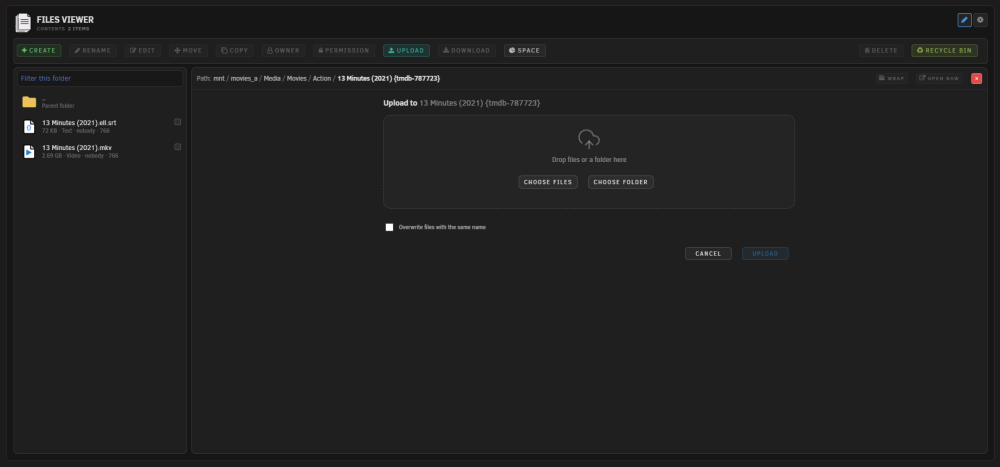
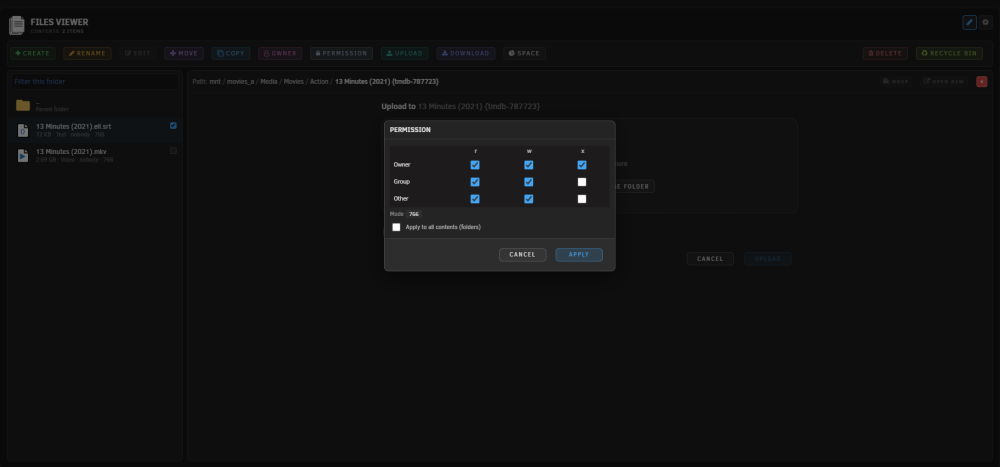
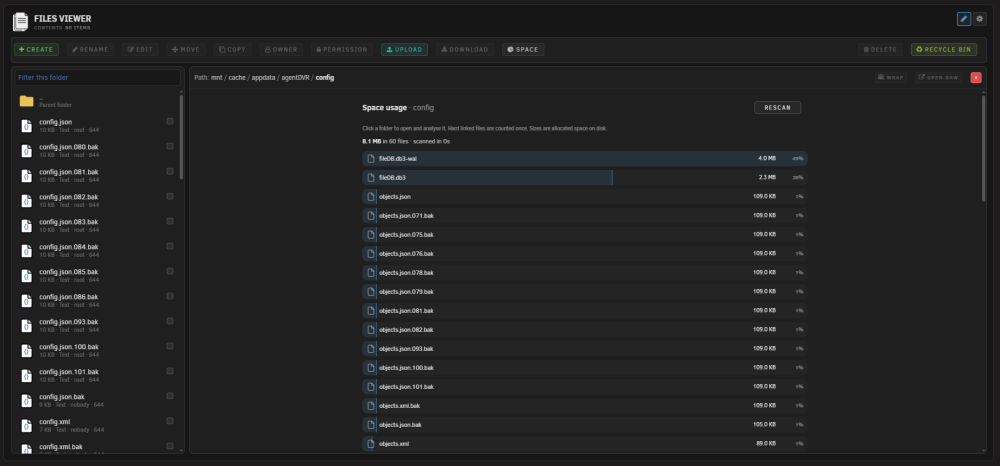
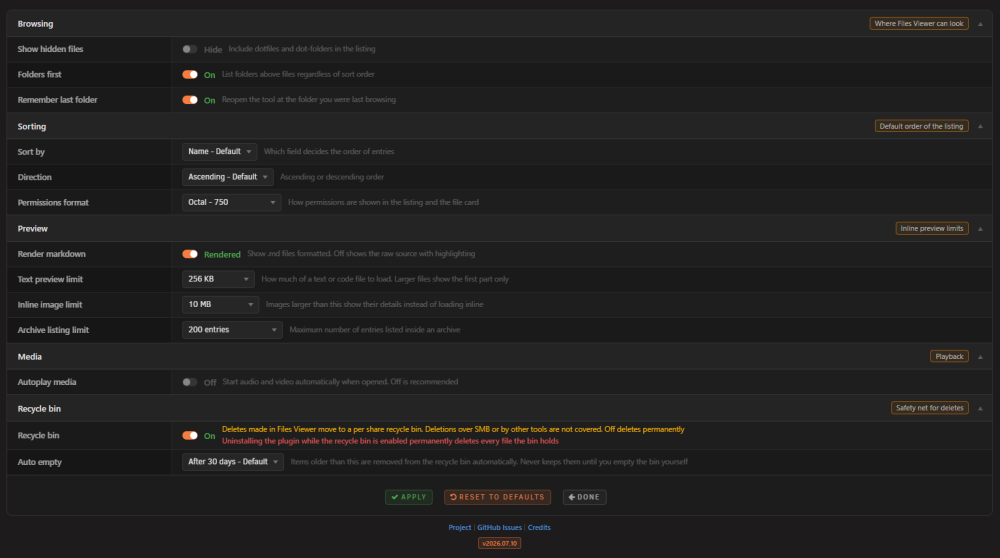
Browse your Unraid shares and disks from a page under Tools, preview files in place, and manage them without leaving the browser. Deletes land in a per-share recycle bin instead of vanishing. What it does Unraid's built-in File Manager is great for moving files around, but it shows "Unsupported Preview" for most file types. Files Viewer started as its read-only companion and grew into a manager of its own: a two-pane page under Tools where you browse on the left, see what is selected on the right, and act on it from the bar above. It previews the common types in place: images, text and code with syntax highlighting, Markdown, audio and video, and PDF, and it lists the contents of zip and tar archives. Richer formats open too: SQLite databases, Word documents, spreadsheets, CSV as a table, fonts, and e-books. On the writing side it covers the everyday jobs: create, rename, edit, move, copy, upload, download, ownership, permissions, and delete. Features Tools Page: A full-page two-pane browser under Tools > Files Viewer, with a folder list on the left and a preview pane on the right Rooted at /mnt: Browsing starts at /mnt and stays inside it, so every disk, pool, and share is reachable in one place and nothing above /mnt is Write operations: Create files and folders, rename, move, copy, delete, and change owner or permissions from the top bar In-place editor: Open text and config files up to 2 MB in the preview pane, change them, and save them back Upload and download: Send files from your machine to the current folder, cancel midway if you change your mind, and pull any file back out Background jobs: Long copies, moves, and deletes run in a worker with live progress and a cancel button, so the page never hangs Recycle bin: Deletes made in Files Viewer move to a per-share bin, with restore and purge in a bin view and a daily auto-empty (30 or 60 days, or never) Bin off the network: The bin is reachable from this page alone. Samba vetoes the folder on every share and it is root-only on disk, which covers NFS as well Space analysis: Rank everything inside a folder by the space it actually takes, with progress while it counts and drill-in on the results Audit log: Every write is appended to /var/log/filesviewer.log with the time, the action, and the paths involved Image preview: View images inline, fitted or at actual size with drag to pan, up to a configurable size limit Text and code preview: Read text and code with syntax highlighting, long lines wrapped by default with a toggle, capped so large files stay responsive Markdown preview: Render Markdown formatted, with a toggle to see the raw source Audio and video: Play media inline with the browser's own player and byte-range seeking. Formats the browser cannot decode fall back to details PDF preview: View PDFs inline in the browser's own viewer, with byte-range loading Archive contents: List what is inside zip and tar archives (including tar.gz, tar.bz2, tar.xz) without extracting anything Database browser: Open SQLite databases (.db, .db3, .sqlite) read-only, pick a table, and page through the rows 100 at a time Document and spreadsheet preview: Render Word documents (.docx) as formatted text, and show spreadsheets (.xlsx, .xls, .ods) as a table with a tab per sheet Table view for CSV: Show CSV and TSV as a table by default, with a toggle back to the raw text Font preview: View a specimen of a font file (.ttf, .otf, .woff, .woff2) at several sizes E-book preview: Read .epub books in place with previous and next Light on the page: The richer previews load their viewer only the first time one is needed, and each has its own size limit Disk friendly browsing: Listing folders reads directory entries and metadata only, so browsing never wakes a sleeping disk. Opening a file reads its content, which wakes the disk that holds it Breadcrumb navigation: Click any part of the path to jump back up, with an Up row inside each folder Folder-aware sorting: Sort by name, size, or modified time, ascending or descending, with folders kept first if you want Quick filter and keyboard: Type to filter the current folder by name, move with the arrow keys, and open with Enter Remembers your place: Reopens at the folder you were last browsing, which you can turn off Theme-aware: Inherits the active Unraid theme (light or dark) Settings Page: Standalone settings at Settings > Files Viewer with browser-native form submission Scope and limits Files Viewer works inside /mnt and nowhere else, reading and writing alike. Every path is resolved and checked on the server before anything happens, and every write is logged. The recycle bin only catches deletes made in Files Viewer; deletions over SMB or by other tools bypass it, and turning the bin off makes deletes permanent. Most rich formats are parsed in the browser from the file's own bytes; SQLite is the exception and is opened read-only on the server. Listing for 7z and rar is not included, since those need extra tools that are not assumed to be present; those files show their details with a download instead. Video that uses a container or codec the browser cannot decode (for example MKV or H.265) also falls back to details. Header icon Screenshot Tool Screenshots Requirements Unraid 7.2.0 or later Installation Via Community Applications (recommended) 1. Open Community Applications in Unraid 2. Search for Files Viewer 3. Click Install Manual Installation 1. Go to Plugins in Unraid 2. Click Install Plugin 3. Paste the following URL and click Install: https://raw.githubusercontent.com/Lazaros-Chalkidis/unraid-filesviewer/main/filesviewer.plg After installing, open Tools > Files Viewer. Tune the behaviour under Settings > Files Viewer. Settings > Files Viewer Browsing Show hidden files: Include dotfiles and dot-folders in the listing Folders first: List folders above files regardless of sort order Remember last folder: Reopen the tool at the folder you were last browsing (on by default) Sorting Sort by: Name, Size, or Modified Direction: Ascending or Descending Permissions format: Show permissions as octal (750) or symbolic (drwxr-xr-x) Preview Render markdown: Show .md files formatted, or off to show the raw source Text preview limit: How much of a text or code file to load (default 2 MB) Inline image limit: Images larger than this show their details instead of loading inline (default 50 MB) Archive listing limit: Maximum number of entries listed inside an archive (default 1000) Media Autoplay media: Start audio and video automatically when opened (off by default) Recycle bin Recycle bin: Deletes made in Files Viewer move to a per-share recycle bin; off deletes permanently (on by default) Auto empty: Drop items older than 30 or 60 days, or keep everything until you empty the bin yourself Settings Screenshot How it works Files Viewer is a page under Tools backed by a single PHP endpoint. The read actions list a directory and return a file's details; the write actions cover create, rename, save, move, copy, ownership, permissions, upload, delete, and the recycle bin. Every action runs through the same safety gate, and every write is appended to an audit log at /var/log/filesviewer.log. Every path the plugin is asked to open is resolved with realpath and then checked against /mnt. The resolved path must sit under /mnt or the request is refused. Because realpath collapses .. segments and follows symlinks before the check, this defeats directory traversal and symlinks that point outside /mnt in a single step. Null-byte tricks are rejected up front, and the listing is capped so a huge directory cannot stall the browser. Listing and the details card only ever read: they list entries and read file metadata with stat, which does not wake a sleeping disk. The detected type comes from a fixed extension map, never from the file content, and responses are sent with X-Content-Type-Options: nosniff. Access is gated by the Unraid session like every other plugin page, with the CSRF token carried on each request. Images, audio, video, PDF, raw links and downloads are served by a separate streaming endpoint that supports byte ranges, so the browser can seek media and the PDF viewer can load pages on demand, sends the type from the same fixed map with nosniff, and reads the file in chunks so memory stays flat on large files. Archive contents are listed by a list-only command chosen from the file suffix, with the path passed as a single escaped argument, flags that never extract, and a capped number of entries. SVG is only ever shown inside an image element, which neutralises any script it might contain. Text and code are read up to the preview limit and highlighted in the browser, and Markdown is rendered and then sanitised before it is shown. The richer formats (documents, spreadsheets, CSV, fonts, and e-books) are parsed by bundled libraries running in the browser from the file's own bytes; the HTML produced from documents and spreadsheets is sanitised before display, and each type has a size limit so a large file is never pulled fully into the browser. SQLite is the one exception: the server opens the database itself, read-only and immutable so no locks are taken, and returns one page of rows at a time. Writes are plain filesystem calls with guard rails. A delete is a rename into the share's own .RecycleBin folder on the same filesystem, so it is instant at any size and never copies data, and restore renames it back. The bin folder is vetoed in Samba and owned by root, so network clients can neither see nor enter it. Long copies, moves, and deletes run in a detached worker that reports progress and honours cancel, and uploads arrive in chunks into a hidden part file that only takes its real name once the last chunk lands. Reading a file's content does wake the disk that holds it, so opening a file for preview spins up its disk. Listing and the details card use stat only and never wake a disk, so browsing folders stays disk friendly. GitHub Repository: https://github.com/Lazaros-Chalkidis/unraid-filesviewer GitHub Profile: https://github.com/Lazaros-Chalkidis Bug reports, feature requests and feedback are welcome here or on the GitHub issue tracker.

-
@wgstarks create a post about the issue described in the following link https://forums.unraid.net/topic/199719-forum-restoration/
-
v2026.07.09 is out Fixed The browser now always loads the current version of the plugin's files after an update. They previously had no version tag, so a browser could keep serving old cached copies of the dashboard and Tool page code even after the plugin was updated, which made fixes look like they had not applied. A normal page reload after updating is now enough. Spin up and down failed with a "bad csrf token" message on both the widget and the Tool page, on individual disks and the bulk buttons. Recent Unraid versions validate the security token themselves and then strip it from the request, both from the form body and from headers, before the plugin sees it, so the plugin's own check found nothing and refused. The token now also travels under a second field name that Unraid leaves untouched, satisfying both checks. The plugin additionally keeps the token fresh on every update and retries once automatically if it is ever rejected.
-
v2026.07.08 is out Fixed On systems set to Fahrenheit, the Tool page showed the temperature in Celsius with an F after it, so a 38C disk read as 38F. It now converts correctly. The widget and header badge were already right. The health dot in each section header of the widget was always red. It now shows amber for SMART warnings and red only for a real fault. A pool whose scrub schedule you had turned off could still show a next scrub date on the Tool page. It now follows Unraid's current schedule, so a disabled pool shows no schedule. Note: if Unraid left the old job behind in its own crontab, the scrub can still run until you rebuild cron or reboot. On the Tool page, scrolling sideways to reach the far columns no longer jumps back to the start every time the page refreshes. Cleared a harmless PHP warning from the log when spinning a disk up or down from the Tool page. New Features The dashboard widget can now show disk activity in the Speed column, like the Tool page does. Each busy disk shows its i/o as a percentage next to the read/write speed, with a small bar: blue for SSD and NVMe, green through amber to red for hard drives as they get busier. It reads the kernel's counters, so it never wakes a sleeping disk. Off by default, turn it on under the Widget tab in settings. Two new columns on the Tool page. Link shows each drive's current interface speed against its maximum, so a SATA disk stuck at 1.5 Gb/s on a 6 Gb/s port, or an NVMe drive running below its PCIe speed, is easy to spot. That is often what sits behind CRC errors and corruption. Written shows total lifetime writes for drives that report it. Both use SMART data the plugin already collects, so there is no extra disk access. Improvements The Tool page now fits a 1920-wide screen without a sideways scrollbar. The Speed column was made narrower, and NVMe power draw now sits under the temperature on a small second line instead of beside it. The Link column spells out the unit, for example S 6 Gb/s instead of a bare 6.0. New icon for NVMe drives that reads better at small sizes.
-
Try to submit here the issue > https://product.unraid.net/b/community-apps-submission-support
-
I also noticed that the "users viewing this forum/thread" feature doesn't seem to be working. It doesn't show how many users are viewing a section or thread, or who they are. Unless this was intentionally disabled, it might be worth taking a look.
-
@elibosley, another issue I noticed is that the Community Expert badges are not showing up.
-
Yes, it's fixed now.
-
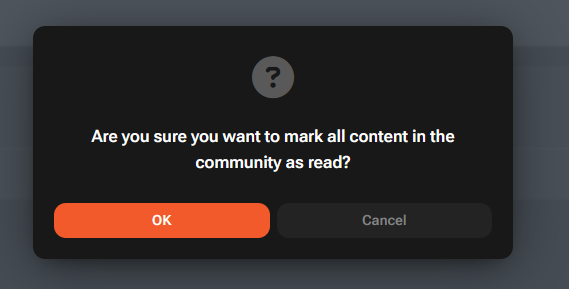
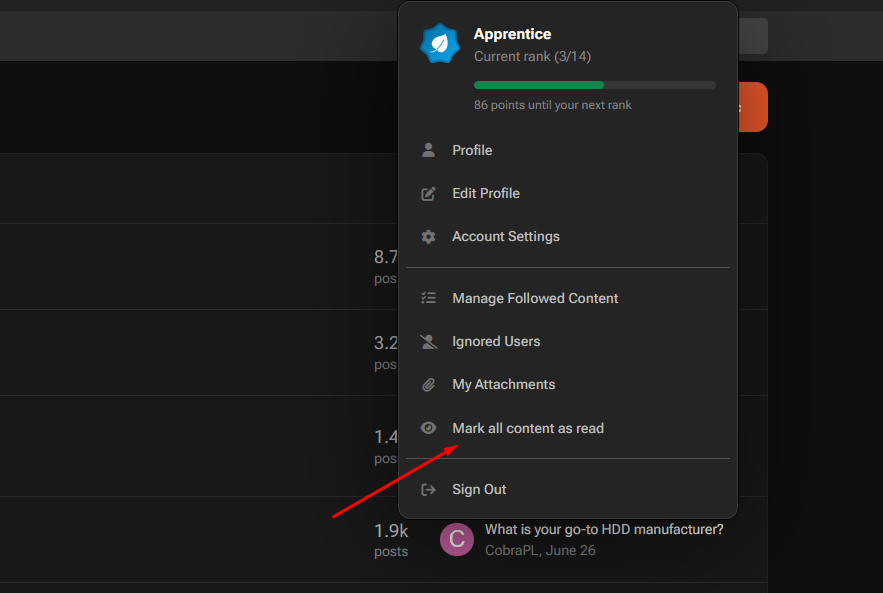
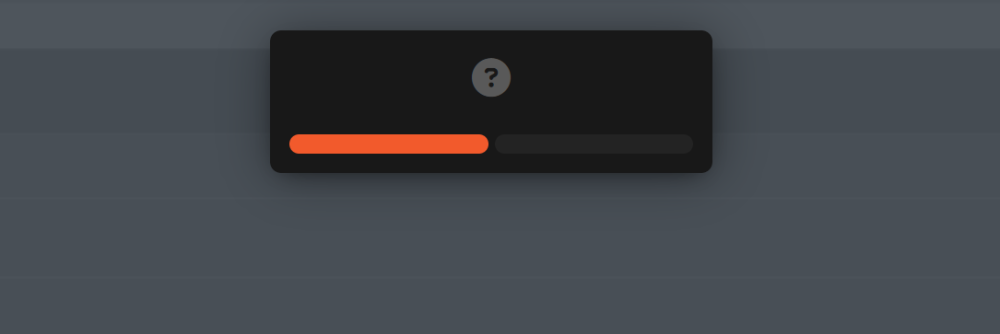
After restoring, I noticed a small issue in Firefox. When you click "Mark forum as read", the popup appears as shown in the screenshots below.
-
Correct, ignore all three. They're stock Unraid GUI files (Feedback.php, FileSystemStatus.php, LanguageReset.php) and the webshell rule just trips because they legitimately call exec/shell_exec. I got byte-identical hashes on my own clean box, and THOR (which carries BPFDoor signatures and scans memory) reported zero alerts. You're clean :)
-
I tried adding the I/O info to the widget, but I'm running out of space. I might need to make the row a bit taller to fit everything in. I'll see what works best. I'll add it in the next update.
-
v2026.06.26 is out Fixed Disk name labels could appear invisible on the white and azure themes, and on systems where the dashboard theme had never been explicitly chosen. The plugin now follows Unraid's active theme reliably and also confirms light or dark from the page itself, so the disk names always show. On the gray theme the widget and Tool page now use Unraid's slate-blue surface colors for the sticky column header and the cache and pool row striping, instead of a flat neutral gray that clashed with the dashboard. On the Tool settings page the header indicator options no longer unlock by mistake on a fresh install or right after a reboot, before the dashboard has been opened. The dashboard widget is treated as present until it is genuinely removed, so the options stay managed by the widget as intended. New Features The Tool page now shows how busy each disk is, not just how fast. The Speed column, renamed Speed r/w - i/o, shows each active disk's i/o as a percentage next to its read/write speed, with a bar. SSD and NVMe drives show it in blue, spinning drives go from green to amber to red as they get busier, at thresholds you can set. It reads the kernel's activity counters, so it never wakes a sleeping disk, and updates live with the speed. Idle and sleeping disks read idle or sleep. On by default; switch it off under the Tool tab.
-
I read through your log and your description carefully. In my opinion this is a false positive, and I'll explain why. The tell is that it survived a full wipe and clean install. Nothing malicious comes back byte-identical from the stock Unraid image, but the OS does, and the OS is all it's flagging. Every CRITICAL is the same process, emhttpd (Unraid's own daemon), plus its normal libraries. The only thing worth a look is your original UDM alert: check which LAN device did that DNS lookup. The domains are sinkholed anyway. If you want a second opinion from something more reliable than that heuristic script, run a signature-based scanner. THOR Lite uses curated YARA/IOC rules instead of guesswork and won't light up on stock libraries the way this one did. It's free. 1. Get THOR Lite + license > https://www.nextron-systems.com/thor-lite/ Download the Linux package. 2. Drop the zip and the license.txt onto the appdata share over SMB, i.e. \appdata\thor-lite\. Then SSH: cd /mnt/user/appdata/thor-lite unzip thor-lite-linux_10.7.30.zip #the name of zip ./thor-lite-util update Then: ./thor-lite-linux-64 --soft \ -p /usr -p /bin -p /sbin -p /lib -p /lib64 \ -p /etc -p /opt -p /root -p /tmp -p /dev/shm -p /var -p /boot \ --htmlfile /mnt/user/appdata/thor-lite/thor_report.html When it finishes it writes thor_report.html. If you see an Alert/Warning with a real rule name (e.g. a BPFDoor YARA rule), that's worth a closer look. Based on everything in your log, expect a clean result. No uninstallation needed, just delete the folder /thor-lite
-
v2026.06.24 is out Fixed The internal boot pool is now detected correctly on Unraid 7.3. On a server that boots from an internal pool instead of a USB stick, the pool now appears once under Boot Device with its real size, usage and member drives, and the tiny bootable partition Unraid keeps on those same drives is no longer shown as a separate 1 MB pool or listed twice. The widget now keeps the height you set after a reboot or a fresh login, not only for the current browser session. New Features You can now hide individual unassigned devices and single-disk pools from the disk list, with a separate list for the widget and for the Tool page, so you can hide something on one without touching the other. Handy for clutter like built-in card readers that always read 0 B. Devices are matched by their stable id, so they stay hidden across reboots and reconnects, and your array, parity, pool members and boot device are never on the list. A Rescan button picks up anything you just plugged in. Improvements NVMe drives now show a chip icon and no longer have a spin control, since they don't spin down. SATA SSDs and hard drives keep the bolt. The Tool page section headings now match the widget, showing the disk count and RAID profile next to the name. On the Tool page, the Realloc, Pending and CRC headings turn amber or red when a disk in that column needs attention, the same as the Temp heading. Unassigned devices now start hidden on a fresh install and after Reset to Defaults, like the Boot Device section. Settings you have already saved are not touched.
-
Hi, @izzymoren0, could you post your disks.ini so I can see exactly how 7.3 lists your internal boot pool? You'll find it at /var/local/emhttp/disks.ini (open a terminal and run cat /var/local/emhttp/disks.ini, or grab it with the file manager). That is the file Disk Viewer reads, so it will show me why the boot pool is being split into a separate POOL row and a 1 MB boot entry. Feel free to strip any serial numbers before posting.
-
I'll add it in the next release as a show/hide option in the settings (off by default), so you can turn it on if you find it useful.
-
v2026.06.19 is out Fixed The settings gear has been removed from the summary rows (Array, Cache, Pool and Boot). Those rows are totals, not a single disk, so the gear only opened a blank settings page. The gear stays on the real disk rows. New Features NVMe drives now show their power draw in watts next to the temperature, on both the widget and the Tool page, the same as Unraid's own display. It follows Unraid's "Enable NVME power monitoring" setting under Settings, Disk Settings, and drives that report no draw stay blank. The Boot Device section now also covers a dedicated internal boot pool, whether a single drive or a RAID pool, not just the USB flash drive. The Boot device Display setting still controls whether it appears, separately for the widget and the Tool page. Improvements On the widget, the disk columns now match the Tool page: cells that do not apply to a row stay blank instead of showing a dash (for example free and used space on parity and pool member rows), and a disk with no activity reads "idle" or "sleep" in the Speed and Temperature columns instead of a dash. The Used column title on the widget is now centred over its column, like the Tool page. Hovering a disk name, or the temperature, error and health icons, no longer shows a question-mark cursor, and the divider line inside those tooltips has been removed. Note: Since I don't have a way to reproduce this setup with a boot OS on an internal drive, or with internal drives configured as RAID, I based these changes on the way the official plugin implements the same functionality. If you notice any issues, please report them and I'll take a look.
-
Hi @izzymoren0, I see what the problem is. I hadn't accounted for 7.3 letting you boot the OS from internal disks. I'll fix the issue you ran into in the next release. Thanks for the report!
-
v2026.06.16 is out Fixed A pool scrub scheduled in Unraid is now detected, so the Tool page shows the next scrub time instead of always reading "no schedule". This covers both ZFS and BTRFS pool scrubs. Empty array slots are no longer shown as phantom rows. Unraid keeps a placeholder entry for every configured array position and the unused ones were appearing as blank rows. A disk that is assigned but currently missing still appears, since that is a real warning worth seeing. A configured array or pool disk whose drive is missing (disconnected or removed) is now shown as "NOT INSTALLED or MISSING": the name is dimmed with a label beside it, spaced clearly from the name, and every column is blank instead of an empty 0 percent row, and its spin control shows no tooltip since there is no drive to spin. This covers missing parity, data and pool disks, and can be turned off separately for the widget and the Tool page under Settings, Display. New Features The Unraid boot (flash) drive is now shown as its own Boot Device section after the unassigned devices, on both the widget and the Tool page. It cannot be spun up or down from the bolt, and a new Boot device Display setting (separate for each, on by default) controls whether it appears. Hovering a disk name now shows a tooltip with the drive's identification (model, serial and device node), like the Main page Identification column. It works on both the widget and the Tool page, for array, pool and unassigned disks, and can be turned on or off separately for each under Settings, Display. NVMe drives now show their wear level, the percentage of rated life used, next to the health icon in the Tool page Health column, coloured green, amber or red as it rises. Drives that do not report it stay blank. Improvements The Reallocated, Pending and CRC columns on the Tool page are now colour-coded green, amber or red, so a healthy zero stands out from a count worth watching. The Age column now shows the drive's age in years next to its total power-on hours, on a single line. Pool and array totals rows are cleaner: columns that apply only to a single disk are left blank instead of showing "n/a", and pool-level values such as scrub and fragmentation show once on the summary row instead of on every member. On the Tool page, array disks and multi-disk pool members now carry the same subtle row highlight as on the widget, making them easy to tell apart from the totals row. The spin tooltip on the bolt now starts at the bolt and extends to the right, on both the widget and the Tool page, instead of being centred over the bolt. The header icon's tooltip is now sized to its contents with aligned columns, and grows as needed so a disk's error count is never cut off. * Full compatibility with Unraid Themes (Black - White - Azure - Gray)
-
Hi @mrvnsk9 you're right, those empty array slots (no disk assigned, size 0, DISK_NP) shouldn't be showing at all. I already hide empty parity slots and just missed the data ones, so the next update will filter them out automatically, no toggle needed.
-
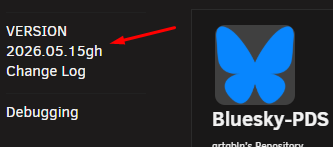
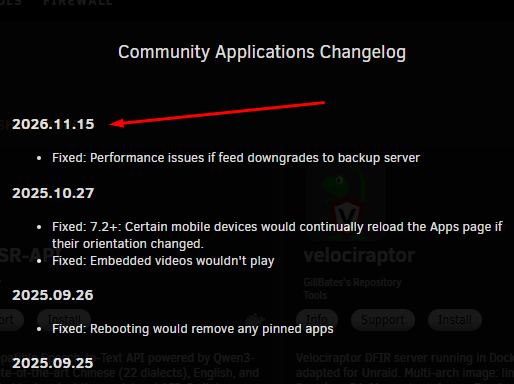
I'd also like to add a few more observations. The download-based sorting doesn't seem to be working correctly. Some plugins that previously ranked higher have moved much further down the list. On the https://ca.unraid.net/plugins page, some older plugins are being displayed as "new", and plugins that previously showed around 2,000 downloads are now showing 0 or only a handful of downloads. It also appears that downloads are not being counted at all for some plugins. Their download counts have remained unchanged for weeks. I also mentioned in a previous post that support links for many newer plugins do not appear to meet the stated requirement of linking to the support forum. I've seen plugins that only provide a Discord link instead. Another small inconsistency is that the CA version is shown as 2026.05.15gh, but the changelog displays it with a future date.
-
v2026.06.08 is out Fixed The Used and Free columns now always show two decimals, and the used percentage shows two decimals too, so drives with close usage stay distinct. Multi-device pools (cache and other RAID pools) now report the pool's real usable size, free and used, the same figures as the official Main page, instead of adding the member disks together. Mirror and raidz pools that previously read roughly double are now correct, and pool member rows show each disk's own size. Font size now has three steps (Small, Default, Large) on both the widget and the Tool page, so you can fine-tune the disk-row text. Unassigned drives are now detected directly from the system instead of relying on the Unassigned Devices plugin's own files, so they appear on every version of that plugin and even unformatted or empty drives now show up.
-
@JudasD, the issue turned out to be more complex than I initially expected. I've downloaded local the latest version of UD so I can better understand how it's implemented and figure out exactly what's causing the problem with DiskViewer. Give me a little time to dig into it, and I should have it fixed in the next release.





