约瑟夫
Members
-
Joined
-
Last visited
-
嗯嗯,那我试试。回答的很详细,感谢感谢!!昨天折腾了半宿也没解决
-
确实是U盘的问题,解决了。感谢感谢
-
我之前的闪迪U盘坏了,更换了新的U盘提示我 存在多个密钥,我还无法拿到密钥链接,点击了下载密钥,打开的却是一个空的网址,没有任何链接,我该怎么办? 我得最新U盘id为:0951-1666-5EE4-F131784164C2
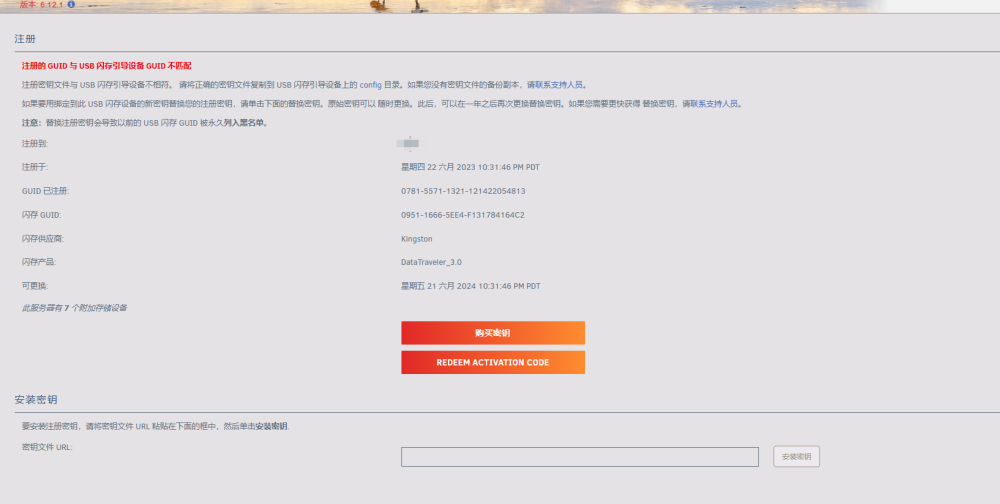
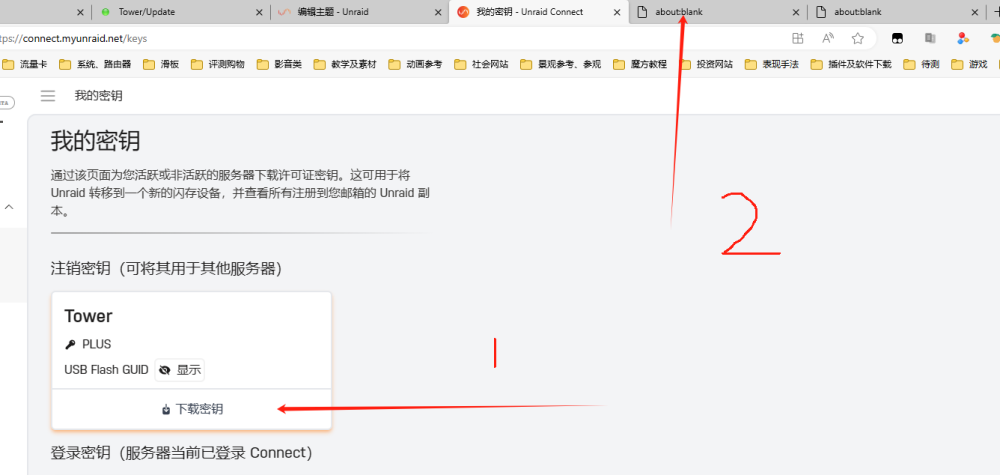
-
Just done the system U disk can not enter the system normally, has been unlimited restart, please have any good suggestions? Usb flash drive using Sandisk 2.0
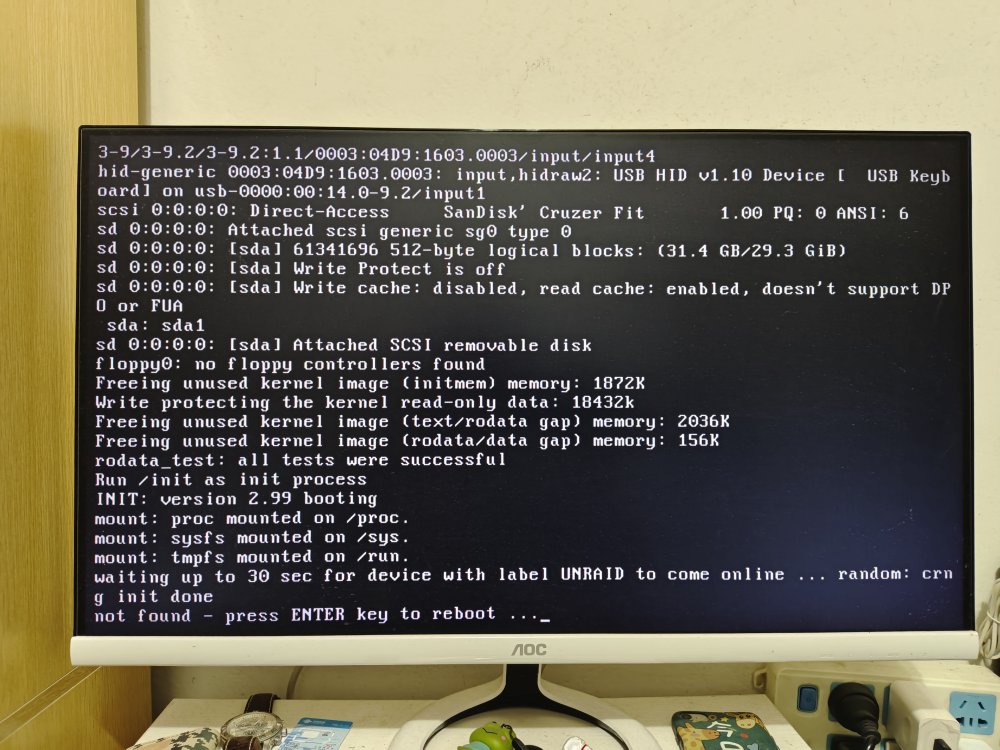
-
May I ask what caused the wireless restart error after installation?
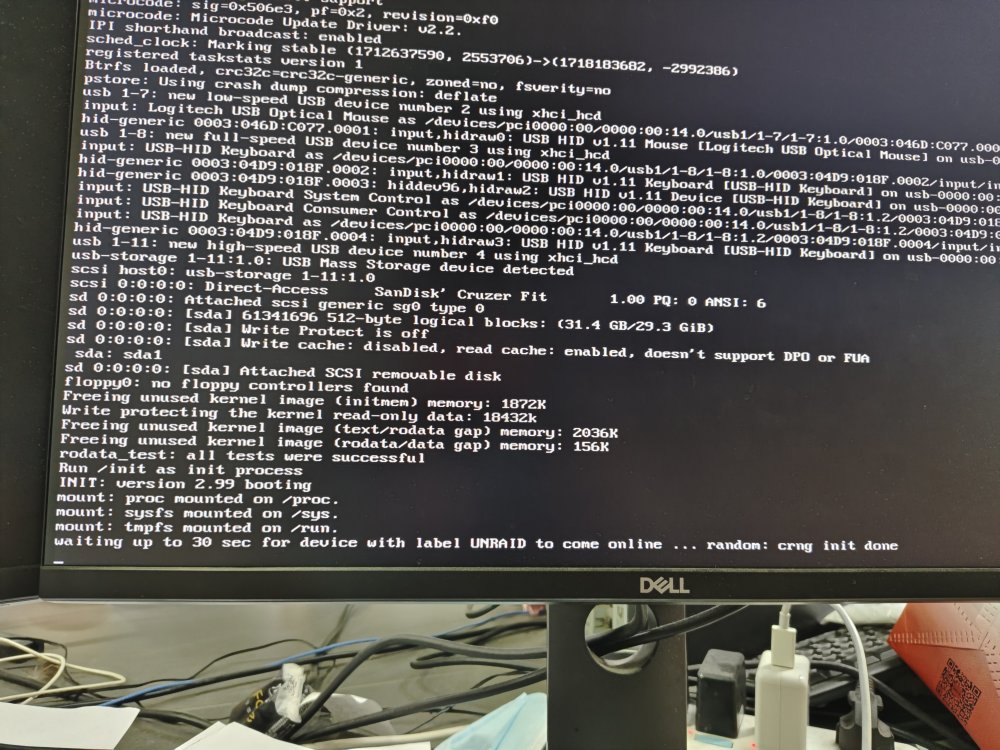
-
感谢,我之前icons那些文件都是放在缓存盘上的,昨天我把文件转移到阵列盘上了,目前没有在丢失,等等看,我去检查一下我的插件。
-
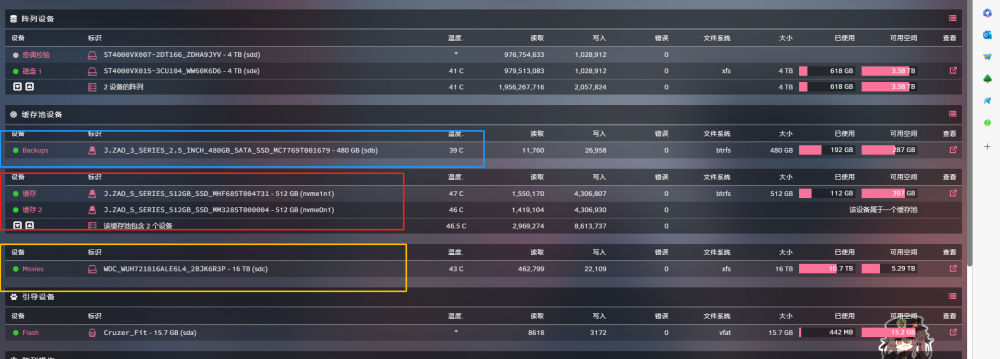
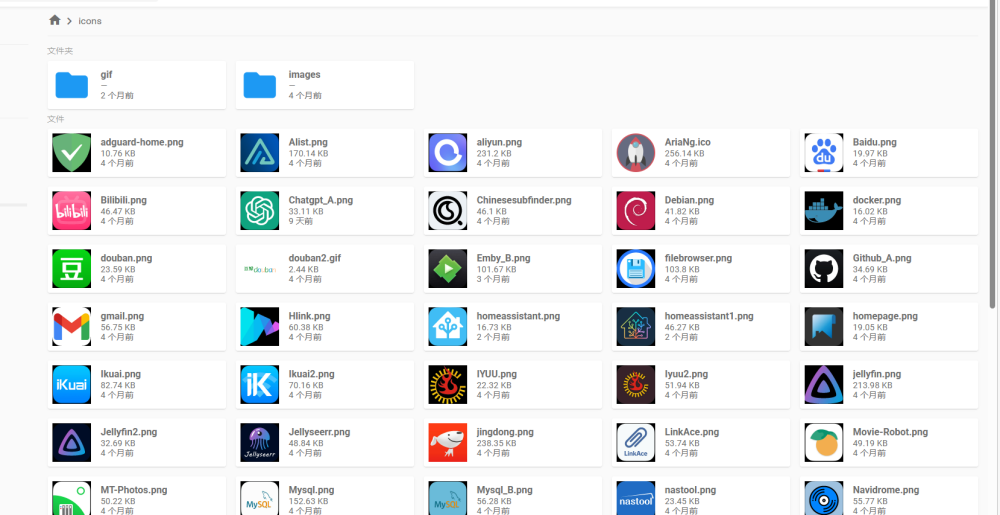
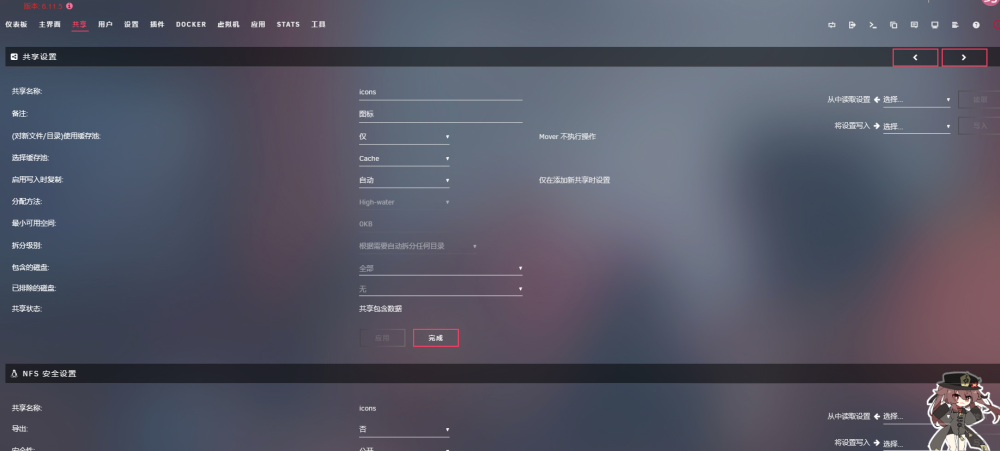
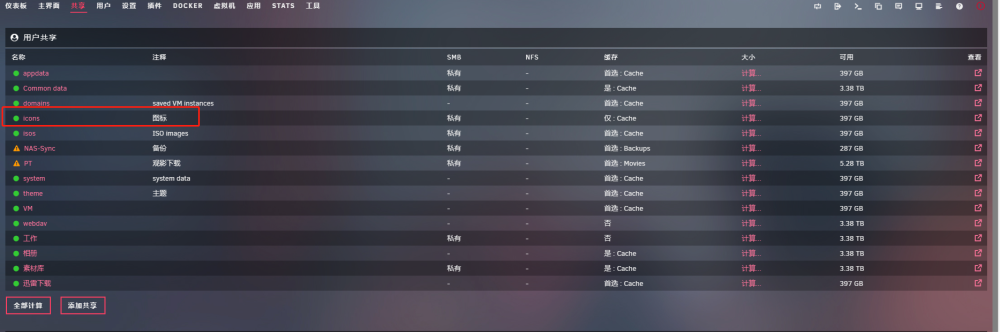
麻烦帮我看看文件夹图标PNG文件经常丢失会是什么原因? icons文件夹里边放了一些我经常用的图标,经常额三岔五会丢失那么几张,时间不固定,丢失的数量及内容也不固定。我怀疑是不是还有其他数据会丢失,里边还存放了很多照片,照片基数比较大丢失了一些也很难察觉。 跟我设置有没有关系?我的阵列盘如下,红色是缓存盘,icons文件全部放在了缓存盘上(缓存盘做了riad),蓝框是我专门用来备份的盘,不做其他用途、黄框内是我用来存盘电影的盘,也不做其他数据。影视盘及备份盘我不想加入校验盘所以都是以缓存池的形式加入进去的。 拜托能给我点建议或者解决方法,这个问题困扰我很久了。