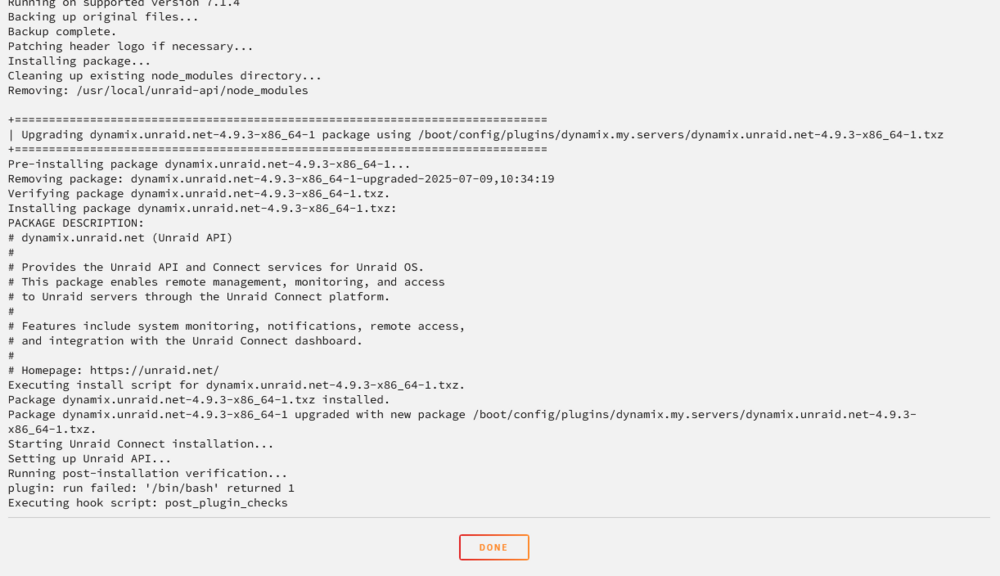
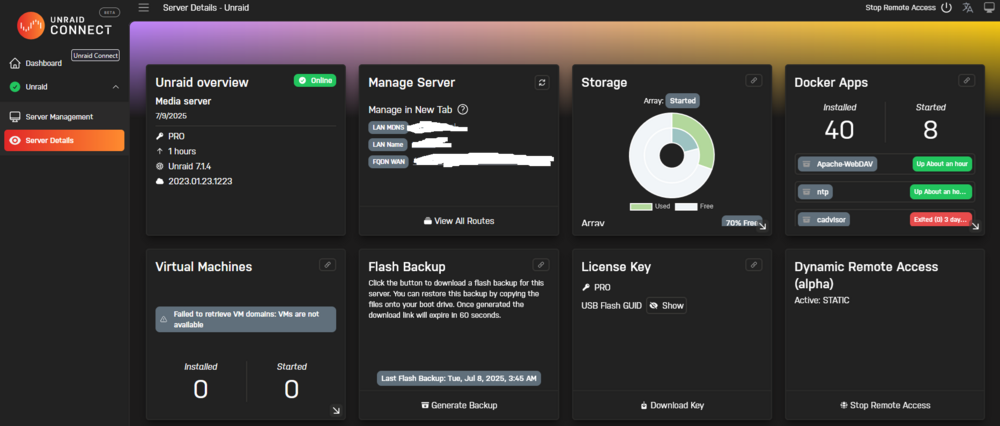
-
[PLUGIN] Stream Viewer
no worries thanks for the plugin!!
-
[PLUGIN] Stream Viewer
-
[PLUGIN] Stream Viewer
that didnt output anything for me but i put all my appdata on ssds in raid 1 seperate for everything else so it would be /mnt/app_data/appdata/
-
[PLUGIN] Stream Viewer
- [PLUGIN] Stream Viewer
nothing seems to be generating int the Stream-Viewer folder its still empty this is one of the red errors Content-Security-Policy: Ignoring ‘block-all-mixed-content’ because mixed content display upgrading makes block-all-mixed-content obsolete . StreamViewerTool [UnifiedMount] Mounted 5 components auto-mount-Wq-TItQE.js:51979:11 XHRGET https://10.0.1.70/plugins/streamviewer/streamviewer_api.php?action=get_stats&_svt=b874116311fa2840805a3dacce312c2723e7551cadc9f713&period=30d [HTTP/2 400 39ms] GET https://10.0.1.70/plugins/streamviewer/streamviewer_api.php?action=get_stats&_svt=b874116311fa2840805a3dacce312c2723e7551cadc9f713&period=30d Status 400 VersionHTTP/2 Transferred400 B (29 B size) Referrer Policysame-origin DNS ResolutionSystem XHRGET https://10.0.1.70/plugins/streamviewer/streamviewer_api.php?action=get_daily_chart&_svt=b874116311fa2840805a3dacce312c2723e7551cadc9f713&period=30d [HTTP/2 400 37ms] XHRGET https://10.0.1.70/plugins/streamviewer/streamviewer_api.php?action=get_top_media&_svt=b874116311fa2840805a3dacce312c2723e7551cadc9f713&period=30d&limit=5 [HTTP/2 400 40ms] XHRGET https://10.0.1.70/plugins/streamviewer/streamviewer_api.php?action=get_top_users&_svt=b874116311fa2840805a3dacce312c2723e7551cadc9f713&period=30d&limit=5 [HTTP/2 400 38ms] XHRGET https://10.0.1.70/plugins/streamviewer/streamviewer_api.php?action=get_history&_svt=b874116311fa2840805a3dacce312c2723e7551cadc9f713&period=30d&page=1&per_page=10 [HTTP/2 400 48ms] [setServer] Object { array: {…}, apiKey: "", apiVersion: "4.10.0+81808ad", avatar: "", caseModel: "RSV-L4500", config: {…}, connectPluginInstalled: "dynamix.unraid.net.plg", connectPluginVersion: "4.32.1", csrf: "CF95AAC1DF5BE889", dateTimeFormat: {…}, … } purchase-BesuGs_3.js:4843:13 [ThemeInitializer] Theme initialized successfully auto-mount-Wq-TItQE.js:52290:15 Result: CA Background Scan StreamViewerTool:1592:13 [setServer] Object { cloud: {…} } purchase-BesuGs_3.js:4843:13 mutateServerStateFromApi Object { config: {…}, info: {…}, owner: {…}, registration: {…}, vars: {…} } purchase-BesuGs_3.js:4996:13 mutatedData- [PLUGIN] Stream Viewer
- [PLUGIN] Stream Viewer
It does not do i just create it?- [PLUGIN] Stream Viewer
well this apparently is the problem just checked in my appdata after i got the error and i have no Stream-Viewer folder in it also no red errors in console- [PLUGIN] Stream Viewer
- [PLUGIN] Stream Viewer
Stream viewer stats seem to not be working for me i have it enabled but it never generates any data in any tab and just says loading at the top. I see in the settings it says "Records to SQLite" do i need to install my own and point the database path to it or is it prebuilt into the plugin- [Support] Skylinar's Repository
The Traffmonetizer template i dont know where to put my token - [PLUGIN] Stream Viewer
derriang
Members
-
Joined
-
Last visited
Account
Navigation
Search
Configure browser push notifications
Chrome (Android)
- Tap the lock icon next to the address bar.
- Tap Permissions → Notifications.
- Adjust your preference.
Chrome (Desktop)
- Click the padlock icon in the address bar.
- Select Site settings.
- Find Notifications and adjust your preference.
Safari (iOS 16.4+)
- Ensure the site is installed via Add to Home Screen.
- Open Settings App → Notifications.
- Find your app name and adjust your preference.
Safari (macOS)
- Go to Safari → Preferences.
- Click the Websites tab.
- Select Notifications in the sidebar.
- Find this website and adjust your preference.
Edge (Android)
- Tap the lock icon next to the address bar.
- Tap Permissions.
- Find Notifications and adjust your preference.
Edge (Desktop)
- Click the padlock icon in the address bar.
- Click Permissions for this site.
- Find Notifications and adjust your preference.
Firefox (Android)
- Go to Settings → Site permissions.
- Tap Notifications.
- Find this site in the list and adjust your preference.
Firefox (Desktop)
- Open Firefox Settings.
- Search for Notifications.
- Find this site in the list and adjust your preference.