





洛天依
Members
-
Joined
-
Last visited
-
-
缩放屏幕大小即可
.thumb.png.bd7335ef4dabaf56d7c5846d5162fa7f.png)
-
-
项目地址:https://github.com/XiaoNieGPT/unraid-theme # 要去的黑条 # 下载替换文件 cd /mnt/user/ && git clone https://github.com/XiaoNieGPT/unraid-theme.git # 备份原文件 cp /usr/local/emhttp/plugins/dynamix/DisplaySettings.page DisplaySettings.pagebak # 替换文件 cp /mnt/user/unraid-theme/DisplaySettings.page /usr/local/emhttp/plugins/dynamix # 设置 # 效果 # 原理 修改文件,文件路径/usr/local/emhttp/plugins/dynamix/DisplaySettings.page 解除长度限制,加上透明,自己修改就行。6.12.10在第300行,别的版本大差不差!记得备份!

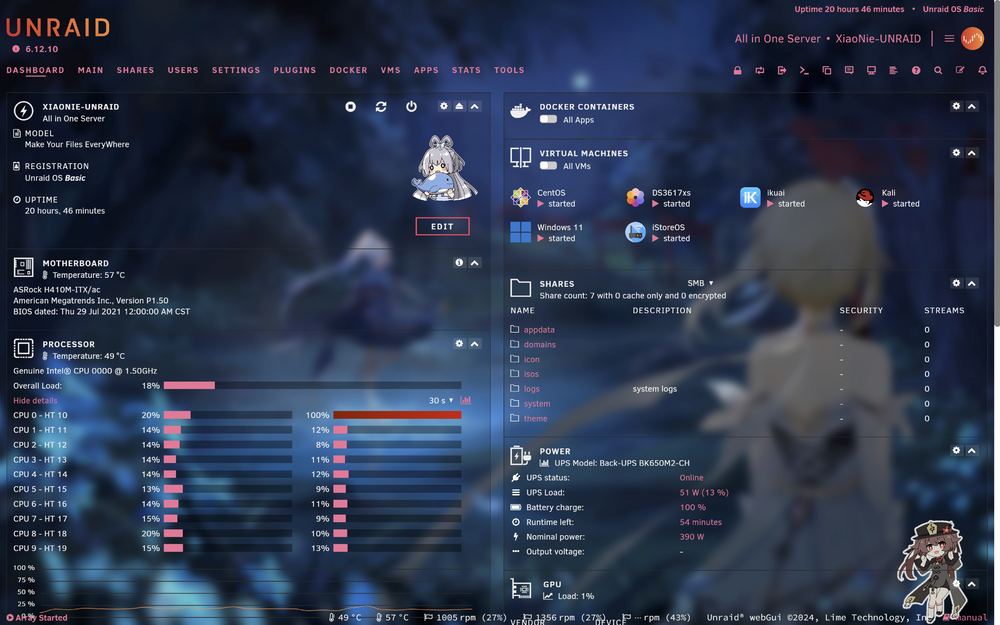
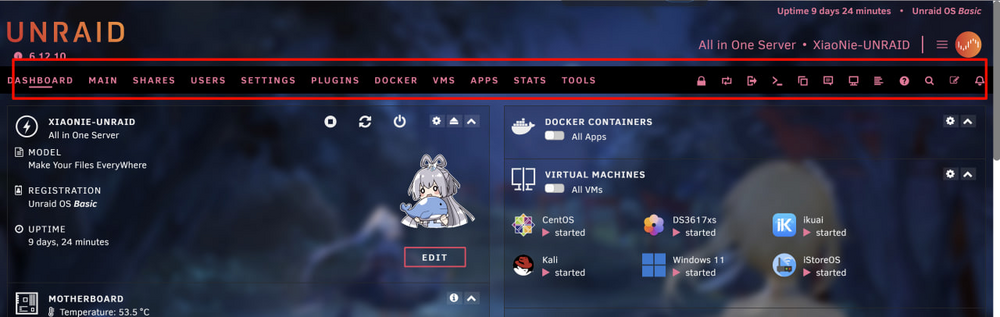
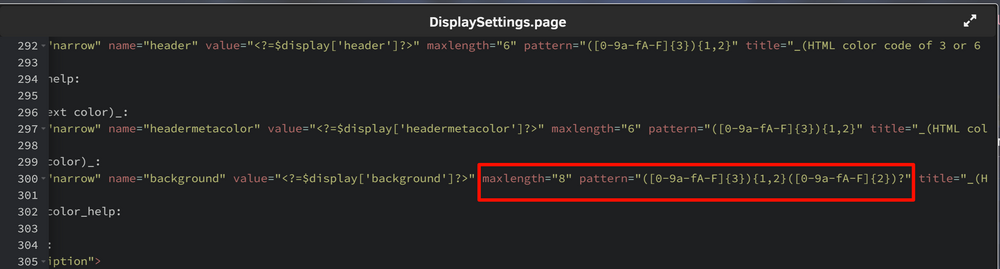
-
-
http://xiaonie.cc/archives/unraid
-
so cool
.thumb.png.4843303e2bd45f89100acb290ea52d1a.png)
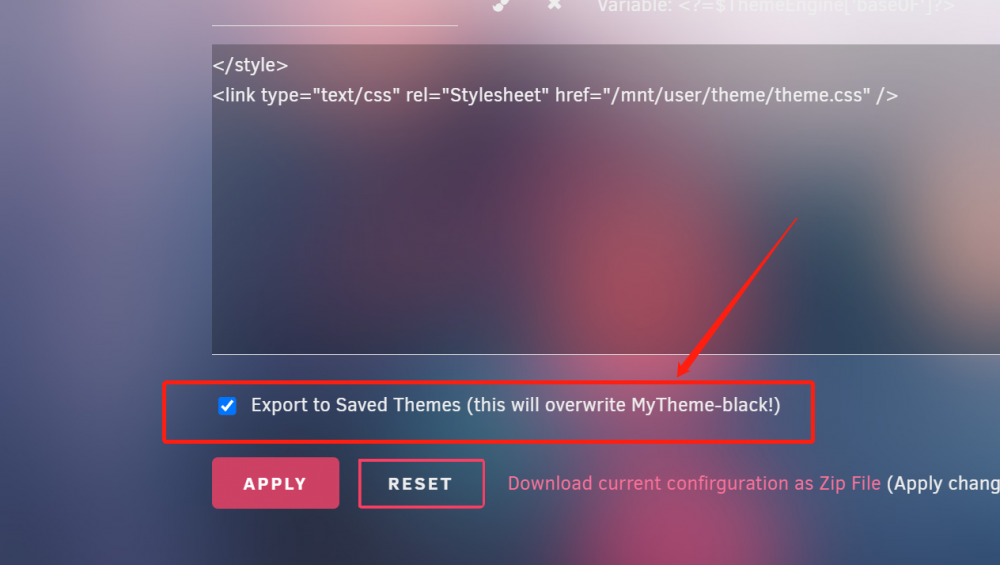


.png.01d141ec087d1ae96d5b203a2c1b1512.png)





.png.15fd40b8082f6a43483a909ddb3e71e6.png)
.png.afc7886d6391fa87b96a4c513b1f11f5.png)
.png.4e6eddab40a774aa262fd2ed78c54891.png)
.png.5bcdb2c967d12d1dd734dfee2616a7da.png)
.png.7847dec1c7713ee1d52b63d94f268974.png)
.png.2bcc7cc71d8a17aebd06067d62e501ed.png)

.png.6829c9303b666d05d5ad6cbe3c21ccfd.png)
Account
Navigation
Search
Configure browser push notifications
Chrome (Android)
- Tap the lock icon next to the address bar.
- Tap Permissions → Notifications.
- Adjust your preference.
Chrome (Desktop)
- Click the padlock icon in the address bar.
- Select Site settings.
- Find Notifications and adjust your preference.
Safari (iOS 16.4+)
- Ensure the site is installed via Add to Home Screen.
- Open Settings App → Notifications.
- Find your app name and adjust your preference.
Safari (macOS)
- Go to Safari → Preferences.
- Click the Websites tab.
- Select Notifications in the sidebar.
- Find this website and adjust your preference.
Edge (Android)
- Tap the lock icon next to the address bar.
- Tap Permissions.
- Find Notifications and adjust your preference.
Edge (Desktop)
- Click the padlock icon in the address bar.
- Click Permissions for this site.
- Find Notifications and adjust your preference.
Firefox (Android)
- Go to Settings → Site permissions.
- Tap Notifications.
- Find this site in the list and adjust your preference.
Firefox (Desktop)
- Open Firefox Settings.
- Search for Notifications.
- Find this site in the list and adjust your preference.