






CEO Primesky
Members
-
Joined
-
Last visited
-
Ich könnte nur selber mal versuche da ne ältere version zu Installieren, ich brauche ja die 7.x version von Unraid für meine Intel Arc Karte.
-
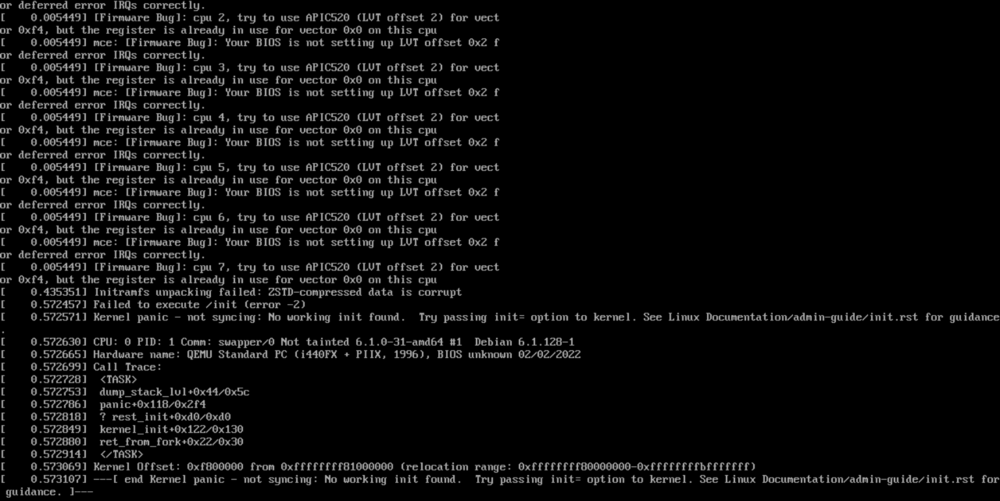
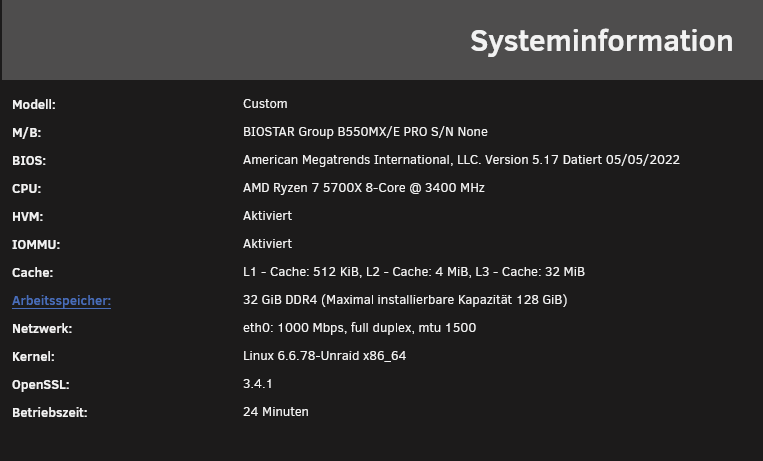
Die Virualisierung ist ja eingeschaltet, das ist ja das Problem. Ich haabe auch alle APIC Power einstellungen deaktiviert aber egal was ich mache das Problem bleibt das selbe.
-
Finde leider in den weiten des Netzes keine lösung für mein Problem. Welche einstellung im BIOS oder in Unraid selbst muss ich ändern damit ich VM´s erstelln kann. Mit meiner alten Hardware war das kein Problem doch mit meiner jetzigen neuen kann ich keine VM´s erstellen egal ob Linux oder Windows. HVM und IOMMU sind aktiviert genauso wie Resizable Bar für eine Intel ARC A310. Welche einstellung übersehe ich hier?
-
I manaaged to fix it. In the Shares was the array removed, after setting it to array only and Loading up some backups i managed to fix everything.
-
I was updating a container when i got an Docker error and my System has disabeled one of my Disk, after rebooting the Server and making an xfs repair i could start my array again but still all my Dockers and VMs are gone. The Docker Files and VM image ist still saved on my Array but they are not listed. Is there a simple way to fix this?
-
And the VM still wont boot after setting the new path, i just call it a day here. Thanks four your Time and Help m8.
-
i had a VM becaus the Docker had some errors i cant explain and just wont work so i just set up a Linux VM and installed MariaDB ther and it worked flawles at second 1. Since this was only for Nextcloud its not a big loss, i wanted to replace this App anyways whit something else more Performant that isnt slow as hell.
-
Im just gonna declare it as Dead, but stil thank you for explaining and your help.


-
Ether im Stupid or the VM is just broken, i set the path tho the Disk1 and it still dont work.
-
where do i find the XML ?
-
didnt work, mover moved the file now and its gone but the VM still boots in shell.
-
I noticed that my Linux MariaDB is not responding anymore and i noticed that the File ist still in an "Operation" when i was looking the the domains folder. How do i get the File out of the Cache whitout Breaking my VM and DB. At the moment i cant start the VM and it just boots into the shell and not the image it self.

-
did you cange other Settings? It just wont work for me, it just says no /dev/dri devices found but if i look via console there are 2
-
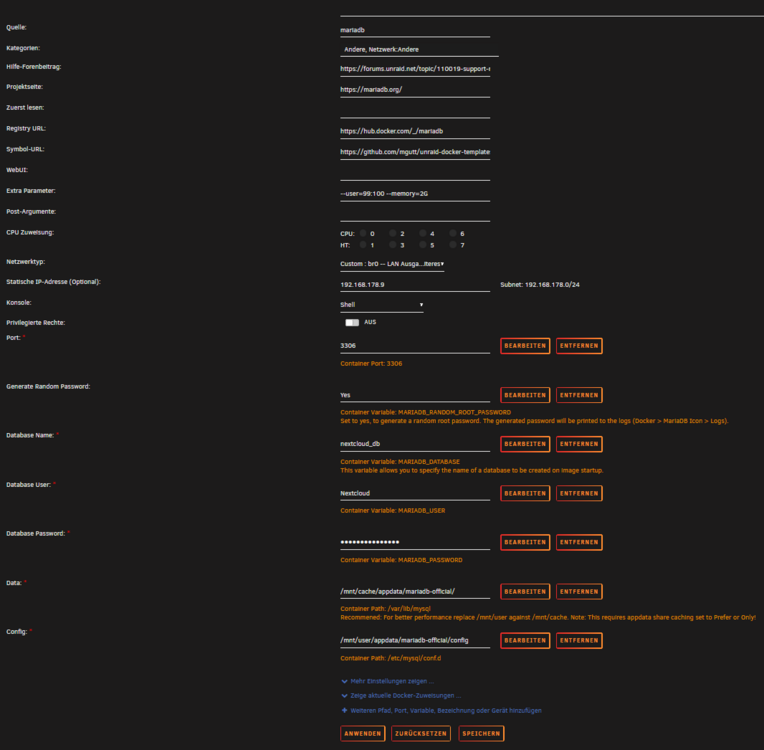
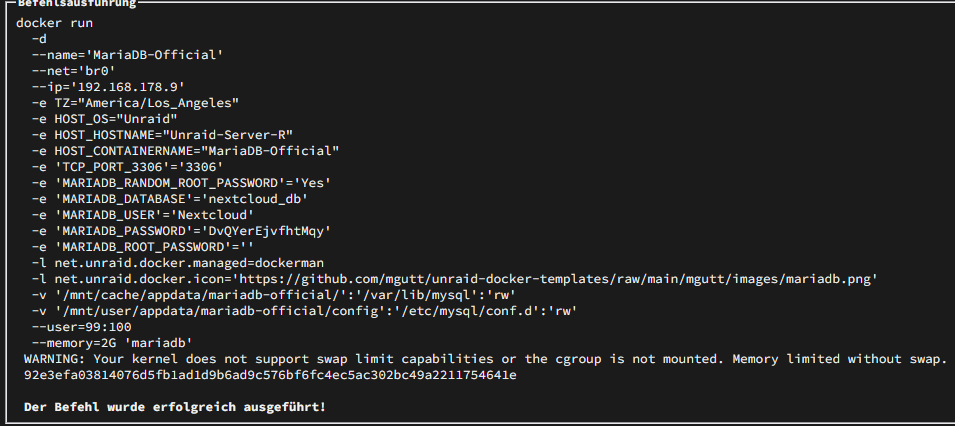
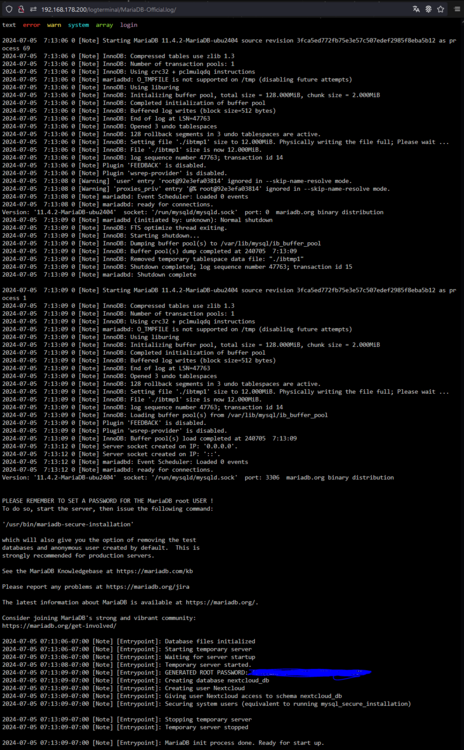
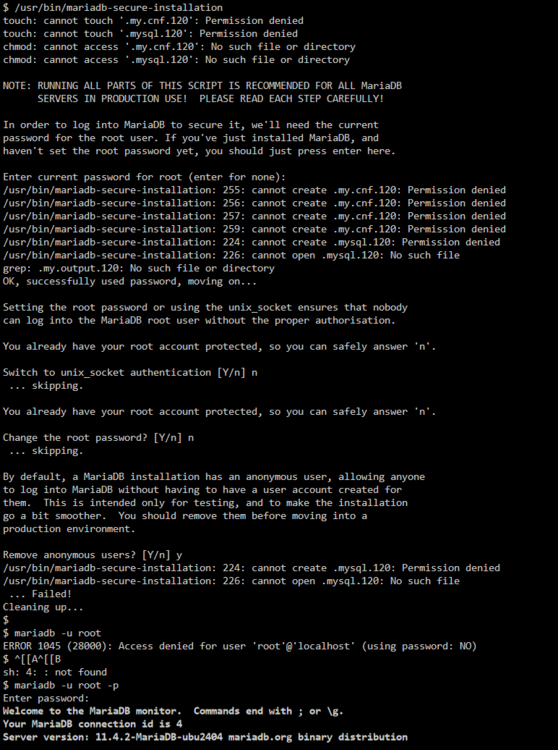
I need help, after many days i am almost at the point of giving up. I just cant get the MariaDB Docker to work. But i could naild it down to an Permission error but i have no clue of solving this. Maybe this is the problem why i just cant connect the MariaDB to anytging, i just get an connection timeout (on Nextcloud and Adminer, yes i cant ping the dockers from both sides)
-
Morgen, habe wohl voll vergessen auf das Weltweite Forum zu wechseln aber egal. Am besten passt Auswahl A, der PC mach rein nix mehr (keine Lüfter drehen sich, rein nix). Nicht mal das wiedereinschalten Funktioniert, da auch hier der PC rein garnichts macht, nur nach dem Stromstecker ziehen und paar Sekunden warten kann man den auch wirklich wieder einschalten. Deshalb kommt mir Netzteil auch so realistisch vor, aber ich wollte Trozdem mal nachfragen ob jemand sowas ähnliches auch mal hatte.


