





husqnz
Members
-
Joined
-
Last visited
-
Welp as of today, mine's now ignoring the custom setting for the color. Since the Connect plugin updated, which appears to have something about the theme in the notes. So that bodes well.
-
Yeah - it's a workaround not a solution but it works for now. Hoping we see a fix in .3!
-
Yeah - having to reapply after reboots is very annoying. I've left mine in macvlan for now as that doesn't seem to be impacted and I can get by with it. I'll switch it back to ipvlan when the issue is fixed - there's a bug report which will hopefully bring that fix. For the VMs - I'd suggest making a new post with diagnostics attached so that some of the super helpful experts can jump on it and have a look
-
Home assistant integration, it's very noisy. I actually don't need it anymore as I'm using the NUT plugin instead to get UPS status, so will kill it!
-
Decided to check the bug reports forum as a hail mary and found this post from @Naticus which seems to solve the problem!
-
Bump Anyone else seeing this unexpected behaviour? I don't really want to roll back as I've just pulled the trigger on an Arc B580...
-
After having to restore piecemeal yesterday because Unraid NGINX wasn't loading, I'm now having an issue with docker host access to custom networks not working. Docker is set to ipvlan, I don't have any wifi device in the server, and I've tried disabling, starting docker, then and reenabling the "Host access to custom networks" setting to no avail. Prior to upgrading, I had NGINX Proxy Manager working with Plex and a couple of other dockers on a custom network, and stuff like Tautulli on the default bridge. Now, NGINX can't reach anything on the bridge (it's on a custom network) and returns 502 errors, and Tautulli can't access Plex on it's custom network. NGINX is fine with stuff that isn't on the bridge - i.e. Plex. Attached diagnostics: babel-diagnostics-20250507-1326.zip
-
No unfortunately - not sure what's causing my particular issue. Maybe custom cert, because I've just added that back and tried to restart nginx and it's failing the check - hmm.
-
Plug your USB into another computer and open the folder: Config -> SSL -> certs then delete everything in that folder. Boot back up and see if that works. If not, probably best to create a new thread with your diagnostics taken after you have tried removing your certs. Note if it works you will need to reprovision your certificates in Management settings to use Connect. You can also to this from the terminal, by logging in and running: Change to certs directory: cd /boot/config/ssl/certs Then delete them: rm * Then this command will reboot the server: reboot
-
Thanks - yep best guess it was the cert; I found another thread re super.dat and used that method to get back up and running minimally with a GUI, then moved more back on to the USB until everything was restored. The only stuff I didn't copy back over were certs and the NVIDIA driver plugin, which I've since reinstalled without any issues. So most likely culprit is indeed the cert. Also it looks like perhaps with the kernel update to support the new Intel GPUs and CPUs something has changed with Intel GPU /dev/dri assignments as I had to tweak a couple of containers which pointed at a specific render device which no longer existed - but that wasn't a reason for the nginx failure and probably more an issue with how I have those containers configured Back up now. Hopefully this thread helps anyone else who runs across the same weird nginx failing to start issue.
-
7.0.1 --> 7.1.0. Diags attached. diagnostics.zip
-
Same issue for me - though can't find anything about a Dynamix plugin, just NGINX crashing. diagnostics.zip
-
Installed devel, main issue so far is that all drives are showing up as "Warning" except the parity drive which is showing up as "Critical." Unraid GUI shows all of the drives as Normal. I've run the Force SMART + DB button, and the smart folder exists under /tmp/disklocation/. Do you need logs or anything? Just let me know and I can pull them
-
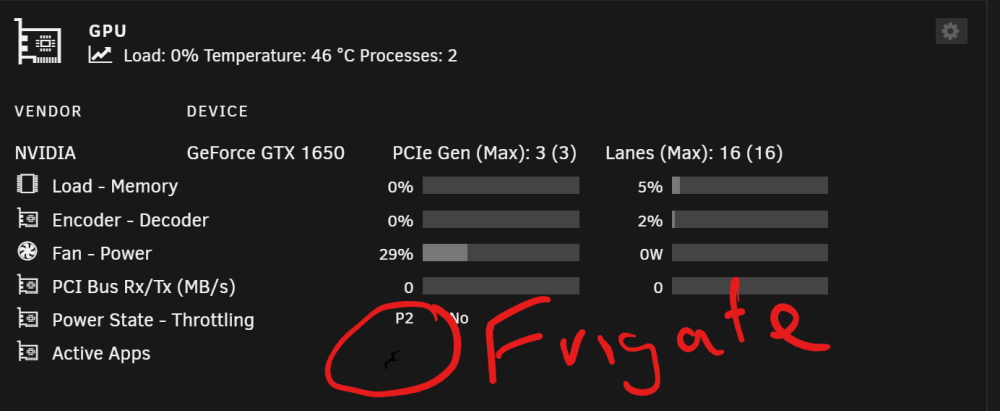
Depending on your screen contrast/brightness settings, you should be able to see a faint black frigate bird - in dark mode, hard to see. Fine in light mode obviously!
-
A reboot fixes it, but I'm at ~3 days uptime and the log is >60% full. Not the end of the world, but annoying - has only started happening after 6.12-rc5, prior builds were stable. babel-diagnostics-20230506-1546.zip

