





mlitz123
Members
-
Joined
-
Last visited
-
I am using a VPN to access my network from a remote location and when I try to open the webgui it times out and wont open. I tried to add a new variable with "unraid network,VPN Network" but that didn't work. Any idea how to fix this?
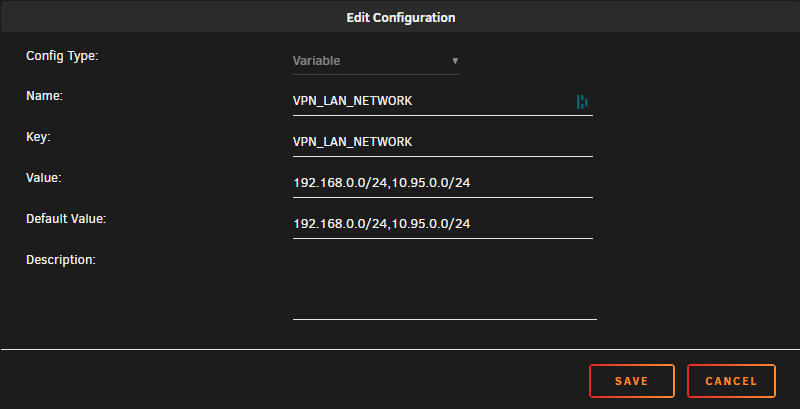
-
Logged back in this morning and looks like it moved everything. Really odd...
-
I am having some issues with the mover, and am getting an error in the logs /usr/local/sbin/mover &> /dev/null & I have my data share set up Cache to Array, I had mover tuner installed but uninstalled and am still getting the error. I have a new SSD to install so I am trying to clear off what is on there. tower-diagnostics-20231015-2002.zip
-
would there be a chance you could add a option so I could view the inode number? I like to double check that my hard links are working properly.
-
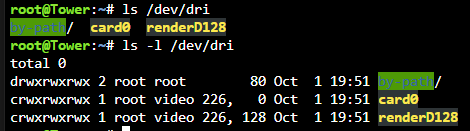
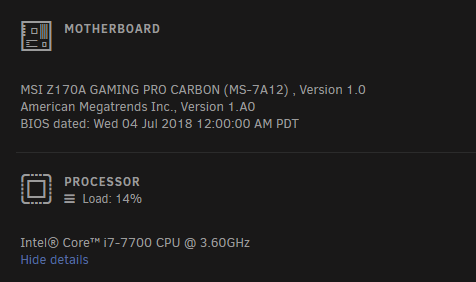
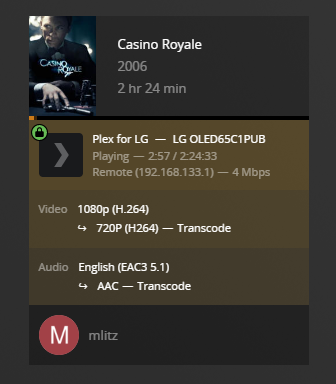
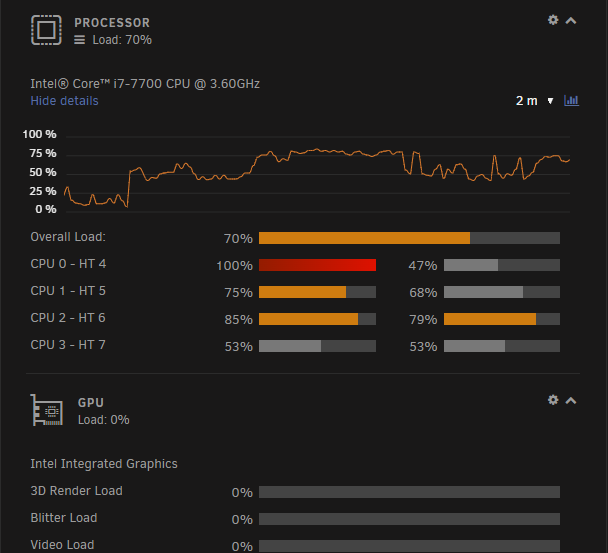
I Have followed the guild and everything seems to be correct after I have double checked. GPU is still not transcoding Here are some screen shots.


-
Hello, If this is in the wrong sub I apologize! This is my first dive into Linux, I have heard nothing but great things about unraid and the install was extremely simple. I am using this server for Home Assistant, Unifi Controller and general home backup. I have installed HA, Z2M and Mosquitto and I need to edit the config file to point it to my USB dongle. I have tried to follow the instructions on Z2M's website but I can't seem to figure it out. I have found where my dongle is Jul 17 12:29:00 Tower kernel: usb 1-14: cp210x converter now attached to ttyUSB0 I have been running all my commands in the unraid command line, I can't seem to get the Z2M console to open. as soon as I click the dropdown options I see a window pop up and immediately close. When I run, wget https://raw.githubusercontent.com/Koenkk/zigbee2mqtt/master/data/configuration.yaml -P data It seems to complete just fine. When I run, nano /opt/zigbee2mqtt/data/configuration.yaml nano opens but can't find the config file. What am I doing wrong?

