





Dman36
Members
-
Joined
-
Last visited
-
So yesterday I decided to reboot my server as it hadn't been done in a year. When I restarted the USB gave me a cache error so I made the mistake of rewriting the USB with the creation tool. So when I got back in to the server gui it's shows my array offline and as I find out now the array config is gone because i over wrote it.. duh My question is if I can identify the parity drive ( should be SDD1) can i add it to the parity 1 slot then just add back the other drives and start the array or do the drives need to be in the order they were assigned before? I checked the drives with the Linux cmd and there is one of them that has no file system the others are xfs and btrfs on one cache drive. I assume the one with no file system is the parity drive. It's one of the three of the largest drives and I am 100% sure there is data on the other two. I am a bit unclear on the function of "start array in maintenance mode" and "parity is correct " Alternatively for safety could I pull out two of the drives and copy the data back up on them and then put them back in to test the array set up? The other two drives are replaceable data. Thanks for any help. Disclosure I posted this on reddit as well where i was told i can actually just add the parity drive then add the other drives in any order. So in theory I could in fact start the array in maintenance mode to verify the correct parity drive. Then add it add parity and re add the others set it to parity is correct and start the array and hope for the best.
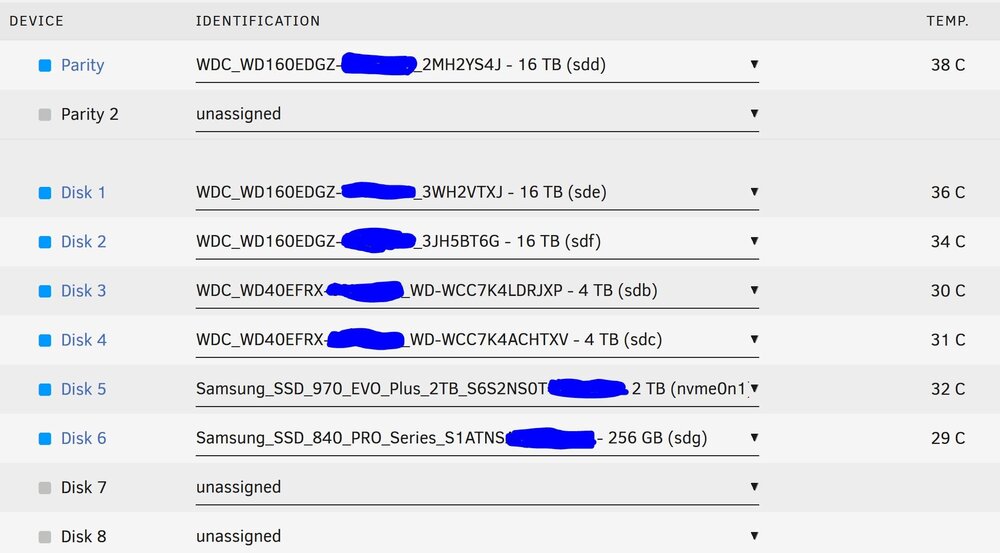
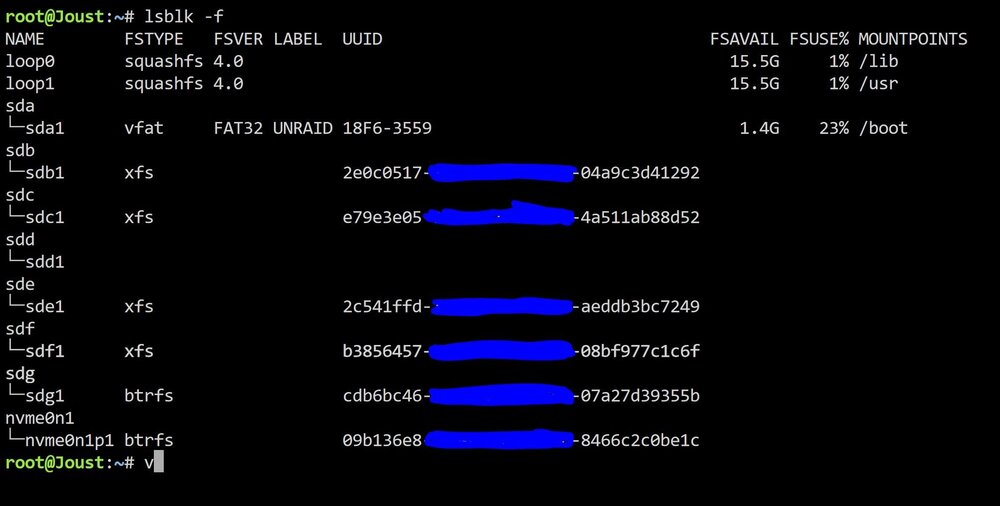
-
Ya i copied the path directly with copy paste. I thought maybe an extra space but doesn't seem that's the case. The results of your request below.
-
Trying to copy files over. Have creates a share and can use Krusader to copy files over and can mount share and browse files over. When i try and use Rsync with the command rsync -avh "/mnt/remotes/THENAS_TV/" "/mnt/user/TV Shows" it gives the error not sure if I should be using the actual path on the NAS such as /volume1/THENAS_TVshows/ or do i need to enable something in Synology OS to allow the transfer. Kind of baffled because i can access the files from unraid just not Rsync Thanks for any advice

