MagicSven
Members
-
Joined
-
Last visited
Everything posted by MagicSven
-
is there a solution? As i can see there are update available every 3 days - but i can´t get it to work. I´ve spend 6hrs now. The connection to mariadb is established, but i can´t log in with my username and password which i set in the docker and also write per "php artisan install --db...... Problem solved: Akaunting v.3.x.x is not probably working with mariadb >11.x.x After i had downgraded mariadb to version 10.11 everything is working fine.
-
Ich habe das Problem gefunden und beheben können. Es lag wohl an einem RAID Fehler der meine Festplatte zum Eigenschutz auf "read only" gesetzt hat. Ich konnte von den Cache Festplatten alle Daten per FTP sichern, danach die Festplatten aus dem Raid1 Verbund aushängen, formatieren, neu als Raid1 definieren, nochmals formatieren und meine Daten per FTP wieder hochladen. Die Docker konnte ich alle neu einlesen und die Einstellungen waren noch da. Das komplette System läuft also wieder. Woher der Fehler kam ist mir aber nach wie vor Schleierhaft.
-
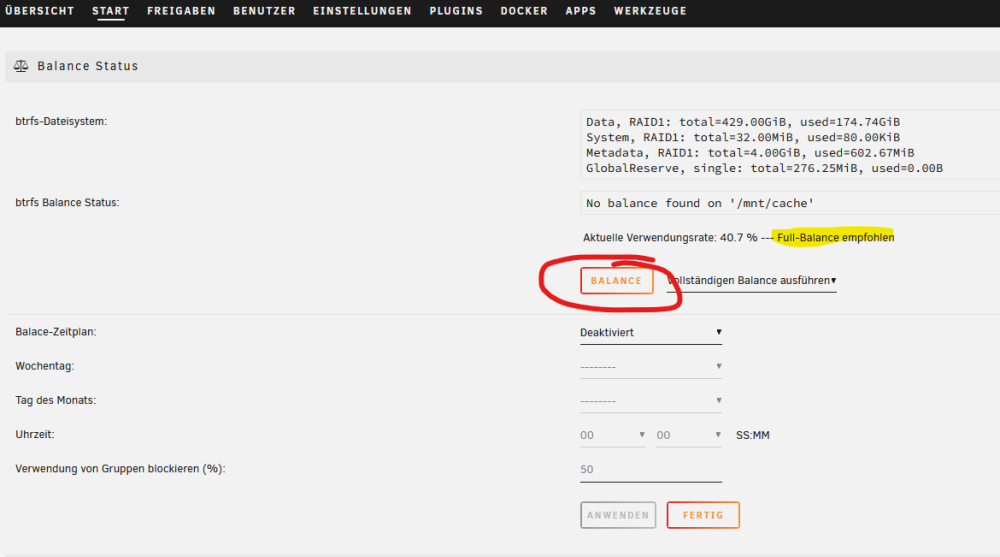
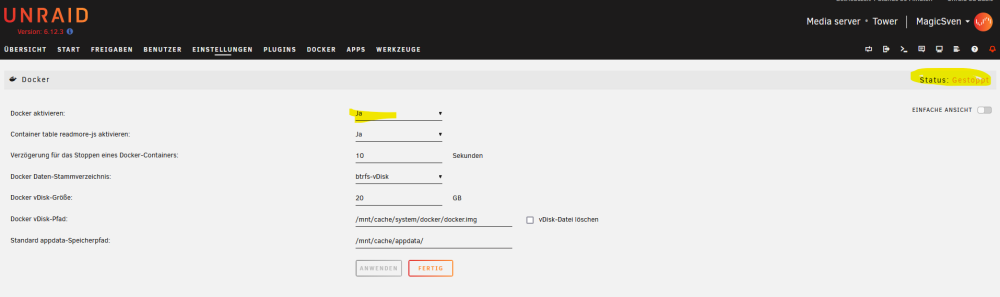
Hallo zusammen, ich habe ein etwas größeres Problem und komme nicht weiter. Unraid läuft bei mir seit 2 Jahren ohne Probleme. Heute habe ich bei meiner Cache SSD auf folgenden Knopf gedrückt: Seither kann ich meine Docker nicht mehr starten. Er sagt mir, dass er auf die Cache SSDs nicht mehr schreiben könne. Wie bekomme ich das wieder gerade gebogen?? Danke schon mal für eure Hilfe.