




-
That worked. Thank you so much.
-
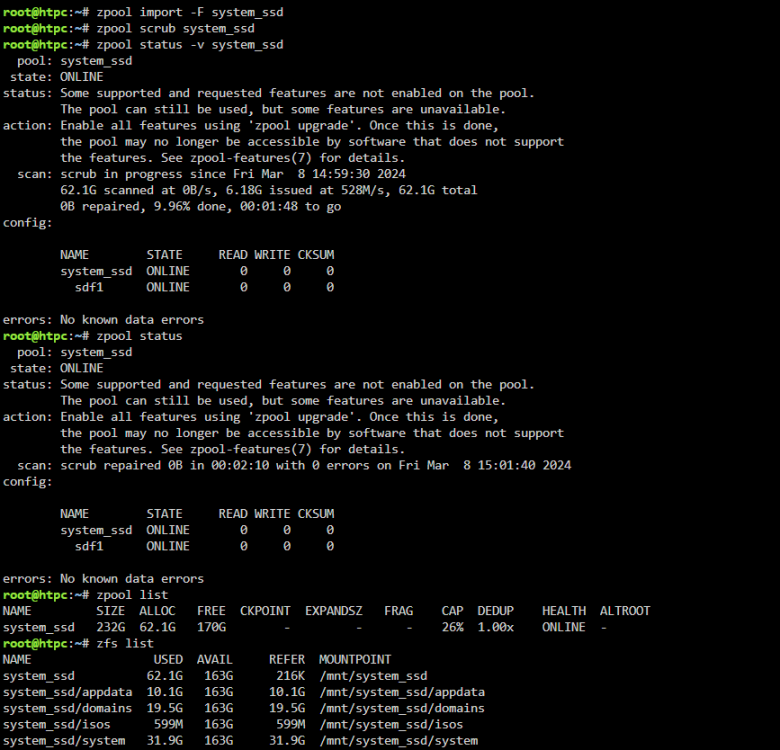
Restarted my server and when it came online the array away stopped. Checked it and it seems like my zfs cache pool is having issues. The data is still luckily on the pool. Just wondering how to recover this pool. htpc-diagnostics-20240308-1514.zip

-
Found the problem, all the suggested ryzen fixes with cstates in the bios did not work. Adding the following to the top of the go file worked: /usr/local/sbin/zenstates --c6-disable
-
Here is the latest syslog. Changes I have tried, Switched out the Power Supply, no change. Switched the Flash Drive as the old one kept having errors. Thought this fixed it, as it stayed on for a good while, until a Drive started erroring out like crazy. My 14Tb seems to be failing. I then proceeded to start the server with no drives except 1 cache drive, and 1 data drive, still crashed. syslog htpc-diagnostics-20220803-1100.zip
-
Update Today: The Flash drive had some errors on it, ran the utility to correct them. Server still just restarts randomly.
-
When the person above asked, I downloaded a memtest usb image and let it run. sorry if you thought I was hostile, not meant to come across that way.
-
it was 16gb and passed 4/4 tests... It is the best power, literally at the panel. Upgrading the bios to the latest version did not help.
-
Just ran it, passed just fine.
-
hello, I have a Ryzen 1700 and an ASUS B350-PRIME board, and simply the server will not stay on. It used to be pretty rock steady and then would randomly crashed. I attributed it to Plex, but that does not seem to be the case. I tried all the Ryzen "fixes" that are recommended for instablity. But none of these seem to have worked. I then proceeded to just default everthing on the motherboard and see if that would help, now it won't even stay on when nothing is using it. tower-diagnostics-20230115-1751.zip

View in the app
A better way to browse. Learn more.


